Back to Top

Tech, Web, Cloud & Cabling Services

Author Archives: Website Admin

Quick Reference CyberSecurity Guide

In today’s digital age, cybersecurity is at the forefront of technology, both at the workplace and in our personal lives. With the increasing frequency and sophistication of cyber threats, it is essential that we all play a role in protecting sensitive information both business and personal.


To help you stay informed and vigilant about cybersecurity best practices, we have created a Quick Reference Guide for Cybersecurity to be shared with your users as a courtesy to better protect themselves from cyber threats and contribute to a safer digital environment.

Please Download Our Quick Reference Cyber Security Guide Below

Quick Reference CyberSecurity Guide

If you have any questions, please email us at support@sjtechies.com or call us at (856) 745-9990.

Zero-Day Security Vulnerability in Chrome, Firefox and Others

Google Chrome, Microsoft Edge, Mozilla Firefox and Apple’s Safari browser have all been impacted by a single zero-day vulnerability. The flaw, tracked as CVE-2023-4863, is caused by a heap buffer overflow in the WebP code library. Once exploited it can lead to system crashes and arbitrary code execution, where hackers can gain control over an infected device.

Where Does it Originate?

CVE-2023-4863 was first identified by researchers at The Citizen Lab, a research arm of the University of Toronto. The institution subsequently informed Google and Apple of the vulnerability’s existence. Both companies have now released patches. They were joined by Mozilla, which released its own advisory on CVE-2023-4863 yesterday and updates for several versions of its Firefox browser and Thunderbird email client, and Microsoft.


Vulnerability Originates In Webp Reader. Users of the affected browsers should update to the most up-to-date version in order to ensure the zero-day vulnerability is patched on their machines. The problem isn’t with the browsers — the vulnerability originates in the WebP Codec. Many applications use the WebP codec and libwebp library to render WebP images.


In more detail, a heap buffer overflow in WebP allowed attackers to perform an out-of-bounds memory write. A heap buffer overflow allows attackers to insert malicious code by “overflowing” the amount of data in a program. Since this particular heap buffer overflow targets the codec (essentially a translator that lets a computer render WebP images), the attacker could create an image in which malicious code is embedded. From there, they could steal data or infect the computer with malware. The vulnerability was first detected by the Apple Security Engineering and Architecture team and The Citizen Lab at The University of Toronto on September 6.

How Dangerous Is This Flaw?

Since many browsers, including Microsoft Edge, Brave, Opera, and Vivaldi are built on the Chromium platform, the same platform that Chrome is based on, this could affect their users as well. The same risk is also applicable for Firefox browser clones.


Such a widespread exploit in ubiquitously used software is dangerous, widening the attack surface for most organizations.


Patching will mitigate the risk, but users must act quickly as hackers will already be at work. Attackers will be working over the coming days and weeks to make the exploit more reliable meaning remote code execution will be more likely. Modern web browsers are exceptionally good at pushing out security updates rapidly and applying them as quickly as practicable, so users will shortly be protected.


The biggest risk is to organizations which don’t allow automatic updates and push out updates at their own release schedule.

What Steps Should You Take?

Google, Mozilla, Brave, Microsoft and Tor have released security patches for this vulnerability. Individuals running those apps should update to the latest version. In the case of other applications, this is an ongoing vulnerability for which patches may not exist; NIST noted that the vulnerability has not yet received full analysis.


If you are already a Managed Services client, please follow the steps below to check for updates


Google Chrome – Click the 3 dots in the top right corner for the menu and choose Help->About Google Chrome.  Chrome will check and install updates automatically from this screen.


Microsoft Edge – Click the 3 dots in the top right corner for the menu and choose Help and feedback->About Microsoft Edge.  Edge will check and install updates automatically from this screen.


Mozilla Firefox – Click the 3 lines in the top right corner for the menu and choose Help->About Firefox.  Firefox will check and install updates automatically from this screen.


If you have any questions, please email us at support@sjtechies.com or call us at (856) 745-9990

Microsoft Office 2013 End of Life: What You Need to Know

Microsoft Office 2013 was a popular productivity suite that included several essential tools such as Word, Excel, PowerPoint, and Outlook. It was released in 2013 and was widely used by individuals, businesses, and organizations of all sizes. However, like all software products, Microsoft Office 2013 has reached its end of life, and users are now advised to upgrade to Microsoft 365, the cloud-based version of Microsoft Office.

drawing of a man holding a laptop in front of a very large laptop with "update" on the screen and a wrench in front

What Does End of Support Mean?

End of life, or EOL, refers to the point in time when a software product is no longer supported by the manufacturer. In the case of Microsoft Office 2013, this means that Microsoft will no longer provide technical support, bug fixes, security updates, or new features for this product. This makes the software more vulnerable to cyberattacks, viruses, and malware. Continuing to use Microsoft Office 2013 after the end of life date could result in data loss, security breaches, and other serious problems.

  • This means that Microsoft will no longer provide any updates or support for this software product beyond this date. Users who continue to use Microsoft Office 2013 after this date do so at their own risk.

If you’re using Office 2013, it’s probably a good time to upgrade your version of Microsoft Office.

Upgrade Options

The best way to protect yourself and your organization is to upgrade to a newer version of Office:

  • Cloud upgrade: Subscriptions to Microsoft 365
  • Box Version: Microsoft Home And Business 2021

Microsoft 365

Microsoft 365 is an all-in-one cloud solution with a number of different licensing options to fit your organization’s needs. The best part about cloud-based applications is that you no longer have to worry about retirements, patches, and end of support. Cloud licenses are automatically updated with new features, new applications, and security updates. Many cloud subscriptions also include installed (or desktop) versions of the application, so you can have the same look and feel of the Office applications you are accustomed to using, but built with more robust features and benefits.

Microsoft Home And Business 2021

Office Home and Business 2021 is for families and small businesses who want classic Office apps and email. It includes Word, Excel, PowerPoint, and Outlook for Windows 11 and Windows 10. A one-time purchase installed on 1 PC or Mac for use at home or work.


If you have any questions, please email us at support@sjtechies.com or call us at (856) 745-9990.

What Terms You Need to Know to Get Your Business GDPR-Ready


What Is EU GDPR? 

The EU GDPR is a law designed to protect and empower residents of the EU by guiding business usage of personal data. In essence, it is reshaping the way corporations handle personal data by controlling its collection, use, and storage. It will replace the regulations and frameworks of the existing 20-year-old directive (95/46/EC).


Who Is the GDPR Protecting and Empowering? 

The data subject: This is any individual that can be directly or indirectly identified or uniquely singled out in a group of individuals, from any stored data.


What Is the GDPR Protecting? 

Personal data: This is any information relating to an individual, whether in reference to their private, professional, or public life. It includes things like names, photos, email addresses, location data, online identifiers, a person’s bank details, posts on social networking websites, medical information, work performance details, subscriptions, purchases, tax numbers, education or competencies, locations, usernames and passwords, hobbies, habits, lifestyles, or a person’s computer’s IP address.


Who Is the GDPR Regulating? 

The data controller: This is the person who, alone or jointly with others, determines the purposes for, and means of, processing personal data. A data controller is not responsible for the act of processing (this falls to the data processor); they can be defined as the entity that determines motivation, condition, and means of processing.

Generally, the role of the controller is derived from the organization’s functional relation with the individual. That is, a business is the controller for the customer data it processes in relation to its sales, and an employer is the controller for the employee data they process in connection with the employment relationship.


Who Else Is the GDPR Regulating? 

Data processors: This is the person who processes personal data on behalf of the controller. Typical processors are IT service providers (including hosting providers) and payroll administrators. The processor is required to process the personal data in accordance with the controller’s instructions and take adequate measures to protect the personal data. The GDPR does not allow data processors to use the personal data for other purposes beyond providing the services requested by the controller.


What Does the GDPR Consider “Processing?” 

Processing refers to any operation or set of operations performed upon personal data, whether or not by automatic means—such as collection, recording, organization, storage, adaptation or alteration, retrieval, consultation, use, disclosure by transmission, dissemination or otherwise making available, alignment or combination, blocking, erasure, or destruction. Processing must be fair and lawful, although transparency is significantly strengthened. The processor may not use the personal data for their own purposes.


What Rights Do the Data Subjects Have? 

Under the GDPR, data subjects can request the following:

  • To be informed about the data processing
  • To consent to the processing of their personal data (opt in) or object to the processing of their personal data (opt out)
  • To obtain their personal data in a structured and commonly used format in order to transfer that data, in certain circumstances, to another controller (data portability)
  • To not be subject to fully automated data processing or profiling
  • To know what data is processed (right of access)
  • To correct where any data is incorrect
  • To have data erased under certain circumstances, for example, where the retention period has lapsed or where consent for the processing has been withdrawn (referred to commonly as the “right to be forgotten”) and to register a complaint with the supervisory authority


Other Key Elements to Consider in Preparing for GDPR

We’re not done yet. There are four more important elements to consider with GDPR as you become ready.


1) Data Breach Notification

For controllers, GDPR requires that breach notice must be provided, where feasible, within 72 hours of becoming aware of a breach; processors need to provide notice to controllers without undue delay. Any data breaches must be documented.

2) Data Minimization

This requires the level and type of data being processed to be limited to the minimum amount of data necessary. This requires you to ensure that the purpose in which the data is agreed and the purpose in which the data was collected are materially similar. The processors should ensure that individuals’ privacy is considered at the outset of each new processing, product, service, or application, and only minimum amounts of data are processed for the specific purposes collected and processed.

3) Data Pseudonymization

The GDPR defines pseudonymization as “the processing of personal data in such a way that the data can no longer be attributed to a specific data subject without the use of additional information.” To pseudonymize data, the “additional information” must be “kept separately and subject to technical and organizational measures to ensure non-attribution to an identified or identifiable person.” In other words, it is a strategy designed to enhance protection and privacy for applicable identifying data.

Although similar, anonymization and pseudonymization are two distinct techniques that permit data controllers and processors to use de-identified data. The difference between the two techniques rests on whether the data can be re-identified.

4) Fair Processing of Personal Data

This requires the processing of personal data to be fair and lawful. Generally, only the level and type of data collected should be limited to the minimum amount of data necessary (see data minimization above). There are a number of methods in which the data may be processed, including: express consent (which may be withdrawn at any time), legitimate interest basis (the subject of which legitimacy may be challenged by the data subject), honoring obligations under the agreement with the data subject, or any other legal basis that may apply.


What We Can Do to Help

We know this information can be overwhelming, but taking the proper steps now will save you headaches later. SolarWinds provides products that can help you with getting ready. Our Risk Intelligence software is one of them, providing you with hard data on:

  • A business’ quantified financial risk
  • Personally identifiable information (PII)
  • Protected health information
  • Payment information located in storage
  • Access permissions for sensitive data

Search your ‘data at rest’ for risk areas and start the data mapping you need to get ready for GDPR.

New Website Design – West Bay Construction, Inc.

The Website Design team of South Jersey Techies has been constantly working on developing great looking websites using the latest web technologies. The most recent website developed by our team is for West Bay Construction, Inc. located in Linwood, New Jersey. West Bay Construction, Inc. is a general contractor headquartered in beautiful Southern New Jersey. They have been providing prompt and professional contracting services to state, federal and local authorities for over 20 years. They are qualified to perform work at the State level for the NJDOT, NJ Turnpike Authority and NJ Transit. Additionally, they also perform work for the local counties, as well as municipal levels including work for local Boards of Education.


Have questions?


Our Web Design team is here to help. Call us at: 856-745-9990 or visit: https://southjerseytechies.net.


South Jersey Techies, LLC is a full Managed Web and IT Services Company located in Marlton, NJ providing IT Services, Managed IT Services, Website Design Services, Server Support, IT Consulting, VoIP Phones, Cloud Solutions Provider and much more. Contact Us Today.

Change the Processor Affinity setting in Windows 7 to gain a performance edge

Under specific circumstances and with careful tweaking, you can increase Windows 7’s performance using the Processor Affinity setting.

If you have a multi-core processor, chances are good that on the Performance tab in Windows Task Manager, you have noticed that the CPU Usage History graphs look about the same for each core, as shown in Figure A. The reason for this is that most applications you run these days have been designed with multi-core processors in mind and will work with the operating system to distribute their operations as evenly as possible across all the available cores.

Figure A

In most cases, you’ll notice that the CPU Usage History graphs look about the same for each core.

In most cases this even distribution provides you with the best performance possible. However, that’s not always going to be the case. For instance, older applications that were designed for single-core processors can behave irrationally — they may all of a sudden begin maxing out the CPU usage at 100 percent and appear to be locked up. In other circumstances, you might be able to achieve better overall performance from certain applications by configuring each of them to run on different processor cores.

Fortunately, Windows 7 allows you to configure applications to use only one, or several, of the processor cores in a multi-core system by using the Processor Affinity setting.

In this edition of the Windows Desktop Report, Iwe’ll show you two ways to change the Processor Affinity setting in Windows 7.

From Task Manager

Changing the Processor Affinity setting from within Task Manager is a pretty straightforward operation once you know how to do it. To launch Task Manger, you can use the keystroke combination [Ctrl] + [Shift] + [Esc] or you can simply right-click on the taskbar and select Task Manager from the context menu.

Once Task Manager is up and running, select the Applications tab, right-click on the application that you want to work with, and select the Go to Process command, as shown in Figure B. When you get to the Processes tab, right-click on the process and from that context menu, select the Set Affinity command, as shown in Figure C. (If the processes are jumping around, it may be hard to select the correct process, so you might just want to press the Application key or [Shift]+[F10].)

Figure B

Right-click on an application and select the Go to Process command.

Figure C

Right-click on the process and select the Set Affinity command.

After you select the Set Affinity command, you’ll see the Processor Affinity dialog box shown in Figure D. As you can see, the default setting is All Processors, which in the case of my example system are CPU 0 and CPU 1. At this point, you can clear the All Processors check box and then select the CPU on which you want the process to run.

Figure D

The Processor Affinity dialog box allows you to choose which processor(s) you want to use.

An example

To take a look at the effects of using the Set Affinity command, we launched two applications: Microsoft Security Essentials and Disk Defragmenter. Next we used the Set Affinity command to assign Microsoft Security Essentials to CPU 0 and Disk Defragmenter to CPU 1. We then started each application running — Microsoft Security Essentials performing a full scan and Disk Defragmenter defragging a 500GB disk.

Once each application began working, they started sucking up CPU time, so we went to the Performance tab in Windows Task Manager to look at the CPU Usage History graphs. When we did, we could see that each graph was showing different measurements, as shown in Figure E.

Figure E

Each of the CPU Usage History graphs shows different measurements.

To specifically see how each CPU core was faring, we launched Resource Monitor and selected the CPU tab. Again, we could see that each CPU core was showing different usage measurements, as shown in Figure F.

Figure F

Resource Monitor’s CPU tab specifically identifies each CPU core and its usage.

Now, of course, my example combination is purely for the sake of showing each CPU handling a separate process. However, there are instances where running Microsoft Security Essentials on a separate CPU core would be beneficial.

From a shortcut

Now if you find that running an application on a specific CPU core works well, you might want to use it again in the future. If so, chances are that you won’t want to have to go through the Task Manager each time. Fortunately you can create a shortcut to launch an application with a specific affinity setting.

For example, to launch Disk Defragmenter so that it runs only on CPU 0, you would create a shortcut with the following command line:

C:\Windows\System32\cmd.exe /C start /affinity 1 dfrgui.exe

To launch Disk Defragmenter on CPU 1, you would create a shortcut with the following command line:

C:\Windows\System32\cmd.exe /C start /affinity 2 dfrgui.exe

The number that follows the start /affinity command is called the affinity mask and is defined as a hexadecimal number. However, the CPU core number can be calculated more easily using binary numbers. For instance, the command

C:\Windows\System32\cmd.exe /C start /affinity 3 dfrgui.exe

will launch Disk Defragmenter on both CPU 0 and CPU 1. If you convert 3 into a binary number you will get 0011. Under the affinity mask system, processors are numbered from the right to left beginning with 0 and since there are 1’s in the first two places, this indicates CPU 0 and CPU 1.

Suppose you have a Quad core processor. If so and you use an affinity mask of 4, that will convert into binary 0100, which indicates CPU 2. If you use an affinity mask of 9, that will convert into binary 1001, which indicates CPU 0 and CPU 3.

For more information on the start /affinity command, open a Command Prompt window and type the command

start /?

Have questions?

Get answers from Microsofts Cloud Solutions Partner!
Call us at: 856-745-9990 or visit: https://southjerseytechies.net/

South Jersey Techies, LL C is a full Managed Web and Technology Services Company providing IT Services, Website Design ServicesServer SupportNetwork ConsultingInternet PhonesCloud Solutions Provider and much more. Contact for More Information.

To read this article in its entirety click here.

Organize your intranet with SharePoint hub sites

New SharePoint hub sites make organizing and connecting your intranet easy. 

As business goals and team structures evolve, so too must your sites and the content that lives within them. Ideas must flourish and grow, not become rigid or stale. SharePoint hub sites bring flexible, dynamic building blocks to your company intranet – connecting collaboration and communication. Associating sites together in a hub site enhances discovery and engagement with content, while creating a complete and consistent representation of your project, department or region.

Microsoft first disclosed SharePoint hub sites during Ignite 2017. And recently they announced that they are now rolling out to Targeted Release customers in Office 365. Microsoft encouraged by early adopter feedback, can’t wait for every customer to use and adopt them.

SharePoint hub sites bring the following new capabilities to you and your intranet:

  • Cross-site navigation – increase visibility of and navigation among associated sites
  • Content rollup – read aggregated news and discover related site activities
  • Consistent look-and-feel – establish a common theme to improve visitor awareness of connected sites
  • Scoped search – focus on finding content that resides within the hub site’s associated sites

Hub sites support good governance, giving admins a growth framework to maintain relationships between sites over time. They are easy for admins to establish and bring efficiencies for people who work inside and across the sites on a day-to-day basis. And when managing change within the business, it is easy to move a site from one hub site to another.


Getting started with SharePoint hub sites in Office 365

You can convert an existing communication site or modern team time into a hub site, or you can start with a brand-new modern site. We recommend selecting a communication site as the hub site. You can associate multiple team sites and communication sites to model and promote an intranet that reflects the way your people organize. It is easy for admins to create one or more hub sites. After a hub site is created, approved site owners can associate existing team sites and communication sites with the hub site.


Use the SharePoint Online Management Shell to establish your hub sites

Admins, you are the enablers. And the SharePoint Online Management Shell (aka, PowerShell for SharePoint in Office 365) is your enabling tool of choice.

The PowerShell cmdlet you’ll want to get most familiar with is: Register-SPOHubSite https://contoso.sharepoint.com/sites/HR (where HR URL is the full-path address of the existing site that you want to convert into a hub site). You then will assign a unique security group to designate approved site owners that can associate sites to this new hub. You simply create a mail-enabled security group and add the users. You then run an additional PowerShell command to give that group permissions to associate their sites to the hub site.

Note: You must be a SharePoint administrator or above in Office 365 to create SharePoint hub sites. Site owners, however, can associate a SharePoint site with a hub site that already exists.

Learn more how admins create and manage hub sites.


Associating a site under a hub site

Once a hub site is established, it’s then a two-click process to associate to the hub site.

As the site owner, go to the site you want to have associated to the hub site. Click Settings (gear icon) > Site information > hub site association and select the desired hub.  You’ll only see the hubs you have permission to associate to. And then click Save. You will see the hub navigation appear above. The site itself will inherit the hub theme, and news and activities will begin to flow up to the hub site home page – along with a search crawl of content for any site associated to the hub site. And at any time, per a reorg or change in business direction, you can easily move sites between hub sites. This is the power of a dynamic intranet, one that can change and adapt with the ebb and flow of your ever-changing business landscape. Note: individual sites can only be associated to one hub site at a time.

Note: Sites associated with a SharePoint hub site don’t inherit the permissions of the hub site or any other sites associated with it. Each site, including the hub site, will retain their current permission settings. And as easy as it is to associate a site to a hub site, you, too, can dissaciate from one.

Learn more how to associate and dissociate your sites to and from hub sites.


Design your layout and choose you theme

Once the hub site has been established, you’ll then want to further set it up and refine it for that organization — so the hub site carries the right name and logo, the preferred navigation elements, a preferred theme, and the desired layout for news, sites and highlighted content. And all will re-flow and present beautifully within the SharePoint mobile apps.

The SharePoint mobile apps will display hub sites, and their pages, news, and content, with smooth navigation between associated sites and the scoped search experience. Find what you need on the go and get going! Install or update the SharePoint mobile app today: aka.ms/getSPmobile.

Cyber Security

Intuit Cyber Alert

We have been alerted to a new Phishing scam that effects Quickbook and Intuit customers. Recently, Intuit published a security notice on their website warning customers of a Phishing scam which appears to be a direct email from Intuit’s customer service department using the domain of “intuit-solution”.  This sender is not associated with Intuit nor is it an authorized agent of Intuit. If you receive an email from this domain or any other email that appears suspicious, do not click on any links or attachments, do not reply to the email and do not forward it to anyone. It is recommended that you delete the email. If you mistakenly click or have already clicked on a link or downloaded something from the email, immediately (1) delete the download (2) scan your system using an up-to-date anti-virus program and (3) change your passwords. If you experience any issues and are worried you may have fallen subject to this scam, contact South Jersey Techies for immediate support.

Phishing is a cybercrime aimed to lure individuals into revealing personal information or expose them to downloads of malware that will infect their computer and networks. Phishing baits will impersonate real companies. The imposters are getting harder to spot and not all phishing scams work the same way.  You should never enter your username or password into a Login if you are not 100% confident of the source.  These scams are designed to retrieve sensitive information such as SSNs, credit card information and user names and passwords.

Following basic safety tips can help you keep your information safe:

  • Protect your computer with anti-virus software.
  • Keep your browser up to date and install any updates as they are pushed.
  • Contact your bank and any other financial institutions you use if you are a victim of identity theft. Check with your credit reporting agencies often and spot check for any inconsistencies.
  • Report any suspicious emails to your technology provider or third-party vendor so they may be tracked and logged.

If you have any questions, please email us at support@sjtechies.com or call us at (856) 745-9990.

Microsoft teases Windows 10’s sleek new look for the future

“Project Neon” will give your Windows 10 PC a fresh coat of paint later in 2017.

Microsoft’s planning a sleek visual refresh for Windows 10, and the company quietly teased its first official glimpse of what’s coming in the future during the Windows Developer Day keynote on Wednesday.

There aren’t many details being shared about “Project Neon” right now—as the refresh was called in earlier leaks—but the new visual look will focus on animations and transitions. The basic concept is “to add fluidity, animation, and blur to apps and the operating system,” as first reported by Windows Central. The new design language also hopes to make it easier for developers to create attractive apps.

The design refresh should extend to all Windows 10 devices including PCs and tablets, HoloLens, Xbox, and the few surviving Windows Phones, according to Windows Central.

Twitter user Tom Hounsell shared a clean version of Microsoft’s first look at Windows 10’s forthcoming design tweaks. The image shown on the livestream had large text overlaid on top of the screenshot.

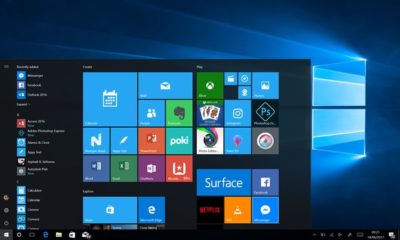
As you can see, this isn’t a huge change, but the visual refresh gives Windows 10 a sleeker, more modern feel. The taskbar icons look a little more dynamic and bolder. Cortana is using the icon instead of the search box, though it’s not clear if this will be the default look. The clock on the taskbar is also bolder, and the usual notification area icons including the Action Center are notably absent. The open Groove Music window itself looks more polished and Aero-esque as well, with no title bar to be seen—just unobtrusive options in the app’s upper-right corner.

The impact on you at home: Windows Central says that some of the code for Project Neon is already available in recent Insider Preview builds of Windows 10; however, it’s unlikely the visual refresh will be ready in time for the massive Creators Update this spring. Microsoft is expected to share more information about Neon during the Build conference in May. The Creators Update is expected to roll out in late March or early April, followed by a second major update later in 2017.

Have questions?

Get answers from Microsofts Cloud Solutions Partner!
Call us at: 856-745-9990 or visit: https://southjerseytechies.net/

South Jersey Techies, LL C is a full Managed Web and Technology Services Company providing IT Services, Website Design ServicesServer SupportNetwork ConsultingInternet PhonesCloud Solutions Provider and much more. Contact for More Information.

To read this article in its entirety click here.

How I deleted Google from my life

I realized handing over my entire life to one platform had its downsides.

I deleted Google from my life, and I can show you how to do it, too.

After being a devoted Googler for many years, I realized putting all my data on one platform had its downsides. A couple of factors in particular drove me to make a clean break.

Deleting Google for privacy and security

The appeal of escaping Google comes down to privacy. Google collects an alarming amount of data about you. It’s safe to say that if you’re not a paying customer then you’re the product being sold, and that’s Google’s business model.

Security goes hand-in-hand with that. I’m sure Google’s servers are closely guarded, but I still didn’t want all my data to be concentrated in one place.

To Google’s credit, the company gives you tools to opt out of the give-us-your-private-data-for-our-services game altogether. We cover the basics in these two articles:

  • How to download your Google data so you can see what’s being recorded.
  • How to delete your Google data to protect yourself.

Deleting Google for social impact

Another reason to get rid of Google is make your choice as a consumer for a healthier, more responsible media. As a working journalist, I’m acutely aware that Google and Facebook jointly dominate the media distribution and discovery landscape. With no strong competitors to Google Search in particular, Google’s algorithms hold unprecedented sway over the discourse in our society.

The importance of search discovery means that publishers and journalists must write stories to match the queries typed in by readers. That means coverage is guided by readers’ preconceived notions about a news event, not by objective reporting. That’s a deeply disturbing state of affairs for any democratic society.

Google outwardly seems as dedicated to responsible stewardship as one could hope, but it’s still concerning enough to merit supporting alternatives and competitors.

How my Google-free experiment started

When I decided to drop Google, I had just left a full-time job at a company that used Google mail and other apps. I stopped using all Google products while I freelanced. Note: If you’re an Android user, this is basically a no-go. Fortunately, I use a combination of Windows PCs, Macs, and iOS devices, so I wasn’t trapped.

Everyone uses Google differently, but I focused on forgoing the services that are core to the experience: Gmail, Docs, Drive, Calendar, Maps, and Search.

Dropping Gmail was easier than expected. I tried Yahoo! Mail, but there were too many ads for my taste. The web interface for Apple Mail at icloud.com was just adequate. I found Microsoft’s overhauled Outlook web interface (and truly excellent mobile app) was the best alternative.

Apple’s iWork for iCloud lets you use its productivity applications and share content across devices.

Instead of Docs, I tried Office 365 and iWork for iCloud. I liked them both better than Docs because I prefer native apps to web apps, and because I think both have more elegant designs—especially iCloud. Apple’s iWork for iCloud is similar to Docs in that it’s online-only, and designed for collaboration. It also has a mobile app. Office 365 will be pretty familiar to anyone who’s worked with Office’s desktop versions.

It was also pretty easy to kick Drive to the curb. Cloud storage competitors abound. I always preferred Dropbox to Drive anyway because I find that its OS X and Windows apps are better-integrated into the OS’s normal file browsing experience. Google Drive feels like it’s meant to be a place to store documents and back up files, not seamlessly augment your local storage—even though it does that in some ways.

Dropbox’s file-sharing features are competitive and in some ways better than those in Google Docs.

Google Calendar has plenty of competition. This is a more personal choice, and people can get very attached—consider the furor when Microsoft shuttered Sunrise Calendar. On the other hand, it inspired us to find third-party alternative calendars, which could also replace Google Calendar.

What didn’t go well

I tried Apple Maps. I tried Waze. Google Maps is still the best.

I couldn’t quit everything Google offered so easily. Google Maps alternatives were a challenge. Your best bets are Waze or Apple Maps, but let’s be honest—they have nothing on Google Maps. Unlike Apple Maps, Waze has a web app, and powerful community-sourced data is its biggest selling point. But guess what? Google uses Waze’s data in Maps! So rather than gaining that feature, you’re just losing all the stuff Maps has that Waze doesn’t.

Google Search rules for a reason. The only two decent alternatives I found were Bing and DuckDuckGo.

Bing is as good or better than Google in many respects, but Google’s algorithms and semantic search win hands-down.

Bing is a strong competitor. Some features, like video search, are even better than what Google offers. But Bing’s algorithm and the semantic search show more cracks than Google’s do.

DuckDuckGo isn’t as full-featured, but it records no user data—that’s the primary selling point of the platform. Both search options were passable, but Google has nailed semantic search with a precision that no one else can touch.

Back in Google’s grasp

I lived Google-free for five months, compromises and all. Then I was hired at a new job that required me to use Google. I considered the experiment a success, to the point that I was dismayed to abandon it at the new gig.

Google has us in its grasp for good reason. Looking back at my life without it, I can honestly say some alternatives couldn’t compare. Your mileage may vary based on which services you value most. If you decide to delete Google from your life, too, let us know how it goes on our Facebook page.

Have questions?

Get answers from Microsofts Cloud Solutions Partner!
Call us at: 856-745-9990 or visit: https://southjerseytechies.net/

South Jersey Techies, LL C is a full Managed Web and Technology Services Company providing IT Services, Website Design ServicesServer SupportNetwork ConsultingInternet PhonesCloud Solutions Provider and much more. Contact for More Information.

To read this article in its entirety click here.

CALL US NOW!