Hulu’s channel bundle attacks the norms of pay TV service—for better and for worse.
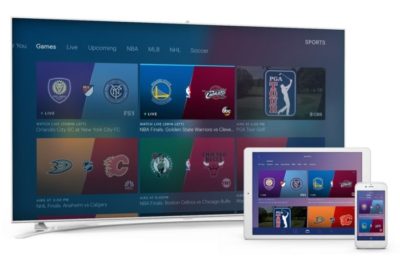
Hulu with Live TV is not the channel bundle you might’ve grown up with. The $40-per-month streaming service clearly wants to be something other than cable.
Aside from being cheaper than the average pay TV package, Hulu’s new bundle aims to blur the lines between live TV, on-demand shows, and DVR. It pushes personalized recommendations on what to watch, and it shunts the notion of channel-flipping out of the spotlight. Recordings, on-demand episodes, and Hulu’s existing TV and movie library intermingle in ways that obscure the source of what you’re watching, as if to suggest that only the content matters.
Hulu’s attempt to distance itself from the legacy TV experience is refreshing, and it can lead to discovering some great television. But it can also be disorienting, due to an expansive, sometimes confusing menu system. Hulu also accurately describes the current service as a beta, and it’s marred by limited device support and occasional glitches. We’re not going to render a review score until Hulu lifts the beta tag; in the meantime, cord-cutters signing up for the service in its current state should be aware they’re paying for an unfinished product.
Hulu’s bundle is one-size-fits-all, with more than 60 channels for $40 per month. That puts it in the ballpark of other streaming bundles’ primary offerings, though Hulu throws in access to its existing on-demand service—an $8 per month value—to sweeten the deal. The ad-free version of that existing service costs an extra $4 per month, and you can still tack on Showtime’s on-demand catalog for another $9 per month.
Channel highlights include ESPN, Disney channels, regional sports from Fox and Comcast, all three cable news networks, and on-demand video from all four major broadcast networks. In certain markets, you can get live feeds from local broadcast stations as well. (A full channel list appears at the bottom of this review, and Hulu’s sign-up page lets you enter a zip code for a list of local stations.)
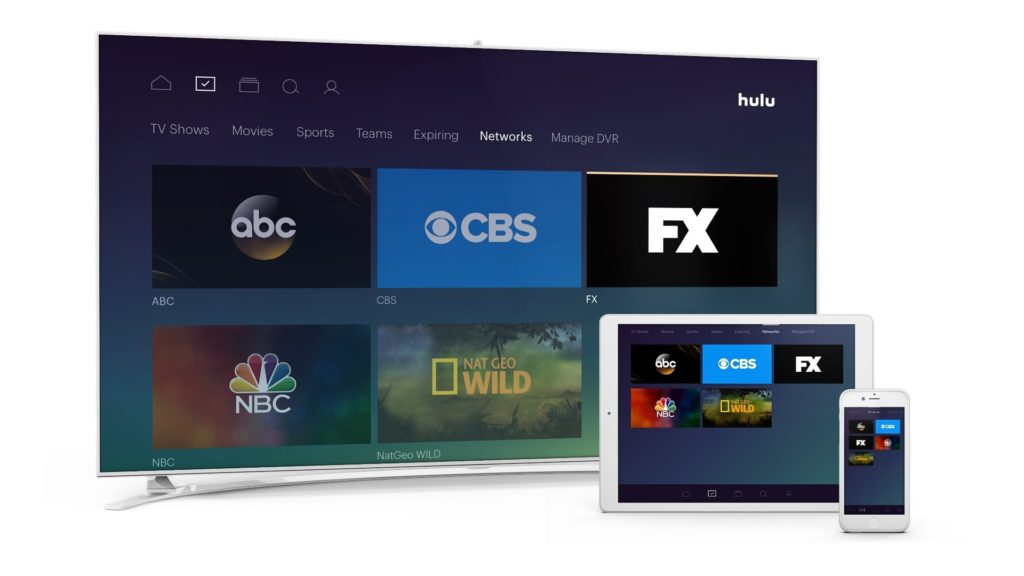
Hulu includes roughly 60 channels for $40 per month—no more, no less.
Like other streaming bundles, Hulu omits some networks to keep prices down. AMC Network channels, Discovery channels, and Viacom channels such as Comedy Central and MTV are all absent from Hulu with Live TV, as are league-based sports channels such as NBA TV, MLB Network, NFL Network, and NFL Redzone.
The service does include 50 hours of DVR at no extra charge, but with some opaque rules and restrictions. Some live channels let you rewind to the start of a program even if you haven’t set up a recording, and then allow you to skip commercials. Others allow automatic rewinding, but not ad-skipping. Recordings are supported on all channels, but some won’t let you skip ads unless you pay an extra $15 per month for expanded DVR, which also increases storage to 200 hours.

Hulu’s cloud DVR lets you record individual episodes or entire series.
Subscribers can add up to six user profiles and are allowed up to two streams at a time, either inside or outside the home. That’s the same as DirecTV Now, and better than Sling TV Orange, but less than PlayStation Vue, Sling TV Blue, and YouTube TV. It also leads into another upsell: For $15 more (or $20 total combined with expanded DVR service), you can stream on unlimited devices at home and three devices on the road.
Currently, Hulu with Live TV runs on Apple TV, Xbox One, Chromecast, iOS, and Android. Live TV subscribers can still use Hulu’s on-demand service on a longer list of devices. The service also includes access to a handful of cable-authenticated apps, but the limited device support for live channels is one reason Hulu has applied a beta tag for now.
How Hulu Works
As for the experience of using Hulu with Live TV, it’s at once gorgeous, empowering, and utterly overwhelming.
Top-level navigation splits into three main sections: The “Home” section focuses on recommendations and quick access to recently-watched programming. The “My Stuff” section pulls in all the channels, shows, and movies that you’ve marked as favorites, including both on-demand and DVR content. The “Browse” section is a catch-all for everything else, including genres and a full channel list.
Logical as this layout may seem, the purpose of each section isn’t immediately self-evident. Each section also has numerous subsections, which in some cases share a name with subsections in other parts of the interface. For instance, there are four menus entitled “Sports,” three menus entitled “Movies,” another three entitled “TV” or “TV Shows,” and two ways to access your favorite channels. These redundantly named sections rarely behave in exactly the same way. Better labelling could be a short-term fix, but Hulu would really benefit from consolidating the interface into fewer branching pathways.
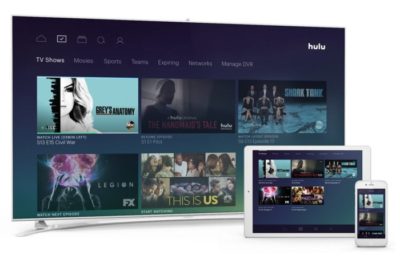
In the “My Stuff” section, the “TV Shows” menu provides a list of your favorite shows. But there’s a different menu by the same name under the “Browse” section.
At least the Hulu interface isn’t lacking ways to discover things to watch. During setup, Hulu asks users to pick some favorite channels and genres, which fuel the recommendations on the home screen. Intriguing subsections such as “Star Wars” and “Binge-worthy” pepper the home screen, and browsing the genre menus yields fun results such as “Workplace Shenanigans” and “Nostalgia TV.” You can also search for shows, channels, and genres, but not for actors or directors.
Other parts of the interface show promise, but need further development. Hulu’s centralized menu for favorite sports teams is brilliant, but did not come with any setup process on Apple TV. (A menu for setting up favorite teams did appear on the Xbox One app). Support for kid-friendly user profiles is also helpful in theory, though it lacks parental lock and misses the mark with age-based recommendations. No disrespect to the unashamedly bizarre Uncle Grandpa, but it’s not appropriate for a three-year-old.
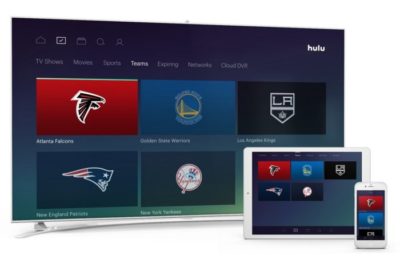
Hulu lets you track all your favorite sports teams from one place.
Performance Hits and Misses
By calling itself a paid beta, Hulu with Live TV is trying to inoculate itself against early criticism for glitches and performance hiccups. And there have been a few.
For instance, I experienced a persistent issue on Apple TV where Hulu boots me out of a stream and back to its menu. Sometimes this would happen while attempting to fast forward, and a few times it’s occurred on its own. While I was always able to resume the channel or program in question, it happens frequently enough to be a nuisance.
The live channel guide—yes, this does exist; it’s accessible by taping or swiping up from any video—also has a design flaw that’s hopefully unintentional: The buttons to initiate a recording or view more information only apply to what’s playing in the background, not to whatever’s highlighted in the guide. This makes a chore out of recording or favoriting soon-to-air programs.
Yet in terms of reliability, Hulu with Live TV has performed well in my experience. Channel load times were initially a bit sluggish, but have improved over the past week, and I haven’t seen any show-stopping errors like the kind that afflicted DirecTV Now in its early days. Video resolution has been routinely crisp at 720p for live channels, 1080p for movies, and 4K for some originals.

Hulu managed to avoid any major buffering or freezing issues during our testing.
The only major problem concerns frame rate, which tops out at 30 frames per second for all channels and programs. That means you don’t get the smoothness of motion that’s typically found in live sports, news, talk shows, soap operas, and late-night programming. PlayStation Vue and DirecTV Now remain the best options for 60-frames-per-second viewing.
How does Hulu compare with other streaming bundles overall? To be honest, a strong opinion eludes me. The channel lineup is a fine cross-section of what cable TV has to offer, but with holes that may be disqualifying for some potential cord cutters. The interface deserves praise for its vision, but not so much for its execution. And the barrage of upsells—more DVR storage, no streaming limits, fewer ads—is grating even if the options are nice to have.
In the end, the right call on picking a streaming bundle is still to thoroughly examine all the options—their lineups, their features, their device support—and hope you find a match for your needs. In beta or otherwise, Hulu with Live TV just tilts the odds a little further in your favor.
Here’s the full channel list for the Hulu Live TV bundle:
21st CENTURY FOX
- FOX
- Big Ten Network
- Fox Business Network
- Fox News Channel
- Fox RSNs
- Fox Sports 1
- Fox Sports 2
- FX
- FXX
- FXM
- National Geographic Channel
- National Geographic Wild
The Walt Disney Company
- ABC
- ESPN
- ESPN2
- ESPNU
- ESPNEWS
- ESPN-SEC Network
- Freeform
- Disney Channel
- Disney XD
- Disney Junior
NBC Universal
- NBC
- Telemundo
- Comcast RSNs
- The Comcast Network Philadelphia
- NECN
- USA Network
- Bravo
- E!
- Syfy
- MSNBC
- CNBC
- NBCSN
- Golf Channel
- Chiller
- Oxygen Network
- Sprout
A+E Networks
- A&E
- The History Channel (THC)
- Lifetime
- Viceland
- Lifetime Movie Network (LMN)
- FYI
Scripps Networks Interactive
- Food Network
- HGTV
- Travel Channel
Turner Networks
- CNN
- HLN
- CNN International
- TBS
- TNT
- TruTV
- TCM
- Turner Classic Movies
- Cartoon Network & Adult Swim
- Boomerang
CBS Corporation
- CBS
- CBS Sports Network
- POP
Have questions?
Get answers from Microsofts Cloud Solutions Partner!
Call us at: 856-745-9990 or visit: https://southjerseytechies.net/
South Jersey Techies, LL C is a full Managed Web and Technology Services Company providing IT Services, Website Design Services, Server Support, Network Consulting, Internet Phones, Cloud Solutions Provider and much more. Contact for More Information.
To read this article in its entirety click here.