Back to Top

Tech, Web, Cloud & Cabling Services

Category: Software

Software Category

Get an early look at the new Office 365 admin center

Tracking and reporting activity in Office 365 using the built-in admin tools is about to get much better. Here’s what the revamped admin center has to offer.
Office365adminSJTechies

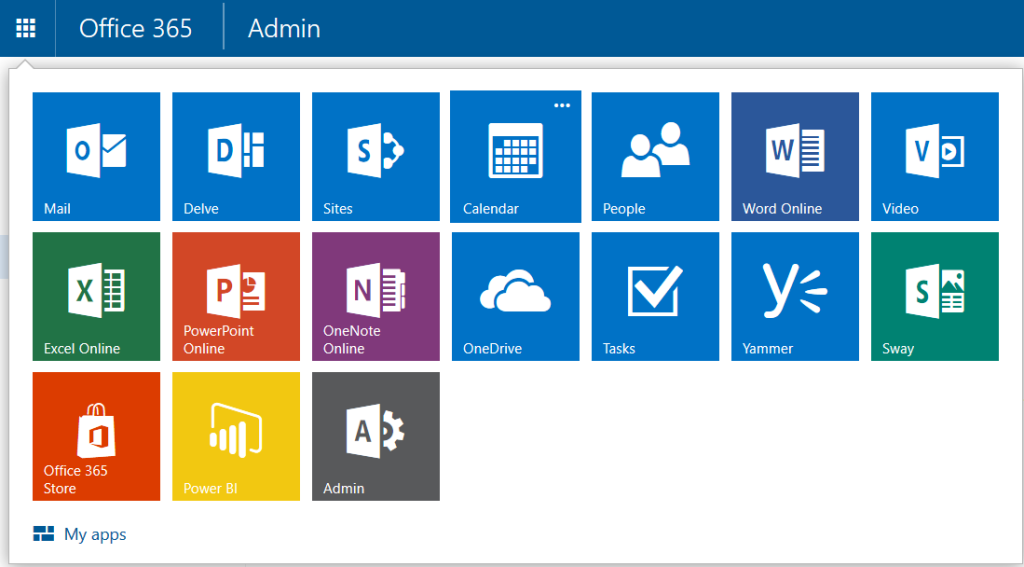
Gathering usage information about Microsoft Office 365 in an enterprise is limited by the available admin tools. To make matters worse, as Microsoft adds new applications to Office 365, the ability to track if, and how, users were consuming the new features has been even more difficult. But with the rollout of the new Office 365 admin center in March 2016, those limitations are quickly disappearing.

Reporting

At first glance, you may think the main activity for any Office 365 admin is adding and subtracting employees from the active roster. But a good admin should be doing much more.

As the number of applications in Office 365 has grown substantially in recent years, the need to track all Office 365 activity has also grown. This need to track activity is especially important in larger enterprises where mishandled resources can raise overall costs significantly.

For example, knowing how many employees actually use Yammer on a weekly basis, and when, could help admins predict when resources will be taxed the most. Or tracking how users are actually using collaboration tools like Skype and Delve may lead an admin to conclude that more training on those applications is needed because the apps are underutilized. These are the sort of questions the new Office 365 admin center is looking to answer.

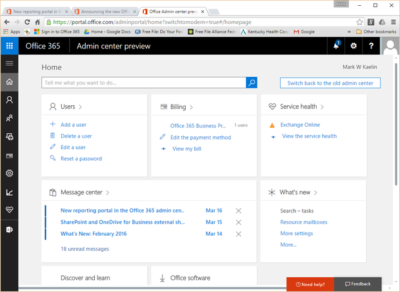
By simplifying the interface and creating ready-to-use dashboards, Microsoft is trying to streamline the reporting process. Tracking email activity and other peak usage data is just a few clicks away. And as the new Office 365 admin center is rolled out, there will also be tools admins can use to create custom reports.

Speaking from personal experience, the new admin dashboard interface is a welcome improvement. Navigation in the new admin center closely matches the familiar navigation system of other Office 365 apps. The previous admin center, with its heavy use of linked text, looked almost tacked on as an afterthought.
officeadmin365-SJTechies

Rollout

The new Office 365 admin center is rolling out in the United States right now and will be the default reporting experience very soon. The new center will roll out to other parts of the world in April 2016.

If you’re not ready for the change, you can roll back to the old admin system during this introductory phase. On the other hand, if you’re anxious for a change, you can click the Get A Sneak Peek link at the top of the old Office 365 admin center to force the installation of the new system.

Bottom line

For most users, administering Office 365 is someone else’s responsibility, but that does not diminish its importance to an enterprise.

A good admin should be able to track what activity is taking place within Office 365 and, more important, what activity is not taking place. Knowing who uses what applications for how long, and when, is essential information. Armed with that knowledge, administrators can determine how to better allocate resources and where new training for users may be required.

With the rollout of the new Office 365 admin center, Microsoft is using feedback received from its customers to create tools and dashboards that it hopes will make the tracking of vital activity data in Office 365 an easily achieved reality.

Have questions?

Get answers from Microsofts Cloud Solutions Partner!
Call us at: 856-745-9990 or visit: https://southjerseytechies.net/

South Jersey Techies, LL C is a full Managed Web and Technology Services Company providing IT Services, Website Design ServicesServer SupportNetwork ConsultingInternet PhonesCloud Solutions Provider and much more. Contact for More Information.

To read this article in its entirety click here.
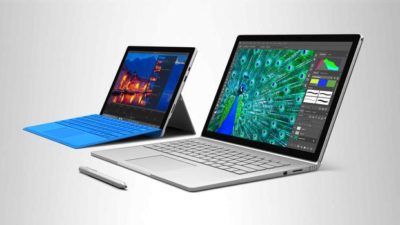
Surface Book: Microsoft just made the PC cool again

The Microsoft Surface Book is the computer you always wanted to have but couldn’t. So now that it is here, will you buy it?

surface-4-surface-book

The latest line of Microsoft Surface personal computers is now available from both the virtual and the bricks-and-mortar Microsoft Store. By most accounts, the Surface Pro 4 and the flagship Surface Book offer impressive performance without sacrificing style or that illusive awe factor typically missing from PCs in general.

With the Surface Book in particular, Microsoft is attempting to change the narrative of the personal computer—to change perceptions in the marketplace. The Surface Book is an aspirational computer and it is intended to inspire desire in the overall PC and computing device market.

Strategic reasons

There are some solid strategic reasons why Microsoft has brought the Surface Book to market.

Giving OEMs a reference for their own hardware and increasing participation in Microsoft cloud services and the ecosystem that goes with it are certainly notable goals of the Surface Book.

But there is even more to it than that.

Hardware

It is important to understand the hardware inside the Microsoft Surface Book. These are the technical specifications of a powerful computing device. You do not buy a Surface Book so your kids can watch movies in the car while you run errands.

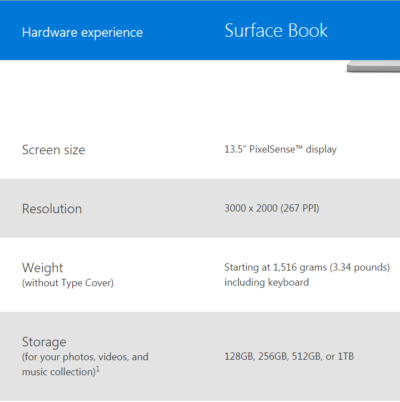
With a high resolution screen, SSD storage up to 1TB, up to 16GB RAM, an Intel I5 or I7 CPU, and a customized discreet GPU from Nvidia, the Surface Book is designed for performance and productivity. This is some serious computing power delivered in a small package.

Of course, that power comes at a premium price, but that is where the aspirational part of the strategy comes into play. Microsoft knows it will not sell millions upon millions of Surface Books. That is not its purpose. Instead, Microsoft wants millions upon millions of people to want a Surface Book—to aspire to own one someday.

Microsoft wants the Surface Book to be the notebook computer you would buy if money were not an issue. It wants the Surface Book to be a status symbol PC.

Marketing

This is a bold move by Microsoft and it goes hand-in-hand with the “PC does what?” marketing campaign produced in conjunction with its OEM partners like Dell and Lenovo. These companies are trying to make PCs cool again. They are trying to steal some of the thunder so often associated with Apple.

And while the “PC does what?” campaign gets mocked, mostly by fans of Apple, it is more effective than many believe. Remember the Mac versus PC commercials? People often mocked those as inaccurate oversimplifications of fact, but they still seemed to elevate the “cool” factor of the Mac. It didn’t matter what everyone thought of them; what mattered was the perception they produced.


Bottom line

The Microsoft Surface Book sets a high bar for every other notebook computer that comes to market. Microsoft has carefully crafted a powerful computer with hardware, features, and style no other company can currently match. In a single stroke, Microsoft has made owning a PC cool again. It has made the Windows 10 ecosystem cool again.

Let’s punctuate the point with anecdotal evidence. A number of people have spent much of their professional lives complaining about Microsoft and PCs. They have been working in the Apple’s ecosystem and hating every minute of it. They have been looking for more than what Apple offers for years now. The day Microsoft announced the Surface Book, they ordered one. They haven’t been this excited about buying a computer for a decade.

With this lineup of Surface products, Microsoft has changed the tide and established market momentum. It will be interesting to see how Google and Apple respond. We should see some serious competition now. It also wouldn’t be surprised to see a resurgence in Windows 10 mobile devices later this year. It looks to be an exciting time for consumers. Hang on to your hats.

Have questions?

Get help from IT Experts/Microsofts Cloud Solutions Partner
Call us at: 856-745-9990 or visit: https://southjerseytechies.net/

South Jersey Techies, LLC is a full Managed Web and Technology Services Company providing IT Services, Website Design ServicesServer SupportNetwork ConsultingInternet PhonesCloud Solutions Provider and much more. Contact for More Information.

To read this article in its entirety click here.
Surface Pro 4 and Surface Book race ahead of iPad Pro and Pixel C at the high end

Microsoft gave its high-end Surface a leap forward on Tuesday with the unveiling of the Surface Pro 4 and the surprise launch of the Surface Book, the company’s first laptop.

surface-4-surface-book

Microsoft’s love affair with hardware just got more intense. If there were any doubts about the software juggernaut staying in the devices game, they were erased on Tuesday with one of the biggest and broadest hardware announcements in the company’s history.

Microsoft showed off a fleet of new and freshly updated Windows 10-powered devices in New York. The stars of the show were the Surface Pro 4 and the new Surface Book laptop, which were a potent answers to Apple’s recently unveiled iPad Pro and Google’s newly announed Pixel C.

According to Microsoft Devices lead engineer Panos Panay there are nearly 110 million devices running Windows 10. Most of the products Microsoft unveiled at Tuesday’s press event were intended to show how important mobile hardware and software integration with Windows 10 is to the company.

The event’s biggest surprise, the Surface Book, and the new Surface Pro 4 are powerful machines, and both aim to connect with both enterprise users and creative professionals. They succeed big time in the specs department. In terms of usability and adoption, we’ll know more after both are released on October 26.

The Surface Book is Microsoft’s first laptop, and it’s a fiery, ambitious device. The specs are decked, particularly given that the price is comparable to a Macbook Pro. The Surface Book starts at $1499, and comes with a full Intel Core i5 or i7 processor, 1TB of storage, 16GB RAM, and a GPU designed for gaming and multimedia editing by the Xbox team. Additionally, the 13.5-inch screen (3000 x 2000 resolution) can detach to become a stand-alone tablet.

The Surface Pro 4 tablet runs Windows 10 and, like its predecessors, can serve as a full-fledged laptop replacement. The Surface Pro 4 is, as expected, somewhat thinner and 30 percent faster than the previous model. It has 16GB of RAM, and comes with up to a terabyte of storage, and a 12.3-inch screen (2736 x 1824 resolution). Microsoft cloud and productivity apps Cortana, Windows Hello, Microsoft Office, and OneDrive are deeply integrated. The Surface Pro 4 starts at $899.

When the Surface debuted in 2012 running Windows 8, the tablet seemed like an awkward, out-of-place device. Today, the Surface Pro has been owning and innovating in the high-end tablet space. It’s become a favorite of design professionals, IT administrators, and others who want a productivity tablet.

Arguably, the success of the Surface Pro helped pull Apple and Google into the high-end professional tablet market. Google’s comparable new Pixel C is similarly powerful, features a keyboard cover, and is deeply tied to the Google cloud ecosystem. Yet, Google’s device does not feel as durable as the Surface Pro 4, and Office is still often an essential tool for business users looking for a full laptop replacement.

Apple’s iPad Pro is a powerful professional and creative tool. Apple’s high-end tablet is larger and slightly more expensive than the Surface Pro 4. Microsoft is banking that the integration of Windows 10 and universal apps will help the Surface stand on par with the iPad Pro.

Microsoft’s attention to detail with peripheral devices like the Type Pro cover and the Surface Pen stylus may lend them a slight edge in the professional tablet market. The new Surface Pro Type Cover, notable for its “precision glass trackpad” is a significant refinement over the previous generation. The cover still costs 130 dollars, but is lighter, more responsive, and features more space between the keys than the previous version.

Microsoft has worked hard to make the stylus seem useful and cool. The new Surface Pen is intended to feel like writing on paper. The stylus features a tip with 1,024 points of pressure sensitivity, an eraser (yes, an eraser!), year-long battery life, and comes in five colors. When not in use the pen is held snugly to the top of the tablet by magnets. Microsoft took great care to display the tablet tilted in portrait mode like a clipboard, with a pen resting on top. The company emphasized the tablet itself “just fades into the background” when used by office workers, doctors, architects, and musicians.

surface-book-two

As with the Surface Pro 4 and Surface Book, the new Lumia 950 and 950 XL phones are powered by Windows 10, with special consideration to mobile productivity. The devices measure at 5.2 and 5.7 inches respectively, and feature an upgraded camera with a dedicated shutter release button.

The most unique and innovative announcement from Microsoft may have been the Display Doc. Intended to maximize workplace flexibility, and uncouple the enterprise user from the constraints of a laptop, the Microsoft Display Doc was initially announced at last spring’s Build conference as the Continuum docking station. The Display Doc is a small, square device that connects to any compatible Windows 10 mobile device like the Lumia 950 using three USB Type-3 ports, a DisplayPort and HDMI. When connected to a monitor using Display Doc, the phone will present a traditional Windows home screen, complete with the familiar Start button and icon tray. Though not as robust as a true desktop PC, the experience resembles desktop Windows and is able to manage productivity tasks like mail and messaging, document creation and sharing, and web browsing.

Windows 10 is at the core of the new Microsoft device environment. The company also announced updates to the Windows 10 universal app ecosystem [LINK], and a launch partnership with Facebook to expand the core Facebook, Messenger, and Instagram applications.

CEO Satya Nadella closed the event by stressing the importance of Windows 10 as a unified platform. Every device Microsoft released on Tuesday is a step towards fulfilling that vision. As impressive as the devices were, the biggest thing standing in their way perhaps is the stability of Windows 10

Have questions?

Get help from IT Experts/Microsofts Cloud Solutions Partner
Call us at: 856-745-9990 or visit: https://southjerseytechies.net/

South Jersey Techies, LLC is a full Managed Web and Technology Services Company providing IT Services, Website Design ServicesServer SupportNetwork ConsultingInternet PhonesCloud Solutions Provider and much more. Contact for More Information.

To read this article in its entirety click here.

Patience will be the key to a successful Windows 10 upgrade

let the dust settle before you attempt the free Windows 10 upgrade.

Windows 10

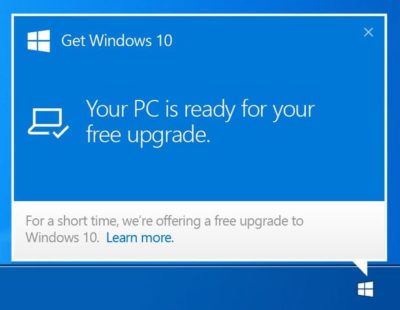
With the official Windows 10 launch and Microsoft’s promise that the upgrade for Windows 7/8.1 systems will be free for the first year after launch, you’ll have until July 29, 2016, to make your move. Just because it’s free doesn’t mean you have to rush to get your copy—unless, of course, it’s a status thing.

For the ordinary Windows user, there really isn’t any immediate need to be one of the first people to download Windows 10. In fact, you’ll probably have a better upgrade experience if you hold off for a bit. Wait for the hype to die down, wait for the load on the Windows Update servers to wane, and more importantly, wait for the first wave of updates to make their way out to the masses of Windows users who had to be the first.

Besides, unless you’re a Windows Insider program participant, chances are that you won’t be able to get Windows 10 right away anyhow.

In his July 2nd blog post, “Windows 10: Preparing to Upgrade One Billion Devices,” Terry Myerson stated:

“We want to make sure all of you have a great upgrade experience, so we’ll roll-out Windows 10 in phases to help manage the demand.”

He then goes on to say:

“Starting on July 29, we will start rolling out Windows 10 to our Windows Insiders. From there, we will start notifying reserved systems in waves, slowly scaling up after July 29th. Each day of the roll-out, we will listen, learn and update the experience for all Windows 10 users.”

That last sentence hints at the fact that the Microsoft is anticipating the possibility that there may be some glitches in the first wave of the roll out.

To be sure, I’m not suggesting that you hold out for months before you upgrade—rather, I’m saying that you may want to give it a couple of weeks just to see how others are faring with Windows 10. With Microsoft’s Windows as a service model, the ongoing testing via the extension of the Windows Insider program, and the rapid update system developed during the Windows Insider preview program, the hope is that any issues that crop up in the first weeks after initial availability will be quickly resolved.

Have questions?

Get help from IT Experts/Microsofts Cloud Solutions Partner
Call us at: 856-745-9990 or visit: https://southjerseytechies.net/

South Jersey Techies, LLC is a full Managed Web and Technology Services Company providing IT Services, Website Design ServicesServer SupportNetwork ConsultingInternet PhonesCloud Solutions Provider and much more. Contact for More Information.

To read this article in its entirety click here.
Microsoft Office 2016: Lots of upgrade questions and some answers

Microsoft began rolling out Office 2016 for Windows on September 22. Since then, there have been a lot of questions around timing and installation techniques from those attempting to move to the latest version of Microsoft’s Office suite.

Office 2016

It turns out that not everyone has been able to upgrade to the latest release this week, in spite of Microsoft declaring the suite generally available. Instead, as many have discovered, the Office 2016 rollout is a staggered one, and one which has resulted in some OneDrive, Skype for Business and other app and service installation and compatibility issues.

While Microsoft officials did say a week ago that the company would be moving to a servicing/branch model with Office 2016 similar to the one the Windows 10 team is using, details on exactly how that would play out for Office users were scarce. But thanks to Microsoft pages and KB articles — we now know more.

Office 2016

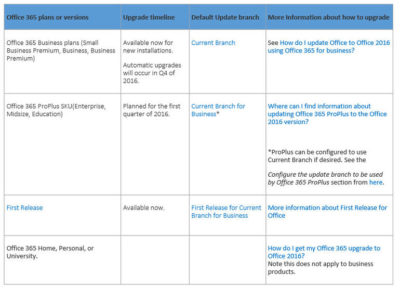
It turns out anyone in the Office 365 First Release program was able to get the latest Office 2016 apps for Windows as of this week. The same is true of those on the existing Office 365 Small Business Premium, Business and/or Business Premium — but only for those who are buying new subscriptions, according to the chart from a Microsoft community answers post, embedded above. Automatic updates to Office 2016 for those on these three plans won’t begin until the fourth quarter of 2016..

Just to add a little more complexity to this already complex set of rules, Microsoft is in the midst of replacing its Office 365 Small Business, Small Business Premium and Midsize Busines plans with three new ones. The three: Office 365 Business, Business Essentials and Business Premium. Microsoft has pushed the suggested migration date kick-off for these new plans back from October 1 to December 1, 2015, The reason for the date change: “The renewal experience will be best for users who have the latest version of Office,” meaning Office 2016.

Those with Office 365 ProPlus SKUs — meaning Office 365 Enterprise, Midsize and Education — are on the Current Branch for Business. This means these users cannot upgrade to the new Office 2016 for Windows bits right now unless the administrators change the update branch to be used by some/all of their users to Current Branch.

“For Office 365 ProPlus subscribers, administrators can opt to upgrade by manually rolling out to their users with Office deployment tools available today, September 22. Automatic updates for Office 365 ProPlus customers will begin early next year,” a Microsoft spokesperson confirmed when I asked.

Here are some more links that might help those interested in making the move to Office 2016:

Microsoft made the Office 2016 for Windows release available to MSDN subscribers on September 22. Volume licensees will have access to the new release via the Volume License Servicing Center (VLSC) as of October 1.

DreamSpark users got access to Office 2016 on September 22. Microsoft Action Pack and MPN subscribers will get access on October 1. And Home Use Rights for Office 2016 for Windows and Mac, both, will be available as of October 7, according to Microsoft.

Have questions?

Get help from IT Experts/Microsofts Cloud Solutions Partner
Call us at: 856-745-9990 or visit: https://southjerseytechies.net/

South Jersey Techies, LLC is a full Managed Web and Technology Services Company providing IT Services, Website Design ServicesServer SupportNetwork ConsultingInternet PhonesCloud Solutions Provider and much more. Contact for More Information.

To read this article in its entirety click here.
Now Microsoft Office 365 tackles ‘fake CEO’ email spoofing attacks

Microsoft is rolling out a host of new email security features for Office 365 later this quarter, as it looks to thwart hackers and criminals.

‘Insider spoofing’ or faking the CEO’s email address to trick the CFO into transferring millions to criminal bank accounts is big business. Now Microsoft is using big data and reputation filters to try and squish the threat.

According to the FBI, between October 2013 and August 2015, 7,066 US businesses have fallen prey to ‘business email compromise’, netting criminals an estimated $747m.

Non-US victims lost a further $51m over the period, with the FBI estimating a 270 percent increase in identified victims since January 2015, when it first released figures about the threat category.

As Microsoft notes, when a corporate email domain is spoofed, it makes it hard for existing filters to identify the bogus email as malicious.

However, Microsoft reckons it has achieved a 500 percent improvement in counterfeit detection using a blend of big data, strong authentication checks, and reputation filters in Exchange Online Protection for Office 365.

It’s also rolling out new phishing and trust notifications to indicate whether an email is from a known sender or if a message is from an untrusted source, and therefore could be a phishing email.

The company is also promising a faster email experience as it vets attachments for malware and new tools to auto-correct messages that are mis-classified as spam. The aim is to boost defences without impairing end-user productivity.

Malicious email attachments remain a popular way for attackers to gain a foothold in an organization and, as RSA’s disastrous SecurID breach in 2011 showed, a little social engineering can go a long way to ensuring someone opens it.

Microsoft’s new attachment scanner, called Dynamic Delivery of Safe Attachments, looks to reduce delays as it checks attachments for potential threats.

Currently it captures suspicious looking attachments in a sandbox with a ‘detonation chamber’ where it analyses it for malware in a process takes five to seven minutes.

Microsoft hasn’t figured out a faster way to analyse the attachment, but instead of holding up the email as it conducts the scan, it will send the body of the email with a placeholder attachment. If the attachment is deemed safe, it will replace the placeholder and if not, the admin can filter out the attachment.

The feature is part of Microsoft’s Office 365 Exchange Online Protection and Advanced Threat Protection services.

The company is also tackling false-positive spam, or legitimate messages that are mis-identified as spam, and vice versa, with a new feature called Zero-hour Auto Purge, which allows admins to “change that verdict”.

“If a message is delivered to your inbox and later found to be spam, Zero-hour Auto Purge moves that message from the inbox to the spam folder; the reverse is true for messages misclassified as spam,” Microsoft notes.

Microsoft is testing this approach with 50 customers and says it will be rolled out for all Exchange Online Protection global clients in the first quarter of 2016.

Have questions?

Get help from IT Experts/Microsofts Cloud Solutions Partner
Call us at: 856-745-9990 or visit: https://southjerseytechies.net/

South Jersey Techies, LLC is a full Managed Web and Technology Services Company providing IT Services, Website Design ServicesServer SupportNetwork ConsultingInternet PhonesCloud Solutions Provider and much more. Contact for More Information.

To read this article in its entirety click here.
Organize your intranet with SharePoint hub sites

New SharePoint hub sites make organizing and connecting your intranet easy. 

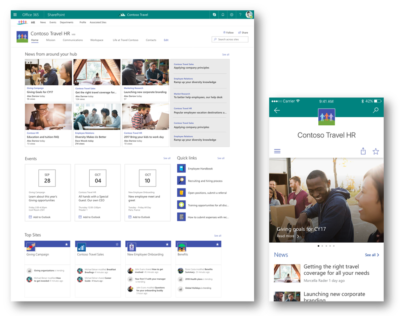
As business goals and team structures evolve, so too must your sites and the content that lives within them. Ideas must flourish and grow, not become rigid or stale. SharePoint hub sites bring flexible, dynamic building blocks to your company intranet – connecting collaboration and communication. Associating sites together in a hub site enhances discovery and engagement with content, while creating a complete and consistent representation of your project, department or region.

Microsoft first disclosed SharePoint hub sites during Ignite 2017. And recently they announced that they are now rolling out to Targeted Release customers in Office 365. Microsoft encouraged by early adopter feedback, can’t wait for every customer to use and adopt them.

SharePoint hub sites bring the following new capabilities to you and your intranet:

  • Cross-site navigation – increase visibility of and navigation among associated sites
  • Content rollup – read aggregated news and discover related site activities
  • Consistent look-and-feel – establish a common theme to improve visitor awareness of connected sites
  • Scoped search – focus on finding content that resides within the hub site’s associated sites

Hub sites support good governance, giving admins a growth framework to maintain relationships between sites over time. They are easy for admins to establish and bring efficiencies for people who work inside and across the sites on a day-to-day basis. And when managing change within the business, it is easy to move a site from one hub site to another.


Getting started with SharePoint hub sites in Office 365

You can convert an existing communication site or modern team time into a hub site, or you can start with a brand-new modern site. We recommend selecting a communication site as the hub site. You can associate multiple team sites and communication sites to model and promote an intranet that reflects the way your people organize. It is easy for admins to create one or more hub sites. After a hub site is created, approved site owners can associate existing team sites and communication sites with the hub site.


Use the SharePoint Online Management Shell to establish your hub sites

Admins, you are the enablers. And the SharePoint Online Management Shell (aka, PowerShell for SharePoint in Office 365) is your enabling tool of choice.

The PowerShell cmdlet you’ll want to get most familiar with is: Register-SPOHubSite https://contoso.sharepoint.com/sites/HR (where HR URL is the full-path address of the existing site that you want to convert into a hub site). You then will assign a unique security group to designate approved site owners that can associate sites to this new hub. You simply create a mail-enabled security group and add the users. You then run an additional PowerShell command to give that group permissions to associate their sites to the hub site.

Note: You must be a SharePoint administrator or above in Office 365 to create SharePoint hub sites. Site owners, however, can associate a SharePoint site with a hub site that already exists.

Learn more how admins create and manage hub sites.


Associating a site under a hub site

Once a hub site is established, it’s then a two-click process to associate to the hub site.

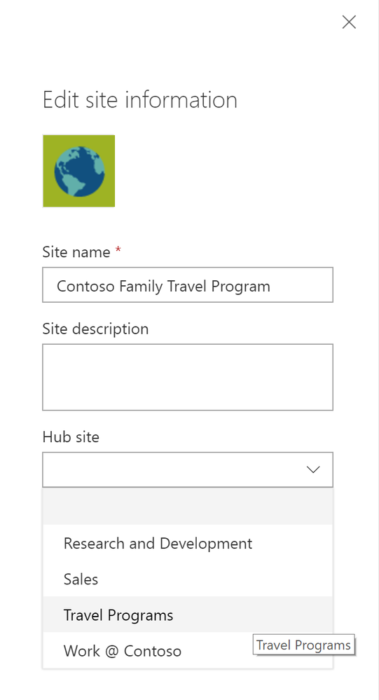
As the site owner, go to the site you want to have associated to the hub site. Click Settings (gear icon) > Site information > hub site association and select the desired hub.  You’ll only see the hubs you have permission to associate to. And then click Save. You will see the hub navigation appear above. The site itself will inherit the hub theme, and news and activities will begin to flow up to the hub site home page – along with a search crawl of content for any site associated to the hub site. And at any time, per a reorg or change in business direction, you can easily move sites between hub sites. This is the power of a dynamic intranet, one that can change and adapt with the ebb and flow of your ever-changing business landscape. Note: individual sites can only be associated to one hub site at a time.

Note: Sites associated with a SharePoint hub site don’t inherit the permissions of the hub site or any other sites associated with it. Each site, including the hub site, will retain their current permission settings. And as easy as it is to associate a site to a hub site, you, too, can dissaciate from one.

Learn more how to associate and dissociate your sites to and from hub sites.


Design your layout and choose you theme

Once the hub site has been established, you’ll then want to further set it up and refine it for that organization — so the hub site carries the right name and logo, the preferred navigation elements, a preferred theme, and the desired layout for news, sites and highlighted content. And all will re-flow and present beautifully within the SharePoint mobile apps.

The SharePoint mobile apps will display hub sites, and their pages, news, and content, with smooth navigation between associated sites and the scoped search experience. Find what you need on the go and get going! Install or update the SharePoint mobile app today: aka.ms/getSPmobile.

Surface Book pre-orders sold out at Microsoft’s online store

If you were still thinking about placing an order for a new Microsoft Surface Book, then you will have to look somewhere other than the Microsoft store.

surfacebook

While there doesn’t seem to be a massive supply issue with the new Apple iPhone 6s smartphone, in the past we have seen Apple products sell out quickly and deliveries move from days, to weeks, to months. It seems that Microsoft’s new Surface Book may be generating more interest than planned.

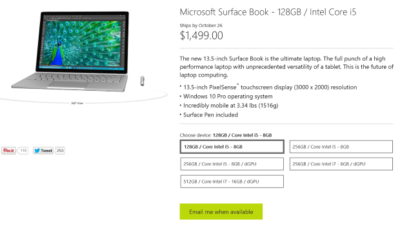
Last night I went to the online Microsoft Store to place an order for a base model Surface Book. I found that the only available status when choosing that model was, “Email me when available.” I jumped through the other four models and discovered the same thing. It seems Microsoft is sold out of pre-order stock for all models at its online store.

We reached out to Microsoft to try to find out more about stock status and when buyers could expect to place pre-orders. I also asked if there will be units in Microsoft retail stores on launch day, 26 October. Given that units are sold out online, we may even see people queue up for possible stock in stores.

A Microsoft spokesperson provided the following statement, “We’ve seen strong demand for Surface Book and have sold out of pre-order supply for October 26 availability. We will have limited quantities of Surface Book available in store on October 26 and will be updating online availability with new product ship dates soon.”

UPDATE: Microsoft updated its store and is no allowing customers to pre-order the five Surface Book variations. What you will find instead of an email me when available button is updated delivery expectations, ranging from five to six weeks for three models and seven to eight weeks for two models.

While I was disappointed that I couldn’t purchase a Surface Book through Microsoft directly, I found that Best Buy and Amazon will also be selling this new computer. Best Buy did not appear to be taking pre-orders, but I was able to purchase the Intel Core i5, 8GB, 128GB model from Amazon for $1,499.

The Amazon website does not appear to carry the 256GB i5 without dGPU or 256GB i7 models. The 256GB i5 with dGPU looks to be the only other model available for pre-order. The 512GB i7 model is on the site as an option, but redirects you to the Microsoft Store for purchase and it’s not avaialable there.

Have questions?

Get help from IT Experts/Microsofts Cloud Solutions Partner
Call us at: 856-745-9990 or visit: https://southjerseytechies.net/

South Jersey Techies, LLC is a full Managed Web and Technology Services Company providing IT Services, Website Design ServicesServer SupportNetwork ConsultingInternet PhonesCloud Solutions Provider and much more. Contact for More Information.

To read this article in its entirety click here.
Goodbye, Hotmail. Hello, Outlook.com

Summary: Microsoft’s flagship mail service for consumers gets a new name and a “modern” Metro-style interface. Here’s how to sign up for a preview and what to expect. So long, Hotmail. It was nice to know you. Microsoft unveiled a major update to its consumer mail platform today, with a new look, a slew of new features, and a new name that is surprisingly familiar.

The “modern email” service has been in super stealth mode for several months under the codename NewMail. With its formal launch as an open-to-the-public preview, the service gets a new name: Outlook.com. I’ve been using the NewMail beta for a week now and can share some first impressions here. Outlook, of course, is the serious, business-focused mail client included with Office. Microsoft used the brand with Outlook Express, its lightweight email client in Windows XP, but dumped the name with the launch of Windows Vista in 2006. Restoring the Outlook name to Microsoft’s consumer email service accomplishes two goals. First, it dumps the Hotmail brand, which is tarnished beyond redemption, especially among technically sophisticated users who have embraced Google’s Gmail as the default standard for webmail. More importantly, it replaces the Hotmail domain with a fresh top-level domain that’s serious enough for business use. (If you have an existing Hotmail.com or Live.com address, you can continue to use it with the new Outlook interface. But new addresses in the Outlook.com domain are up for grabs. if you have a common name, I recommend that you get yourself over to Outlook.com now to claim your preferred email address while it’s still available.) The Outlook.com preview will run alongside Hotmail for now, but when the preview ends, this will be the replacement for all Hotmail and Live Mail users. With Outlook.com, Microsoft is taking dead aim at Gmail, positioning Google’s flagship service as the old and tired player that is ready for retirement. Gmail, they point out, is eight years old, and its interface and feature set aren’t exactly modern. It doesn’t play well with any social media except its own, it handles attachments in a stodgy and traditional way, and it’s not particularly elegant when it comes to managing the deluge of email we all have to deal with every day. So what’s new about NewMail—sorry, Outlook.com? And why would anyone consider switching from Gmail? The most obvious change in the web interface, of course, is the overall design, which gets the full Metro treatment.

That three-pane layout follows the familiar Outlook standard, but the typography is definitely new. It’s clean and crisp with no wasted ornamentation or clutter. It should come as no surprise that the default organization is optimized for use on touch-enabled devices. A pane on the right shows different content, depending on the context. If you’re communicating with a friend of colleague who’s in your address book or connected via a social-media service, you’ll see updates about that person on the right side, with the option to chat with them (via Messenger or Facebook chat) in that pane. In a demo, Microsoft showed off Skype integration and said it will be coming later in the preview. If you’ve selected no message, the right pane might show ads, which appear in Metro style boxes with text–an image preview appears if you hover over the ad. As part of its positioning against Google, Microsoft has taken pains to note that your messages aren’t scanned to provide context-sensitive ads, as they are with Gmail. This is a pure HTML interface, which means the functionality is consistent across different browsers and on alternative platforms. I tested NewMail on a Mac using Safari and Chrome and in both Firefox and Chrome on several Windows PCs. Everything worked as expected. I also tested the web-based interface in mobile Safari on an iPad, where it also displayed perfectly (after switching from the default mobile layout). On mobile devices, you’ll be able to use native apps. An app for iOS devices should be available immediately. Microsoft promises an Android app “soon” that will enable Exchange ActiveSync support for older Android versions. A command bar at the top of the page provides access to commands as needed. If a command isn’t available in the current context, it’s not visible on the screen.

The preview pane (a feature that’s still experimental in Gmail even after eight years) lets you read and reply to messages without leaving the main screen. Action icons that appear when you move the mouse over an item in the message list let you file, delete, or flag the message with a single click or tap.

The new Outlook has some impressive mail management smarts built in. It automatically recognizes newsletters and other recurring types of mail. A Schedule cleanup option in the message header (also available on the command bar), lets you create rules on the fly that automatically delete or file similar messages to reduce clutter. You can specify, for example, that you want to keep only the most recent message from a “daily deals” site. You can also define how many messages you want to keep from a particular sender or automatically delete/file newsletters after a set number of days.

For newsletters that don’t contain an obvious unsubscribe link, the new Outlook adds a universal unsubscribe feature at the bottom of the message. When you select this option the web service sends an unsubscribe request on your behalf and creates a message-blocking rule. One huge differentiator between old-school webmail services like Gmail is the new Unified Address Book in Outlook.com. It takes a page from Microsoft’s People hubs in Windows 8 and the Windows Phone platform to pull together your traditional address book—where you manage names and details—and combine it with social media services of which you’re a member.

The advantage, of course, is that you always have the most up-to-date contact information for friends and colleagues, assuming they update their profiles. The new Outlook does a pretty good job of combining records. If you have contacts that appear in multiple locations, you can manually link or unlink those records as needed. Supported services include anything you can link to your Microsoft account, including Facebook, Twitter, LinkedIn, and Flickr. You can import contacts from Google and Facebook if you want to keep them locally. In terms of creating and sending photos and file attachments, the new Outlook integrates exceptionally well with SkyDrive, so that you can email large attachments and photo albums, storing them on SkyDrive with well-integrated links that the recipient can access with a click. The spec sheet says single attachments can be up to 300 MB in size. If they’re stored on SkyDrive, you don’t have to worry about the message being rejected by the recipient’s mail service. And of course, the service incorporates all of the Office Web Apps, which makes the process of sharing Word documents, PowerPoint slide decks, and Excel workbooks much more seamless. On the back end, the interface for managing an email account is cleaner. You can still create aliases that you use for sites and contacts where you don’t want to share your real address. And if you just want to experiment with the new service, you can redirect your Gmail messages temporarily to the new account or sign in with an existing Hotmail or Live address. (I’ve had my Gmail account redirected to Hotmail for a year without problems.)

To View Full Article Click Here

First look: Five Office 2016 preview apps

At the Microsoft Ignite 2015 conference last month, the company showcased the latest iteration of its Office suite. Here’s a quick look at what you can expect.

Office 2016

Each month I compile lists of five apps that fall into various categories, such as apps to save you airfare, process monitors, and tools for protecting online privacy. This time around, however, I wanted to do something a little bit different and give you a glimpse of five applications that will eventually make up Microsoft Office 2016.

1: Word 2016

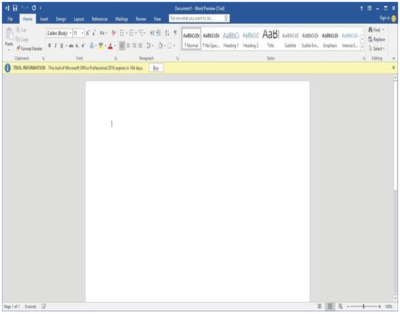
Microsoft is introducing two versions of Word 2016: a feature-rich desktop version and a lightweight, touch-optimized version. The desktop version looks and feels a lot like the previous version (Figure A), but Microsoft is introducing some new features, such as real-time co-authoring.

Figure A

Word 2016 Desktop Version

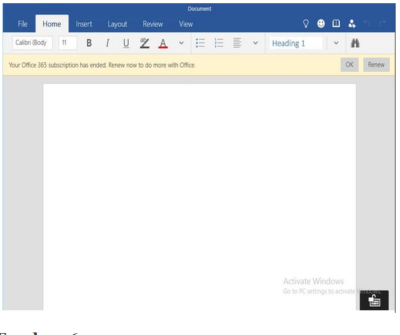
The touch-optimized version of Word (Figure B) is currently available only for use on the Windows 10 preview. It contains the essential features that users most commonly need to do their jobs, with a clean interface that’s ideal for touch screens, small screens, or for anyone who is intimidated by the desktop version’s exhaustive feature set.

Figure B

Word 2016 Touch-Optimized Version

2: Excel 2016

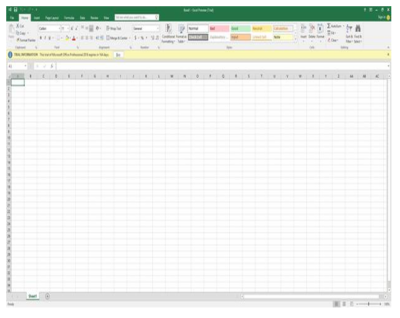
As is the case with Word, Microsoft is releasing two versions of Excel. The desktop version (Figure C) is much more feature rich and will likely be the best choice for hard-core Excel users. It includes new capabilities, such as business intelligence integrated directly into Excel and some data loss prevention features.

Figure C

Excel 2016 Desktop Version

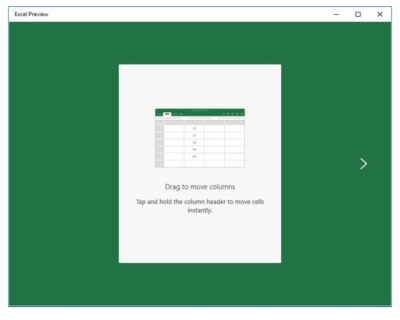
The touch-optimized version of Excel (Figure D) is similar to its Word counterpart, in that it’s designed to be lightweight and includes only the most commonly used features. Although more capable, this version of Excel reminds me a lot of the version that is included with Windows Phone 8.1.

Figure D

Excel 2016 Touch-Optimized Version

3: PowerPoint 2016

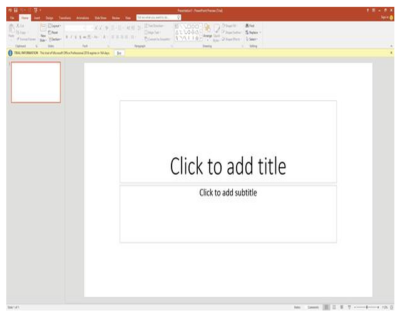
The PowerPoint 2016 preview doesn’t seem to have changed all that much from the previous version, either (Figure E). The most noticeable change to the interface is the addition of the Tell Me bar, a Cortana-like interface that will be shared by all of the Office 2016 applications. It allows users ask Office how to perform a particular task.

Figure E

PowerPoint 2016 Desktop Version

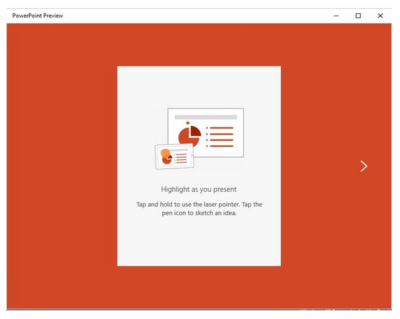
As with Word and Excel, Microsoft has also created a lighter weight, touch-optimized version of PowerPoint (Figure F).

Figure F

PowerPoint 2016 Touch-Optimized Version

4: OneNote 2016

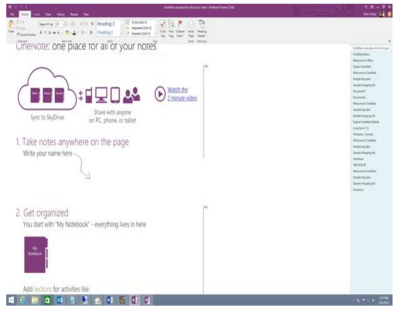
On the surface it is difficult to tell what, if anything is new in OneNote 2016 (Figure G), beyond the enhancements that exist for all the Office applications. Web searches for OneNote 2016 features have as yet failed to reveal anything significant. I admit that I don’t use OneNote often, so it is entirely possible that new features exist and I simply have not found them.

Figure G

OneNote 2016 Desktop Version

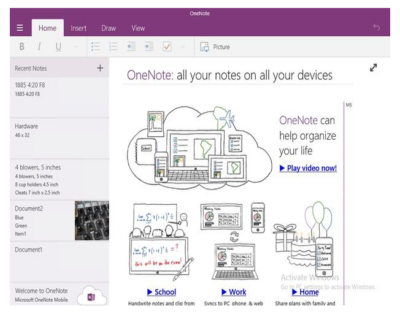
Although the desktop version of OneNote seems to be similar to OneNote 2013, the touch-optimized version (Figure H) has an intuitive interface that’s easy to use. The touch version is more full-featured than the version that was included with Windows Phone 8.1, but it doesn’t contain all the features of the desktop version.

Figure H

OneNote 2016 Touch-Optimized Version

5: Sway

Microsoft PowerPoint has been around in one form or another for what seems like forever. During that time, it has become more refined, but it’s still basically just a slideshow tool. In Microsoft Office 2016, Microsoft is introducing Sway (Figure I) as a next-generation alternative to PowerPoint.

Figure I

Sway (Next Generation Alternative To PowerPoint)

There are two main differences between PowerPoint and Sway. First of all, PowerPoint is linear. A PowerPoint presentation has a first slide and it has a last slide and usually, a number of slides in between. In contrast, Sway is designed to be more organic and allow for more free-form presentations.

The other major difference between PowerPoint and Sway is that Sway is designed for Web content. A Sway presentation can include photos, YouTube videos, and items from Facebook, Twitter, OneDrive, etc. Some have argued that Sway is like OneNote because it aggregates information. However, OneNote is more of an organizational application, while Sway is designed for presentations.

Have questions?

Get help from Microsofts Cloud Solutions Partner!
Call us at: 856-745-9990

South Jersey Techies, LLC is a full Managed Web and Technology Services Company providing IT Services, Website Design ServicesServer SupportNetwork ConsultingInternet PhonesCloud Solutions Provider and much more. Contact for More Information.

To read this article in its entirety click here.
CALL US NOW!