Archives 2018

Website Design – Hassman Research Institute

Hassman Research Institute

The Website Design team of South Jersey Techies has been constantly working on developing great looking websites using the latest web technologies. The most recent website developed by our team is for Hassman Research Institute in Berlin, NJ.


Hassman Research Institute


Have questions?

Our Web Design team is here to help, call us at: 856-745-9990 or visit: https://southjerseytechies.net

South Jersey Techies, LLC is a full Managed Web and IT Services Company located in Marlton, NJ providing IT Services, Managed IT Services, Website Design Services, Server Support, IT Consulting, VoIP Phones, Cloud Solutions Provider and much more. Contact Us Today.

200M Now Use Windows 10 In The Enterprise

The latest numbers from the company show businesses are close to schedule to move away from Windows 7 before the older OS retires in early 2020.
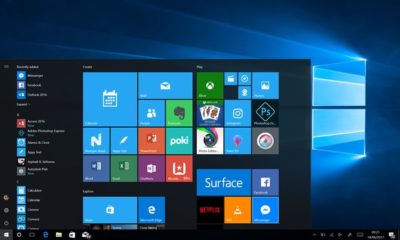
Windows10 Enterprise

Microsoft on Tuesday said that some 200 million enterprise workers now run Windows 10, a sign that corporations and other businesses are close to schedule to scrub Windows 7 from their machines before that older OS retires in about 20 months, an analyst argued.

“The 200 million resonates with me, based on what I’m hearing from clients,” said Stephen Kleynhans of Gartner Research. Migrations to Windows 10, he added, are progressing “pretty aggressively.”

Joe Belfiore, a corporate vice president who leads the Windows 10 team, revealed the number at Microsoft’s Build developers conference Tuesday. “Right now, there are over 200 million people in corporate accounts using Windows 10,” Belfiore said as he claimed deployment is “really ramping up” in the enterprise. “We’ve seen that [Windows 10] adoption rate increase now at 79% year-over-year growth.”

The day before, Microsoft contended that “nearly 700 million” devices are running Windows 10 worldwide. On that basis, enterprises accounted for less than 30% of all copies of Windows 10.

(Although the two numbers – Belfiore’s 200 million people using Windows 10 in corporate settings and Microsoft’s 700 million devices powered by the operating system – measured two different things, it’s not uncommon for Microsoft to obfuscate this way to prevent direct comparisons. In actuality, because Microsoft typically sells licenses on a per user basis, with multiple devices allowed for each user, 200 million people may be using more than that number of Windows 10 devices.)

While neither the percentage nor the 200 million are to be sneezed at, the former is significantly less than the average overall for commercial PCs, which have historically accounted for more than half – 55% has been an often-cited figure – of all personal computers.

And while Kleynhans did not dispute Microsoft’s claim of 200 people running Windows 10 in the enterprise, he sounded a bit disappointed in the number. “Is it a low number? It’s a little behind where I thought it would be,” Kleynhans said, noting that he expected it to be around 250 million by this point, perhaps even close to 300 million.

That 2009 operating system will fall off Microsoft’s support list on Jan. 14, 2020, meaning that while Windows 7 will continue to work as before, the Redmond, Wash. will stop distributing security updates to it.

It’s unrealistic to expect that all commercial customers will have purged Windows 7 by the retirement date, Kleynhans said, pointing out that he has recently spoken with clients who still run some instances of Windows XP (retired from support in 2014) and even Windows 98 (2006).

“What we [Gartner] expect is that enterprises will get to the 85%-90% level by the deadline,” Kleynhans said of the percentage of corporate devices shifted to Windows 7, “maybe even a little higher than that.” Nothing that’s happened has changed that estimate, he added.

“There are always laggards,” Kleynhans said.

According to other metrics, there may be a considerable number of them.

Estimates from analytics vendors, including U.S.-based Net Applications, which measure user and usage shares, signal that a large resorvoir of Windows 7 users will remain after the operating system’s retirement in 20 months. Net Applications’ latest data, for example, drove a Computerworld forecast that of the world’s Windows personal computers – all the PCs, not just those in the enterprise – 42% would still be running Windows 7 in January 2020, a much larger percentage than the 29% powered by Windows XP when that edition fell off the support list in April 2014.

In the end, large organizations will do what it takes to get off Windows 7 and onto Windows 10 by the former’s support cut-off date. The 200 million touted by Belfiore this week will be quite different a year from now, Kleynhans was certain.

“The speed with which I see Windows 10 moving now, it’s not going to be an issue,” he said.

Windows 10 deployment is, like previous iterations of the OS, on a timetable not of its own making. Instead, because of the vagarities of Microsoft’s historical release schedule and corporate acceptance (or rejection) of some editions, there is a clock ticking on Windows 10 because of the impending retirement of the current corporate standard, Windows 7.

Have questions?

Get answers from Microsofts Cloud Solutions Partner!
Call us at: 856-745-9990 or visit: https://southjerseytechies.net/

South Jersey Techies, LL C is a full Managed Web and Technology Services Company providing IT Services, Website Design Services, Server Support, Network Consulting, Internet Phones, Cloud Solutions Provider and much more. Contact for More Information.


Remote Desktop Error – An Authentication error has occurred – CredSSP encryption oracle remediation – SOLUTION

CredSSP encryption oracle remediation

CredSSP encryption oracle remediation

Error


We recently had an issue with remote desktop connection to a Windows 2012 server from a Windows 10 Pro client computer that was recently updated.

An Authentication error has occurred.
The function requested is not supported.
Remote computer: <servername>
This could be due to CredSSP encryption oracle remediation

CredSSP updates for CVE-2018-0886

Solution


We had to create a registry key HKLM\Software\Microsoft\Windows\CurrentVersion\Policies\System\CredSSP\Parameters; both the CredSSP and Parameters keys had to be created, and then create the AllowEncryptionOracle DWORD and give it a value of 2, worked for me on both Windows 7 and Windows 10 Pro computers. A reboot was not needed.
Registry path: HKLM\Software\Microsoft\Windows\CurrentVersion\Policies\System\CredSSP\Parameters
Value: AllowEncryptionOracle
Data type: DWORD

Have Questions?


Leave us a comment or visit: https://southjerseytechies.net/

South Jersey Techies, LLC is a full Managed Web and Technology Services Company providing IT Services, Website Design Services, Server Support, Network Consulting, Internet Phones, Cloud Solutions Provider and much more. Contact for More Information.

To read this article in its entirety click here.

Replicated Folder Offline in DFSR

We recently had an issue with and Active Directory DFSR – The replicated folder has been offline for too long at Site error for a Windows Server Standard 2016 single Domain Controller environment.

Event ID 4012 – DFSR – The DFS Replication service stopped replication on the folder with the following local path: C:\Windows\SYSVOL\domain. This server has been disconnected from other partners for 149 days, which is longer than the time allowed by the MaxOfflineTimeInDays parameter (###). DFS Replication considers the data in this folder to be stale, and this server will not replicate the folder until this error is corrected.

To resume replication of this folder, use the DFS Management snap-in to remove this server from the replication group, and then add it back to the group. This causes the server to perform an initial synchronization task, which replaces the stale data with fresh data from other members of the replication group. .

Summary


Consider the following scenario:

You want to force the non-authoritative synchronization of SYSVOL on a domain controller. In the File Replication Service (FRS), this was controlled through the D2 and D4 data values for the Burflags registry values, but these values do not exist for the Distributed File System Replication (DFSR) service. You cannot use the DFS Management snap-in (Dfsmgmt.msc) or the Dfsradmin.exe command-line tool to achieve this. Unlike custom DFSR replicated folders, SYSVOL is intentionally protected from any editing through its management interfaces to prevent accidents.

How to perform a non-authoritative synchronization of DFSR-replicated SYSVOL (like “D2” for FRS)

  1. In the ADSIEDIT.MSC tool modify the following distinguished name (DN) value and attribute on each of the domain controllers that you want to make non-authoritative:CN=SYSVOL Subscription,CN=Domain System Volume,CN=DFSR-LocalSettings,CN=<the server name>,OU=Domain Controllers,DC=<domain>msDFSR-Enabled=FALSE
  2. Force Active Directory replication throughout the domain.
  3. Run the following command from an elevated command prompt on the same servers that you set as non-authoritative:DFSRDIAG POLLAD
  4. You will see Event ID 4114 in the DFSR event log indicating SYSVOL is no longer being replicated.
  5. On the same DN from Step 1, set:msDFSR-Enabled=TRUE
  6. Force Active Directory replication throughout the domain.
  7. Run the following command from an elevated command prompt on the same servers that you set as non-authoritative:DFSRDIAG POLLAD
  8. You will see Event ID 4614 and 4604 in the DFSR event log indicating SYSVOL has been initialized. That domain controller has now done a “D2” of SYSVOL.

More Information


If setting the authoritative flag on one DC, you must non-authoritatively synchronizeall other DCs in the domain. Otherwise you will see conflicts on DCs, originating from any DCs where you did not set auth/non-auth and restarted the DFSR service.For example, if all logon scripts were accidentally deleted and a manual copy of them was placed back on the PDC Emulator role holder, making that server authoritative and all other servers non-authoritative would guarantee success and prevent conflicts.

If making any DC authoritative, the PDC Emulator as authoritative is preferable, since its SYSVOL contents are usually most up to date.

The use of the authoritative flag is only necessary if you need to force synchronization of all DCs. If only repairing one DC, simply make it non-authoritative and do not touch other servers.

This article is designed with a 2-DC environment in mind, for simplicity of description. If you had more than one affected DC, expand the steps to includeALL of those as well. It also assumes you have the ability to restore data that was deleted, overwritten, damaged, etc. previously if this is a disaster recovery scenario on all DCs in the domain.

Have any questions?

Call us at: 856-745-9990 or visit: https://southjerseytechies.net/

South Jersey Techies, LLC is a full Managed Web and Technology Services Company providing IT Services, Website Design Services, Server Support, Network Consulting, Internet Phones, Cloud Solutions Provider and much more. Contact for More Information.

To read this article in its entirety click here.

RingCentral Mobile Users Without A Digital Line

Ring Central allows your employees to communicate anywhere, anytime on any device. In the past, Ring Central has not been enforcing licenses for employees that are using the system on mobile devices without a digital line. That is about to change. 


RingCentral Mobile Users FAQ


Why are you now charging for Mobile Users without a digital line?
Mobile Users without a digital line can make and receive calls and have access to many of the same capabilities as users with digital lines. These include RingCentral Glip, RingCentral Meetings, integrations and more. With this advanced functionality, these users have begun using the product the same way they would a digital line.

Consequently, Mobile Users using the system without a digital line will now be considered part of the total licensed users and will be charged based on their account’s current cost per digital line.

Will I be charged for using the Mobile App?
No. Mobile Users with a digital line are not affected, and can continue to use the Mobile App for no additional charge. This change only affects Mobile Only Users without a digital line.

When does this take effect?
Please refer to the email notification for the timing of this change for your account.

What will be the cost?
The cost for each Mobile User without a digital line will be the same as users who have a digital line. If you want to add digital lines for your Mobile Users at no additional cost (excluding taxes and fees), please contact your RingCentral account manager.

What are the benefits to Mobile Users of adding a digital line?
By adding a digital line, the Mobile User will get full access to RingCentral’s softphone (inbound and outbound) and the ability to use a desk phone if needed. If you are interested, please contact your account manager by calling  800-591-7973.

How do I know which Mobile Users without a digital line will be billed at any given time?
System administrators can log into their RingCentral account and see this information under the billing tab. See more details here. If a mobile user without a digital line is inactive or is only used for internal company calls, within a given month, there will be no charge.


KB4090913: Windows 10 Device Fix

We have had a number of users that were unable to use their keyboard or mouse on their Windows 10 computer. Microsoft released an update that addresses the issue yesterday.

Addresses an issue in which some USB devices and onboard devices, such as a built-in laptop camera, keyboard, or mouse, stop working. This may occur when the Windows Update servicing stack incorrectly skips installing the newer version of some critical drivers in the cumulative update and uninstalls the currently active drivers during maintenance.

Known issues in this update


Symptom

Workaround

Windows Update History reports that KB4054517 failed to install because of error 0x80070643.

Even though the update was successfully installed, Windows Update incorrectly reports that the update failed to install. Select Check for Updates to verify that there are no additional updates available. You can also type About your PC in the search box on the taskbar to verify that your device is using the expected OS build. Microsoft is working on a resolution and will provide an update in an upcoming release.

Because of an issue that affects some versions of antivirus software, this fix applies only to computers on which the antivirus ISV updated the ALLOW REGKEY.

Contact your antivirus manufacturer to verify that their software is compatible and that they have set the following REGKEY on the computer: Key=”HKEY_LOCAL_MACHINE”Subkey=”SOFTWARE\Microsoft\Windows\CurrentVersion\QualityCompat” Value Name=”cadca5fe-87d3-4b96-b7fb-a231484277cc” Type=”REG_DWORD” Data=”0x00000000″

After installing this update, some devices may fail to start, and return INACCESSIBLE_BOOT_DEVICE. This issue occurs when the windows update servicing stack incorrectly skips installing the newer version of some critical drivers in the cumulative update and uninstalls the currently active drivers during maintenance.

Microsoft is working on a resolution and will provide an update in an upcoming release. Workaround steps are available in KB4075150.

Because of an AD FS server issue that causes the WID AD FS database to become unusable after a restart, the AD FS service may fail to start.

There is no way to undo the database corruption. To return your AD FS server to a functional state, you must restore it from a backup.

How to get this update


This update will be downloaded and installed automatically from Windows Update. To get the stand-alone package for this update, go to the Microsoft Update Catalog website.

File information

For a list of the files that are provided in this update, download the file information for cumulative update 4090913.

Have any questions?

Call us at: 856-745-9990 or visit: https://southjerseytechies.net/

South Jersey Techies, LLC is a full Managed Web and Technology Services Company providing IT Services, Website Design Services, Server Support, Network Consulting, Internet Phones, Cloud Solutions Provider and much more. Contact for More Information.

To read this article in its entirety click here.

CALL US NOW!