Back to Top

Tech, Web, Cloud & Cabling Services

Category: News

Microsoft Snip brings Windows screenshots to life with voice and ink

Microsoft released a free app for capturing, annotating, and explaining screenshots.

Snip

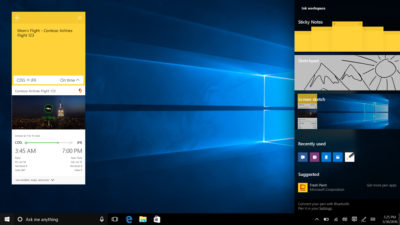
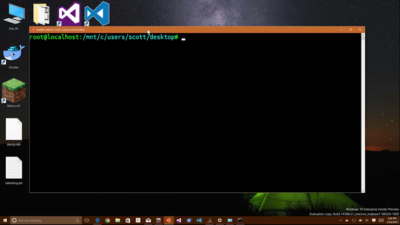
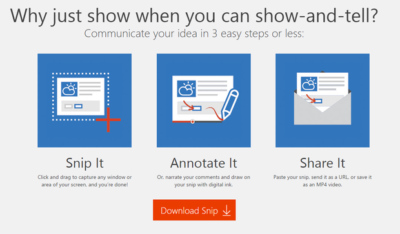
In late August 2015, Microsoft released a free screen capture and annotation application called Snip (Figure A). But the twist in the story is the fact that Snip is not part of some master strategic plan.

Figure A

Snip

Snip

While the name is a bit confusing, Snip is not the same thing as the improved Snipping Tool that comes free with Windows 10. The Snipping Tool will capture screenshots, but it does not have any annotation features.

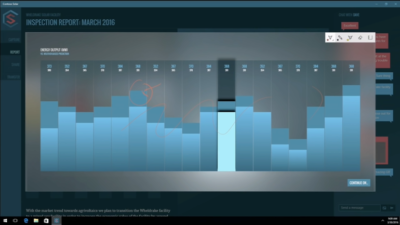
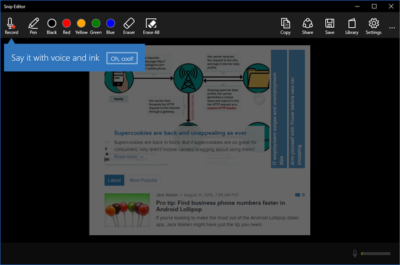
Snip, on the other hand, is a free tool developed through a Microsoft Garage project that allows users to capture screenshots and then annotate them (Figure B). With the Snip app, users can draw on their captured screenshots using a software pen, which is available in various colors and sizes.

Figure B

Snip

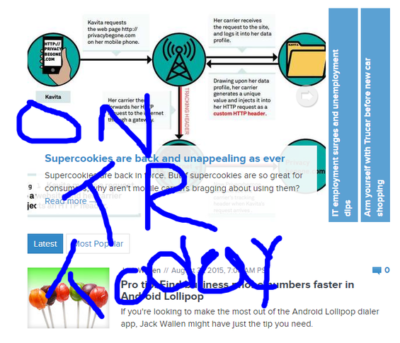
Snip can also record the annotation, and your vocal description of it, to create a short video that users can share as a URL or as an MP4 video (Figure C). These features make Snip very useful for creating and sharing short instructional videos.

Figure C

Snip

Cultural shift

The important thing to note about Snip is the way it was developed and released. Under the Garage program, Microsoft employees are encouraged to work on projects outside of their official duties. The idea is to create an environment where employees can experiment, innovate, and exercise their creativity.

Releasing an app like Snip in beta form to the general public indicates a shift in attitude when it comes to app development at Microsoft. Snip has been released without worrying about whether it will generate a revenue stream or ever make a profit. As far as I can tell, there are no expectations regarding Snip and how it fits into the overall corporate strategy.

Snip is just a nice little program that Microsoft thinks people will find useful, and they’d appreciate some feedback on how to make it even better. No promises, no expectations, no quid pro quo. Microsoft is trying hard not to be the stodgy old software company anymore.

Snip also fits in well with Microsoft’s major theme for Office 365, which postulates that a modern productive workforce needs better collaboration tools. When you consider recent app releases like Edge, Sway, and now Snip, you can begin to see where Microsoft is heading.

If you need to communicate an idea in a simple but effective way, Microsoft is saying it has the tool you seek. It would not  be a surprise if Snip become an integrated part of Office 365 in the near future.

Have questions?

Get answers from Microsofts Cloud Solutions Partner!
Call us at: 856-745-9990 or visit: https://southjerseytechies.net/

South Jersey Techies, LLC is a full Managed Web and Technology Services Company providing IT Services, Website Design ServicesServer SupportNetwork ConsultingInternet PhonesCloud Solutions Provider and much more. Contact for More Information.

To read this article in its entirety click here.

IBM Watson is coming to the iPhone, and that’s big news for business users

Last Tuesday, IBM announced it will be combining its enterprise iOS mobile apps with IBM Watson for better decision-making and productivity.

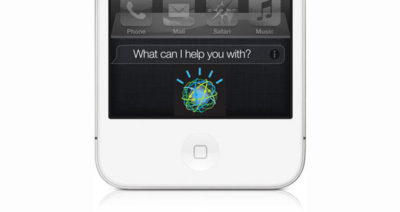
watson

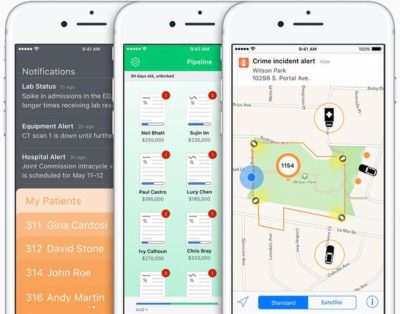
IBM Watson may be coming soon to an enterprise iOS app near you, the company announced at the IBM World of Watson 2016 event on October 25. In a first-of-its-kind move, IBM MobileFirst for iOS apps can now integrate Watson technology to enhance decision-making, productivity, and the employee experience.

With Watson’s cognitive and conversational capabilities, these enterprise apps will be able to understand, reason, and learn using data analytics, according to a press release.

“Apple and IBM set out more than two years ago to define the enterprise mobility market, ensuring that professionals could finally enjoy at work the same experience they’d come to expect as consumers,” said Mahmoud Naghshineh, general manager, Apple partnership at IBM, in a press release. “We are taking that to a whole new level by combining the power of Watson with the new speech framework of iOS 10. The combinations and possibilities are virtually endless.”

Watson is available for both IBM MobileFirst for iOS apps, as well as custom-built iOS apps from IBM, and will allow business users to integrate APIs based on their needs. Users will also have the ability to control apps with speech. This feature could be especially helpful for positions such as field technicians, who can verbally interact with an app like Find & Fix—inputting schedule changes, notifying dispatch, asking questions and tapping Watson’s knowledge reserves—while repairing equipment, according to the release.

“IBM Natural Language Processing, Watson Conversation and other Watson APIs have been optimized to work with the new iOS 10 speech framework,” the press release stated. “The combination of Watson, iOS and IBM services allows the apps to support conversational interaction, bringing deep insight to the end user so they can make more informed decisions.”

The new capabilities will be delivered through IBM Cloud for easy integration into apps, even those that are already in use in a business, the release stated.

IBM offered the following examples of how enterprises might use apps integrated with Watson:

  • Flight attendants using the Passenger+ app enhanced with Watson can gain a deeper view into a traveler’s personality to deliver more personal and relevant customer care while inflight. For example, if the app reveals a passenger is a strong brand advocate with a strong social footprint, the airline may choose to prioritize his or her requests.
  • Retail sales associates using Sales Assist can access data across different resources—social media, customer databases and product forums—for deeper insights into a customer’s unique preferences as well as the latest purchasing trends and popular products to assist customers in choosing the right item.
  • Financial advisors using Trusted Advice with deep learning technology from Watson gain highly targeted search and trend analysis into market history and happenings to optimize the investment recommendations made to individual clients.

“This is a digital assistant for the business—one that creates the next-generation professional experience tailored for enterprise processes,” Naghshineh said in the press release.

The partnership with Watson furthers Apple’s recent moves to increase business appeal. In recent years, Apple has inked deals with IBM, Cisco, SAP, and Deloitte to integrate iOS devices into the enterprise.

IBM is perhaps Apple’s highest-profile corporate partner, representing the world’s largest enterprise Mac deployment, with over 90,000 Macs currently used by workers. The company recently reported that it is rolling out Macs to employees at a rate of 1,300 per week—putting it on track to cross the 100,000 machine mark by the end of the year, as Jason Hiner reported.

The IBM Watson iOS integration also demonstrates how important cognitive computing and AI will be to the future of mobile, with the rise of specialized AI assistants in a variety of industries, and the release of the Google Pixel phone, enabled with Google Assistant.

The 3 big takeaways for readers

  1. IBM Watson will now power enterprise iOS apps with its cognitive and speech capabilities, the company announced at the IBM World of Watson event on Tuesday.
  2. Tapping Watson’s information reserves and language capabilities could help professionals in a variety of fields increase productivity and decision-making, the company stated.
  3. Integrating Watson into enterprise iOS apps is another move by Apple to increase its business use, following previous app partnerships with IBM, Cisco, SAP, and Deloitte.

Have questions?

Get answers from Microsofts Cloud Solutions Partner!
Call us at: 856-745-9990 or visit: https://southjerseytechies.net/

South Jersey Techies, LL C is a full Managed Web and Technology Services Company providing IT ServicesWebsite Design ServicesServer SupportNetwork ConsultingInternet PhonesCloud Solutions Provider and much more. Contact for More Information.

To read this article in its entirety click here.
Trump administration to move all federal IT into the cloud: Is it realistic?

US president Donald Trump recently signed an executive order on cyber-security that mandated federal systems move to the cloud. But, questions remain on the feasibility of that goal.

On Thursday, US President Donald Trump signed his long-awaited executive order on cyber-security, laying out his plans for addressing security in federal IT and across US infrastructure. The most ambitious mandate was that all federal IT systems move to the cloud.

President Trump’s homeland security adviser, Tom Bossert, said in a announcement that the government had spent too much time and money “protecting antiquated and outdated systems.” Bossert cited the Office of Personnel Management (OPM) hack as evidence of failing legacy systems.

Bossert said, “From this point forward, the President has issued a preference in federal procurement in federal IT for shared systems. We’ve got to move to the cloud and try to protect ourselves instead of fracturing our security posture.”

The executive order officially states: “Agency heads shall show preference in their procurement for shared IT services, to the extent permitted by law, including email, cloud, and cyber-security services.” It also calls for a report to be completed within 90 days describing the legal, budgetary, technical considerations for “shared IT services, including email, cloud, and cyber-security services,” along with a timeline for the initiatives and their potential cost-effectiveness.

Peter Tran, the senior director of worldwide advanced cyber defense practice at RSA and former US Department of Defense employee, said the anchor for the executive order will initially be the NIST Cybersecurity Framework (CSF), to both assess current risk gaps and determine a strategy moving forward. This will be the pacesetter by which all building blocks will either rise or fall specifically on the call to action to go cloud in an expedited manner…..security being a forethought,” Tran said.

However, the effectiveness of a move to the cloud to improve security among these federal systems remains up to debate. John Pironti, cyber-security expert and president of IP Architects, said that it could create a double-edged sword.

“The idea of standardization of security controls and capabilities through a cloud-only mandate in theory may make sense to establish an enhanced baseline for security, but at the same time creates a central target and common set of controls and capabilities that adversaries can then focus their attention on in order to be successful in their attacks,” Pironti said.

Following a central set of control standards and common technology platforms, combined with the centralized nature of the cloud, could actually make the federal IT systems weaker than their current iteration, Pironti said, which utilizes “distributed and varied computing assets and security controls.” And if hackers can find and exploit a weakness in this kind of system, it could lead to a bigger impact.

Pironti said that he believes the mandate will start out with the proper intentions, but if the affected government agencies simply follow the prescribed behaviors with no deviation, they may not be able to keep up with the changing threat landscape. While Pironti said that he’s in favor of accountability, he believes that the approach should be risk-based instead of mandated.

“I do not believe all agencies should be forced into a cloud model or required to follow the same set of prescriptive security controls,” Pironti said. “If an agency can prove that they are effectively operating in a reliable, available, and secure fashion then they should be allowed to continue to do so.”

Another question raised by the mandate is the feasibility of moving these systems to the cloud. Tran said that the executive order builds on an existing foundation, but the “proof is in the pudding.” The order, like other security plans, must be executed in a timely manner and show clear improvements in boosting security visibility and early threat detection, but it also must clearly show what “good” and “bad” security looks like in cloud infrastructure, Tran said.

“That’s really hard to do under an average planning and deployment timeline. Your compass needs to be ‘dead on,'” Tran said.

The impact of the executive order could also be seen in the private sector, Tran said, driving the growth of stronger policy, compliance, and governance around cybersecurity.

“The unique aspect of this current environment is security can’t effectively operate in a ‘de-regulated’ fashion by the mere nature that it’s security… Imagine if the TSA and FAA had no security protocols and structure?” Tran said. “Cybersecurity is no different whether it’s brick-and-mortar or click-and-mortar.”

The 3 big takeaways for readers

  1. Trump recently signed an executive order on cybersecurity mandating all federal IT systems move to the cloud, but questions remain about the feasibility and effectiveness of such a mandate.
  2. The move to the cloud could help modernize the systems’ approach to security, but it could also create a central point of attack for hackers, an expert said.
  3. The executive order could also impact the private sector, leading to more regulation and compliance around cyber-security initiatives, an expert said.

Have questions?

Get answers from Microsofts Cloud Solutions Partner!
Call us at: 856-745-9990 or visit: https://southjerseytechies.net/

South Jersey Techies, LL C is a full Managed Web and Technology Services Company providing IT Services, Website Design ServicesServer SupportNetwork ConsultingInternet PhonesCloud Solutions Provider and much more. Contact for More Information.

To read this article in its entirety click here.
What did Microsoft get right in 2016?

2016 was a very good year for Microsoft in terms of decision making. Here is a  list of five things the company got right.

Since its inception way back in the ancient epoch known as the 1970s, Microsoft has often been ridiculed for making mistakes. Whether it was for bad business strategies, poor products, or unscrupulous practices, Microsoft seemed to bring out the passionate ire in many people.

But what often gets overlooked is what Microsoft does right each year. And by just about any measurement, 2016 was a remarkable year for the company. Under the leadership of Satya Nadella, Microsoft has changed its business strategy to reflect what it describes as a mobile-first, cloud-first business world. And in 2016, that strategy began show results.

Here, in no particular order, are five things Microsoft got right in 2016.

1. Windows 10 Anniversary Update

To mark the one-year anniversary of Windows 10, Microsoft released a large patch it dubbed the Windows 10 Anniversary Update. Okay, so Microsoft is not very clever in naming things. But the patch itself was well received. It included new security measures, new program features, Microsoft Edge browser extensions, and advanced support for digital pens, among many other enhancements. If you were already using Windows 10, the Anniversary Update was a must.

2. Surface Studio

While not its primary business, Microsoft has been developing some noteworthy pieces of hardware the past few years and in 2016, the company generated a large amount of buzz with the release of the Surface Studio. This elegant computer combines the best of the desktop, laptop, and tablet to create a unique and innovative platform perfect for artists, designers, and other creative people. With data visualization becoming ever more important, Microsoft may have invented the perfect tool for the big data generation.

3. Microsoft Office 365

I have been wondering aloud if it is a bit too much, but there can be no doubt that with the dozens of program and feature updates released in 2016, Microsoft Office 365 is the alpha and omega of productivity software. Rather than trying to name all of the new features, it would be best to concentrate on the underlying theme: collaboration. Whether it is Yammer, Skype for Business, or the intelligent cloud, Microsoft is concentrating on features necessary for success in a collaborative environment.

4. LinkedIn

In 2016, Microsoft made several acquisitions of both companies and their technologies. Perhaps the most high-profile of these acquisitions was LinkedIn. Despite all of its efforts to create a collaboration platform with Office 365, the one thing Microsoft needed was a social networking component. LinkedIn gives the company a jump start toward establishing a social networking presence that can compete with the likes of Twitter and Facebook. It will be interesting to see what Microsoft does with this acquisition.

5. IoT, AI, and machine learning

While we may live in a mobile-first, cloud-first world right now, the future may very well revolve around the Internet of Things (IoT), artificial intelligence, and machine learning. To its credit, Microsoft sees the potential of these technologies and has taken steps to get ahead of the curve. In terms of recent history, getting ahead of the curve is not something Microsoft has done very well, so it is difficult to know where the research will lead, but it should prove to be worth watching closely.

Despite what some people may tell you, Microsoft does do some things right. In fact, for the most part, the company does more things right than it does wrong. In 2016, Microsoft did many things right and consumers and businesses have been the beneficiaries. Let’s hope Microsoft can continue the trend in 2017.

Have questions?

Get answers from Microsofts Cloud Solutions Partner!
Call us at: 856-745-9990 or visit: https://southjerseytechies.net/

South Jersey Techies, LL C is a full Managed Web and Technology Services Company providing IT Services, Website Design ServicesServer SupportNetwork ConsultingInternet PhonesCloud Solutions Provider and much more. Contact for More Information.

To read this article in its entirety click here.
Here’s how Microsoft will integrate LinkedIn into its products

Microsoft’s massive $26.2 billion acquisition of LinkedIn finally closed, and CEO Satya Nadella explained how the companies will begin working together.

Microsoft’s $26.2 billion purchase of professional networking site LinkedIn officially came to a close on Thursday, after the deal was approved by regulators. Following the close, Microsoft CEO Satya Nadella penned a blog post on LinkedIn detailing how the website would begin integrating with Microsoft’s products.

For starters, LinkedIn identity and network capabilities will be coming to Microsoft Outlook, and to the Office suite in general, the post stated. Additionally, LinkedIn notifications will be available to users in the Windows action center as well.

Since LinkedIn is known as a digital CV of sorts, Microsoft will enable LinkedIn members who draft a résumé in Word to directly update their LinkedIn profile page, and more easily search for and apply to relevant job postings, the post said.

One of the potentially troubling integrations is “extending the reach of Sponsored Content across Microsoft properties,” as Nadella wrote on his blog. Whether that means that users will begin seeing ads in their Office apps remains to be seen, but it sets the stage for a potentially tricky user experience.

Enterprise LinkedIn Lookup will soon be powered by Active Directory and Office 365, which could make it easier for employees to connect with one another. Nadella’s blog post also noted that LinkedIn Learning will be made available across the Office 365 and Windows ecosystem, giving Microsoft shops access to new forms of training and continued learning that could prove valuable to their employees.

Additionally, Nadella wrote that the two companies would begin developing a business news desk across their existing ecosystem of content, and for MSN.com. Sales Navigator and Dynamics 365 will also be integrated in hopes of improving social selling capabilities.

Since the acquisition was first announced, it’s been fairly clear that data was the driving force behind the deal. The two companies had non-overlapping, complementary data graphs, and these integrations show just the first steps that Microsoft is taking to leverage LinkedIn’s data, along with its own, to build out a more holistic ecosystem of business technologies and services.

Current LinkedIn CEO Jeff Weiner will continue to lead the company after the acquisition, and theNew York Times reported that roughly 10,000 LinkedIn employees will join Microsoft.

The 3 big takeaways for readers

  1. Microsoft closed its $26.2 billion acquisition of social networking site LinkedIn on Thursday, with Microsoft CEO Satya Nadella outlining how the two companies will merge.
  2. LinkedIn features and services will be coming to Outlook, Office 365, Dynamics 365, and even MSN.com, with LinkedIn search getting a boost from Active Directory.
  3. The deal has always been about data, and the integrations are just the start of how the two companies will merge their individual data graphs.

Have questions?

Get answers from Microsofts Cloud Solutions Partner!
Call us at: 856-745-9990 or visit: https://southjerseytechies.net/

South Jersey Techies, LL C is a full Managed Web and Technology Services Company providing IT Services, Website Design ServicesServer SupportNetwork ConsultingInternet PhonesCloud Solutions Provider and much more. Contact for More Information.

Windows 10: The top 10 features headed your way in 2017

A look at the most significant changes due to hit Microsoft’s evolving OS in the coming year.

Microsoft has made many promises about what Windows 10 will do, and while some have materialized, others still remain ambitions.

As a perpetual work-in-progress, Windows 10 continues to accrue new features, as Windows catches up with Microsoft’s vision of it being an OS that runs anywhere, syncs with the cloud and has an intelligent assistant at its core.

While Windows 10 will be buffed up by the arrival of the Windows 10 Creators Update early next year, 2017 as a whole will see the OS undergo significant changes, some of which are long-awaited. Here’s what to look out for.

Windows 10 phones edge closer to replacing desktop PCs

Microsoft has long pushed the idea that Windows 10 on phones will be so powerful, it’ll be akin to carrying a full PC in your pocket, courtesy of the OS’ Continuum feature.

“With Continuum for phones, we believe that any screen can be your PC,” Joe Belfiore, Microsoft’s corporate VP of the operating systems group, told the Microsoft Build Developer Conference in 2015, going on to add:

“Imagine the effect this could have on mobile first countries, where individuals could be as effective with the phone that they’re buying.”

Today the reality of using Continuum on Windows 10 falls somewhat short of Belfiore’s future-gazing. While a select Windows 10 phones, such as the Lumia 950, can be hooked up to mouse, keyboard and monitor and used as a Windows desktop there are significant limitations. Only one fullscreen app can be used at a time, legacy Windows apps won’t run on existing handsets and even Universal Windows Platform apps need to explicitly support Continuum.

However, in addition to the possibility of legacy apps running on smartphones, see below, various improvements to Continuum are due to land with the Creators Update in early 2017.

These include support for more PC features, such as running multiple Windows side-by-side on the desktop, pinning apps to the Taskbar and hitting the Windows button to bring up the search box. Other improvements include the ability to keep your phone in your pocket and have it connect wirelessly to a docking station and to independently customize the Windows Start screen on the phone display and on a PC monitor.

Running classic Windows software on your phone

This one’s a rumor but based on solid foundations, and with the potential to transform Windows 10’s appeal on mobile if correct.

The big fly in the ointment when it comes to using Windows 10’s Continuum feature to run a phone as a PC is that Windows 10 phones only run Universal Windows Platform apps. This incompatibility means that widely-used Windows apps from desktop PCs can’t be used on handsets.

However, by sniffing around inside Windows 10’s code, users have uncovered signs that Microsoft is working on bringing these apps to Windows phones.

The code in question suggests that Microsoft is building an emulator that would allow desktop x86 apps to work on the ARM64-based handsets.

As reported by ZDNet’s Mary Jo Foley last month, Twitter user WalkingCat found a reference to what he termed “Windows’s hybrid x86-on-ARM64 tech” in Windows’ codebase, which also referenced the term, “CHPE.”

The clue chimed with Foley, who said her sources had told her that Windows 10 will gain this x86 on ARM64 emulation capability, but not until Fall 2017.

Foley guesses that C stands for Cobalt, the codename for x86 emulation on ARM, and that HP relates to the tech giant HP, which has been working with Microsoft on its the HP Elite x3 Windows Phone, a Windows 10 handset that can serve as a desktop PC via Continuum.

Microsoft certainly has good reasons for wanting such emulation to work. If Windows 10 phones could run as Windows desktops with full support for legacy apps, without having to resort to remote desktop software, Windows 10 phones could suddenly be far more appealing to business.

Return of OneDrive placeholders

Since the launch of Windows 10, many users have been petitioning Microsoft to reintroduce placeholders to the OS’ built-in OneDrive cloud storage service.

In Windows 8.1, placeholders, also called smart files, let users see all of their files stored on OneDrive, whether those files were stored on the device or not.

This feature was removed from Windows 10 but is now due to be bought back in Windows 10 File Explorer when browsing OneDrive. The returning feature will work in a similar fashion to Windows 8.1’s placeholders, showing users files both stored locally and on OneDrive, allowing them to download files and folders to the device and keep them in sync with OneDrive.

Orchestrate Windows apps using Linux tools

Microsoft recently updated Windows 10 to let users run a range of Linux tools from inside the OSand seems committed to continuing to improve support for Linux command-line software in Windows.

In Windows 10, Ubuntu/Linux software runs on top of the Windows Subsystem for Linux (WSL). Users run Linux software and issue commands at the command line via the Bash shell.

Microsoft is working to increase the range of commands that can be run via the shell but perhaps the most significant change on the horizon is increased interoperability between the Bash and Windows environments. Effectively this will let developers call Windows applications from within Bash — allowing them to write a Bash script to automate a complex build that includes Windows applications — and to invoke Bash applications from Windows PowerShell.

These changes will be generally available in Windows 10 after the Creators Update early next year.

Easy communication with friends and family

Next year’s Creators Update will boost Windows 10’s social credentials, with a series of changes to make it simpler to stay in touch and share content with friends and family.

The Windows MyPeople feature will allow users to pin their favorite contacts to the right-hand side of Windows taskbar. Clicking on a pinned contact’s face brings up email or Skype messages from only that person and files can be dragged files to that person’s face for quick sharing. Informal check-ins also become easier, with the Shoulder Taps feature allowing pinned contacts to send friends animated emojis and other clipart, which pop up above that contact’s face on the taskbar.

Focusing Windows around virtual and augmented reality

Microsoft plans to put 3D and virtual reality at the heart of Windows 10, as it bets on the success of low-cost headsets due out next year.

Acer, Asus, Dell, HP and Lenovo will release virtual reality head-mounted displays, with prices starting from $299.

Some of these headsets will be released in March, to coincide with the release of the Windows 10 Creators Update, which will include various tools to simplify the creation and sharing of 3D content, including a new version of Microsoft Paint.

In a demo earlier this year, Microsoft showed how Windows 10 could work on virtual reality headsets, demonstrating a mock-up of a virtual space with a large TV screen and virtual shelves stocked with apps and 3D models, and with the Edge browser appearing as a large window in the wearer’s view.

Another demo, this time using the far more expensive Microsoft HoloLens, showed Microsoft’s Edge browser as a window in the user’s vision, from which the demoer dropped actual-sized 3D models of stools from the furniture site Houzz around the room, in order to see what they looked like in real life.

Allowing Windows to function in this way is Windows Holographic, a variant of the Microsoft OS that provides a platform for virtual and augmented reality headsets to run Universal Windows Platform apps.

More detail on Microsoft’s VR and AR plans are expected this week at the WinHEC conference in China.

Better battery life

Windows 10 PCs and tablets should have better battery life after the Creators Update lands in March, thanks to changes to how the OS is patched.

The steady stream of updates isn’t going to slow down but they are going to suck up less bandwidth and reduce strain on phone and laptop batteries.

Download sizes for major updates will be cut by about 35 percent and battery life of Windows 10 mobile devices will improve, due to each device spending less time checking for updates.

The improvements will stem from Windows 10’s new Unified Update Platform, already used for Windows 10 on phones, which only updates each device with the files it needs, rather than delivering all updates to date, and doesn’t rely so heavily on the user’s device to process update data.

Windows Defender Application Guard

Coming to Windows 10 Enterprise users early next year, Windows Defender Application Guard is designed to help protect firms against online threats.

The new safeguard will add container-based isolation to Windows 10’s Edge browser.

Application Guard will ensure that when Edge accesses a website not designated as trusted, the browser will be launched inside a container, a virtualized environment isolated from the rest of the Windows OS.

If the site tries to download and run malicious code on the device, that code remains within the container, unable to permanently compromise the Windows device or the wider network, and disappears when the browser session shuts down.

Unlike the software-based sandboxes that are offered by other browsers, Microsoft says that Application Guard provides a hardware-based container that offers greater protection to the device.

Other enterprise-focused changes in the forthcoming Creators Update include improvements to Windows Defender Advanced Threat Protection’s ability to detect and respond to network attacks, an upgrade to the Windows Analytics dashboard to display additional information about the composition of IT estates, a new tool for in-place UEFI conversion, and a mobile application management feature for protecting data on employees’ personal devices.

Home Hub

Rather than building hardware to challenge voice-controlled virtual assistants such as Amazon Echo and Google Home, it seems as if Microsoft is working on transforming Windows 10 into what it calls a Home Hub.

Evidence of this shift comes from a Windows Central interview with unnamed sources. These sources claim that Home Hub will turn Windows into a shared computing environment for the home, allowing family members to more easily share calendars, apps and services.

A future-gazing Microsoft video from 2013, dug out by ZDNet’s Mary Jo Foley, shows how this system might eventually work. In it, family members share access to photos, apps and calendars on a screen attached to a wall and interact with computers around the home, for example scanning carrots to find appropriate recipes. Adding credence to the Home Hub rumor are references to Home Hub being a shared family account in Windows 10, as discovered by Twitter user WalkingCat.

ZDNet’s Foley also references a recent Microsoft job posting for a software engineer in the Windows and Devices Group, which is seeking someone to expand Windows’ “family” credentials.

According to the ad, this engineer will play a critical role in helping families to “share pictures, videos, applications, games, and other purchases easily” and to “communicate freely and stay in touch” using Windows 10.

Blue light reduction

One more unconfirmed new feature appears to be aimed at helping Windows 10 users get a good night’s sleep.

Being exposed to blue light from computer screens late at night can supposedly disrupt the body’s sleep cycle.

To counter this disturbance, Windows 10 already has f.lux software that reduces blue light emitted by screens close to bedtime.

But it seems that Microsoft may be working on its own feature to address the issue.

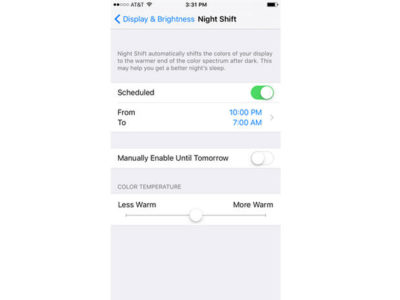
Twitter user Core has discovered references to “BlueLightReduction” hidden within early builds of the OS being tested under the Windows Insider Program, a setting which appears as if would be toggled from Windows 10’s Action Center.

Have questions?

Get answers from Microsofts Cloud Solutions Partner!
Call us at: 856-745-9990 or visit: https://southjerseytechies.net/

South Jersey Techies, LL C is a full Managed Web and Technology Services Company providing IT Services, Website Design ServicesServer SupportNetwork ConsultingInternet PhonesCloud Solutions Provider and much more. Contact for More Information.

To read this article in its entirety click here.
Massive Delta outage highlights need for quality data center power, backup plans

Business leaders must prepare for disasters made by man or Mother Nature with extensive, practiced recovery plans to avoid system shutdowns.

A Delta ground stop was lifted Monday morning following a 2:30 a.m. ET power outage in Atlanta that delayed and cancelled flights worldwide. Businesses should view this as a cautionary tale, highlighting the importance of quality data center power and disaster control systems.

Delta cancelled approximately 300 flights due to the outage. As of 10:30 a.m. ET, it operated 800 of its nearly 6,000 scheduled flights. However, Delta customers heading to the airport on Monday should still expect delays and cancellations, according to a press release. As inquiries are high and wait times are long, there may also be some lag time in the display of accurate flight status from the airline, it warned.

Last month, Southwest Airlines cancelled 1,150 flights after a system outage. Though the system came back online within the day, hundreds of flights were backlogged.

Based on recent research, it’s fair to say that what happened to Delta and Southwest could happen to a number of businesses. Some 57% of small and mid-sized businesses have no recovery plan in the event of a network outage, data loss, or other IT disaster, according to a Symantec study.

“Planning and executing disaster recovery exercises is something that should be done on a regular basis to find out these issues before they may be impactful,” said Mark Jaggers, a Gartner data center recovery and continuity analyst. “The issue, which was also the case with Southwest Airlines, is not planning for partial failure scenarios that are harder to get to the root cause of and work around.”

To avoid shutdowns like Delta’s, company data centers should have redundant power and networking, preferably from a grid and provider, respectively, that are completely independent from the primary ones, Jaggers said.

“Data centers are a huge piece of a disaster recovery plan,” said mission-critical facility management professional Christopher Wade. “To have a reliable infrastructure, you have to minimize single points of failure.” Business leaders should also ask about the experience levels of data center staff, as many of these companies are currently understaffed, Wade added.

Usually, large companies have a primary data center in one location and an alternate in another that is far enough away so the two do not experience the same disaster at the same time, said Roberta Witty, risk and security management analyst at Gartner.

“In today’s world, the business expectation is that you’re up and running quickly after a disaster,” Witty said. “The ‘always on’ driver is changing the way organizations deliver IT in general, and so they are building out their data centers to be more resilient.”

Faster recovery times

About 60% of organizations are moving to a recovery time objective of four hours or less, Witty said. Doing so successfully involves extensive planning. First, determine what business operations are mission critical. Then, consider factors that impact recovery time requirements, such as revenue loss, safety, and brand reputation, and build your recovery infrastructure accordingly. As more companies outsource data operations, a key consideration should be the third party’s ability to meet your recovery requirements, she added.

Crisis management practices, such as the procedures Delta used to notify management and deal with customer fallout, usually get exercised every quarter. “The more you practice your crisis management procedure and communicating with your workforce, customers, suppliers, and partners, the better off you are,” Witty said. “A plan that hasn’t been exercised is not a workable plan.”

Disaster recovery can’t be something a company reviews once a year, Witty said, but rather an ongoing part of every new project.

“Your recovery environment has to stay in sync with production, which is where a lot of organizations fail,” Witty said. “Build disaster recovery into a project lifestyle—whether it’s a new product or a change in management, you have to go back and revisit your recovery plans.”

The 3 big takeaways for readers

  1. Delta experienced a massive networked service stoppage Monday morning after a power outage in Atlanta, which offers a lesson in disaster preparedness and recovery for other businesses and data centers.
  2. About 57% of small and mid-sized businesses have no recovery plan in the event of a network outage, data loss, or other IT disaster, but these plans are key for mitigating natural and manmade disasters and keeping business operations running smoothly.
  3. Companies should build crisis management and proper communication into all new projects and management changes to ensure consistency.

Have questions?

Get answers from Microsofts Cloud Solutions Partner!
Call us at: 856-745-9990 or visit: https://southjerseytechies.net/

South Jersey Techies, LL C is a full Managed Web and Technology Services Company providing IT Services, Website Design ServicesServer SupportNetwork ConsultingInternet PhonesCloud Solutions Provider and much more. Contact for More Information.

To read this article in its entirety click here.
Microsoft is buying LinkedIn for a whopping $26.2 billion in big data push

Microsoft announced that it will be acquiring LinkedIn Corporation for $196 per share in an all-cash deal, gaining access to the social platform and its data.

linkedin


Microsoft announced that it will be purchasing LinkedIn, the social network for professionals, for $26.2 billion. The all-cash deal will bolster Microsoft’s social media presence among professionals and could potentially give LinkedIn more analytics resources.

In the official press release announcing the acquisition, it was noted that LinkedIn will remain its own entity and CEO Jeff Weiner will stay at the helm. Weiner will report to Microsoft CEO Satya Nadella.

Despite the astronomical price, one of the most basic reasons for Microsoft’s pursuit of LinkedIn is to grow its appeal among business users. LinkedIn is the world’s biggest site for networking and job searches with roughly 400 million users, and Microsoft will get direct access to that audience and the data it is creating.

Speaking of data, LinkedIn stands to benefit from this deal as well. Microsoft’s press release, pointed out that LinkedIn has updated its mobile app to help “deliver better business insights,” which it could continue to do with Microsoft’s help.

Of course, a big part of LinkedIn’s publishing platform was built around its acquisition of Pulse in 2013. And, in 2015, LinkedIn announced analytics for publishing to help brands and professionals better understand the reach of their posts.

After Microsoft bought Yammer in 2012, it is integrating a host of Yammer capabilities into Office 365 and we may see the same thing from the LinkedIn deal. In a letter written by Nadella to employees explaining the deal, he cited growth in “Office 365 commercial and Dynamics” as one of the goals of the deal, as well as growth in cloud services.

microsoft-linkedin-

“This deal brings together the world’s leading professional cloud with the world’s leading professional network,” Nadella wrote. “I have been learning about LinkedIn for some time while also reflecting on how networks can truly differentiate cloud services.”

Additionally, Nadella noted that the combination could lead to an interesting overlap between the two brands relative to specific projects or tasks.

“This combination will make it possible for new experiences such as a LinkedIn newsfeed that serves up articles based on the project you are working on and Office suggesting an expert to connect with via LinkedIn to help with a task you’re trying to complete,” Nadella wrote. “As these experiences get more intelligent and delightful, the LinkedIn and Office 365 engagement will grow. And in turn, new opportunities will be created for monetization through individual and organization subscriptions and targeted advertising.”

One other option could be for Skype integration for LinkedIn to help with video interviews for job candidates, but also to assist with learning through the Lynda.com brand. LinkedIn bought Lynda.com back in 2015, which means that Microsoft gets access to the popular training platform and its audience as well.

The deal is expected to be completed sometime in 2016. Microsoft expects that LinkedIn’s financials will be reported as part of its Productivity and Business Processes segment.

The 3 big takeaways for readers

  1. Microsoft announced that it has purchased LinkedIn, the professional social network, for $26.2 billion dollars in order to further integrate the two companies’ technologies.
  2. In a letter penned by Microsoft CEO Satya Nadella, he specifically pointed out the integration will focus on “insights” and “cloud platforms.”
  3. Microsoft also gets access to the data generated by LinkedIn users around job searches, as well as access to LinkedIn’s training platform, Lynda.com, and its audience and data.

Have questions?

Get answers from Microsofts Cloud Solutions Partner!
Call us at: 856-745-9990 or visit: https://southjerseytechies.net/

South Jersey Techies, LL C is a full Managed Web and Technology Services Company providing IT Services, Website Design ServicesServer SupportNetwork ConsultingInternet PhonesCloud Solutions Provider and much more. Contact for More Information.

To read this article in its entirety click here.

Microsoft makes it easier for firms to keep running Windows 7

The technology giant releases a bundle of updates for the seven-year-old operating system in the latest move designed to appeal to businesses in no rush to move to Windows 10.

windows-7prof-logo

Microsoft has taken another decision that should make it easier for businesses to continue running Windows 7.

The technology giant announced the release of the Windows 7 SP1 convenience rollup, a collection of security and other updates for the seven-year-old operating system. The release includes core Windows fixes, security fixes and hot fixes that have been issued since Service Pack 1 was released in 2011 and is designed to simplify the updating process.

Microsoft’s decision to release the bundle is a departure from the firm’s stance earlier this year, when it said it had no news on the promised convenience rollup of fixes for Windows 7, stressing instead “the success our customers are experiencing upgrading to Windows 10”.

The release follows another recent choice by Microsoft to dial back pressure on businesses to move to Windows 10. At the beginning of the year, Microsoft announced it would phase out support for Windows 7 and 8 on new PC hardware. The move seemed designed to encourage businesses not to downgrade new Windows 10 machines to an earlier OS, as has been common in the past in order to standardize corporate hardware. However, Microsoft later watered down the plans, pushing back the point at which it will end full extended support for Windows 7 and 8.1 machines running on Intel’s Skylake CPUs.

Richard Edwards, principal analyst for Enterprise ICT at Ovum, said Microsoft’s recent decisions are an acknowledgement of how many businesses still run Windows 7 and how long it will likely take them to switch.

“Most organizations are still in the early planning stage when it comes to Windows 10. This means that most of the PCs running Windows 10 today are in the consumer segment of the market, and thus Windows 7 is probably running on 80 percent-plus business Windows PCs,” he said.

Inside enterprises, Windows 7 is “going to be around for many years to come,” he said. “Microsoft has to find ways to please and delight these enterprise customers, and easing the burden on IT departments is one way to do this.”

While Edwards believes the release of the Anniversary Edition update to Windows 10 will drive upgrades by early adopters, he predicted that mass adoption is still some way off, forecasting that the bulk of firms will migrate from mid-2017 through to 2020.

“Organizations will only upgrade to Windows 10 if they have a clear insight into its business value,” said Edwards, adding that key business features such as Enterprise Data Protection were still not in place.

Microsoft’s focus on driving customers to Windows 10 has earned it criticism from small businesses, which recently complained about the decision to push the aggressive Get Windows icons and pop-ups to domain-joined PCs.

Analyst house Gartner had predicted that adoption of Windows 10 by business would be “significantly more rapid” than that of Windows 7 but this year was more cautious, claiming that flat IT budgets are pushing the start of enterprise migrations back to 2017.

“It’s to do with current budget restrictions as much as anything. They [budgets] are not being made available,” said Gartner research director Ranjit Antwal at the time.

There is little third-party data on the rate of adoption of Windows 10 by business, although Microsoft claims enterprises are switching more rapidly than they did to Windows 7.

Have questions?

Get answers from Microsofts Cloud Solutions Partner!
Call us at: 856-745-9990 or visit: https://southjerseytechies.net/

South Jersey Techies, LL C is a full Managed Web and Technology Services Company providing IT Services, Website Design ServicesServer SupportNetwork ConsultingInternet PhonesCloud Solutions Provider and much more. Contact for More Information.

To read this article in its entirety click here.

Ransomware-as-a-service is exploding: Be ready to pay

RaaS has outgrown smaller targets and now threatens governments, NGOs, and SMBs.

ransomware

It starts with a fast click on a link in a harmless-looking email. Then your PC slows to a crawl. A message suddenly pops up and takes over your screen. “Your files and hard drive have been locked by strong encryption. Pay us a fee in 12 hours, or we will delete everything.” Then a bright red clock begins counting down. No antivirus will save your machine. Pay the fee or lose everything.

You’re the latest victim of a ransomware attack. The scary thing is, you’re not alone. The ransomware market ballooned quickly, from a $400,000 US annual haul in 2012, to nearly $18 million in 2015. The average ransom—the sweet spot of affordability for individuals and SMBs—is about $300 dollars, often paid in cash vouchers or Bitcoin.

The ransomware market scaled up so quickly, claims a recent report by Imperva, due to the rise of ransomware-as-a-service, or RaaS. Here’s how it works:

  • Ransomware authors are marketing on-demand versions of code, using traditional malware distributors in a classic affiliate model.
  • The ransomware author collects the ransom and shares it with the distributor.
  • Malware is distributed through spam email messages, malicious advertisements, and BlackHat SEO sites.
  • According to the Imperva report, “in classical affiliate marketing, the larger cut goes to the possessor of the product. In RaaS … the ransomware author gets a small cut of the funds (5%-25%) while the rest goes to the distributor (affiliate).”
  • Using the deep web, TOR, and Bitcoin, the report says, “this model, based on TOR and Bitcoins, is designed to keep the identity of the author and the distributor hidden from law enforcement agencies.”

Phishing in particular, is a highly effective tactic for malware distribution.

The well-worded email appears to come from a legitimate email address and domain name, and raises very few irregularities. The email comes with a demand for money for an arbitrary service, along with a link that purports to be an “overdue invoice.”

Click that link and open the file (which looks like a Word document), and you’ll become the latest victim of ransomware — that is, malware that encrypts your files and locks you out of your computer until you pay a ransom.

Phishing attacks have also helped ransomware move into the enterprise. In 2015 the medical records system at Hollywood Presbyterian Medical Center was attacked. The hospital paid $17,000 in Bitcoin to unlock the sensitive records. In early 2016 the Lincolnshire County Council was snagged by a phishing scheme and held up for 500 dollars.

To prevent your business from attack, make sure the IT department and communication team are in sync, keep your company’s security systems updated, and remind employees to use caution when clicking on email links from unknown addresses.

If you’ve been hacked, the ransomware rescue kit provides a suite of tools designed to help clean particularly pugnacious malware.

Businesses that suffer ransomware attacks face a tough choice. Paying the fee could restore access to mission-critical data, but there’s no guarantee the extortionists will honor the deal. And of course, paying a ransom provides incentive to hackers and validates the attack.

Have questions?

Get answers from Microsofts Cloud Solutions Partner!
Call us at: 856-745-9990 or visit: https://southjerseytechies.net/

South Jersey Techies, LL C is a full Managed Web and Technology Services Company providing IT Services, Website Design ServicesServer SupportNetwork ConsultingInternet PhonesCloud Solutions Provider and much more. Contact for More Information.

CALL US NOW!