Back to Top

Tech, Web, Cloud & Cabling Services

Category: News

Old Windows PCs can stop WannaCry ransomware with new Microsoft patch

In a rare step, Microsoft published a patch for Windows XP, Windows Server 2003 and Windows 8

Users of old Windows systems can now download a patch to protect them from this week’s massive ransomware attack.

In a rare step, Microsoft published a patch for Windows XP, Windows Server 2003 and Windows 8 — all of them operating systems for which it no longer provides mainstream support.

Users can download and find more information about the patches in Microsoft’s blog post about Friday’s attack from the WannaCry ransomware.

The ransomware, which has spread globally, has been infecting computers by exploiting a Windows vulnerability involving the Server Message Block protocol, a file-sharing feature.

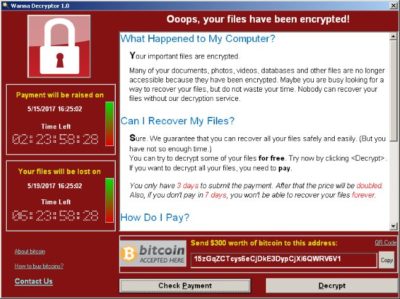
Computers infected with WannaCry will have their data encrypted, and display a ransom note demanding $300 or $600 in bitcoin to free the files.

Fortunately, Windows 10 customers were not targeted in Friday’s attack. In March, Microsoft patched the vulnerability that the ransomware exploits — but only for newer Windows systems. That’s left older Windows machines, or those users who failed to patch newer machines, vulnerable to Friday’s attack.

Researchers originally believed the ransomware was spread through attachments in email phishing campaigns. That no longer appears to be the case.

Infection attempts from the WannaCry ransomware.

Once a vulnerable PC becomes infected, the computer will attempt to spread to other machines over the local network as well as over the internet. The ransomware will specifically scan for unpatched machines that have the Server Message Block vulnerability exposed.

Businesses can prevent this by disabling the Server Message Block protocol in vulnerable PCs. They can also use a firewall to block unrecognized internet traffic from accessing the networking ports the Server Message Block uses.

Fortunately, Friday’s ransomware attack may have been contained. A security researcher who goes by the name MalwareTech has activated a sort of kill-switch in WannaCry that stops it from spreading.

As a result, over 100,000 new infections were prevented, according to U.K.’s National Cyber Security Centre. But experts also warn that WannaCry’s developers may be working on other versions that won’t be easy to disable.

“It’s very important everyone understands that all they (the hackers) need to do is change some code and start again. Patch your systems now!” MalwareTech tweeted.

Unfortunately, the kill-switch’s activation will provide no relief to existing victims. The ransomware will persist on systems already infected.

Friday’s ransomware attack appears to have spread mainly in Europe and Asia, with Russia among those nations hardest hit, according to security researchers.

Security experts are advising victims to wait before paying the ransom. It’s possible that researchers will develop a free solution that can remove the infection.

Have questions?

Get answers from Microsofts Cloud Solutions Partner!
Call us at: 856-745-9990 or visit: https://southjerseytechies.net/

South Jersey Techies, LL C is a full Managed Web and Technology Services Company providing IT Services, Website Design ServicesServer SupportNetwork ConsultingInternet PhonesCloud Solutions Provider and much more. Contact for More Information.

To read this article in its entirety click here.

Atari’s Ataribox console will run Linux

Cost $250-$300, if it ever materializes

Now it just needs an E.T. game.

Atari announced in June that it was getting back into the hardware business, with plans for an upcoming “Ataribox” console. Of course, it didn’t release any actual details at the time—only a slick-looking render of a retro-styled box, complete with real wood paneling. Oh, plus a promise to crowdfund the upcoming console.

If alarm bells just started ringing in your head, visions of another Ouya-style disaster, well we can’t say those fears are unfounded. This week Atari further detailed the Ataribox to GamesBeat, and the plan seems even weirder than before.

According to Ataribox creator Feargal Mac, we’re looking at a device that will a) run Linux and b) cost in the neighborhood of $250 to $300. Featuring a custom AMD processor and launching alongside a catalog of classic Atari games, GamesBeat writes, “the idea is to create a box that makes people feel nostalgic about the past, but it’s also capable of running the independent games they want to play today, like Minecraft or Terraria.”

You know what? Best of luck to them. If Valve couldn’t make the Linux-centric living room PC a hot item, though, We’re not sure that Atari will be able to. And that’s all this is—a very cheap Steam Machine, cheaper even than Alienware’s quaint little model.

Is that enough? Probably not. The problem, as always, is the games. Linux gaming is worlds better than it was a few years ago, especially if Atari focuses on the indie scene. Still, we’re talking a pretty small subset of available titles. Atari’s trotted out the ol’ Valve line of “You can install Windows on it if you want,” and that’s not a great omen in my mind.

And even a $250 Ataribox is still plenty expensive considering this thing won’t run any big-budget games. You can buy an Xbox One S for $250 right now on Amazon, and a PlayStation 4 is only $50 more expensive. Sure, it’s a console, but it’ll at least play Wolfenstein II just as easily as it’ll play Terraria.

Atari’s also been quiet about how you’ll control the Ataribox. GamesBeat mentions a “user interface [Atari is] customizing for TVs,” so I assume a controller, but every photo of the Ataribox is just the console on its own. Hell, for all we know Atari will be buying Steam Controllers in bulk and packaging them with the system. Might as well. Those who want to get into the system level and tinker, though, will probably need a keyboard and mouse, which isn’t very living room-friendly.

One last red flag: It’s still being crowdfunded. Plans are for an Indiegogo campaign later this fall, with a release scheduled for Spring 2018. We’ll keep you updated.

Have questions?

Get answers from Microsofts Cloud Solutions Partner!
Call us at: 856-745-9990 or visit: https://southjerseytechies.net/

South Jersey Techies, LL C is a full Managed Web and Technology Services Company providing IT Services, Website Design ServicesServer SupportNetwork ConsultingInternet PhonesCloud Solutions Provider and much more. Contact for More Information.

To read this article in its entirety click here.
Windows phones’ free-fall may force Microsoft to push harder on Windows 10 adoption

Microsoft needs to protect its access to your wallet.

Windows_Phone_logo


Poor little Windows phone could have a bigger effect on Microsoft’s business than you’d think. As the company’s mobile device strategy continues to disintegrate, Microsoft may feel compelled to push harder on Windows 10 adoption and paid services to prove it can survive without a viable smartphone—and that could be bad news for consumers.

The raw numbers are shocking: Microsoft sold a minuscule 2.3 million Lumia phones last quarter, down from 8.6 million a year ago. Phone revenue declines will only “steepen” during the current quarter, chief financial officer Amy Hood warned during a conference call. That’s dragged down Microsoft’s results as a company, too.

Chief executive Satya Nadella opened his remarks to analysts optimistically, however, by noting that Windows 10 now powers 270 million devices in active use, a steady increase in its user base since the formal launch of Windows 10 last July. Later on, he summed up Microsoft’s message: “In this world, what matters most is the mobility of a person’s experience, not any one single device,” he said.

Will Wall Street buy it? If it does, Nadella will be free to continue. But if investors begin to get cold feet, you might see Microsoft push Windows 10 more aggressively to keep its numbers up.

Microsoft

Selling hardware to sell services

Nadella’s strategy is simple enough: grow Microsoft’s revenues, in part by convincing customers to adopt its paid subscription services. The most direct way is through sales of Surface or Lumia hardware. If that fails, then a third-party Windows 10 PC will suffice. Failing that, Microsoft apps like Bing or Cortana running on iOS or Android are acceptable as well.

But what Microsoft really wants is to sign you up for paid subscription services: Office 365 and Xbox Live, plus the corresponding enterprise licenses for Windows 10, Office 365, and Azure. ”Overall, the thing that we’re most focused on with Office 365 is how do we make sure we have the Office 365 endpoints everywhere, [with] good usage,” Nadella said.

bing-home-page

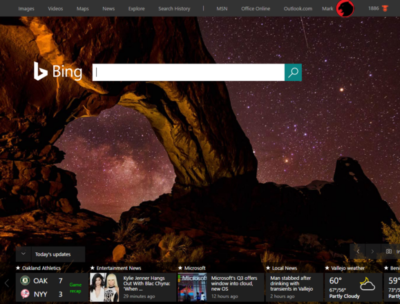
According to Verto, which measures online audience across all devices, Microsoft has four online properties with more than 100 million users per month: Microsoft Live (177.1 million), Bing (138.9 million), Microsoft Office (136.3 million), and MSN (121.5 million). Skype has 83.7 million users.

Viewed through the lens of “constant currency” adjustments that discount inflation, Microsoft’s strategy seems to be working: commercial Office 365 license revenue was up 7 percent, consumer Office 365 license revenue by 6 percent. Windows non-Pro revenue growth was 15 percent, though Pro revenue to the commercial market dipped by 11 percent. Xbox Live active users are now at 46 million, up 24 percent from a year ago.

Hidden dangers

Peer a little closer, though, and you begin to see signals that may be worrying the more impatient sectors of Wall Street. For one, device revenue is expected to continue falling. Save for a $12.7 billion holiday quarter, revenue in Microsoft’s “More Personal Computing” group has bumped along each quarter for the past year at about $9.3 billion or so. It’s expected to fall to between $8.7 billion and $9 billion this quarter, CFO Amy Hood said, apparently all attributable to the decline in phone sales.

The PC is the most frequently used device to access Microsoft services, Verto found, with 195.6 million monthly users. The smartphone is second, with 85.8 million users—but few of those devices are Windows phones.

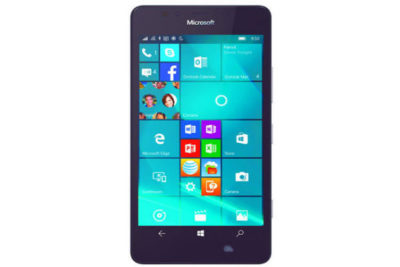
lumia950

”Microsoft is clearly in an interesting position,” said Hannu Verkasalo, the chief executive of Verto, in an emailed statement.Microsoft has said in the past that the service matters more than the device, and the company does have software traction. “They have quickly pushed their mobile reach with their new device agnostic strategy,” Verkasalo continued.

Here’s the catch: “Even though they still have twice as many users using Microsoft services on PCs versus smartphones,” Verksala pointed out, “the mobile segment is the growth area.”Lacking a viable mobile device, Microsoft is missing out on opportunities to get even closer to users—and their wallets—in this growth area.

There’s also some evidence that Microsoft isn’t selling services as quickly as it could. Microsoft added just 1.6 million Office 365 consumer subscribers during the quarter, for a total of just 22.2 million users. Remember, at least 60 million Windows 10 PCs were sold during that quarter alone.

Keep your eyes open

All this means that the process of locking in customers to the Microsoft platform might be taking longer than expected. To date, investors haven’t minded, generally cheering Nadella’s leadership and sending the company’s stock up to near its all-time high in 1999.

But given Microsoft’s lower earnings and revenue—and downward guidance in key business units—it’s possible Microsoft may come under greater pressure to make its Windows 10 vision a reality. That’s not necessarily great news for consumers.

We all know how Microsoft originally made Windows 10 a free update, then began essentially forcing upgrades on users. To be fair, the company hasn’t stopped rolling out updates and new features, with the so-called Anniversary Update on the horizon.

So far, the company has taken the same “softly, softly” approach to Office 365: New Skype for Business features essentially require Office 365, as do new unsafe email warnings for Outlook. But what might Microsoft do if it feels it needs to make Office 365 stickier—put all of Office Online behind a paywall, perhaps?

Several analysts questioned Microsoft about potential profit margin declines. Nadella and other Microsoft executives indicated they’re staying the course. Eventually, though, Wall Street is going to take a harder look at how Microsoft’s strategy is playing out—and the one-year anniversary of Windows 10 could be the ideal time.

Say what you will about Windows 10 and privacy—Microsoft remains generally benign. But if investors start putting the screws in, you can’t help but wonder if there will be more pressure to pay up.

Have questions?

Get answers from Microsofts Cloud Solutions Partner!
Call us at: 856-745-9990 or visit: https://southjerseytechies.net/

South Jersey Techies, LL C is a full Managed Web and Technology Services Company providing IT Services, Website Design ServicesServer SupportNetwork ConsultingInternet PhonesCloud Solutions Provider and much more. Contact for More Information.

To read this article in its entirety click here.
New Website Design – Camden County Partnership for Children

The Website Design team of South Jersey Techies has been constantly working on developing great looking websites using the latest web technologies. The most recent website developed by our team is for Camden County Partnership for Children who offer families in Camden County the help and care that they need. Camden County Partnership for Children works very closely with Family Partners to ensure their services are truly responsive to the needs of families.


Have questions?


Our Web Design team is here to help. Call us at: 856-745-9990 or visit: https://southjerseytechies.net.


South Jersey Techies, LLC is a full Managed Web and IT Services Company located in Marlton, NJ providing IT ServicesManaged IT ServicesWebsite Design ServicesServer SupportIT ConsultingVoIP PhonesCloud Solutions Provider and much more. Contact Us Today.

Microsoft 365 Business: Get Office + Windows 10 in one SMB-friendly subscription

Will preview $20/month software-as-a-service plan Aug. 2

Earlier this week, Microsoft introduced two additional software-as-a-service subscription plans to the partners who will try to sell them.

The pair join an increasing number of subscription deals that the Redmond, Wash. company has modeled on the Office 365 pattern. The new plans even carry the “365” label, which Microsoft sees as a unifying identifier.

Microsoft 365 is, as CEO Satya Nadella introduced it Monday, “a fundamental departure in how we think about product creation,” composed of, initially at least, two plans. The more expensive, Microsoft 365 Enterprise, is simply a new name for a year-old, two-tier product titled “Secure Productive Enterprise E3” and “Secure Productive Enterprise E5.” Those SKUs (stock-keeping units) were introduced at Microsoft’s 2016 partner conference. Like SPE, M365 Enterprise tosses Windows 10 Enterprise, Office 365 and Enterprise Mobility + Security into a bucket.

But “Microsoft 365 Business,” or M365 Business for short, is the more interesting of the two plans because it is actually new. Nadella thought the same. “I’m so excited about the product innovation that you will see today around small and medium-sized businesses,” he said during a two-hour keynote before partners.

So, what’s Microsoft 365 Business?

That’s the new deal Microsoft will push later this year after an unspecified time in preview, which will start Aug. 2.

M365 Business includes:

Office 365 Business Premium, a software-and-service plan that includes all the Office applications, hosted Exchange email, OneDrive storage service and more. Alone, Office 365 Business Premium costs $12.50 per user per month when billed on an annual basis.

Windows 10 Pro: Devices currently running Windows 7 Professional or Windows 8.1 Pro may be upgraded to Windows 10 Pro under M365 Business.

Windows 10 Business: According to Microsoft, “Windows 10 Business is a set of cloud-[based] services and device management capabilities that complement Windows 10 Pro and enable the centralized management and security controls of Microsoft 365 Business.” The services and tools include a subset of those from Intune, Microsoft’s enterprise mobility management (EMM) platform, as well as Windows AutoPilot, an automated deployment service bundled with Windows 10’s March 2017 feature upgrade, aka 1703 and Creators Update.

How much does M365 Business cost?

$20 per user per month when it launches later this year.

That’s $7.50 per user per month more than Office 365 Business Premium, or an extra $90 per user annually. For that amount, customers receive the difference between the two plans: the upgrade to Windows 10 Pro and the various management service components.

Who is Microsoft 365 Business for?

According to Microsoft, the plan is “built for small and midsize customers that have little to no IT resources on staff.”

Although companies of any size can purchase M365 Business licenses, any one customer can buy no more than 300 subscriptions, another signal that it aims at small and medium-sized organizations.

The limited management tools also play to that theme. They’re designed to be easy to use and offer only basic functionality, and are accessed via simple control panels similar to what they may have already used for Office 365.

What’s the Windows 10 upgrade all about in M365 Business?

Microsoft’s descriptions of this component are sketchy thus far. An extensive company Q&A on the subscription plan had the most information, saying, “If you have devices that are licensed for Windows 7, 8 and 8.1 Professional, Microsoft 365 Business provides an upgrade to Windows 10 Pro.” (The “Professional” label holds for Windows 7, but 8 and 8.1 are dubbed “Pro” instead, as is Windows 10.)

Computerworld was unable to unearth additional details of the upgrade, specifically what happens when a customer cancels a M365 Business subscription or lets one expire. Do devices that were upgraded from Windows 7 Professional to Windows 10 Pro retain the latter license? Or is the Windows 10 license revoked, forcing customers to reinstall the previous OS?

Microsoft declined to answer questions about that scenario, and analysts who had been briefed by the company said that licensing issues were not discussed in Microsoft’s presentation.

The matter of expiring subscriptions requires context. Generally, when customers exit a subscription, say, Office 365, the applications and services will retreat into a reduced functionality mode or stop working entirely. Something similar happens after a subscription to Windows 10 Enterprise E3 or E5 lapses. “When a subscription license expires … the Windows 10 Enterprise device seamlessly steps back down to Windows 10 Pro,” Microsoft states in a support document.

In other instances, Microsoft doesn’t strip away an upgrade. Customers who have subscribed to Windows 10 Enterprise E3 or E5 may upgrade devices equipped with Windows 7 Professional or 8.1 Pro, to Windows 10 Pro; if they later depart the E3 or E5 plan, the Windows 10 license permanently remains in place.

Which of these options remains — cancellation or retention — is what’s unclear in the case of M365 Business.

What management tools does M365 Business include?

Enough, says Microsoft, to adequately serve small and mid-sized businesses.

What Microsoft calls “a simplified management console” controls device and user management functions. The tools bundled in M365 Business include:

  • Auto-install (and easy uninstall) Office
  • Wipe company data from devices, both company- and employee-owned
  • Enforce user settings on devices, including access to Windows Store or use of Cortana
  • Force users to save all work to OneDrive for Business
  • Configure new PCs as well as existing systems running Windows 10 Pro 1703 (Creators Update) or later using AutoPilot
  • Automatically update and upgrade Windows 10 PCs using Windows Update for Business

We heard there’s a preview of M365 Business. What’s that deal?

Yes, there will be a preview available starting, Microsoft’s said, on Wednesday, Aug. 2. The preview will be accessible from this website. Users may, in fact, sign up now for the preview on that page.

Although there is no charge for the preview, Microsoft recommended that potential customers contact their preferred Microsoft Partner — or locate one — to handle the M365 Business deployment.

Interestingly, Microsoft said, “Devices running Windows 7 [Professional] or 8.1 Pro are eligible for an upgrade to Windows 10 Pro within the Microsoft 365 Business preview.” It was unclear whether that upgrade would be retained or retracted at the end of the preview.

What does M365 Business require?

According to Microsoft, Windows 7 Professional PCs “likely meet the minimum requirements.” However, only Windows 10 devices can be managed in M365 Business, a powerful motivator for equipping as many systems as possible with the newer OS.

The other major precondition for the subscription — Azure Active Directory (AAD) — is necessary to enforce user and device policies set in the management console, and for other tasks, such as AutoPilot set-up. Microsoft acknowledged that on-premises Active Directory works with M365 Business, but “it is not recommended.”

Have questions?

Get answers from Microsofts Cloud Solutions Partner!
Call us at: 856-745-9990 or visit: https://southjerseytechies.net/

South Jersey Techies, LL C is a full Managed Web and Technology Services Company providing IT Services, Website Design ServicesServer SupportNetwork ConsultingInternet PhonesCloud Solutions Provider and much more. Contact for More Information.

To read this article in its entirety click here.

Symantec Endpoint Protection (SBE)- Upgrading the cloud agent

Symantec has recently become aware of a medium vulnerability in older versions of the server agent. The latest version addresses this vulnerability in new installations and was released February 15th, 2017. Server agents that are not already upgraded will be identified in the SEP SBE cloud management console starting on March 8th. A manual upgrade will be required to ensure you have the latest protection.

What You Need to Know About the Big Chip Security Problem

According to Intel Corp.,most of the processors running the world’s computers and smartphones have a feature that makes them susceptible to hacker attacks. The chipmaker, working with partners and rivals, says it has already issued updates to protect most processor products introduced in the past five years, but the news sparked concern about this fundamental building block of the internet, PCs and corporate networks.

The revelation of the so-called Meltdown and Spectre vulnerabilities spurred a scramble among technology’s biggest players, from Apple Inc. to Amazon.com Inc., to enact fixes and reassure customers they were on top of the problem.

1. What’s the problem?

Modern processors guess what they’ll have to do next and fetch the data they think they’ll need. That makes everything from supercomputers to smartphones operate very fast. Unfortunately, as Google researchers discovered, it also provides a way for bad actors to read data stored in memory that had been thought to be secure. In a worst-case scenario, that would let someone access your passwords.

2. How bad is it?

The vulnerability won’t stop your computer working and doesn’t provide an avenue for hackers to put malicious software on your machine. Though it could put important data at risk, there’s been no report so far of anyone’s computer being attacked in this manner. More broadly, though, the new fears could undermine longtime assurances that hardware and chip-level security is more tamper-proof than software.

3. How was it discovered?

The weakness was discovered last year by folks Google employs to find such issues before the bad guys do. Usually, solutions are developed in private and announced in a coordinated way. This time the news leaked before the companies involved had a chance to get a fix in place.


4. What’s being done to fix it?

Chipmakers and operating system providers, such as Alphabet Inc.’s Google and Microsoft Corp., are rushing to create software patches that will close the potential window of attack. Intel said that it expects to have issued updates for more than 90 percent of recently introduced processor products. Amazon.com Inc. said “all but a small single-digit percentage” of its servers have already been protected. In a blog post, Google said its security teams immediately “mobilized to defend” its systems and user data. Some customers of Android devices, Google Chromebook laptops and its cloud services still need to take steps to patch security holes, the company said. Patches for Windows devices are out now and the company is securing its cloud services, Microsoft said in a statement.

5. Is this just an Intel problem?

No, though that seems to be what panicky investors initially thought. Intel says it’s an issue for all modern processors. But rival Advanced Micro Devices Inc. stated that its products are at “near-zero risk.” ARM Holdings, which has chip designs that support all smartphones, said that, at worst, the vulnerability could “result in small pieces of data being accessed” and advised users of its technology to keep their software up to date. Google fingered all three companies. Apple said all Mac computers and iOS devices — including iPhones and iPads — were affected, but stressed there were no known exploits impacting users and that steps taken to address the issue haven’t dented performance.

6. What will the fallout be?

Some computers, mostly older ones, could be slowed down by the software patches that will make them more secure. Intel said that in common situations software might be slowed down by as much as 3 percent or not at all. But in other rare situations, performance might be reduced as much as 30 percent. The company doesn’t expect any financial impact and said it thinks customers will keep buying. As the fixes haven’t been widely deployed yet, it’s unclear whether anyone will even notice or whether computer slowdowns will be widespread. Intel has only done lab tests.

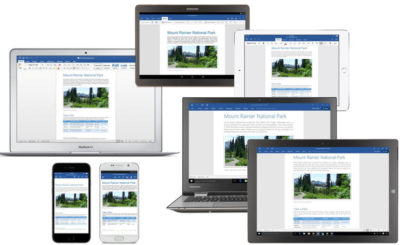
Microsoft Office for iPad is here!

ipad-office

Edit, work, create, and get more done from your iPad, for free

ipad-office3

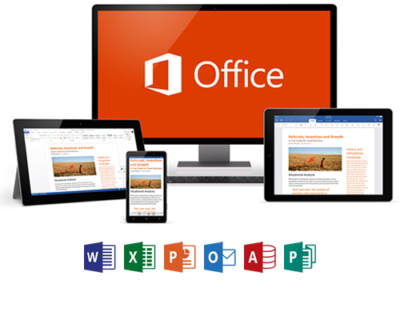
Four new, free apps are available on your iPad®. With both Microsoft OneDrive and Dropbox access, online storage—and access to your files—is always just a click away on your iPad. The new Microsoft Office apps give you the ability to flat out get more done.

  • With the new Microsoft Word app, you can edit, create, and save your docs, wherever work takes you
  • The new Excel app lets you analyze your data on the fly
  • Build and deliver your presentations—right from your tablet or phone—with the new PowerPoint app
  • The new Microsoft OneNote app helps you work collaboratively and stay organized on the go

With these apps, you can now access, edit, and save directly to your Dropbox account. You can even open and edit files that have already been saved in Dropbox.

Adding Dropbox is easy.  When you are in any of the new apps, follow these simple steps:

1. Tap on the arrow in the top left, then tap Open
2. Tap “Add a Place”
3. Select Dropbox

To get the Office apps for iPad®, open www.appstore.com/microsoftoffice from your iPad’s web browser.


Zero-Day Security Vulnerability in Chrome, Firefox and Others

Google Chrome, Microsoft Edge, Mozilla Firefox and Apple’s Safari browser have all been impacted by a single zero-day vulnerability. The flaw, tracked as CVE-2023-4863, is caused by a heap buffer overflow in the WebP code library. Once exploited it can lead to system crashes and arbitrary code execution, where hackers can gain control over an infected device.

Where Does it Originate?

CVE-2023-4863 was first identified by researchers at The Citizen Lab, a research arm of the University of Toronto. The institution subsequently informed Google and Apple of the vulnerability’s existence. Both companies have now released patches. They were joined by Mozilla, which released its own advisory on CVE-2023-4863 yesterday and updates for several versions of its Firefox browser and Thunderbird email client, and Microsoft.


Vulnerability Originates In Webp Reader. Users of the affected browsers should update to the most up-to-date version in order to ensure the zero-day vulnerability is patched on their machines. The problem isn’t with the browsers — the vulnerability originates in the WebP Codec. Many applications use the WebP codec and libwebp library to render WebP images.


In more detail, a heap buffer overflow in WebP allowed attackers to perform an out-of-bounds memory write. A heap buffer overflow allows attackers to insert malicious code by “overflowing” the amount of data in a program. Since this particular heap buffer overflow targets the codec (essentially a translator that lets a computer render WebP images), the attacker could create an image in which malicious code is embedded. From there, they could steal data or infect the computer with malware. The vulnerability was first detected by the Apple Security Engineering and Architecture team and The Citizen Lab at The University of Toronto on September 6.

How Dangerous Is This Flaw?

Since many browsers, including Microsoft Edge, Brave, Opera, and Vivaldi are built on the Chromium platform, the same platform that Chrome is based on, this could affect their users as well. The same risk is also applicable for Firefox browser clones.


Such a widespread exploit in ubiquitously used software is dangerous, widening the attack surface for most organizations.


Patching will mitigate the risk, but users must act quickly as hackers will already be at work. Attackers will be working over the coming days and weeks to make the exploit more reliable meaning remote code execution will be more likely. Modern web browsers are exceptionally good at pushing out security updates rapidly and applying them as quickly as practicable, so users will shortly be protected.


The biggest risk is to organizations which don’t allow automatic updates and push out updates at their own release schedule.

What Steps Should You Take?

Google, Mozilla, Brave, Microsoft and Tor have released security patches for this vulnerability. Individuals running those apps should update to the latest version. In the case of other applications, this is an ongoing vulnerability for which patches may not exist; NIST noted that the vulnerability has not yet received full analysis.


If you are already a Managed Services client, please follow the steps below to check for updates


Google Chrome – Click the 3 dots in the top right corner for the menu and choose Help->About Google Chrome.  Chrome will check and install updates automatically from this screen.


Microsoft Edge – Click the 3 dots in the top right corner for the menu and choose Help and feedback->About Microsoft Edge.  Edge will check and install updates automatically from this screen.


Mozilla Firefox – Click the 3 lines in the top right corner for the menu and choose Help->About Firefox.  Firefox will check and install updates automatically from this screen.


If you have any questions, please email us at support@sjtechies.com or call us at (856) 745-9990

Microsoft Office 2013 End of Life: What You Need to Know

Microsoft Office 2013 was a popular productivity suite that included several essential tools such as Word, Excel, PowerPoint, and Outlook. It was released in 2013 and was widely used by individuals, businesses, and organizations of all sizes. However, like all software products, Microsoft Office 2013 has reached its end of life, and users are now advised to upgrade to Microsoft 365, the cloud-based version of Microsoft Office.

drawing of a man holding a laptop in front of a very large laptop with "update" on the screen and a wrench in front

What Does End of Support Mean?

End of life, or EOL, refers to the point in time when a software product is no longer supported by the manufacturer. In the case of Microsoft Office 2013, this means that Microsoft will no longer provide technical support, bug fixes, security updates, or new features for this product. This makes the software more vulnerable to cyberattacks, viruses, and malware. Continuing to use Microsoft Office 2013 after the end of life date could result in data loss, security breaches, and other serious problems.

  • This means that Microsoft will no longer provide any updates or support for this software product beyond this date. Users who continue to use Microsoft Office 2013 after this date do so at their own risk.

If you’re using Office 2013, it’s probably a good time to upgrade your version of Microsoft Office.

Upgrade Options

The best way to protect yourself and your organization is to upgrade to a newer version of Office:

  • Cloud upgrade: Subscriptions to Microsoft 365
  • Box Version: Microsoft Home And Business 2021

Microsoft 365

Microsoft 365 is an all-in-one cloud solution with a number of different licensing options to fit your organization’s needs. The best part about cloud-based applications is that you no longer have to worry about retirements, patches, and end of support. Cloud licenses are automatically updated with new features, new applications, and security updates. Many cloud subscriptions also include installed (or desktop) versions of the application, so you can have the same look and feel of the Office applications you are accustomed to using, but built with more robust features and benefits.

Microsoft Home And Business 2021

Office Home and Business 2021 is for families and small businesses who want classic Office apps and email. It includes Word, Excel, PowerPoint, and Outlook for Windows 11 and Windows 10. A one-time purchase installed on 1 PC or Mac for use at home or work.


If you have any questions, please email us at support@sjtechies.com or call us at (856) 745-9990.

CALL US NOW!