Back to Top

Tech, Web, Cloud & Cabling Services

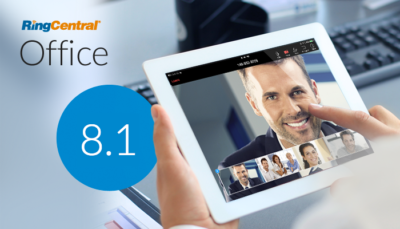
RingCentral July Feature Release

Take a look at RingCentral latest release of useful new features and upgrades for you and your workforce.

ring-central

RingCentral Meetings Updates

Transform any ordinary conference room into an exceptional online meeting space. Extend your RingCentral Meetings capabilities with.

  • RingCentral Rooms easily adds web conferencing services to the off-the-shelf conference room equipment you may already have. All you need is an iPad, camera, monitors, speakers, and a Mac.
  • RingCentral Room Connector enables you to use your existing H.323/SIP conference room systems to connect and collaborate with RingCentral Meetings participants from desktops, mobiles or tablets.
    Learn more about creating connected conference rooms.

Contact your Account Manager to get a personalized demo of RingCentral Rooms and Room Connector.

RingCentral Glip Updates

RingCentral Glip* provides a digital workspace for truly modern collaboration. Users get team messaging, simple task management, shared calendars, and a place to keep notes. Here are some additional updates:

New iOS mobile app to make RingCentral Glip on the go a better experience.

More administrative controls to turn on or off guest invitations and other features.

Learn more about our updates to advanced notifications, / commands, Giphy and more.

Get RingCentral Glip for you and your workforce.

Service & Application Updates

Online Account User Interface Changes

We’ve redesigned the Company Info, Phone Numbers, and Phones and Devices sections of your online account with better manageability, search, display and bulk actions where applicable. Learn more about the visual and functionality changes.

Automatic Call Recording

Now you can set up an automatic call recording annoucement for all inbound and outbound calls. Learn more and how to set up Automatic Call Recording.

Available for RingCentral Office Premium and Enterprise customers.

RingCentral Global Office

Local numbers and in-region calling are now available in 24 countries with RingCentral Global Office. Provide a consistent voice, messaging, and collaboration experience across your international workforce. Request a demo to learn more and to see the complete list of supported countries.

New integrations

Skype for Business: Make and receive calls, send SMS messages, or start an online meeting to Skype contacts and any phone number using your RingCentral service within the Skype for Business application.

Dropbox: Automatically back up and store your RingCentral records of voicemails, recording, text messages and faxes in your Dropbox accounts.

Additional Updates

ConnectCentral RingCentral User Conference

Register for ConnectCentral before July 31, 2016 for our early bird special. The event will be highly educational and will provide insights on how to increase the efficiency of your IT resources, support your dynamic workforce, and communicate more effectively across your entire organization. See the full agenda.

Professional Consulting Services

RingCentral Professional Services is an ongoing resource you can utilize at any point as a RingCentral customer, especially when your company is going through a major change. Also available, our managed services can help expedite technical support, proactive case management, and engage in sharing best practice recommendations. Learn more.

Release Notes

For more information on these and other changes, check out the latest Release Notes.

Have questions?

Get answers from Microsofts Cloud Solutions Partner!
Call us at: 856-745-9990 or visit: https://southjerseytechies.net/

South Jersey Techies, LL C is a full Managed Web and Technology Services Company providing IT Services, Website Design ServicesServer SupportNetwork ConsultingInternet PhonesCloud Solutions Provider and much more. Contact for More Information.

Windows Tip of the week: Remove Windows.old

Remove Windows.old:

Hard drive storage is not as costly or as limited as it once was, but that doesn’t mean you want to waste space if you don’t have to. If you upgraded to Windows 10 from Windows 7 or 8, you probably have a folder on your hard drive that contains the old version of Windows. On the assumption you are never going to revert back to Windows 7 or 8, you can delete that folder and regain the storage space on your hard drive.

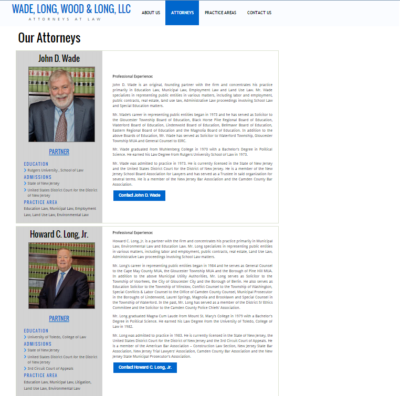
To delete the folder, open File Explorer, navigate to the hard drive where Windows 10 resides (typically this is the C drive), and right-click it. Now, click the Properties menu item to get to a screen similar to the one shown in Figure. Click the Disk Cleanup button to start the scan and then click the Clean Up System Files button.

Figure

g10quicktips

Have questions?

For More Tips & Info from Microsofts Cloud Solutions Partner!
Call us at: 856-745-9990 or visit: https://southjerseytechies.net/

South Jersey Techies, LL C is a full Managed Web and Technology Services Company providing IT Services, Website Design ServicesServer SupportNetwork ConsultingInternet PhonesCloud Solutions Provider and much more. Contact for More Information.
New Website Design – WADE, LONG, WOOD & LONG, LLC

Developed by,
South Jersey Techies, LLC.

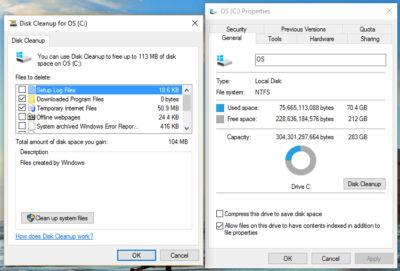
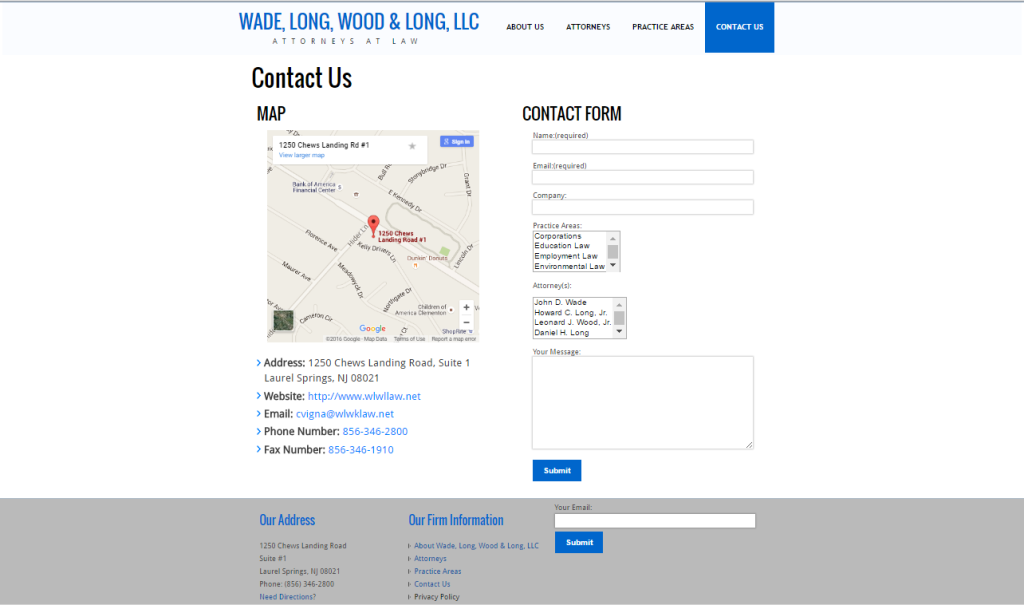
The Web Design team of South Jersey Techies has been constantly working on developing the best websites including easy mobile approach and the latest website developed by the team is WADE, LONG, WOOD & LONG, LLC. The law firm of Wade, Long, Wood & Long, LLC concentrates its practice in the areas of Education Law, Municipal Law, Employment Law, Land Use Law, Enviromental Law, Family Law, Wills & Estates, Corporations, OPRA, Civil Litigation and Commercial Litigation. Wade, Long, Wood & Long, LLC is committed to doing whatever it takes to solve a legal problem, add perspective to a business strategy, develop a solution to avoid litigation in the future and work with clients whenever possible.


Wade,LongWebsite2


Wade,LongWebsite1


Wade,LongWebsite3


Have questions?

Our Web Design team is here to help
Call us at: 856-745-9990 or visit: https://www.sjtechies.com

South Jersey Techies, LLC is a full Managed Web and Technology Services Company providing IT Services, Website Design ServicesServer SupportNetwork ConsultingInternet PhonesCloud Solutions Provider and much more. Contact for More Information.

New Website Design – CGSFSO.ORG

Developed by,
South Jersey Techies, LLC.

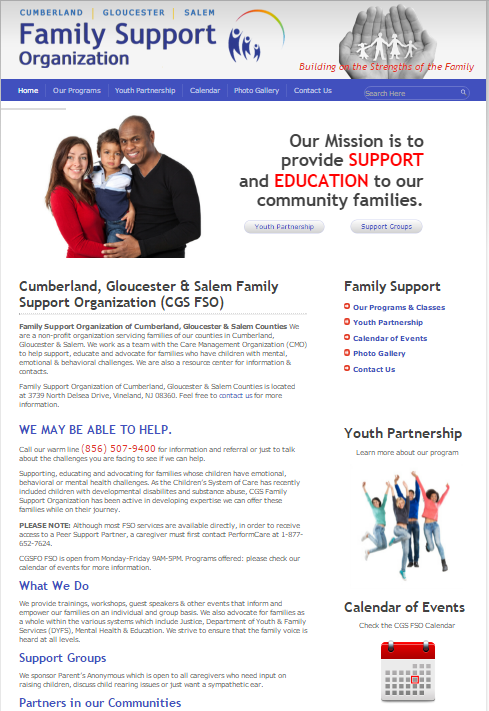
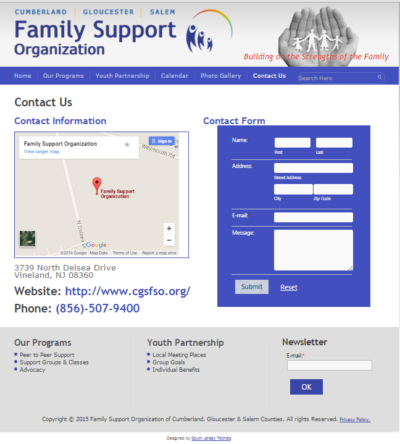
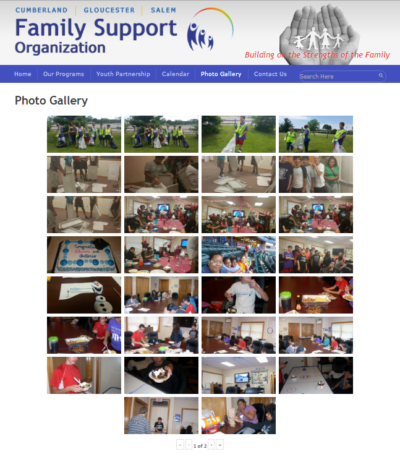
The Web Design team of South Jersey Techies has been constantly working on developing the best websites including easy mobile approach and the latest website developed by the team is Cumberland, Gloucester & Salem Family Support Organization (CGS FSO). Family Support Organization of Cumberland, Gloucester & Salem Counties is a non-profit organization servicing families of our counties in Cumberland, Gloucester & Salem. Their team works with the Care Management Organization (CMO) to help support, educate and advocate for families who have children with mental, emotional & behavioral challenges. They also have a resource center for information & contacts.

What They Do

They provide trainings, workshops, guest speakers & other events that inform and empower families on an individual and group basis. They also advocate for families as a whole within the various systems which include Justice, Department of Youth & Family Services (DYFS), Mental Health & Education. They work hard to ensure that the family voice is heard at all levels.


FSO1


FSO2

FSO3


Have questions?

Our Web Design team is here to help
Call us at: 856-745-9990 or visit: https://www.sjtechies.com

South Jersey Techies, LLC is a full Managed Web and Technology Services Company providing IT Services, Website Design ServicesServer SupportNetwork ConsultingInternet PhonesCloud Solutions Provider and much more. Contact for More Information.

Windows Tip of the week: Create a custom shortcut folder

Create a custom shortcut folder:

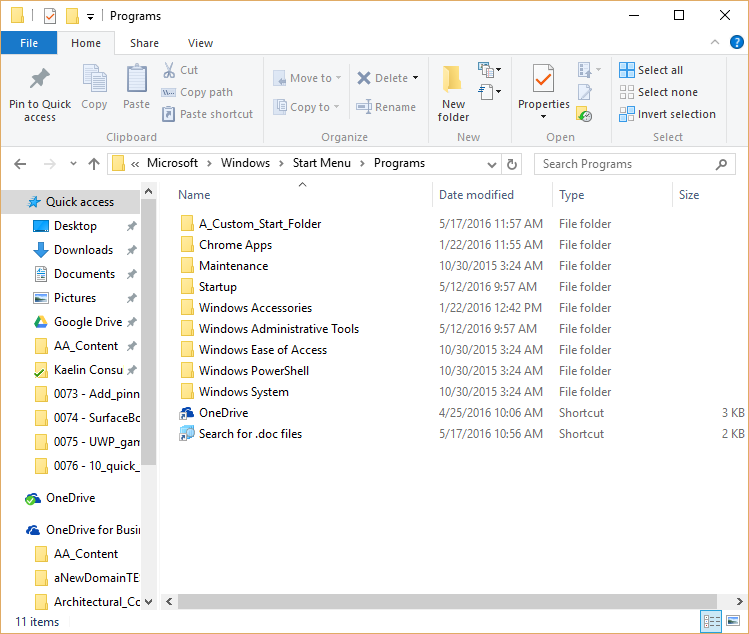
If you use the Windows 10 Start Menu to get to your apps, this next advanced tip may be for you. You can create a custom Start Menu folder to contain shortcuts to any apps, documents, etc., that you care to include. You can then pin that folder to the Start Screen or the Taskbar.

Begin by opening File Explorer and navigating to this folder (Figure):

C:\Users\mark.MRKM11X\AppData\Roaming\Microsoft\Windows\Start Menu\Programs

Note: AppData is a hidden file, so you will have to select the Show Hidden Files check box on the Ribbon. Of course, your username will be different from mine.

Figure

f10quicktips

In the Programs folder, you can add your own subfolder. In my example I used the folder name A_Custom_Start_Folder so it would display in the “A” section of the Start Menu. You can put any shortcuts to apps in that folder you want.

Have questions?

For More Tips & Info from Microsofts Cloud Solutions Partner!
Call us at: 856-745-9990 or visit: https://southjerseytechies.net/

South Jersey Techies, LL C is a full Managed Web and Technology Services Company providing IT Services, Website Design ServicesServer SupportNetwork ConsultingInternet PhonesCloud Solutions Provider and much more. Contact for More Information.
Windows Tip of the week: Change the location where apps install

Change the location where apps install:

Many computers these days are shipping with a combination of SSD and large capacity mechanical data drives. A great idea, but it does require a bit more management, particularly when it comes to where to install new apps. In most cases, you will want new apps installed on the data drive, not the smaller capacity solid-state boot drive.

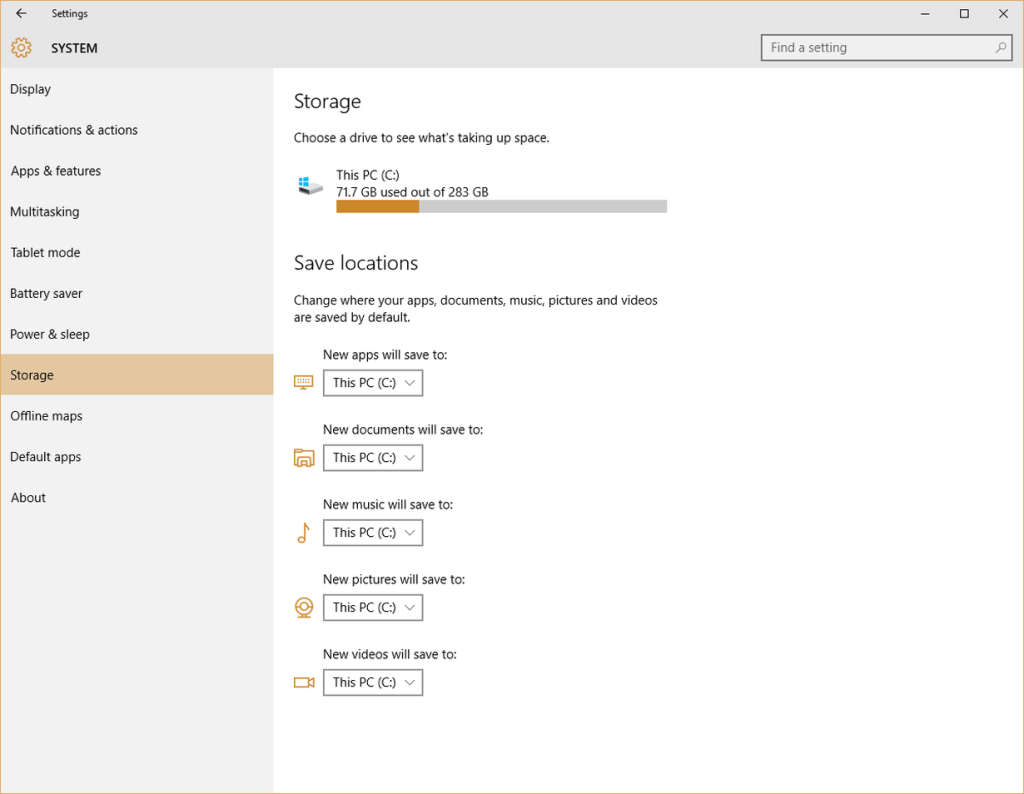
To change the default drive for apps, click the Start Button and navigate to All Apps | Settings | System | Storage. You should see a screen similar to the one shown in Figure. From this screen you can change the default locations for apps, documents, music, pictures, and video.

Figure

e10quicktips

Have questions?

For More Tips & Info from Microsofts Cloud Solutions Partner!
Call us at: 856-745-9990 or visit: https://southjerseytechies.net/

South Jersey Techies, LL C is a full Managed Web and Technology Services Company providing IT Services, Website Design ServicesServer SupportNetwork ConsultingInternet PhonesCloud Solutions Provider and much more. Contact for More Information.
Windows Tip of the week: Take advantage of OneDrive Fetch

Take advantage of OneDrive Fetch:

When you create a Microsoft account, one of the best perks is that you also get OneDrive cloud storage at no additional cost. But a little-used feature called Fetch can get you even more than that.
Note: This does not apply to OneDrive for Business.

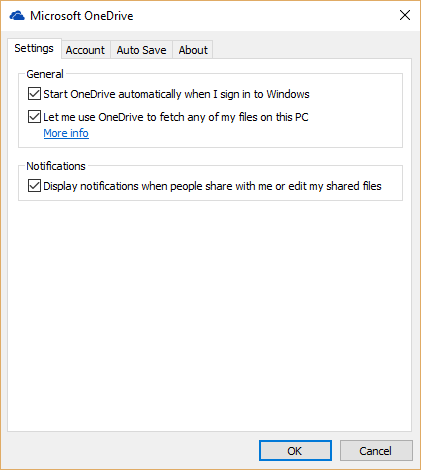
Right-click the OneDrive icon and navigate to Settings. On the next screen, click the Settings tab to get to the screen shown in Figure. Look for the checkbox called Let Me Use OneDrive To Fetch Any Of My Files On This PC. This will allow you to access any file on that PC from any computer using any browser simply by logging into your online version of OneDrive.

Figure

d10quicktips

Have questions?

For More Tips & Info from Microsofts Cloud Solutions Partner!
Call us at: 856-745-9990 or visit: https://southjerseytechies.net/

South Jersey Techies, LL C is a full Managed Web and Technology Services Company providing IT Services, Website Design ServicesServer SupportNetwork ConsultingInternet PhonesCloud Solutions Provider and much more. Contact for More Information.
Windows Tip of the week: Limit Cortana’s reach

Limit Cortana’s reach:

If you want to change Cortana’s search behavior even more, you can limit the parameters of the search itself. For example, Cortana can be told not to search the internet at all.

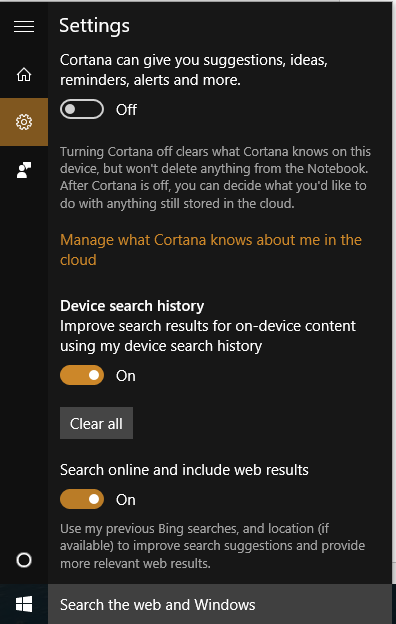
Click the Cortana search box in the Taskbar and then navigate to the Cortana settings screen, as shown in Figure. At the bottom should be a setting that says Search Online And Include Web Results. Switch that to Off and Cortana won’t display any more web results no matter which search engine is the default.

Figure

c10quicktips

Have questions?

For More Tips & Info from Microsofts Cloud Solutions Partner!
Call us at: 856-745-9990 or visit: https://southjerseytechies.net/

South Jersey Techies, LL C is a full Managed Web and Technology Services Company providing IT Services, Website Design ServicesServer SupportNetwork ConsultingInternet PhonesCloud Solutions Provider and much more. Contact for More Information.
Windows Tip of the week: Pin File Explorer searches

Pin File Explorer searches:

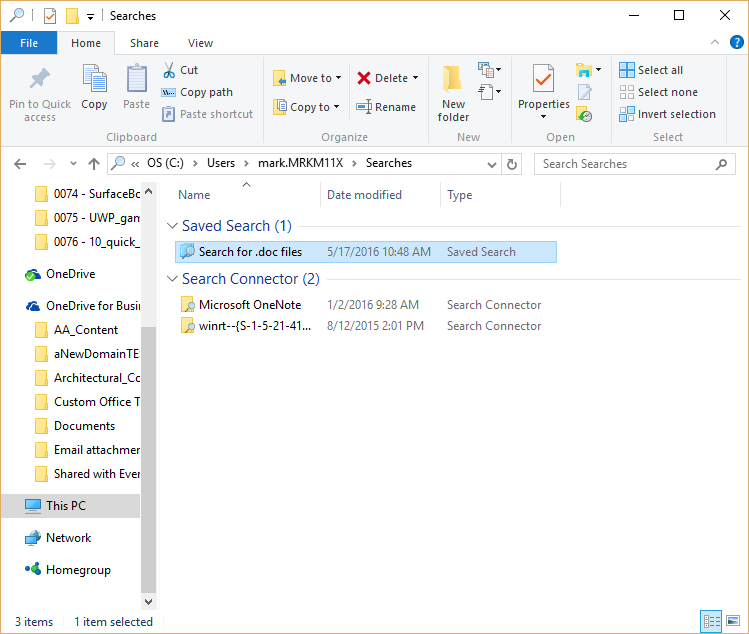
One of the more powerful features of the Windows 10 File Explorer is the ability to save searches. Figure shows a saved search that identifies all the Word documents in a specific folder. When you have as many .doc files as I do, this is a handy search to have around. However, it would be even more convenient if that search was pinned to the Start Menu, where I can get to it even faster.

Figure

b10quicktips

Open File Explorer and navigate to your Users folder and then to your Searches subfolder. Right-click the saved search and pin it to your Start Menu for easy access.

Have questions?

For More Tips & Info from Microsofts Cloud Solutions Partner!
Call us at: 856-745-9990 or visit: https://southjerseytechies.net/

South Jersey Techies, LL C is a full Managed Web and Technology Services Company providing IT Services, Website Design ServicesServer SupportNetwork ConsultingInternet PhonesCloud Solutions Provider and much more. Contact for More Information.
Windows Tip of the week: Get a closer look with the Magnifier tool

Use the Windows Magnifier tool to zoom in:


You don’t have to be myopic to occasionally need a closer look at something on your Windows screen. Maybe you want to see more details in a picture. Maybe the font on the web page is too small to read comfortably.

Whatever the reason, help is a keystroke away. Hold down the Windows key and tap the plus sign (on the top row or on the numeric keypad; it doesn’t matter). That instantly zooms the display to 200% of normal. Keep tapping the plus sign to zoom in further. Moving the mouse to the edges of the screen will pan to areas that aren’t visible.

To zoom back out, hold down the Windows key as you tap the minus sign.

Have questions?

For More Tips & Info from Microsofts Cloud Solutions Partner!
Call us at: 856-745-9990 or visit: https://southjerseytechies.net/

South Jersey Techies, LL C is a full Managed Web and Technology Services Company providing IT Services, Website Design ServicesServer SupportNetwork ConsultingInternet PhonesCloud Solutions Provider and much more. Contact for More Information.
CALL US NOW!