Back to Top

Tech, Web, Cloud & Cabling Services

Category: Smartphones

Telecommunication / Smartphones Category

iPhone 7 rumors: Goodbye 16GB, hello 256GB and ‘Pro’ line

The new iPhone doesn’t come out until September, but that won’t stop the rumor mill from churning at a furious pace.
iphone-7

Now that WWDC is over, the iPhone 7 rumors are getting even louder, since its expected unveiling in September is probably the next time we’ll see Tim Cook on stage. Yes, that’s still a good while from now. To help keep track of all the scuttlebutt, we’re collecting every rumor we’ve heard so far—and every new one that crops up between now and the day Tim pulls the new iPhone out of his pocket. Then we’ll assess whether each rumor seems legit or absurd, and we’d love to hear your thoughts too. Sound off in the comments.

What’s the latest?

The rumor: Pricing specs for the upcoming iPhone 7 have allegedly leaked on Weibo, according to 9to5Mac. If believed, the specs show that Apple is looking to release a 256GB model of the iPhone 7 that will be the same price as the 128GB model of the current generation iPhone 6s. Furthermore, Apple would drop the meager 16GB models, offering instead 32GB, 64GB, and 256GB for the iPhone 7 and 32GB, 128GB, and 256GB for iPhone 7 Plus. And that’s not all, the rumor on Weibo has it that Apple is gearing up an iPhone 7 Pro line. This Pro model would be the only one to offer the dual-camera system that’s been rumored before, and a Smart Connector for accessories similar to the iPad Pro.

Plausible: Generation after generation, Apple has mostly retained the same pricing for iPhone models, so the fact that the 256GB iPhone 7 would cost the same as the current 128GB wouldn’t be unheard of. However, we’re a little skeptical that Apple would get rid of the 16GB base models, especially since iOS 10 seems to have been designed to optimize storage. And the Pro line would be an interesting addition, and would certainly make up for the fact that the iPhone 7 is rumored to be almost-identical to the 6s models. Apple is also making some strides in enterprise software, so an iPhone Pro would be a logical next-step.

Headphone jack after all?

The rumor: Via Engadget comes some component photos from Rock Fix, a smartphone repair shop in China. They allegedly show a dual-SIM tray, another shows a dual-lens camera for the larger Plus model, and curiously, there’s even an Lightning assembly that still has the headphone jack attached. People who need a lot of storage will be pleased to hear another photo shows SanDisk memory ships up to 256GB, which would be the most storage Apple’s ever offered in an iPhone.

Plausible? It’s hard to give much weight to photos of components, and as reported in the same Engadget article, conflicting rumors about the dual-lens camera surfaced within days. But it is plausible that these components could be for the iPhone 7—and we know plenty of people who would be thrilled if the new phone had a headphone jack after all.

New colors?
navy-blue-iphone-7-concept

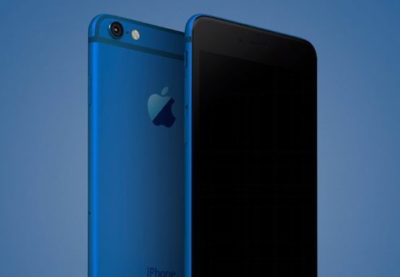
The rumor: It’s not easy being green, and iPhone owners might be starting to get envious of how many colors you can get an Android phone in. iPhones used to be pretty monochromatic, until Apple added gold and then an even brighter splash of color with last year’s rose gold hue (OK, OK, it’s pink). Japanese blog Macotara is reporting that Apple is switching it up this year, swapping the space gray color for navy blue instead.

Plausible? This is absolutely plausible. Apple’s iPhones have never been colorful, but the iPod touch comes in beautiful colored aluminum, and Apple has also set a tradition recently of switching up its Apple Watch bands to fit the season. One of the latest additions is a handsome navy Sport Band, and the Classic Buckle, Leather Loop, Modern Buckle, and two of the Hermès bands come in navy too. Navy looks great on both men and women, but we can’t help being a bit surprised it’s the “basic black” space gray color that’s rumored to be replaced.

A flat Home button?

The rumor:  Blurry, possibly fake spy photos from mobipicker (via 9to5Mac) seem to show a very flat-looking Home button. As in, maybe it’s not a button, maybe it’s just a touch-sensitive place you touch (and/or 3D Touch) instead of physically clicking it.

A fully flat Home button could have 3D Touch potential too.

Plausible? The Touch ID button got a lot faster between the iPhone 6 and 6s, but any button that physically clicks is another opportunity for hardware failure. With the rise of installment plans and the iPhone Upgrade program, we expect Apple to keep making little tweaks that make its phones more durable, so they’re turned in good enough shape to be possibly refurbished and resold. So yes, this is very plausible, and we think Apple could pull it off where the experience is the same, perhaps even using a little haptic feedback to make it feel like the button is clicking but it’s not—just like the Force Touch trackpad.

What about storage size?

The rumor: Apple is ditching the 16GB base model iPhone at long last, at least according to an IHS Technology analyst. The analyst posted on Chinese social media that the base model iPhone 7 will start at 32GB of storage space and 2GB of RAM, based on supply chain research.

Plausible? We sure hope so. Long-time Apple watchers have criticized the company for years over refusing to drop the 16GB model and forcing buyers to choose between the paltry base model and a 64GB option, with no 32GB in between. This is a tale as old as iPhones. In fact, when iOS 8 was released two years ago, many 16GB iPhone owners had to choose between offloading some of their apps, photos, and other files to upgrade to the space-hogging new version or hold off. Apple made iOS 9 a smaller, smarter upgrade, with temporary app deletion making the process easier. But apps easily eat up storage space, and Apple has improved its camera with Live Photos and 4K video-recording, both of which create large files. Sure, you can accept reality and choose the 64GB model, but it’s a lot more expensive. A 32GB base would hit the sweet spot and show Apple can change with the times.

Leaked photos show conflicting design tweaks?
iphone_7_plus_rear

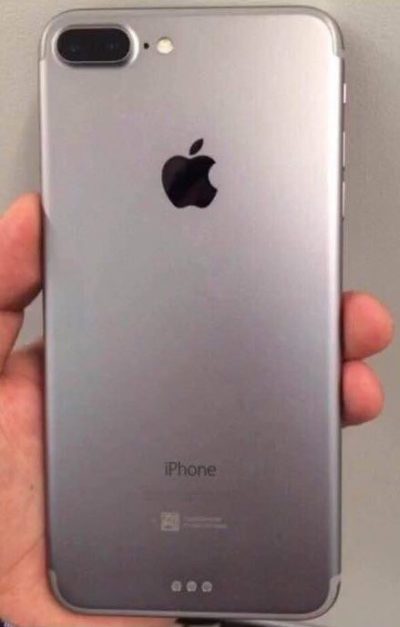
The rumor: Forbes reported on leaked photos that allegedly depict the iPhone 7 chassis. First posted on French tech site NowhereElse.fr, the photos suggest that Apple’s forthcoming iPhone with have double speakers on the top and the bottom, created quad array audio experience similar to the iPad Pro. The photos also seem to confirm, yet again, that the iPhone 7 will not have a headphone jack. Lastly, this iPhone 7 chassis has the flash repositioned underneath the camera, instead of right next to it.

But hold on… according to another recent iPhone 7 photo leak picked up by 9to5Mac, the flash will remain where it is on the 6s. So now we have conflicting rumors. Both sets of photos, however, do show that Apple has redesigned the antenna lines. Instead of horizontal lines, the antenna lines on the iPhone 7 will allegedly be traced along the top and bottom edge of the device.

Plausible? These conflicting Apple rumors could mean a few things. Either both leaked photos are fake, one of them is fake, or both of them are real. According to Forbes, Apple is known for creating several different prototypes of its upcoming products to test, so these photos could both be depicting early but different iterations of the iPhone 7. That both of them would leak, however, seems unlikely.

Smart connector?

The rumor: New images and renderings have surfaced allegedly depicting the iPhone 7 and 7 Plus models. Quoting the Japanese site Mac Otakara, MacRumors reported that these images could be the “real thing.” The leaked image of the iPhone 7 Plus shows a Smart Connector, hinting at the possibility of a Smart Keyboard. While the Mac Otakara report seems to confirm previous rumors the iPhone 7 and 7 Plus will have a similar design to the current generation 6s and 6s Plus, the website also contests previous reports. Most notably, Mac Otakara now refutes the rumor that these new iPhones will have a second speaker to create stereo sound.

Plausible? Apple has been releasing a lot of accessories in the last few months, especially for the iPad Pros. It’s possible the company wants to continue this trend and adding Smart accessories to the 7 Plus. However, a Smart Keyboard suggests that the larger iPhone could have some Pro-style features, and we’re not sure if Apple would want to have it compete with the just-released 9.7-inch iPad Pro.

No headphone jack, really?

beatsheadphones.1.medium

The rumor: Here it is: a leaked iPhone 7 case… allegedly!9to5Mac reported the leaked images as first posted on the@OnLeaks Twitter account. The leaks seem to corroborate a few other rumors about the iPhone 7. For example, the case has no slot for a 3.5mm audio jack, signaling that Apple might be pushing for only Bluetooth and Lightning-connected headphones. The case also has two equally sized speaker grills on each side of the Lightning port slot, confirming that the iPhone 7 will be the first to sport two speakers for stereo sound. Other than that, the purported case points to an iPhone 7 hardware design that’s nearly identical to the iPhone 6s.

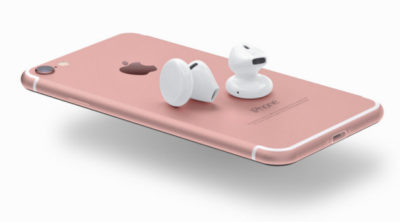
The no-headphone-jack rumor has been around for a while, previously reported by Fast Company and others. Apple is said to be developing wireless EarPods to be sold separately, alongside the iPhone 7. The premium EarPods will reportedly support Siri and wireless phone calls and ship with a carrying case that doubles as a charger.

Plausible? The larger design of the iPhone 6 and 6s lines have proven very successful for Apple, so we can see why the company would want to play it safe design-wise with the iPhone 7. But this similar design may not offer enough reasons to upgrade as we’ve seen with previous numbered upgrades—and if the major innovation requires a lot of people to ditch their 3.5mm headphones or use an adapter, get ready to hear some major griping.

This is the most controversial iPhone rumor in years, even more than the change of sizes with the iPhone 6. Some people love the idea. Others hate it. There’s even a petition to convince Apple that people still love the headphone jack. That petition has just over 300,000 signatures.

How does the dual-lens camera work?

The rumor: We previously reported on the rumor that Apple is looking to bring a dual-lens camera to forthcoming iOS devices. Based on LinX camera technology that Apple acquired last year, the dual-lens incorporates a wide-angle lens and a telephoto lens. According to MacRumors, a recent Apple patent shows for a a split-screen viewfinder where users can see the full image in the wide-angle lens and zoom in with the telephoto lens. The camera will be able to take two separate pics, or use one of the lenses to shoot video and the other to take stills. More impressively, the camera could also implement LinX’s technology to stitch it all together into one really crisp image.

Plausible? The race for bringing DSLR-quality cameras into smartphones is on. Samsung’s recently-unveiled Galaxy S7 garnered rave reviews for its use of Duo Pixel Technology to take photos. Apple may be feeling the heat to create an equally-stunning photo experience to the iPhone 7. If the dual-lens technology as outlined in this patent comes to fruition, it would help the iPhone regain its reputation as the best camera phone on the market.

How thin will the iPhone 7 be?
iphone-7-thickness

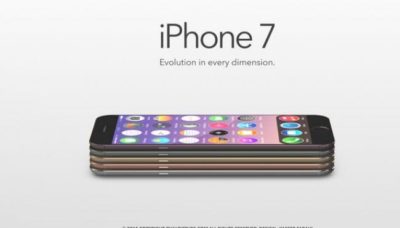
The rumor: Macotakara reported this week that the iPhone 7 will be 6.1mm thick. That’s one whole millimeter thinner than the current iPhone 6s, which measures 7.1mm. This new thinner model will be accompanied by a flush rear camera (so not protruding) for a design that’s sleeker overall.

Plausible? If this rumor is true, Apple seems to be under the impression that thinner is better. Apple has already made a device that measures just 6.1mm: the iPod touch. So it makes sense that the company would want to try to make the newest iPhone be just as thin. Hopefully, the iPhone 7 won’t be affected by any “Bendgate” issues because of this thinner design.

Will the thinner Lightning port mean I have to get new cables?

The rumor: In addition to getting rid of the 3.5mm headphone jack to achieve this new thinness, the iPhone 7 is rumored to integrate a thinner Lightning port. This will not affect the actual Lighting cables, however, so you won’t have to get all new connectors for the iPhone 7. What Apple is doing is simply making the cutout around the port smaller, so it should only affect case-makers, according to 9to5Mac.

Plausible? If Apple is already going insofar as to removing the headphone jack, which has already sparked plenty of controversy, then a slight redesign of the Lightning port doesn’t seem like a big deal. Especially if our current Lightning connectors will still be able to hook up to it.

Camera differences between the 7 and 7 Plus?
iphone-7-plus-dual-camera-1

The iPhone 7 Plus might have the most amazing smartphone camera ever.

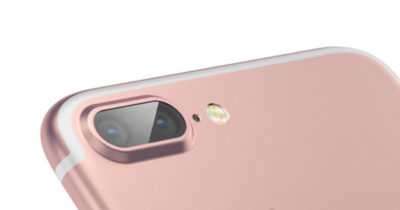
The rumor: The iPhone 7 Plus will have a better camera, to the chagrin of small-handed amateur photographers around the world. According to MacRumors, the 7 Plus may have a dual-lens camera with optical zoom, which means this phone will take better photos than many traditional cameras. Instead of pinching to zoom in digitally, which usually results in a terrible grainy photo, the 7 Plus camera will have an optical zoom. That’s where the second camera lens comes in: It’s essentially a zoom lens.

Plausible? Yes. The iPhone 6s and 6s Plus have most of the same features, but the larger phone has a small but key difference: optical image stabilization. That feature uses the Plus’s gyroscope and camera array to steady your photos even if your hand shakes. The 6 and 6s rely on camera software to achieve the same effect, though the resulting images aren’t quite as clear. If the 7 Plus has a dual-lens camera with optical zoom, it would be a huge differentiator—the Plus could become the phone to beat for serious photographers.

Is that unsightly camera lens bulge going away?

The rumor: Apple redesigned the 6 and 6s models to be thinner and lighter than ever before, but there’s one big problem: The rear-facing camera lens juts out of the body, so the phones won’t sit flat on a surface. For a company that’s all about the details, this seemed like a strange design decision. The iPhone 7 is reportedly getting a camera that sits flush against the phone, according to MacRumors, so your eyes won’t be offended any longer.

Plausible? We sure hope so. That camera protrusion had to happen for a reason, but even Apple design chief Jony Ive is not a fan.

Will the iPhone 7 be waterproof?

The rumor: Making the iPhone thinner than ever and adding a DLSR-quality camera aren’t game-changing enough for Apple, apparently, so the company is reportedly working on ways to waterproof the iPhone 7. Ambitious? Yes. Possible? Definitely. Without a headphone jack to trap water, Apple could coat the iPhone with a waterproof coating and make those third-party rugged, waterproof cases obsolete.

Plausible? Actually, yes. Apple took several steps to waterproof the iPhone 6s without actually calling it waterproof, as detailed here, and word on the street from people who have accidentally submerged a 6s indicates that those techniques worked. All Apple needs is some waterproof buttons (which it’s reportedly working on), and they’re set.

Next year’s iPhone

Yes, you read that right. In this craziest of iPhone rumor cycles, we’re been reading rumors for the 2017 iPhone mixed in with rumors of the iPhone that should come out in September of 2016. Just to keep them all straight, here are the things we may have to look forward tonext year.

An OLED screen and glass on both sides

The rumor: Remember the iPhone 4, encased in glass on both sides, so you’d have twice as many surfaces that could shatter every time it slipped out of your hand? Apple might bring back an all-glass design in 2017. Hopefully it’s a bit more durable this time.

KGI Securities analyst Ming-Chi Kuo thinks that Apple is planning a major iPhone redesign for 2017—not this fall. In a note to investors, he predicted an iPhone with a 5.8-inch OLED screen that’s encased in glass on both sides, yet smaller than the current iPhone 6s Plus, meaning Apple would be looking to eliminate as much bezel and “chin” as possible. DisplayMate President Ray Soneira echoed Kuo’s OLED predictions in a recent report, citing the “rapid improvements” in OLED performance over the last six years.

“Apple simply has no choice in switching,” Soneira said, because OLEDs are thinner, lighter, more responsive, and can be curved or bent in ways that LCD displays just can’t.

Kuo also predicted the all-glass 2017 iPhone would have wireless charging, and some kind of biometrics, like face recognition or iris scanning. The Home button takes up a lot of space on the current iPhones, and replacing it with other biometrics for login and Apple Pay (along with deep-touch gestures for exiting apps) could let Apple expand the screen.

Plausible? In Apple’s usual “tick-tock” cycle, the 2016 iPhone would get a redesign, since the current iPhone 6s and 6s Plus are upgrades to the iPhone 6 and 6 Plus designs that launched in 2014. But if Apple really is switching to OLED, that’s a major shift that might need more time to perfect. It’ll be interesting to see what innovations Apple can add in 2016 to make the iPhone seem exciting even if the overall design stays the same—a better camera and a Smart Connector are a start.

More evidence of OLED

The rumor:  According to a recent Bloomberg report, Applied Materials, an Apple supplier, has received almost four times the amount of orders for its display-making machines. This jump is linked to Apple retooling the iPhone manufacturing process to include OLED screens in the fall of 2017.

Plausible? We’ve already bought into the general rumor that Apple would switch to OLED, and this report supports the 2017 timeline—according to Applied Materials, it takes about 3 quarters for their machines to be build, delivered, and installed.

Have questions?

Get answers from Microsofts Cloud Solutions Partner!
Call us at: 856-745-9990 or visit: https://southjerseytechies.net/

South Jersey Techies, LL C is a full Managed Web and Technology Services Company providing IT Services, Website Design ServicesServer SupportNetwork ConsultingInternet PhonesCloud Solutions Provider and much more. Contact for More Information.

To read this article in its entirety click here.
12 Tips to Save on Your Cell Phone Bill

Why pay more than you have to every month? These tips, tricks, and services can help you SAVE plenty of money on that monster cell phone bill.

See that cell phone next to you? Unfortunately, you’re paying too much money for it–every month. If overpaying for what you need sounds like a bad idea to you, stop doing it. We’ve assembled 12 simple actions that you can take to reduce your cell phone bill, so that some of the cash you now spend for service–maybe even half of it–remains in your possession. So check out our tips, and use one or more of them to save big bucks on your bill.


Covering the Basics

1. Find the right plan for you: Carefully review how often and in what ways you use your phone. Ideally, you should do this before signing a cell phone contract, but of course it can be difficult to know exactly how you’ll use your phone until you spend time with it every day.

If you’re already using your phone, take a close look at your cell phone plan, examining the calling, messaging, and data plan options you’ve chosen. Then scrutinize your usage pattern. Check several months of phone bills to see whether you pay for more minutes and megabytes than you use, or whether you regularly exceed your usage limits.

How much can I save? Let’s use a Verizon Wireless plan as an example

Possible Savings on Monthly Cell Phone Voice Plan (One Example: Verizon Wireless)

USAGE LIMITS Price per month Overage fee (per minute) Cost of using 750 minutes in one month Savings Advice
450 minutes per month $39.99 $0.45 $135 over your $39.99 monthly fee You don’t have any–and you’re paying much more than your monthly fee Bump up the minutes on your voice plan if you consistently exceed your minutes limit.
900 minutes per month $59.99 $0.45 $59.99 $135 versus the 450-minute plan with overage charges Drop to a lower monthly rate if you would almost never exceed its lower minutes limit.

On the other hand, if where you exceed the 450-minutes-per-month maximum just once during the life of your two-year service plan–even if you exceed it by a lot that one time, you still come out ahead with the lower limit overall. Suppose that you incur $157.50 in overage fees one month but stay under the 450-minute limit during the other 23 months of the service contract. Then you’ve saved overall by opting for the $39.99-per-month contract instead of the $59.99-per-month contract, since paying $20 more each month for 24 months would cost you an extra $480. Suddenly, that one-time surcharge of $135 seems like a bargain.

2. Trim the fat: Examine your cell phone plan to see what services you’re paying for above and beyond your voice and data plan. Are you paying your carrier for mobile insurance? A GPS service? Roadside assistance? Visual voicemail? Then think about whether you need these extras. In the case of voicemail, for example, your call log shows you the name and number of incoming callers, anyway–and that’s free.

How much can I save? This time, let’s use AT&T as an example.

Monthly Costs of AT&T’s Extra Services

AT&T Navigator $9.99
AT&T Family Map for iPhone $9.99
AT&T Mobile Insurance $6.99
Smart Limits for Wireless Parental Controls $4.99
Enhanced Voicemail $1.99
Detailed Billing $1.99

Opting out of just half of these billing add-ons can save you anywhere from $7.97 to $26.97 each month.

Get the Details on Data

3. Go data-free: Kick it old-school style by dropping your data plan altogether. This option may not be available if you’ve purchased a smartphone that requires a data plan; but for some consumers it’s a sensible move.

And it is possible: When my iPhone 4 suffered a fatal fall recently, I went back to my elderly flip phone and relied on an iPod Touch for apps and Internet services. When I wanted to check email or browse the Web, it was Wi-Fi only.

My pockets were heavier, in part because I was carrying two devices around, but also because my pockets had more cash in them thanks to my lower monthly bill.

How much can I save? $15 to $50 a month, or more.

4. Go on a data plan diet: Not ready to opt out of a data plan completely? Try cutting back instead.
Opt for the lowest-tiered data plan that your carrier offers, and make sure that you stay within your limits. Visit WhatIsMyCap.org, a handy site that offers tips on avoiding overage charges, using your current data plan as an example.

Also, find out what apps are claiming most of your bandwidth; the culprits may be obvious ones like Pandora and Netflix, or sneaky ones like Google Maps that increase your data usage by serving up ads.

How much can I save? $15 to $35 a month, or more.


5. Compress, compress:
 Having trouble reducing your data usage? Check out Onavo’s free iPhone and Android app, called Onavo Extend, which claims to make your data usage up to five times more efficient.

How much can I save? $15 a month or more.

Shake Things Up

6. Switch carriers: AT&T, Sprint, T-Mobile, and Verizon Wireless are the big four in cell phone service, but they’re hardly your only options.

Signing up with a smaller carrier, like Boost Mobile or US Cellular, can cut your monthly cost significantly

How much can I save? Boost Mobile offers an unlimited Android Plan for $55 per month, and an unlimited BlackBerry Plan for $60. (Both of these plans cover unlimited nationwide talk, text, Web access, 411 service, instant messaging, and email.)

In contrast, opting for a similar plan from Sprint, which is one of the only big carriers still offering an unlimited data plan option, will cost you $99.99 a month for unlimited voice, data, and messaging.

How much can I save? $40 to $45 per month.

7. Go contract free: It may seem counterintuitive, but one way to lower your monthly cell phone bill is to go contract-free. This isn’t the same as buying a prepaid cell phone (we’ll get to that next); here, you still pay your carrier month-to-month for cellular service, but you pay less. The trade-off is that you pay more for the phone itself up-front. But depending on the phone you choose, you could save big in the long run with this strategy.

How much can I save? You’ll pay T-Mobile $350 for its MyTouch Android phone, but you won’t sign a contract. A monthly service plan from T-Mobile with unlimited talk, text, and data costs $59.99 per month, so the cost of buying and using this phone (spread over two years) is about $1790.

That may sound like a lot, but consider this: It’s actually a savings of $180 over buying the phone with a two-year contract. In the latter case, T-Mobile subsidizes the cost of the phone, so the same myTouch device will cost you just $50, but the monthly service charge rises to $79.99 (or roughly $1920 over the life of the contract). So over two years, the total cost of the same phone and service comes to $1970–and you’re locked into a 24-month service contract.

8. Go prepaid: Paying for your phone service ahead of time is a sure-fire way to save money. After all, it guarantees that you pay only for minutes that you’ll use. And prepaid phones have come a long way in recent years, with carriers offering various cell phones and smartphones with prepaid plans.

How much can I save? With one of Virgin Mobile’s prepaid “PayLo” plans, you can spend as little as $20 per month for cell phone service. The lowest-cost plan includes 400 voice minutes.

charges messages (at 15 cents per message) and data (at $1.50 per megabyte of data used) on this plan against your $20 balance, and your credits are valid for 30 days. In one month, a light user could save as much as $40 off the price of a standard cell phone plan with messaging and data from a major carrier.

9. Dump the smartphone: Sure, your smartphone is cool. And you may think that you can’t live without it…but giving it up can be surprisingly easy. If you can’t bear to surrender access to the Web, email, and apps, try using a Wi-Fi-device, such as an iPod Touch, instead.

How much can I save? $15 to $50 a month–that’s how much you’re likely paying for the data plan on your smartphone.

Use the Web to Your Advantage

10. Go VoIP only: If you’re paying for a data plan on that smartphone, why not put it–and your phone’s Wi-Fi access–to good use?
Fring is one of a number of budget-friendly Voice-over-IP phone services.Dump your voice plan (if your contract permits you to, of course) and use a voice-over-IP service, such as Fring, Google Voice, or Skype, to make calls. A PCWorld writer took the plunge, and lived to tell the tale. Voice quality may not be perfect, but when was the last time your cell phone offered perfect voice quality?

How much can I save? $40 a month, or more–whatever the monthly cost of your voice plan is.

11. Get texting help: When it comes to texting, you probably think that you have to pay for a texting plan (at anywhere from $5 to $20 per month) or have to pay a per-message fee (of around 20 cents).

But you have a third alternative, and it’s free: Use an app to text at no charge. Free texting apps–which include Nimbuzz, WhatsApp,GroupMe, among many others–let you text and IM for free, using popular messaging networks such as Facebook and AIM.
You may have to get your friends or family to sign on in order to obtain completely free texting, but convincing them of the app’s merits is likely to be worth your while.

How much can I save? When you kiss your texting plan goodbye, you’ll be able to pocket an extra $5 to $20 per month.

12. Get outside help:Not sure which path will save you the most money? Get help at BillShrink.com. This very cool site analyzes your cell phone usage (you can grant it access to your account or enter the information manually), and points out plans that will save you money while meeting your needs.

How much can I save? BillShrink alerted me to a $30-per-month plan on T-Mobile that would save me about $50 per month.

And when I requested to keep using an iPhone, it alerted me to a $70-per-month plan on Sprint, which would save me $10 per month or more. (AT&T charges for data overages, while Sprint offers unlimited data.)

I think it’s time to make a change.

To View Entire Article Click Here

Windows 10 Anniversary Update Guide

windows10anniversary

Update 8/16/16: The Windows 10 Anniversary Update has begun rolling out for Windows 10 Mobile. The Anniversary Update includes additional features and improvements for your Windows 10 phone. To manually check for the update, on Start, swipe over to the All apps list, then select Settings > Update & security > Phone update > Check for updates. Note that availability may vary by manufacturer, model, country or region, mobile operator or service provider, hardware limitations and other factors.

The Windows 10 Anniversary Update has begun rolling out for customers around the world*. The Windows 10 Anniversary Update is full of new features and innovations that bring Windows Ink and Cortana** to life; a faster, more accessible and more power-efficient Microsoft Edge browser; advanced security features; new gaming experiences and more. The Windows 10 Anniversary Update will start rolling out to Windows 10 Mobile phones in the coming weeks.

The Windows 10 Anniversary Update is being rolled out to Windows 10 PCs across the world in phases starting with the newer machines first. You don’t have to do anything to get the Windows 10 Anniversary Update, it will roll out automatically to you through Windows Update if you’ve chosen to have updates installed automatically on your device. However, if you don’t want to wait for the update to roll out to you, you can manually get the update yourself on your personal PC. If you’re using a Windows 10 PC at work, you will need to check with your IT administrator for details on your organization’s specific plans to update.

Here are a couple ways you can manually get the Windows 10 Anniversary Update

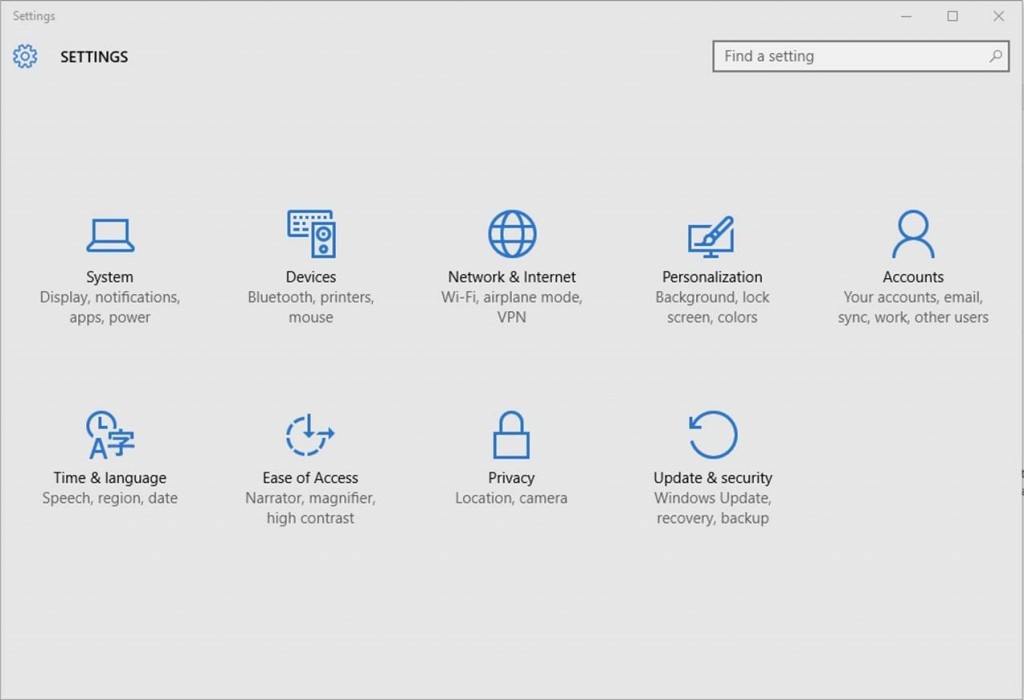
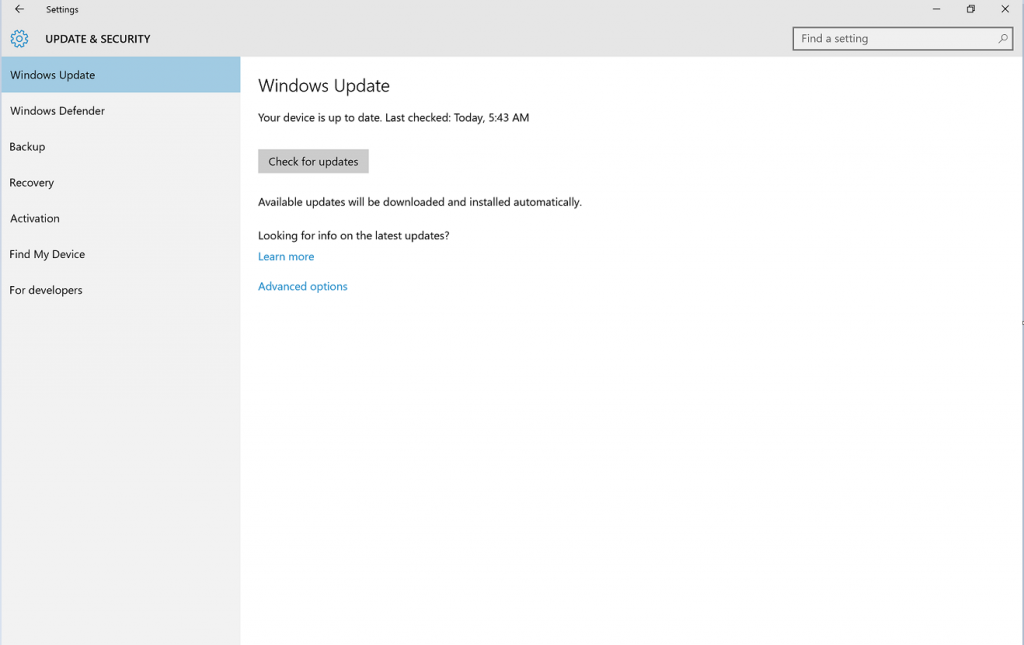
Go to Settings > Updates & Security > Windows Update

settings

1. In Windows Update simply click Check for Updates.

checkfor-updates

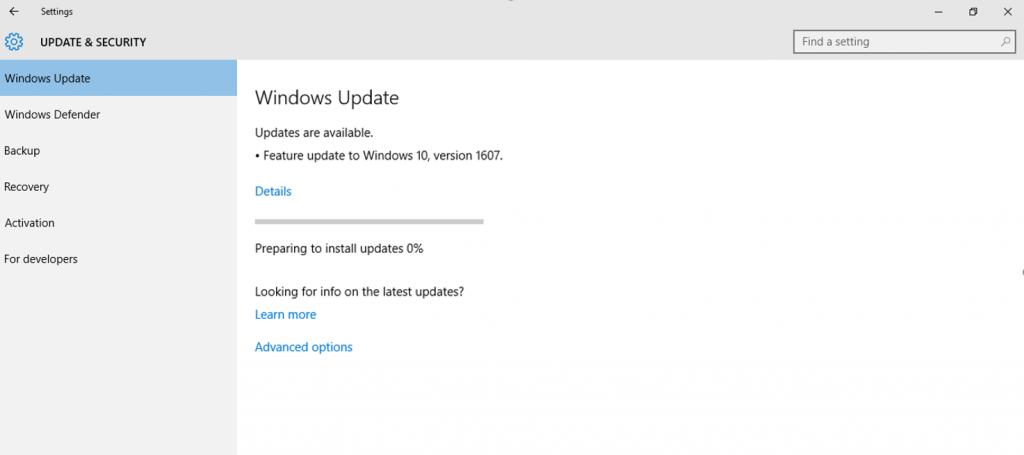
2. The Anniversary Update will appear as, Feature update to Windows 10, version 1607. Click update and the update will begin downloading and installing.

updateinstalling

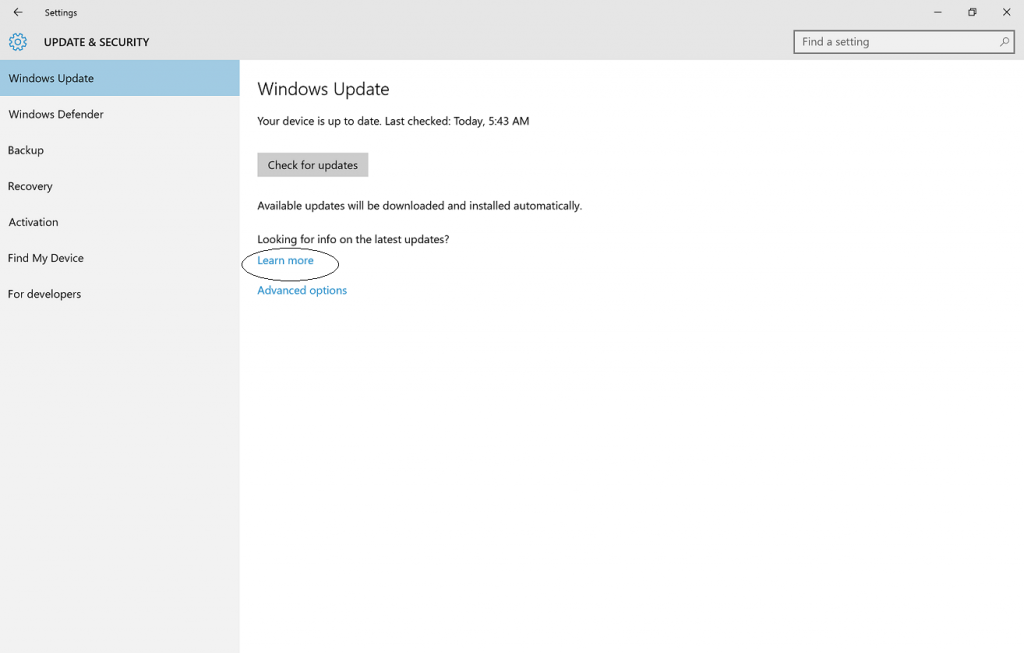
Another way to get the Windows 10 Anniversary Update will be by clicking “Learn more” just below the “Looking for info on the latest updates? In Windows Update.

learnmore

From there you’ll be taken to a support page on Microsoft.com that will allow you to download the ISO file to your PC.

We hope you enjoy the Windows 10 Anniversary Update!

*Windows 10 Anniversary Update will be available in all countries where Windows 10 is available.
**Cortana available in select markets

Have questions?

Get answers from Microsoft’s Cloud Solutions Partner!
Call us at: 856-745-9990 or visit: https://southjerseytechies.net/

South Jersey Techies, LL C is a full Managed Web and Technology Services Company providing IT ServicesWebsite Design ServicesServer SupportNetwork ConsultingInternet PhonesCloud Solutions Provider and much more. Contact for More Information.

To read this article in its entirety click here.

5 Tips to Extend Android Phone Battery

Takeaway: The HTC ThunderBolt may be breaking land speed records with its 4G LTE connection, but all that speed seriously drains the battery. Here are practical tips for squeezing out more battery life.

As I mentioned in my review of the HTC ThunderBolt, the ThunderBolt is a top-notch device that breaks through the speed barriers of the traditional smartphone. However, the ThunderBolt also has one big caveat: Battery life. This is a foible that many Android devices suffer from, particularly HTC devices. The HTC EVO and HTC Incredible are both excellent smartphones that struggle to get through an entire business day on a single charge.

For the ThunderBolt, the primary issue is when it’s in 4G LTE mode. That’s when it really screams — in terms of speed — but it’s also when the battery can completely drain in as little as four hours with heavy use. In order to help ThunderBolt users get the most out of this otherwise useful device, I’ve put together some power tips for squeezing extra battery life out of the ThunderBolt. While these tips are aimed primarily at the ThunderBolt and reference HTC-specific widgets and settings, they can also be applied more generally to almost any Android device (and specifically other HTC devices), with just a few adjustments.
I should also note that when the ThunderBolt is not in 4G mode, its battery life is actually very respectable. Using the tips in this article, I was able to get through a full day of normal use with the HTC ThunderBolt on a combination of 3G and Wi-Fi and still had 70% of the battery left after 10 hours. On 4G, I was able to use these tips to stretch the ThunderBolt battery to almost eight hours.

1. Tweak the display
If you want to see what’s draining most of your power, go to Home screen | Menu button | Settings | About phone | Battery | Battery use. You’ll see a screen like the one below. In most cases (except for when you’re on 4G), the display will be at the top of the list because the display is the primary power drain on nearly all smartphones.
There are several things you can do to reduce the display’s hit on your battery. Go to Menu | Settings | Display and adjust the following settings:
•    Turn off auto-brightness: Uncheck the box for “Automatic brightness” and drop the slider down to about a third. The ThunderBolt screen is still bright and clear, even at this setting.
•    Decrease screen timeout: The default is 1 minute. Drop it down to 30 seconds.

2. Throttle sync settings
Once you get your display settings under control, another quick thing you can do that will immediately make a big impact on your battery life is to get your sync settings under control. When you install and use various apps and widgets, they often set themselves up to automatically sync without warning you or allowing you to set up the sync settings such as how often to update. As a result, most Android devices end up with a bunch of things running in the background updating themselves constantly, which drains battery life and quietly eats away at your mobile data allotment on 3G/4G.
To see which of your apps and widgets are doing stealth syncs in the background, go to Menu | Settings | Accounts & sync. I prefer to uncheck the “Auto-sync” box and simply disable background syncing altogether (especially when I’m trying to ring out every last drop of battery life). You can always compensate by using HTC’s “Sync all” widget so that when you unlock your phone you can just tap the Sync all button and all of your data for all of your approved apps and widgets get synced (on 4G it will sync really fast anyway). If you want to take it a step further, in the Accounts & sync screen, uncheck the “Background data” box so that no apps are allowed to quietly transfer data in the background.
Alternatively, in the sync settings you can also grant just a few select apps the ability to sync and then set the frequency for syncing to a longer interval.

3. Manage your radios
Another way to have a quick impact on battery life is to shut down some of the radios. Nearly all modern smartphones are packed with multiple radio transmitters and each one draws power when they are turned on. Turn them off when you’re not using them. HTC makes this easy on the ThunderBolt because it has a bunch of toggle widgets that you can tap to enable/disable the various radios/features.

I always turn off Bluetooth and GPS, except when needed. If I know I’m going to be on the mobile network for an extended period of time then I turn off Wi-Fi so that the Wi-Fi radio isn’t wasting power searching for connections. One of the things I did to save battery life when I was on the 4G LTE network was to use “Airplane mode” when I was in meetings or other long periods where I knew I wasn’t going to be using the phone. This turns off all of the radios, including the cellular network.

4. Turn down the eye candy
One of the attractive things about the HTC Sense UI — as well as the newer versions of Android and some of its third-party add-ons — is that it has some great eye candy. The animated weather on HTC’s default home screen clock, the live wallpapers that move in the background, and the eye-popping skins and alternative home screens all look great, but they can be an additional drain on the phone’s resources.
I’d recommend using the simple and elegant “Slate” skin (below) on the HTC ThunderBolt. I’d also recommend avoiding the live wallpapers and selecting a static image. For battery savings, I’d also recommend turning off animations by going to Menu | Settings | Display | Animation and selecting “No animations.”

5. Manage apps and widgets
We’ve already talked about how some apps and widgets can slowly siphon resources by syncing in the background. Many apps will also turn themselves on automatically (or remain in memory even after you close them). Of course, the widgets that you put on your various home screens are also running quietly at all times as well, so you’ll need to be wise about which ones you use and keep an eye on them.
To monitor and manage your apps and widgets you’ll need to download a task manager like the popular Advanced Task Killer. This lets you see what you’ve currently got running (and what is quietly turning itself on without your permission). You can do this periodically and manually kill all of your open apps to avoid letting power-hogs drain your battery. Advanced Task Killer even comes with a handy widget that you can place on your home screen. Just tap it once and it kills all your apps, and gives you a short message telling you how many apps were killed.

Even better, open Advanced Task Killer and go into Menu | Setting and set the “Auto Kill” option. I’d recommend setting the Auto Kill Level to “Safe” and setting the Auto Kill Frequency to “Every half hour.” If you’re really paranoid and want to keep stuff under wraps, you can set the Auto Kill so that it wipes everything out every time you turn off your screen. Keep in mind that some people argue that killing processes on Android has dubious value, but I find that it’s a good way of keeping potential battery hogs under control, even if it knocks out some harmless stuff in the process.

CES 2016: Fitbit Takes on Apple Watch

Step aside, Apple, there’s a new watch in town. At CES 2016, Fitbit unveiled the Blaze, a smartwatch that does things the Apple Watch can’t, and at a lower price point.

fitbit-blaze

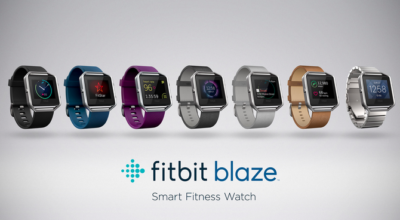
The new Fitbit Blaze is a smart fitness watch unveiled at CES 2016. Image: Fitbit

The basic utilitarian look of Fitbit is so last week, with today’s CES 2016 debut of Fitbit Blaze, a smart fitness watch with a color touchscreen that heralds in the next generation of the company’s popular fitness device line.

Fitbit Blaze does many of the same things as more expensive smartwatches, such as the Apple Watch, but it does it at a lower price point. The basic Fitbit Blaze comes with an elastomer band and will be available for retail sales in March 2016 with a $199 price tag. It tracks fitness and sleep stats and provides notifications for calls, texts, calendar alerts and music control. It’s compatible with Windows, iOS, and Android platforms.

One of the main features of the watch is how the bands are interchangeable to go from the gym to the office and out for the evening. Accessories will include additional elastomer bands for $29.95 each, leather bands for $99.95 each, and a steel link band for $129.95 each. The device is available for presale beginning today at Fitbit.com and tomorrow at various major retailers. For those who want to see the watch in person before ordering, on February 20 customers can go into Best Buy to try on the watch and pre-order.

“The product is about the balance of fitness and style. While it may look like a smartwatch, we think we’ve gotten it right. It has a distinct focus on fitness. That’s why we’re calling it a smart fitness watch. It puts fitness first,” said James Park, CEO and co-founder of Fitbit, at the CES 2016 press conference.

Fashion and style have long been a sore spot in the world of wearables and smartwatches. Because, even if a device has a stylish appearance, oftentimes it’s not feasible to wear the same product 24/7 for every occasion. The Fitbit Blaze eliminates this issue with the range of affordable interchangeable bands.

Fitbit Blaze includes many of the same features as previous Fitbit wearable fitness devices, such as all-day activity stats, but it also includes a color touchscreen, along with a partnership with FitStar for an onscreen workout. It also includes connected GPS for real-time exercise stats and PurePulse wrist-based heart rate tracking, which the company introduced last year.

The watch has a substantial battery life, lasting up to five days and nights, according to Fitbit Chief Business Officer Woody Scal.

Park said the Fitbit Charge, which was introduced last year, is the number one selling activity tracking device in North America, and the Fitbit Surge is the number one selling GPS tracking watch. On Christmas Day and the day after, Fitbit was the number one free app download.

“We are one of the larger technology IPOs of 2015. We are still trading about offering price which we think is rare. We’re pretty proud of that,” Park said.

Park took the opportunity at the press conference to point out how Fitbit is mentioned in the media, such as numerous photos with President Obama wearing a Fitbit Surge.

“For me it’s been really fun to see Fitbit mentioned on popular TV shows such as Big Bang Theory,” he said.

One of the biggest challenges that Fitbit faces is that its products have a 50% abandonment rate, compared to 6% for the Apple Watch. That makes the Blaze a strategically important move for Fitbit. The early reaction to the Blaze has been mixed as Fitbit’s stock dropped 13% following the announcement.

Have questions?

Get help from IT Experts/Microsofts Cloud Solutions Partner
Call us at: 856-745-9990 or visit: https://southjerseytechies.net/

South Jersey Techies, LL C is a full Managed Web and Technology Services Company providing IT Services, Website Design ServicesServer SupportNetwork ConsultingInternet PhonesCloud Solutions Provider and much more. Contact for More Information.

To read this article in its entirety click here.
Beware downloading some apps or risk

Popular apps on your smartphone can be convenient and fun, but some also carry malicious software known as malware, which gives hackers easy access to your personal information.

A security firm found that between 75 and 80 percent of the top free apps onAndroid phones or iPhones were breached. The number jumps as high as 97 percent among the top paid apps on those devices.

Whether these apps help advertisers target you or help hackers rip you off, you’ll want to do your homework before downloading apps, reports CBS News correspondent Anna Werner.

California’s Susan Harvey said she was a victim after she used a debit card to download a slot machine game app to her cell phone through a Google Play store account.

“It was something you purchased once, for like $15,” Harvey said.

When she went to reload the game, she found hundreds of purchases had been made — by her math, more than $5,000 worth of transactions.

“My heart sank, I just sat there looking at it… I physically, I was sick, because I didn’t know what they were,” Harvey said.

That story’s no surprise to cybersecurity expert Gary Miliefsky, whose company SnoopWall tracks malware. He said certain apps are designed to steal your personal information.

“What are the consequences for me as a consumer?” Werner asked.

“You’re gonna lose your identity. You’re gonna wonder why there was a transaction. You’re gonna wonder how someone got into your bank account and paid a bill that doesn’t exist,” Miliefsky said.

Milifesky said when you download an app, you also give permission for it to access other parts of your phone, like an alarm clock app that can also track phone calls.

“You think an alarm clock needs all those permissions? Access to the Internet over wifi, your call information, calls you’ve made, call history, your device ID? This to me is not a safe alarm clock,” Miliefsky said.

And there’s the weather and flashlight apps that he says exploit legitimate banking apps to capture information, as he showed us in a demonstration of what could happen when someone takes a photo of a check to send to their bank.

“The flashlight app spies on the camera and noticed the check and grabbed a copy of it. Shipped it off to a server somewhere far away,” Miliefsky said.

Last year the group FireEye discovered 11 malware apps being used on iPhones that gathered users’ sensitive information and send it to a remote server, including text messages, Skype calls, contacts and photos Apple fought back by removing the apps and putting stricter security measures in place.

“They get at your GPS, your contacts list…to build a profile on you,” Miliefsky said.

Some apps are simply collecting information for advertising purposes. In 2014, the Federal Trade Commission settled a lawsuit with a company over its popular Brightest Flashlight app, alleging it transmitted consumers’ personal information to third parties without telling them.

But Miliefsky said he’s found another flashlight app that can do much more troubling things.

“This one turns on your microphone in the background, listens in on you, and sends an encrypted tunnel to a server we discovered in Beijing,” Miliefsky described.

“You’re saying that they’re actually listening to people’s conversations and sending that audio back to Beijing?” Werner asked.

“Yeah, we’ve tracked it. I can show you where it does it,” he said.

Miliefsky said it can be traced to a few blocks from Tiananmen Square on Information Drive in Beijing.

He gave a report on that app to the FBI.

“Because to me, it’s spyware at the nth degree,” Miliefsky said.

His recommendation?

“We really have to look at our phone and say, ‘This is really a personal computer that fits in our pocket. Let’s shut down all the apps we don’t use. Let’s delete apps that don’t make sense and reduce the risk of being spied on,'” Miliefsky said.

The creator of the Brightest Flashlight app settled with the FTC, agreeing to change its policy and delete all the information it had gathered.

Harvey sued Google over her alleged hack, but a judge recently dismissed it, saying she and her attorney filed too late. Google said fewer than one percent of Android devices got bad apps in 2014.

Have questions?

Get answers from Microsofts Cloud Solutions Partner!
Call us at: 856-745-9990 or visit: https://southjerseytechies.net/

South Jersey Techies, LL C is a full Managed Web and Technology Services Company providing IT Services, Website Design ServicesServer SupportNetwork ConsultingInternet PhonesCloud Solutions Provider and much more. Contact for More Information.

To read this article in its entirety click here.
iPhone Wi-Fi Hack Alert: Fix Issued

If you use Wi-Fi on your iOS device, get this security update

The tech giant says there is a new cyber threat, but has taken steps to thwart the attack.  According to the reports, “Apple has now issued a critical security patch for all iOS devices and for Mac computers against a potential hack that could come remotely via Wi-Fi.”


The virus is being considered a potentially serious threat, so the company is urging users to install the updates to protect their devices.

The latest cyber threat is also a risk to Android device users, but Google has taken steps as well to block the virus.

“The vulnerability also has the potential to attack Android devices, but Google issued its own security patch earlier this month.”

Have questions?

Get answers from Microsofts Cloud Solutions Partner!
Call us at: 856-745-9990 or visit: https://southjerseytechies.net/

South Jersey Techies, LL C is a full Managed Web and Technology Services Company providing IT Services, Website Design ServicesServer SupportNetwork ConsultingInternet PhonesCloud Solutions Provider and much more. Contact for More Information.

To read this article in its entirety click here.
Tim Cook: FBI Wanted iOS Backdoor

The most important Tech Case in a Decade

Customer Letter – Apple

February 16, 2016

A Message to Our Customers

The United States government has demanded that Apple take an unprecedented step which threatens the security of our customers. We oppose this order, which has implications far beyond the legal case at hand.

This moment calls for public discussion, and we want our customers and people around the country to understand what is at stake.

Answers to your questions about privacy and security

The Need for Encryption

Smartphones, led by iPhone, have become an essential part of our lives. People use them to store an incredible amount of personal information, from our private conversations to our photos, our music, our notes, our calendars and contacts, our financial information and health data, even where we have been and where we are going.

All that information needs to be protected from hackers and criminals who want to access it, steal it, and use it without our knowledge or permission. Customers expect Apple and other technology companies to do everything in our power to protect their personal information, and at Apple we are deeply committed to safeguarding their data.

Compromising the security of our personal information can ultimately put our personal safety at risk. That is why encryption has become so important to all of us.

For many years, we have used encryption to protect our customers’ personal data because we believe it’s the only way to keep their information safe. We have even put that data out of our own reach, because we believe the contents of your iPhone are none of our business.

The San Bernardino Case

We were shocked and outraged by the deadly act of terrorism in San Bernardino last December. We mourn the loss of life and want justice for all those whose lives were affected. The FBI asked us for help in the days following the attack, and we have worked hard to support the government’s efforts to solve this horrible crime. We have no sympathy for terrorists.

When the FBI has requested data that’s in our possession, we have provided it. Apple complies with valid subpoenas and search warrants, as we have in the San Bernardino case. We have also made Apple engineers available to advise the FBI, and we’ve offered our best ideas on a number of investigative options at their disposal.

We have great respect for the professionals at the FBI, and we believe their intentions are good. Up to this point, we have done everything that is both within our power and within the law to help them. But now the U.S. government has asked us for something we simply do not have, and something we consider too dangerous to create. They have asked us to build a backdoor to the iPhone.

Specifically, the FBI wants us to make a new version of the iPhone operating system, circumventing several important security features, and install it on an iPhone recovered during the investigation. In the wrong hands, this software — which does not exist today — would have the potential to unlock any iPhone in someone’s physical possession.

The FBI may use different words to describe this tool, but make no mistake: Building a version of iOS that bypasses security in this way would undeniably create a backdoor. And while the government may argue that its use would be limited to this case, there is no way to guarantee such control.

The Threat to Data Security

Some would argue that building a backdoor for just one iPhone is a simple, clean-cut solution. But it ignores both the basics of digital security and the significance of what the government is demanding in this case.

In today’s digital world, the “key” to an encrypted system is a piece of information that unlocks the data, and it is only as secure as the protections around it. Once the information is known, or a way to bypass the code is revealed, the encryption can be defeated by anyone with that knowledge.

The government suggests this tool could only be used once, on one phone. But that’s simply not true. Once created, the technique could be used over and over again, on any number of devices. In the physical world, it would be the equivalent of a master key, capable of opening hundreds of millions of locks — from restaurants and banks to stores and homes. No reasonable person would find that acceptable.

The government is asking Apple to hack our own users and undermine decades of security advancements that protect our customers — including tens of millions of American citizens — from sophisticated hackers and cybercriminals. The same engineers who built strong encryption into the iPhone to protect our users would, ironically, be ordered to weaken those protections and make our users less safe.

We can find no precedent for an American company being forced to expose its customers to a greater risk of attack. For years, cryptologists and national security experts have been warning against weakening encryption. Doing so would hurt only the well-meaning and law-abiding citizens who rely on companies like Apple to protect their data. Criminals and bad actors will still encrypt, using tools that are readily available to them.

A Dangerous Precedent

Rather than asking for legislative action through Congress, the FBI is proposing an unprecedented use of the All Writs Act of 1789 to justify an expansion of its authority.

The government would have us remove security features and add new capabilities to the operating system, allowing a passcode to be input electronically. This would make it easier to unlock an iPhone by “brute force,” trying thousands or millions of combinations with the speed of a modern computer.

The implications of the government’s demands are chilling. If the government can use the All Writs Act to make it easier to unlock your iPhone, it would have the power to reach into anyone’s device to capture their data. The government could extend this breach of privacy and demand that Apple build surveillance software to intercept your messages, access your health records or financial data, track your location, or even access your phone’s microphone or camera without your knowledge.

Opposing this order is not something we take lightly. We feel we must speak up in the face of what we see as an overreach by the U.S. government.

We are challenging the FBI’s demands with the deepest respect for American democracy and a love of our country. We believe it would be in the best interest of everyone to step back and consider the implications.

While we believe the FBI’s intentions are good, it would be wrong for the government to force us to build a backdoor into our products. And ultimately, we fear that this demand would undermine the very freedoms and liberty our government is meant to protect.

Tim Cook

Answers to your questions about privacy and security

Have questions?

Get answers from Microsofts Cloud Solutions Partner!
Call us at: 856-745-9990 or visit: https://southjerseytechies.net/

South Jersey Techies, LL C is a full Managed Web and Technology Services Company providing IT Services, Website Design ServicesServer SupportNetwork ConsultingInternet PhonesCloud Solutions Provider and much more. Contact for More Information.

To read this article in its entirety click here.
8 Ways iPhone 8 Beats Galaxy S8

The Galaxy S8 might be the best phone of 2017, but the year’s not over until the next iPhone makes its debut. Here’s how Apple can take the crown back from Samsung.

If there wasn’t already a mountain of pressure on Apple to deliver something spectacular with this year’s iPhone update, there surely is now. If you haven’t noticed, Samsung has released the Galaxy S8 and S8+, and they’re pretty remarkable. As a former iPhone 7 Plus user, the S8+ might very well be the best phone I’ve ever used, with a stunning screen, speedy processor, and, yes, a gorgeous design.

But what makes the S8 so amazing is how unique it is. For the first time in a while, Samsung is standing alone on the cutting edge with a phone that needs to be seen to be believed. From its barely there bezels to its brilliant wraparound screen, the Galaxy S8 truly gives Apple a run for its money. No joke, it actually makes the iPhone 7 look pretty stale.

But there’s still a lot of time between now and the release of the next iPhone. According to rumors, the lineup this year will consist of the usual S models along with a fantabulous iPhone 8, which looks to adopt a similar aesthetic to the Galaxy S8, with an edge-to-edge OLED display and the removal of the physical home button. But just because it might look similar doesn’t mean it can’t still be better. Here’s how Apple can still steal the crown from Samsung:

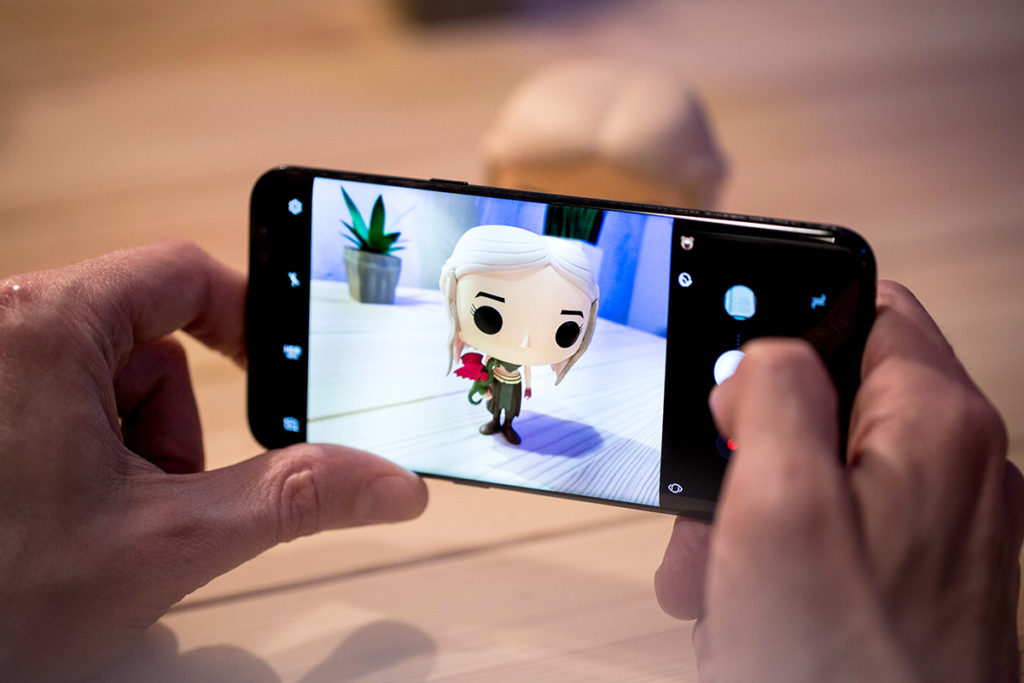
The Galaxy S8 has a killer camera but the iPhone 7 is no slouch.

Killer camera

The Galaxy S phones has always had a camera on par with the iPhone, so it was a little surprising that Samsung didn’t upgrade the S8’s all that much. The iPhone 7 Plus is already a step ahead here, with 2X optical zoom and the sublime Portrait Mode, but the iPhone 8 could really separate itself from the S8 by taking it even further. Along with a megapixel bump, Apple could add optical image stabilization to the second lens, which will go a long way toward increasing photo and zoom quality. But what would really set it apart would be a larger sensor and greater ISO range to make it a low-light leader.

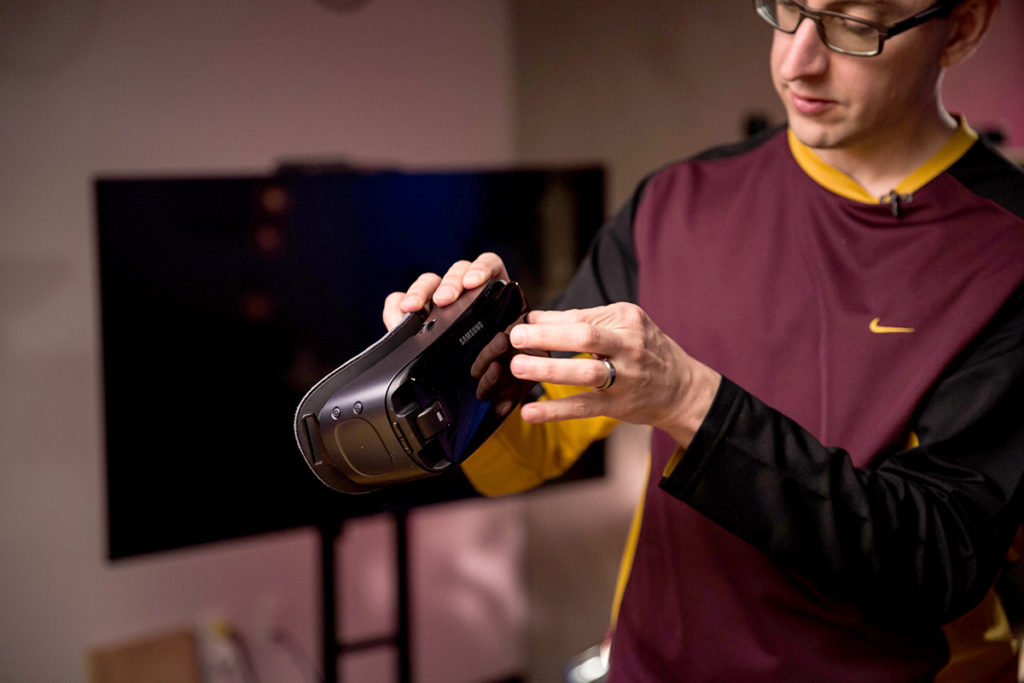
The Gear VR is a big part of the S8, but AR could be the iPhone 8’s big play.

AR not VR

While Samsung is going all-in on virtual reality with the Galaxy Gear and the S8, rumors suggest that Apple is more interested in augmented reality. And that could be one of the features that sets the iPhone 8 apart. Smartphones have been slow to incorporate AR into the interface, but if Pokémon Go has taught us anything, it’s that people are way more interested in seeing the world through their screens than strapping a headset to their faces. An AR-fueled iPhone 8 could connect us to the world in fun new ways without separating us from reality.

The Galaxy S8’s fingerprint sensor is just in the worst place.

Well-placed fingerprint sensor

While the Galaxy S8 is one of the best smartphones ever made, one tragic flaw prevented it from being perfect: the placement of the fingerprint sensor. For some god-awful reason, Samsung put it right next to the camera, all but ensuring your finger will not only miss it, but also repeatedly smudge the lens. If the rumors are correct that Apple will also be removing the home button in the iPhone 8, it has two options: under the screen or on the back. A first-of-its-kind in-panel sensor would be revolutionary, but if it’s on the back, Apple needs to learn from Samsung’s mistake and put it lower, like on the Pixel.

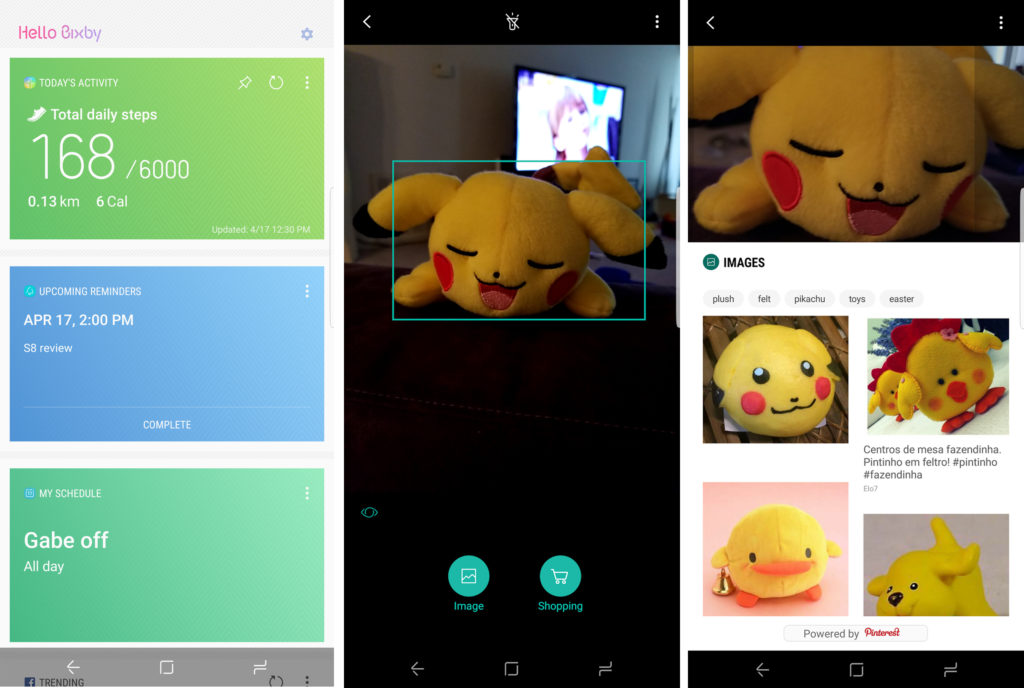
Bixby hasn’t exactly exploded out of the gate, but it does a lot that Siri doesn’t do.

Expanded Siri

When Samsung unveiled the S8, a major part of the presentation was spent introducing its new AI assistant, Bixby. However, the new service wasn’t just a competitor to Siri, Alexa, and Google Assistant. Samsung integrated Bixby deep into the interface to let it access apps, fetch information, and cut down on how often we need to touch our phones. It’s a cool idea, except the only problem is it doesn’t really work. If Apple could do something similar with Siri and expand its reach to work inside apps while we’re using them, it could beat Bixby at its own game.

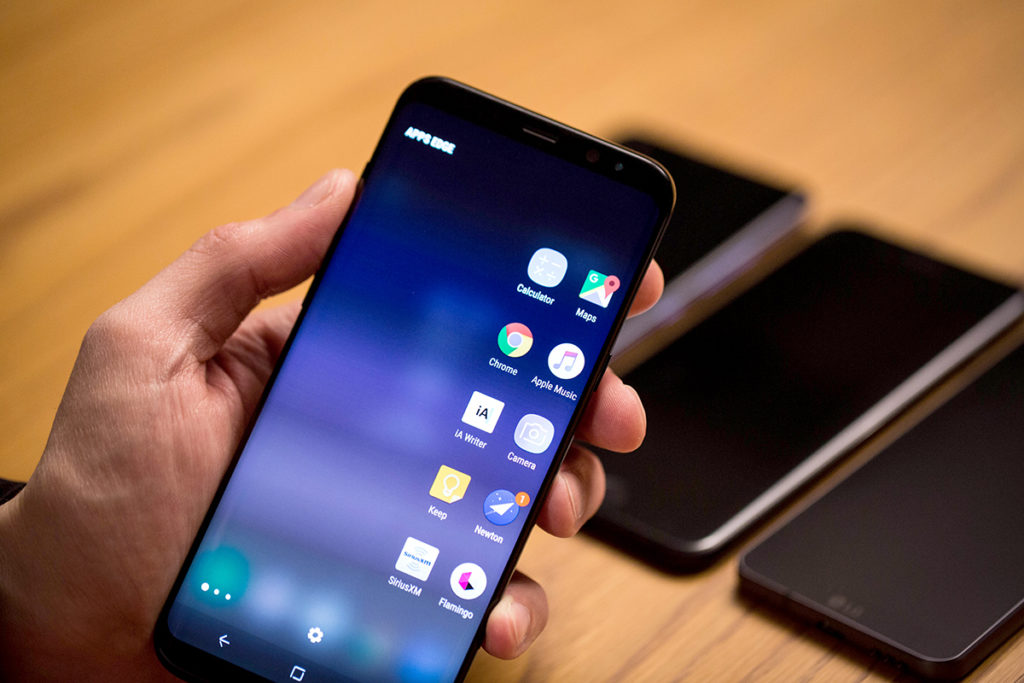
The Galaxy S8’s screen is pretty, but It also uses its software to accentuate it.

iOS 11

One of the biggest gripes people have had about Samsung’s phones has always been its TouchWiz interface. But that’s changed with the S8, as Samsung has crafted an intuitive, refined system that takes full advantage of its superb hardware. If Apple is going to release a radically redesigned iPhone with curved edges and a wraparound screen, the same old iOS isn’t going to do it justice. It might be time to rethink iOS for modern times and give it more than new features and a fresh coat of pixels.

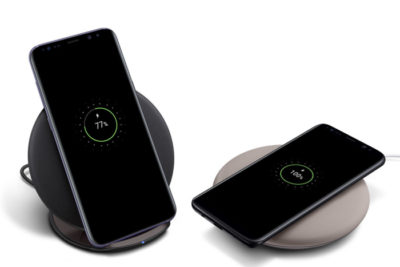
Samsung’s wireless charging supports Qi and PMA standards, and the pad stands up or lies flat. But it’s not long range wireless.

True wireless charging

While Samsung has had wireless charging in the Galaxy S since the S6, Apple has been slow to adopt it for the iPhone. All signs indicate that’s going to change for the iPhone 8, but if Apple wants to top the Galaxy S8 and not just keep pace, it’s going to need something a little more exciting than a pretty charging pad. One of the rumors we’ve read suggests that Apple could adopt true long-range wireless charging for the next iPhone, which would power up the battery whenever you’re within range of the charger, even if it’s in your pocket. That alone would be an S8 killer.

The Galaxy S8 includes a pretty great pair of earbuds.

Bundled AirPods

Samsung didn’t just resist the trend to ditch the headphone jack on S8, it embraced the 3.5mm jack in a big way. Inside the S8 box is a pair of premium AKG-tuned earbuds that are a few steps above the usual build and sound quality you get for free—certainly better than what Apple gives us. But if Apple really wants to embrace the wireless future of the iPhone, it needs to stop including a wired set of EarPods, even if they are Lightning. A pair of AirPods in the box (or a cheaper Beats alternative) would really set it apart from the 3.5mm S8 and make a strong statement.

The battery life on the S8 is really good, but the iPhone 8’s could be even better.

Blow-away battery

Samsung has had its share of battery issues, but the S8 looks to put them in the past with a long-lasting battery that hopefully won’t blow up. But while it can get through the whole day for the most part, the S8 didn’t deliver the the real breakthrough we were hoping for. We’re still waiting for a phone that lets us completely forget about the battery until our day is over, and we’d love to see the iPhone 8 deliver something in the range of 12 hours and truly change the game.

Have questions?

Get answers from Microsofts Cloud Solutions Partner!
Call us at: 856-745-9990 or visit: https://southjerseytechies.net/

South Jersey Techies, LL C is a full Managed Web and Technology Services Company providing IT Services, Website Design ServicesServer SupportNetwork ConsultingInternet PhonesCloud Solutions Provider and much more. Contact for More Information.

To read this article in its entirety click here.
Coming Soon: 5G Explained

Just five years after the first 4G smartphone hit the market, the wireless industry is already preparing for 5G.

5G Wireless

Each of the four nationwide cell phone carriers, as well as smartphone chipmakers and the major network equipment companies are working on developing 5G network technology for their customers.

There are many significant hurdles that all the industry players have to clear before you’ll see a little 5G symbol next to the signal bars on your smartphone screen. For example, it has yet to be determined what 5G even means, let alone what it will look like and when it will get here.

But as consumers use up rapidly growing amounts of 4G bandwidth watching streaming videos on their phones, 5G will soon become a necessity. As telecom engineers work furiously to develop 5G technology, we’re getting a clearer picture of the who, what, where, when and why of 5G.

What is 5G?

5G

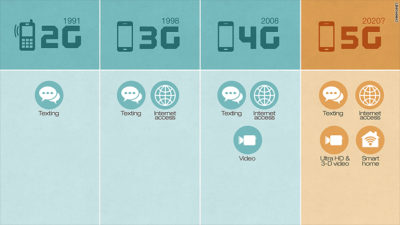
The “G” in 3G, 4G and 5G stands for “generation.” So 5G will be the fifth generation of wireless network technology.

The standards for 5G have not yet been set. According to Bill Smith, president of AT&T’s (T, Tech30)network operations, 5G will likely be defined in 2018, and the standards for 5G will codified sometime in 2019 by the standards-setting International Telecommunication Union, a branch of the United Nations. The standards will determine which wireless technologies can be called “5G,” as well as what its characteristics must include, such as how fast it will be.

Still, it’s possible to make a very educated guess about what 5G will look like based on the emerging 5G technologies that the wireless industry is experimenting with.

Here’s the elevator pitch: 5G will be faster, smarter and less power-hungry than 4G, enabling a slew of new wireless gadgets. 5G will let us have faster smartphones, more smart-home devices and longer-lasting wearable gizmos.

How fast will 5G be?

5G

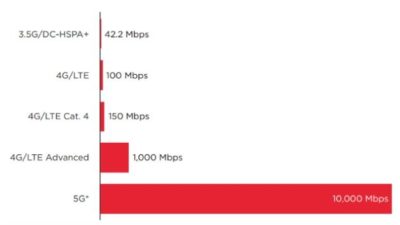
5G has the potential to offer speeds up to 40 times faster than 4G — fast enough to stream “8K” video in 3-D or download a 3-D movie in about 6 seconds (on 4G, it would take 6 minutes).

Unfortunately for consumers, there’s a difference between lab experiments and reality. Peak speeds are fun to dream about, but in the real world, actual speeds are much slower than promised.

Nokia (NOK), one of the biggest 5G players, believes that its 5G technology will allow for real-world speeds of about 100 Megabits per second when the network is most congested — that’s about four times faster than 4G’s top speed.

Another characteristic of 5G is that it will have ultra-low latency, meaning that it could drastically reduce the amount of time it takes for the network to respond to your commands. That could give the appearance of much faster loading websites, apps, videos and messages.

How will it work?

A lot of the wireless companies’ 5G experimentation is taking place in super-high frequencies — as high as 73,000 MHz. Today’s cell phone networks broadcast signal in a range of 700 MHz to 3,500 MHz.

The advantage of high-frequency signals is that they’re capable of providing significantly faster data speeds. The disadvantage is that they travel much shorter distances and they can’t easily penetrate walls. That means thousands — perhaps even millions — of mini cell towers, or “small cells” would need to be placed on top of every lamp post, every building, inside every home and potentially every room.

That presents a host of problems. How can cell phone companies possibly process all that data? There are companies, such as Google’s recently acquired Alpental, that are working on those “backhaul” issues. But they’re not so close to a solution, according to Akshay Sharma, wireless infrastructure analyst at Gartner.

That’s why 5G might complement 4G, rather than outright replace it. In buildings and in crowded areas, 5G might provide a speed boost. But when you’re driving down the highway, 4G could be your only option — at least for a while.

When is 5G coming?

5G

None of these questions are going to be answered any time soon. The industry’s consensus is that it will run 5G experiments in South Korea during the 2018 Winter Olympics, with mass deployments beginning sometime in 2020.

Yet Verizon (VZ, Tech30) has said that it is working on 5G technology with the aim of bringing it to market much sooner — as early as 2017.

With all the questions surrounding 5G and all the wrinkles that need to be ironed out, it’s exceedingly unlikely that anything Verizon does will be widely deployed. For example, the smartphone makers will need to develop chips that are capable of sending and receiving 5G signal without driving costs significantly higher.

Have questions?

Get help from IT Experts/Microsofts Cloud Solutions Partner
Call us at: 856-745-9990 or visit: https://southjerseytechies.net/

South Jersey Techies, LLC is a full Managed Web and Technology Services Company providing IT Services, Website Design ServicesServer SupportNetwork ConsultingInternet PhonesCloud Solutions Provider and much more. Contact for More Information.

CALL US NOW!