Back to Top

Tech, Web, Cloud & Cabling Services

Category: Apple

Apple Category

iPhone Wi-Fi Hack Alert: Fix Issued

If you use Wi-Fi on your iOS device, get this security update

The tech giant says there is a new cyber threat, but has taken steps to thwart the attack.  According to the reports, “Apple has now issued a critical security patch for all iOS devices and for Mac computers against a potential hack that could come remotely via Wi-Fi.”


The virus is being considered a potentially serious threat, so the company is urging users to install the updates to protect their devices.

The latest cyber threat is also a risk to Android device users, but Google has taken steps as well to block the virus.

“The vulnerability also has the potential to attack Android devices, but Google issued its own security patch earlier this month.”

Have questions?

Get answers from Microsofts Cloud Solutions Partner!
Call us at: 856-745-9990 or visit: https://southjerseytechies.net/

South Jersey Techies, LL C is a full Managed Web and Technology Services Company providing IT Services, Website Design ServicesServer SupportNetwork ConsultingInternet PhonesCloud Solutions Provider and much more. Contact for More Information.

To read this article in its entirety click here.

Apple HomeKit Launching in June

Devices based on Apple Inc.’s HomeKit will appear in stores next month, the company said.

HomeKit, which is built into Apple’s iOS 8 mobile operating system, provides software so makers of garage door openers, light switches and other home devices can be controlled with an iPhone or iPad.

“HomeKit has been available for just a few months and we already have dozens of partners who have committed to bringing HomeKit accessories to market and we’re looking forward to the first ones coming next month,” Trudy Muller, a spokeswoman for Cupertino, California-based Apple, said Thursday in a statement.

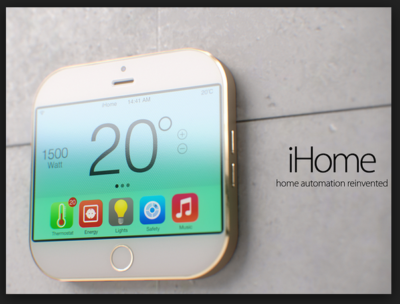
Apple Homekit

IDevices has said it will begin selling in the fourth quarter a HomeKit-compatible switch to control doors, lights and other products.

“We’re testing the software, and it works very well,” Chris Allen, chief executive officer of Avon, Connecticut-based iDevices, said Thursday.

Fortune reported earlier Thursday that HomeKit had been delayed by a few months, until August or September.

apple

Have questions?

Our small business team is here to help.
Call us at: 856-745-9990

South Jersey Techies, LLC is a full Managed Web and Technology Services Company providing IT Services, Website Design ServicesServer SupportNetwork ConsultingInternet PhonesCloud Solutions Provider and much more. Contact for More Information.

Tim Cook: FBI Wanted iOS Backdoor

The most important Tech Case in a Decade

Customer Letter – Apple

February 16, 2016

A Message to Our Customers

The United States government has demanded that Apple take an unprecedented step which threatens the security of our customers. We oppose this order, which has implications far beyond the legal case at hand.

This moment calls for public discussion, and we want our customers and people around the country to understand what is at stake.

Answers to your questions about privacy and security

The Need for Encryption

Smartphones, led by iPhone, have become an essential part of our lives. People use them to store an incredible amount of personal information, from our private conversations to our photos, our music, our notes, our calendars and contacts, our financial information and health data, even where we have been and where we are going.

All that information needs to be protected from hackers and criminals who want to access it, steal it, and use it without our knowledge or permission. Customers expect Apple and other technology companies to do everything in our power to protect their personal information, and at Apple we are deeply committed to safeguarding their data.

Compromising the security of our personal information can ultimately put our personal safety at risk. That is why encryption has become so important to all of us.

For many years, we have used encryption to protect our customers’ personal data because we believe it’s the only way to keep their information safe. We have even put that data out of our own reach, because we believe the contents of your iPhone are none of our business.

The San Bernardino Case

We were shocked and outraged by the deadly act of terrorism in San Bernardino last December. We mourn the loss of life and want justice for all those whose lives were affected. The FBI asked us for help in the days following the attack, and we have worked hard to support the government’s efforts to solve this horrible crime. We have no sympathy for terrorists.

When the FBI has requested data that’s in our possession, we have provided it. Apple complies with valid subpoenas and search warrants, as we have in the San Bernardino case. We have also made Apple engineers available to advise the FBI, and we’ve offered our best ideas on a number of investigative options at their disposal.

We have great respect for the professionals at the FBI, and we believe their intentions are good. Up to this point, we have done everything that is both within our power and within the law to help them. But now the U.S. government has asked us for something we simply do not have, and something we consider too dangerous to create. They have asked us to build a backdoor to the iPhone.

Specifically, the FBI wants us to make a new version of the iPhone operating system, circumventing several important security features, and install it on an iPhone recovered during the investigation. In the wrong hands, this software — which does not exist today — would have the potential to unlock any iPhone in someone’s physical possession.

The FBI may use different words to describe this tool, but make no mistake: Building a version of iOS that bypasses security in this way would undeniably create a backdoor. And while the government may argue that its use would be limited to this case, there is no way to guarantee such control.

The Threat to Data Security

Some would argue that building a backdoor for just one iPhone is a simple, clean-cut solution. But it ignores both the basics of digital security and the significance of what the government is demanding in this case.

In today’s digital world, the “key” to an encrypted system is a piece of information that unlocks the data, and it is only as secure as the protections around it. Once the information is known, or a way to bypass the code is revealed, the encryption can be defeated by anyone with that knowledge.

The government suggests this tool could only be used once, on one phone. But that’s simply not true. Once created, the technique could be used over and over again, on any number of devices. In the physical world, it would be the equivalent of a master key, capable of opening hundreds of millions of locks — from restaurants and banks to stores and homes. No reasonable person would find that acceptable.

The government is asking Apple to hack our own users and undermine decades of security advancements that protect our customers — including tens of millions of American citizens — from sophisticated hackers and cybercriminals. The same engineers who built strong encryption into the iPhone to protect our users would, ironically, be ordered to weaken those protections and make our users less safe.

We can find no precedent for an American company being forced to expose its customers to a greater risk of attack. For years, cryptologists and national security experts have been warning against weakening encryption. Doing so would hurt only the well-meaning and law-abiding citizens who rely on companies like Apple to protect their data. Criminals and bad actors will still encrypt, using tools that are readily available to them.

A Dangerous Precedent

Rather than asking for legislative action through Congress, the FBI is proposing an unprecedented use of the All Writs Act of 1789 to justify an expansion of its authority.

The government would have us remove security features and add new capabilities to the operating system, allowing a passcode to be input electronically. This would make it easier to unlock an iPhone by “brute force,” trying thousands or millions of combinations with the speed of a modern computer.

The implications of the government’s demands are chilling. If the government can use the All Writs Act to make it easier to unlock your iPhone, it would have the power to reach into anyone’s device to capture their data. The government could extend this breach of privacy and demand that Apple build surveillance software to intercept your messages, access your health records or financial data, track your location, or even access your phone’s microphone or camera without your knowledge.

Opposing this order is not something we take lightly. We feel we must speak up in the face of what we see as an overreach by the U.S. government.

We are challenging the FBI’s demands with the deepest respect for American democracy and a love of our country. We believe it would be in the best interest of everyone to step back and consider the implications.

While we believe the FBI’s intentions are good, it would be wrong for the government to force us to build a backdoor into our products. And ultimately, we fear that this demand would undermine the very freedoms and liberty our government is meant to protect.

Tim Cook

Answers to your questions about privacy and security

Have questions?

Get answers from Microsofts Cloud Solutions Partner!
Call us at: 856-745-9990 or visit: https://southjerseytechies.net/

South Jersey Techies, LL C is a full Managed Web and Technology Services Company providing IT Services, Website Design ServicesServer SupportNetwork ConsultingInternet PhonesCloud Solutions Provider and much more. Contact for More Information.

To read this article in its entirety click here.

8 Ways iPhone 8 Beats Galaxy S8

The Galaxy S8 might be the best phone of 2017, but the year’s not over until the next iPhone makes its debut. Here’s how Apple can take the crown back from Samsung.
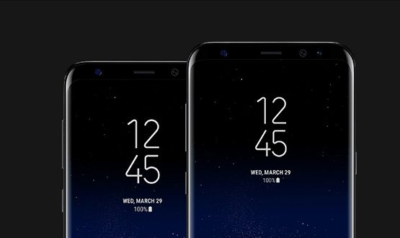
If there wasn’t already a mountain of pressure on Apple to deliver something spectacular with this year’s iPhone update, there surely is now. If you haven’t noticed, Samsung has released the Galaxy S8 and S8+, and they’re pretty remarkable. As a former iPhone 7 Plus user, the S8+ might very well be the best phone I’ve ever used, with a stunning screen, speedy processor, and, yes, a gorgeous design.

But what makes the S8 so amazing is how unique it is. For the first time in a while, Samsung is standing alone on the cutting edge with a phone that needs to be seen to be believed. From its barely there bezels to its brilliant wraparound screen, the Galaxy S8 truly gives Apple a run for its money. No joke, it actually makes the iPhone 7 look pretty stale.

But there’s still a lot of time between now and the release of the next iPhone. According to rumors, the lineup this year will consist of the usual S models along with a fantabulous iPhone 8, which looks to adopt a similar aesthetic to the Galaxy S8, with an edge-to-edge OLED display and the removal of the physical home button. But just because it might look similar doesn’t mean it can’t still be better. Here’s how Apple can still steal the crown from Samsung:
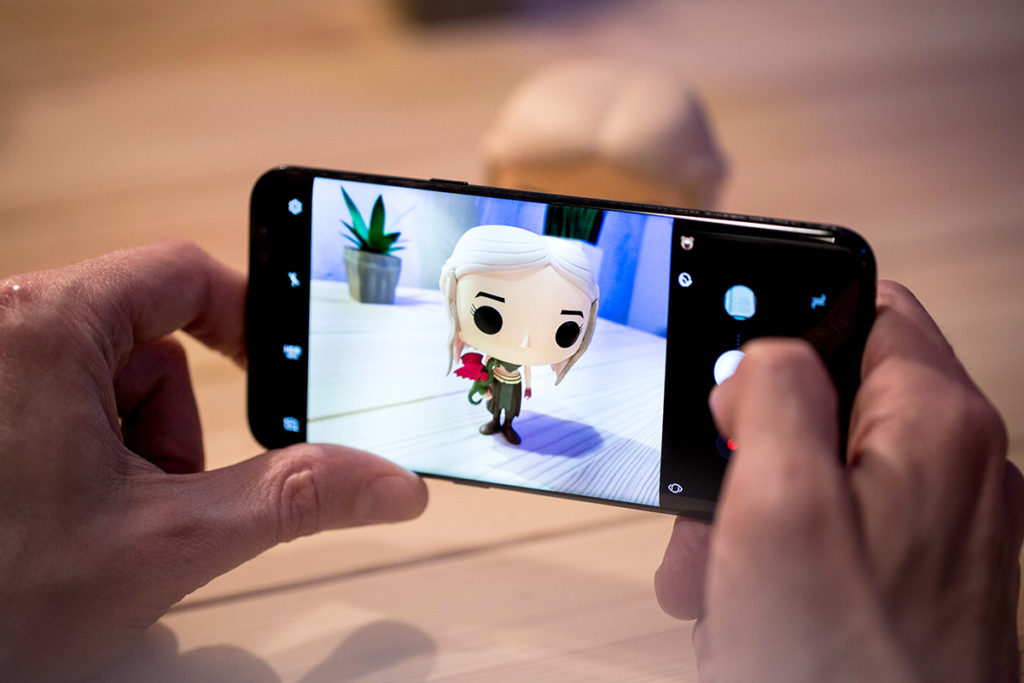
The Galaxy S8 has a killer camera but the iPhone 7 is no slouch.

Killer camera

The Galaxy S phones has always had a camera on par with the iPhone, so it was a little surprising that Samsung didn’t upgrade the S8’s all that much. The iPhone 7 Plus is already a step ahead here, with 2X optical zoom and the sublime Portrait Mode, but the iPhone 8 could really separate itself from the S8 by taking it even further. Along with a megapixel bump, Apple could add optical image stabilization to the second lens, which will go a long way toward increasing photo and zoom quality. But what would really set it apart would be a larger sensor and greater ISO range to make it a low-light leader.
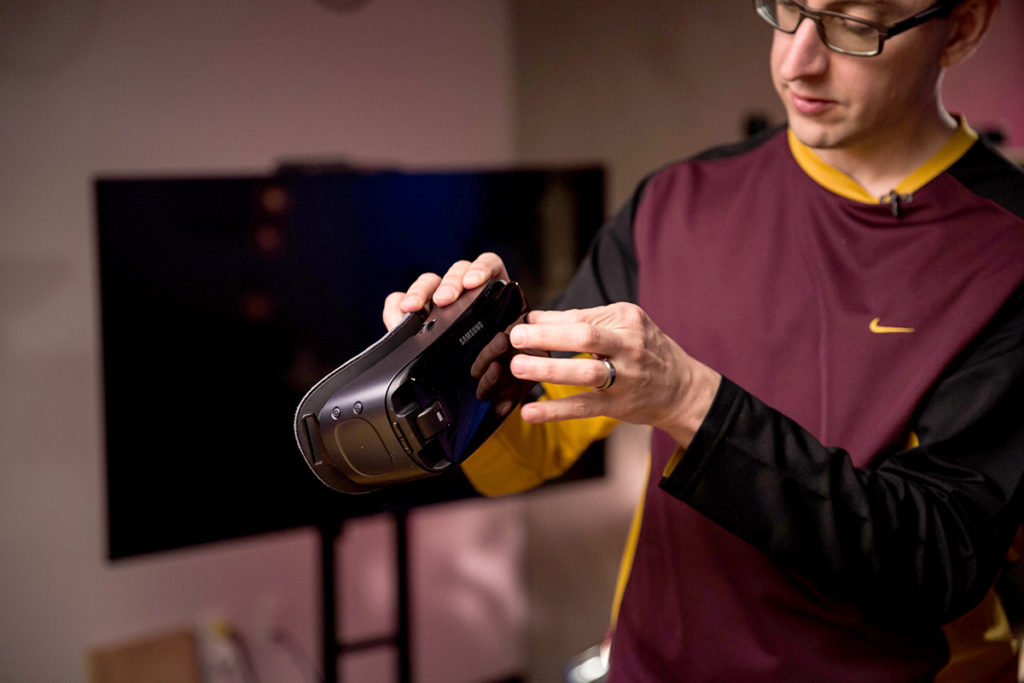
The Gear VR is a big part of the S8, but AR could be the iPhone 8’s big play.

AR not VR

While Samsung is going all-in on virtual reality with the Galaxy Gear and the S8, rumors suggest that Apple is more interested in augmented reality. And that could be one of the features that sets the iPhone 8 apart. Smartphones have been slow to incorporate AR into the interface, but if Pokémon Go has taught us anything, it’s that people are way more interested in seeing the world through their screens than strapping a headset to their faces. An AR-fueled iPhone 8 could connect us to the world in fun new ways without separating us from reality.
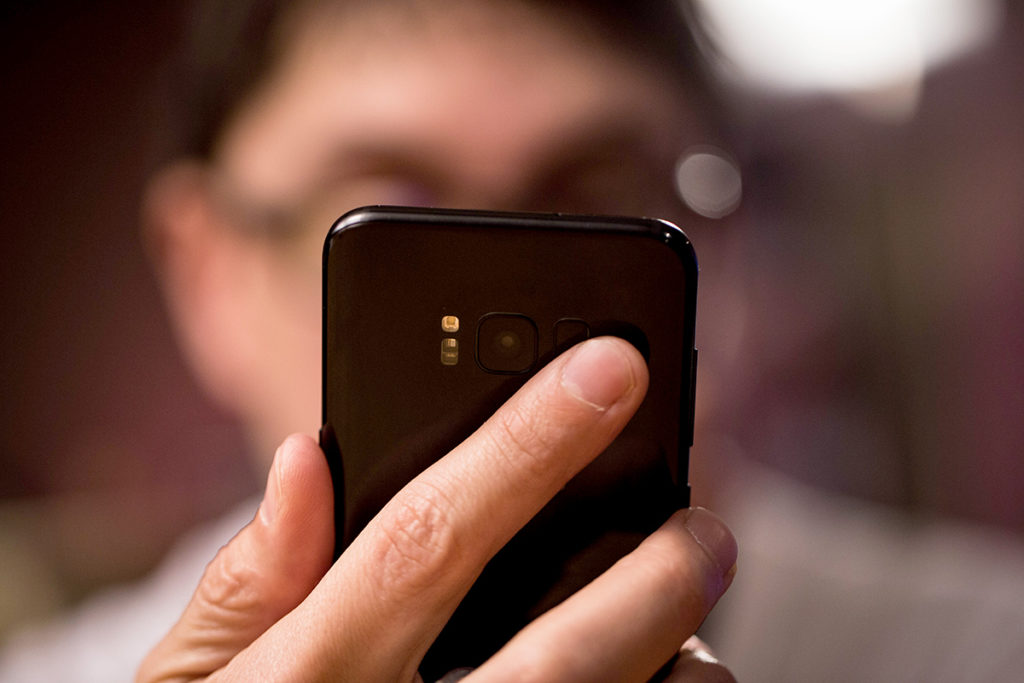
The Galaxy S8’s fingerprint sensor is just in the worst place.

Well-placed fingerprint sensor

While the Galaxy S8 is one of the best smartphones ever made, one tragic flaw prevented it from being perfect: the placement of the fingerprint sensor. For some god-awful reason, Samsung put it right next to the camera, all but ensuring your finger will not only miss it, but also repeatedly smudge the lens. If the rumors are correct that Apple will also be removing the home button in the iPhone 8, it has two options: under the screen or on the back. A first-of-its-kind in-panel sensor would be revolutionary, but if it’s on the back, Apple needs to learn from Samsung’s mistake and put it lower, like on the Pixel.
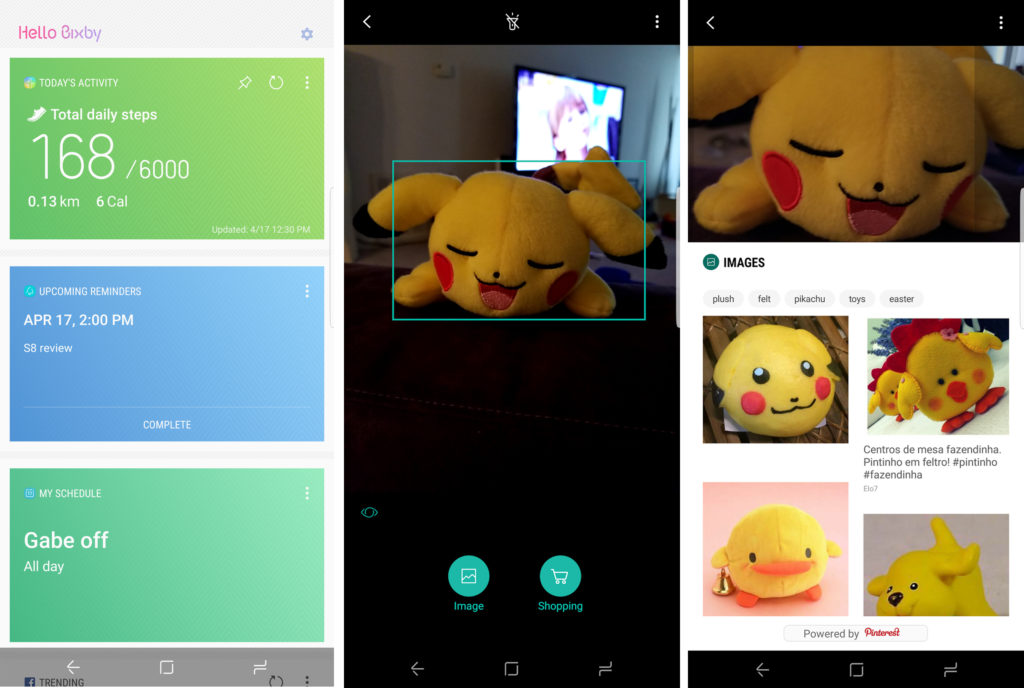
Bixby hasn’t exactly exploded out of the gate, but it does a lot that Siri doesn’t do.

Expanded Siri

When Samsung unveiled the S8, a major part of the presentation was spent introducing its new AI assistant, Bixby. However, the new service wasn’t just a competitor to Siri, Alexa, and Google Assistant. Samsung integrated Bixby deep into the interface to let it access apps, fetch information, and cut down on how often we need to touch our phones. It’s a cool idea, except the only problem is it doesn’t really work. If Apple could do something similar with Siri and expand its reach to work inside apps while we’re using them, it could beat Bixby at its own game.
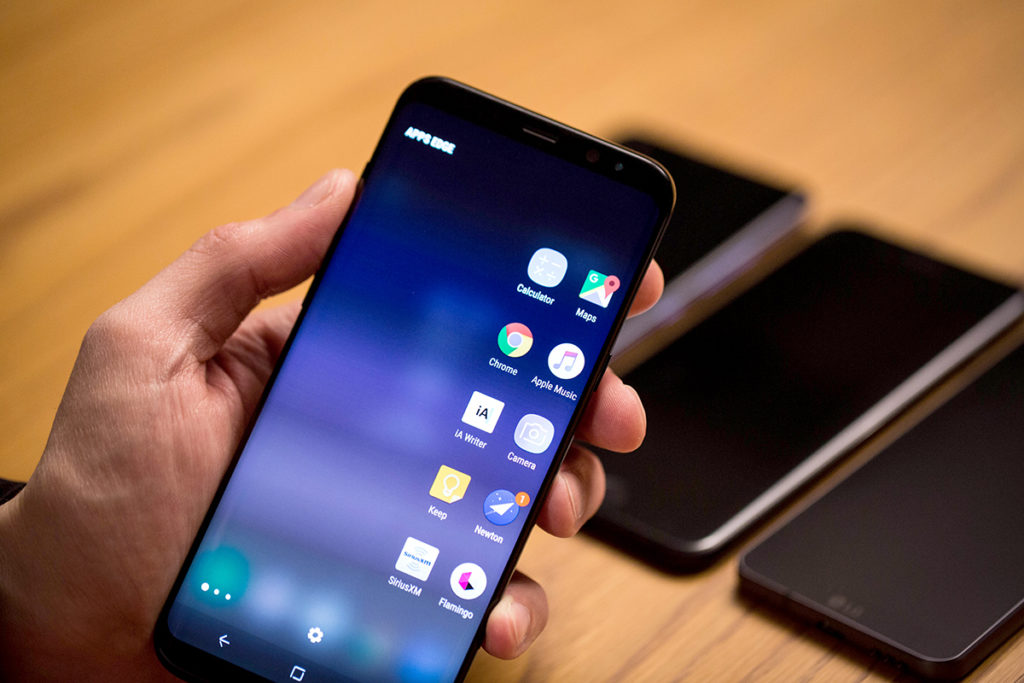
The Galaxy S8’s screen is pretty, but It also uses its software to accentuate it.

iOS 11

One of the biggest gripes people have had about Samsung’s phones has always been its TouchWiz interface. But that’s changed with the S8, as Samsung has crafted an intuitive, refined system that takes full advantage of its superb hardware. If Apple is going to release a radically redesigned iPhone with curved edges and a wraparound screen, the same old iOS isn’t going to do it justice. It might be time to rethink iOS for modern times and give it more than new features and a fresh coat of pixels.
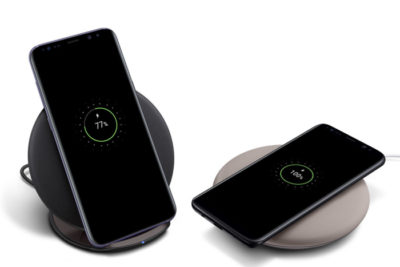
Samsung’s wireless charging supports Qi and PMA standards, and the pad stands up or lies flat. But it’s not long range wireless.

True wireless charging

While Samsung has had wireless charging in the Galaxy S since the S6, Apple has been slow to adopt it for the iPhone. All signs indicate that’s going to change for the iPhone 8, but if Apple wants to top the Galaxy S8 and not just keep pace, it’s going to need something a little more exciting than a pretty charging pad. One of the rumors we’ve read suggests that Apple could adopt true long-range wireless charging for the next iPhone, which would power up the battery whenever you’re within range of the charger, even if it’s in your pocket. That alone would be an S8 killer.
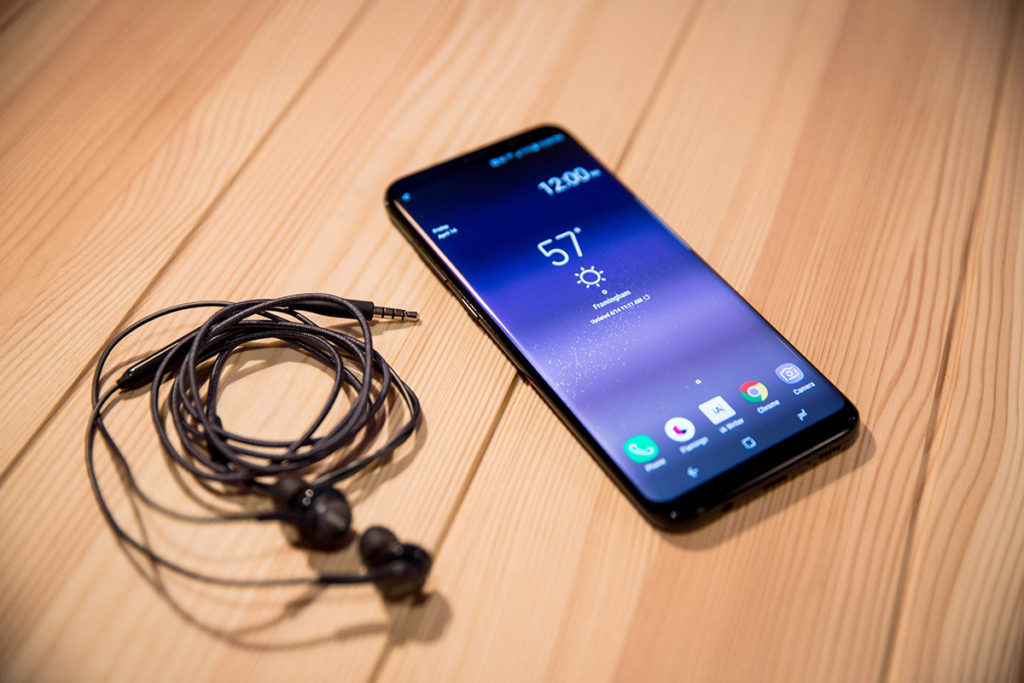
The Galaxy S8 includes a pretty great pair of earbuds.

Bundled AirPods

Samsung didn’t just resist the trend to ditch the headphone jack on S8, it embraced the 3.5mm jack in a big way. Inside the S8 box is a pair of premium AKG-tuned earbuds that are a few steps above the usual build and sound quality you get for free—certainly better than what Apple gives us. But if Apple really wants to embrace the wireless future of the iPhone, it needs to stop including a wired set of EarPods, even if they are Lightning. A pair of AirPods in the box (or a cheaper Beats alternative) would really set it apart from the 3.5mm S8 and make a strong statement.

The battery life on the S8 is really good, but the iPhone 8’s could be even better.

Blow-away battery

Samsung has had its share of battery issues, but the S8 looks to put them in the past with a long-lasting battery that hopefully won’t blow up. But while it can get through the whole day for the most part, the S8 didn’t deliver the the real breakthrough we were hoping for. We’re still waiting for a phone that lets us completely forget about the battery until our day is over, and we’d love to see the iPhone 8 deliver something in the range of 12 hours and truly change the game.

Have questions?

Get answers from Microsofts Cloud Solutions Partner!
Call us at: 856-745-9990 or visit: https://southjerseytechies.net/

South Jersey Techies, LL C is a full Managed Web and Technology Services Company providing IT Services, Website Design ServicesServer SupportNetwork ConsultingInternet PhonesCloud Solutions Provider and much more. Contact for More Information.

To read this article in its entirety click here.

iOS 9.3: 3 Features Businesses Need

iOS 9.3 offers several features that might appeal to business-oriented Apple users.

Apple introduced a new version of iOS on Monday. The update includes several new features, including updates to CarPlay and HealthKit, as well as a feature to make it easier for iPads to be used in schools for educational purposes. There are several other new features which are particularly appealing to the business-oriented user.

Here are 3 new features business users should check out.

ios93SJTechies

Night Shift

The proliferation of devices like tablets and smartphones means that some sort of screen is never far away. For many, looking at a screen is the first and last thing they do in the morning and evening.

The problem with that is screens emit blue light, which reduces the amount of melatonin produced in the body. Melatonin is a chemical that helps people fall asleep. The light emitted from smartphones can also cause eye strain, which carries symptoms like headaches and blurred vision.

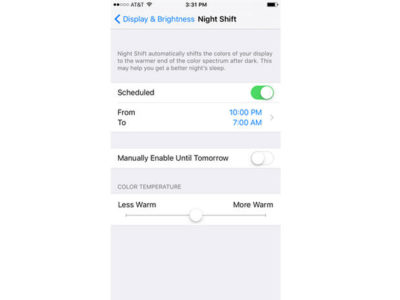
With this latest version of iOS 9, Apple introduced Night Shift, a feature that automatically adjusts the colors of your display at night. You can schedule times for it to go into effect, manually turn it on and off, and adjust colors on a scale of less warm to more warm.

You can access Night Shift through Settings | Display & Brightness, or through the menu that swipes up from the bottom of the device’s screen.

ios9SJTechies

Password-protected Notes

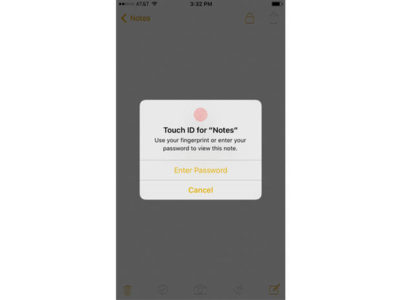
Notes is iOS’ app for taking, well, notes. iOS 9.3 updates it by allowing users a layer of security. Now, users can lock their notes using either a password or the Touch ID, which makes the app that much more useful.

In order to lock a note, tap the button in the top right corner (the one you might use if you were going to email the note) and then tap Lock Note. When prompted, enter a password, confirm it, and decide if you want to enable the Touch ID. A lock button will appear at the top of the note and in the future if you want to open it, enter the password or use the Touch ID.

ios92SJTechies

More personalized News

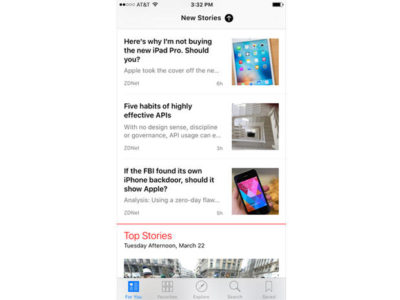
The News app now offers more personalization for users, and on a range of topics and publications. So for example, you can select a topic like mobile apps or internet privacy. You can access news by opening the News app, or by swiping right from your main screen.

Have questions?

Get answers from Microsofts Cloud Solutions Partner!
Call us at: 856-745-9990 or visit: https://southjerseytechies.net/

South Jersey Techies, LL C is a full Managed Web and Technology Services Company providing IT Services, Website Design ServicesServer SupportNetwork ConsultingInternet PhonesCloud Solutions Provider and much more. Contact for More Information.

To read this article in its entirety click here.

11 Must-Have Back-to-School Gadgets

Whether you’re just starting high school or about to graduate college, our list of essential gear for students will ensure that you have a productive—and fun—school year.

SchoolGadgets1

New school year, new school gear

With classes back in session (or about to begin), hopefully you already have everything from your back-to-school list. Laptop? Check. The perfect bag for said laptop? Check. Schedule and text books? Check and check. Though your laptop and books are, of course, your school lifeline, there are some other gadgets you can add to your list to make your life easier. From practical picks (mice, keyboards, hard drives) to streaming sticks (hey, it’s all about that work/life balance!), our gear guide is full of recommendations designed to aid you in all the demands of student life.

SchoolGadgets2

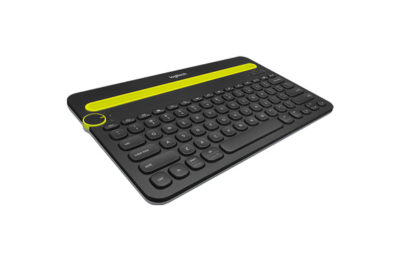
Logitech K480 Bluetooth Multi-Device Keyboard

Your standard laptop keyboard is fine, but a wireless Bluetooth keyboard that you can sync with your mobile devices might be more comfortable for serious study work.Logitech’s K480 ($50 MSRP, $30 on Amazon) can be connected to three devices at once on any platform—Mac, PC, iOS, or Android—with familiar shortcut keys for all. It also has a handy groove at the top to prop up your phone or tablet.

SchoolGadgets3

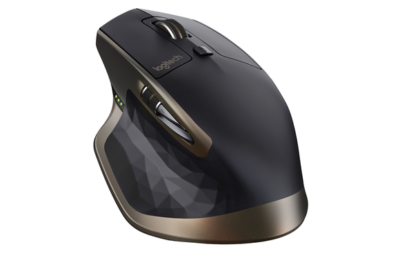
Logitech MX Master

Your laptop’s trackpad, however, is not going to cut it for extended use—you’ll be much more comfortable with a mouse. The MX Master ($100 MSRP, $70 on Amazon), also by Logitech, has customizable buttons, supports trackpad gestures, and is comfortable to use. It’s a wireless mouse; pick between Bluetooth or 2.4GHz radio frequency to connect.

SchoolGadgets4

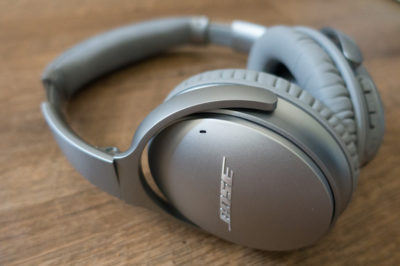
Bose QuietComfort 35 wireless headphones

A good pair of noise-cancelling headphones is a must—something to block out roommates (If you have them) or excess library/coffee shop sounds as you’re cranking out your midterm paper. Bose’s QuietComfort 35 ($349.95 MSRP, same price onAmazon) is a pricey pair, but worth it—they’re wireless, so they won’t get in the way as you’re moving about. There’s no way to disable the noise-cancelling feature, but that’s okay—they run for 20 hours on a single charge. While the audio quality varies, the noise-cancelling feature is second to none.

SchoolGadgets5

Altec Lansing Mini Life Jacket 3

You’ll want a great-sounding Bluetooth speaker, but one that’s easy to schlep around from party to party, and one that won’t die if it gets into an accident with a red cup.Altec Lansing’s Mini Life Jacket 3 ($100 MSRP, same price on Best Buy) has a rugged exterior that’s also waterproof—it can survive a dunk for up to 30 minutes—so it’s up for the challenge. We were impressed with its good fidelity and sound quality, and loved that it comes with a hardware kit for you to mount the speaker on your bike as you cruise around campus. And at $100, it’s priced for students, too.

SchoolGadgets6

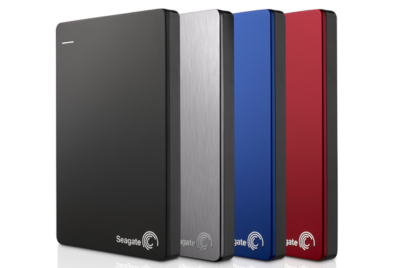
Seagate Backup Plus Slim Portable

A hard drive may not be the most exciting thing on our list, but it’s the most practical—you’ll need something to back up your hard work just in case your laptop crashes.Seagate’s Backup Plus Slim Portable ($50 to $90 MSRP, same price on Amazon) will do just that. It’s compact, comes in a variety of capacities, and is available in four different colors and finishes.

SchoolGadgets7

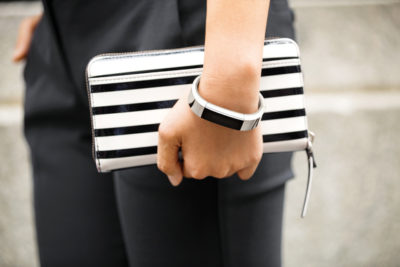
Fitbit Alta

A smartwatch or fitness tracker is a must-have for maintaining your work-study balance. If you’re looking for a device that handles your push notifications, reminders, and more, then go with an all-around smartwatch that’s an extension of your phone. For iPhone users, that’s easy—go with the Apple Watch ($299 MSRP and up, available at the Apple Store). For Android users, we like the Huawei Watch ($350 MSRP and up, $299 and up on Amazon) for its style, features, and customizable options.

If it’s just the fitness stuff you’re after, you can’t go wrong with the Fitbit Alta ($129.95 MSRP, $119 on Amazon). This sleek activity tracker monitors your workouts, steps, and sleep automatically, and pairs it all within the Fitbit app on your phone (it’s compatible with both iOS and Android phones) so that you can keep an eye on your habits. Reminding yourself to stay active in between study sessions has never been so easy.

SchoolGadgets8

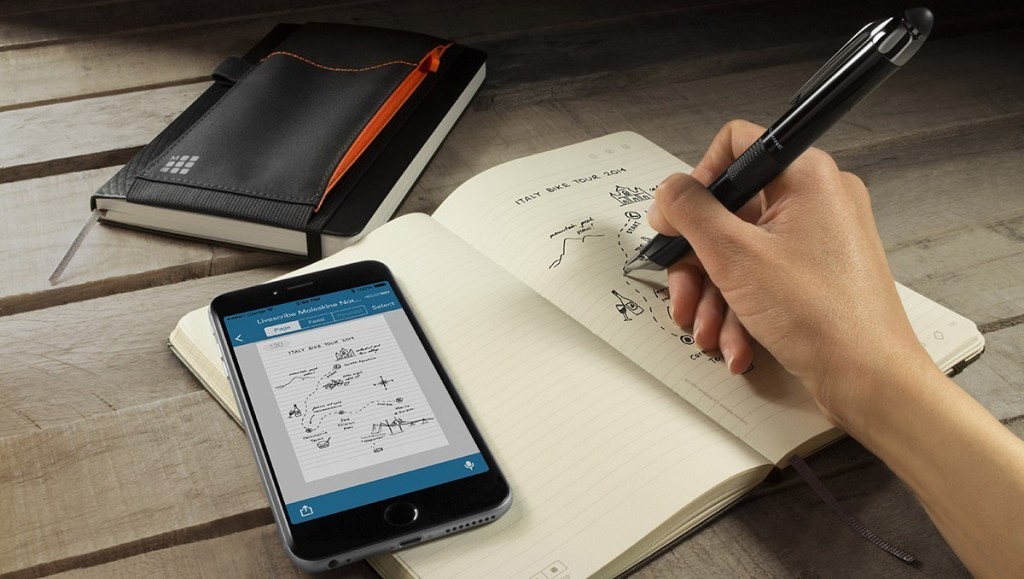
Livescribe 3

Spend one lecture with the Livescribe 3 Smartpen ($150 MSRP, $138.84 on Amazon) and corresponding app for your smartphone, and you’ll never want to go back to a regular old Bic. As you write in the Livescribe’s specialty notebooks, the smartpen sends a digital copy of your hand-written notes to your phone via Bluetooth, so you can access them at any time. It can also record audio notes through the Livescribe app on your smartphone, which get linked to your hand-written notes. When reviewing notes later, tap any word to hear what your professor was saying at that moment. If you’ve left yourself a doodle, abbreviation, or mnemonic device, tapping that word will bring you right back to the lecture. The pen itself can last 14 hours on a single charge.

SchoolGadgets9

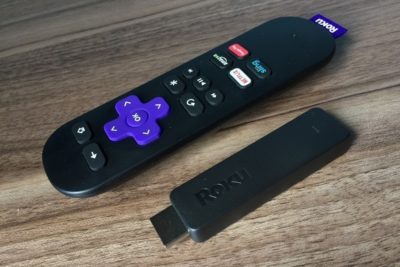
Roku Streaming Stick

Your dorm may include a cable hookup for your TV, but it won’t play well with your Netflix subscription. The solution? Roku’s Streaming Stick ($50 MSRP, $39.01 onAmazon) a thumb-sized device that plugs into your TV or monitor’s HDMI port that streams web-based content—Netflix, Hulu, HBO Now, and more. It’s fast, has a dedicated remote, and is compatible with most of the major streaming content players.

SchoolGadgets10

OtterBox Universe Case System

Some school days, you never know what kind of gear you’ll need. Will your smartphone make it through the day without needing a recharge? Will you want to snap a picture of something being presented during lecture? What if you need to quickly transfer a file to a classmate?

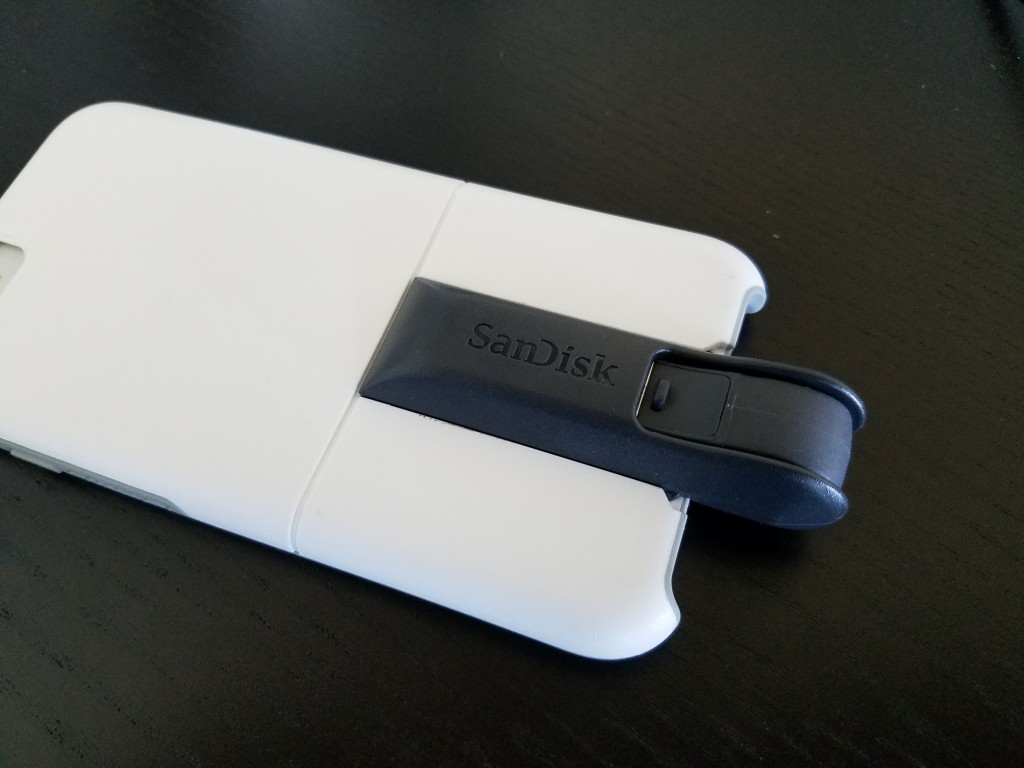
OtterBox’s Universe Case System ($49.95 MSRP for the base, modules are extra; $44.95 on Amazon) has extra add-ons that can help you do all of those things. This system consists of various accessory modules that you can attach to your iPhone via its protective case—so you can snap on a battery pack ($50 on Amazon), a flash drive (64GB for $60 on Amazon), a tripod ($30 on Amazon), and more in a pinch.

SchoolGadgets11

Anker PowerCore 20100

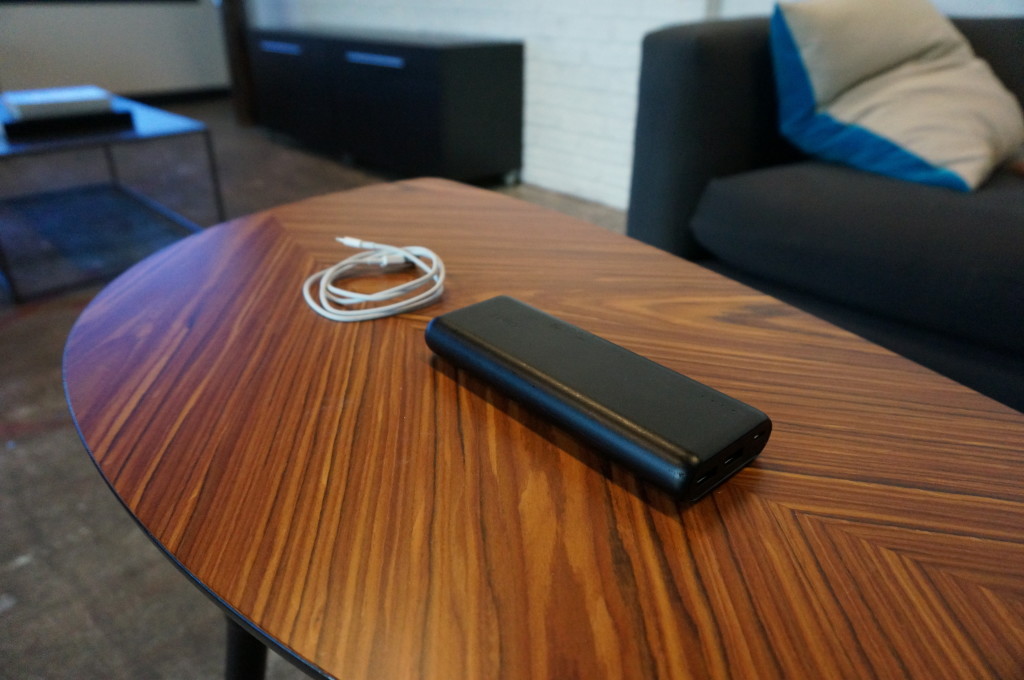
A one-device battery pack might not cut it—you may want a dedicated battery pack for a long school day, to power up your tablet or other gear besides your phone. Anker’s PowerCore 20100 ($80 MSRP, $43 on Amazon) is small, light, and powerful, with two USB ports to charge two devices at once. Its whopping 20,000mAh battery can charge your phone seven times, or your iPad mini (or other small tablet) twice.

SchoolGadgets12

Stir Kinetic Desk M1

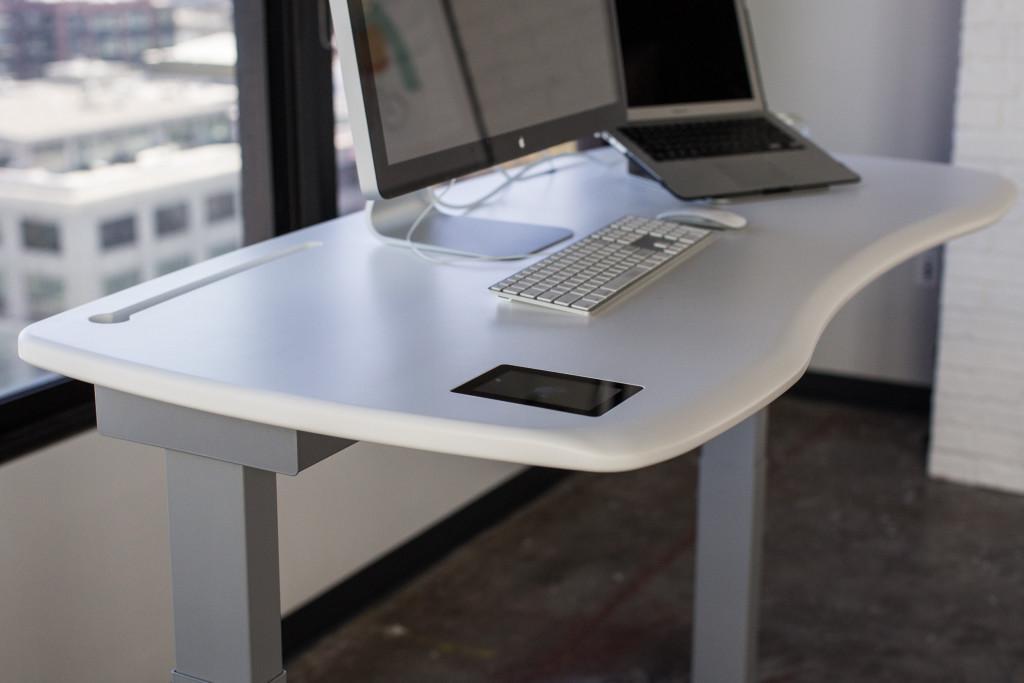
Standing desks are still having a moment in the health-tech spotlight, so if you’re considering a splurge on a new desk setup, dream big with Stir’s Kinetic Desk M1 ($2,990 MSRP, same price on Amazon). This smart desk is a well-built, comfortable workstation that smoothly adjusts between sitting and standing positions set to your preferences. You can tell the desk how often you’d like to stand up, and it will gently “nudge” you into your standing position by slightly raising up to coax you to move. The future is here, and this desk is proof.

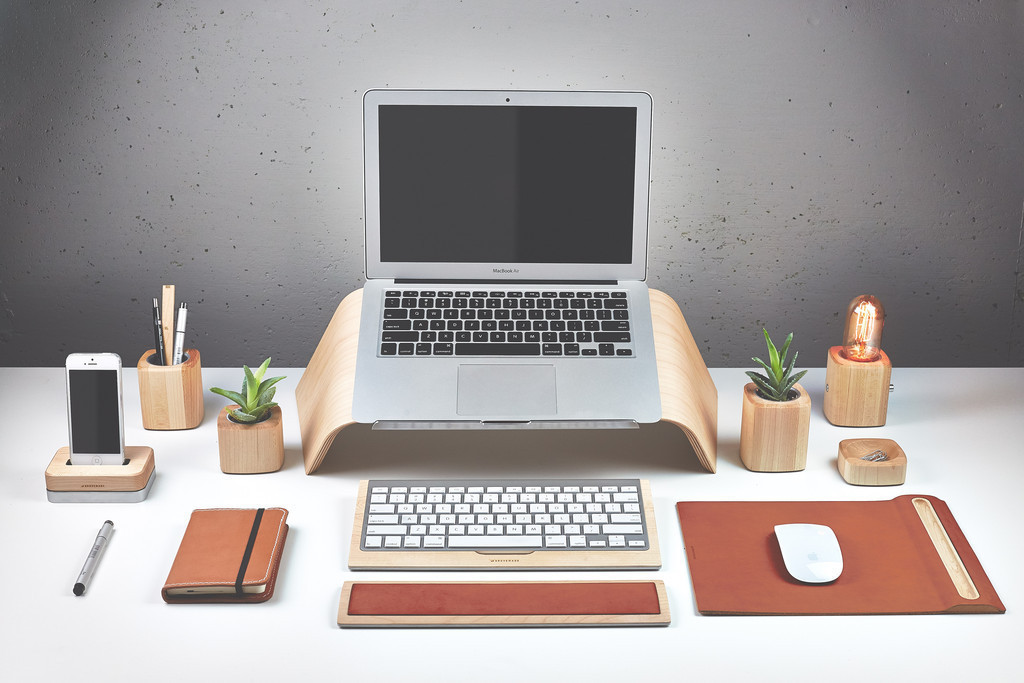
Don’t have an extra $3,000 lying around? Grovemade’s Desk Collection (pictured in first slide) will keep your desk organized—and make it look like a million bucks for a fraction of the cost.

Have questions?

Get answers from Microsofts Cloud Solutions Partner!
Call us at: 856-745-9990 or visit: https://southjerseytechies.net/

South Jersey Techies, LL C is a full Managed Web and Technology Services Company providing IT Services, Website Design ServicesServer SupportNetwork ConsultingInternet PhonesCloud Solutions Provider and much more. Contact for More Information.

To read this article in its entirety click here.

Simple steps to stay on top of your mobile data usage

Apps not required

Businessman in suit, jacket,shirt, tie, using his smart phone

Who said you needed to install something to control your mobile data use? Your iOS and Android devices come with all the tools you need to stay below your data cap. It takes a few taps to turn them on and configure them, which is exactly what we’re going to help you with.

Easy in Android

MobileDataUsage2

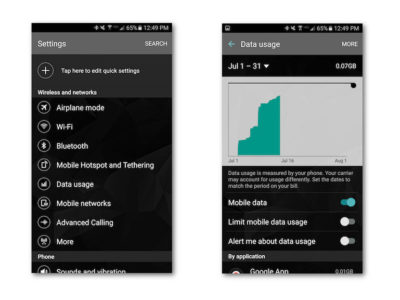
Tracking and limiting your data usage is easy on an Android device. There are a number of options available to stop yourself from going over the data limit.

The simplest solution is to activate two options under the Data Usage menu in your phone’s Settings app: Limit Mobile Data Usage and Alert Me About Data Usage. Toggle these two switches to on and your phone will turn off cell data once you reach a certain point, as well as warn you when you start getting close. Adjusting those thresholds is as simple as dragging a little line up or down.

Control data use per app

MobileDataUsage3

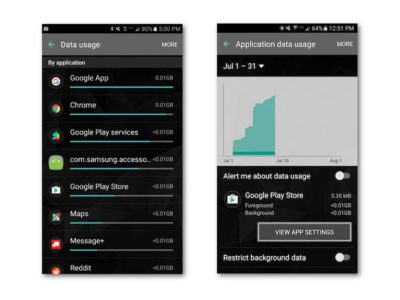
Scroll a bit further down in the Data Usage menu and you’ll find a list of apps sorted by how much mobile data they use. Click on one of those apps and you’ll see a few more options. Toggling Restrict Background Data on will stop the app from doing anything in the background, unless you’re connected to Wi-Fi.

App-specific options

MobileDataUsage4

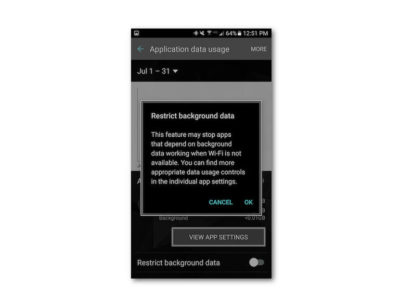
Turning the Background Data Restriction on brings you face to face with a popup warning you that doing so might mess with the app’s performance. It also directs you to the View App Settings button, where you can change the settings right in the app.

In my experience going into the app hasn’t been necessary—just toggle the data restriction option on, but know that your weather, email, Twitter feed, and other apps that require a constant connection might not update without your telling them to (provided you’re not on Wi-Fi).

Other Android tips

MobileDataUsage-5

There are two other nifty things you can do on Android to save data: use the Chrome Data Saver and store frequently used Google Maps locations offline.

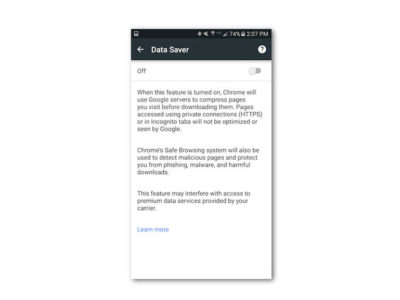
Chrome Data Saver is turned on by opening Settings in Chrome. Swipe down to the bottom of the menu and you’ll see Data Saver. Open that menu and turn it on—that’s it! Data Saver compresses incoming web traffic to save space, and it really doesn’t have that much effect on your experience.

Google Maps offline

MobileDataUsage6

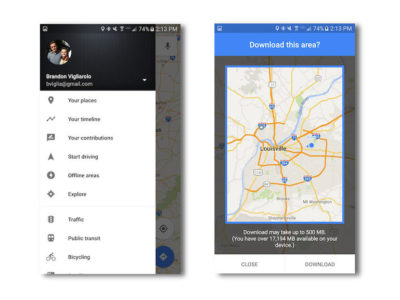
Storing map data offline is a good idea whether you want to save data or not. It makes your commute smoother, and longer trips will never leave you without a map in unfamiliar territory. It’s easy to do, too.

Open the menu in Google Maps. You’ll see Offline Areas right in the first few options—that’s what you want to select. From there click the plus sign and you’ll see a map highlighted with a blue circle. Pinch to zoom in or out, tap download, and it will download anything inside the square.

Managing data on an iPhone

MobileDataUsage-7

iOS users aren’t nearly as fortunate as Android users when it comes to built-in data capping options. There are still a few ways to track and limit your data use, but if you’re hoping for an Android-like option that terminates data once you near your cap you’re out of luck.

Controlling background data

MobileDataUsage8

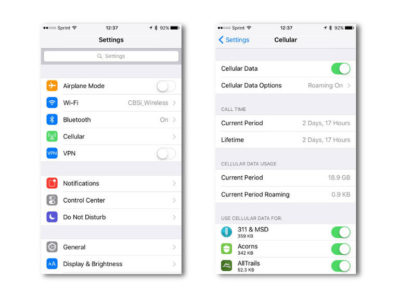
It’s simple to disable background app data in iOS. Open up the Settings app, and tap Cellular. Once you’re there, scroll down a bit and you’ll see a list of every single app you have installed. Tap to turn off the ones you want to stop from using cell data—that’s it!

App-specific options

MobileDataUsage-9

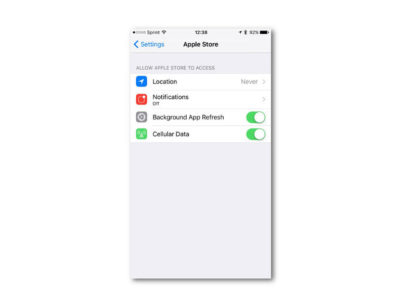
Disabling background use is one thing, but you can save even more data by tweaking options specifically to different apps. In the Settings app, scroll down a bit to see a list of all the apps you have installed. Tap one and you’ll see a list of app-specific options.

You can turn off cellular data for an app, background refresh, and location services, all which will eat up your data bit by bit.

Disable Wi-Fi Assist
MobileDataUsage-10

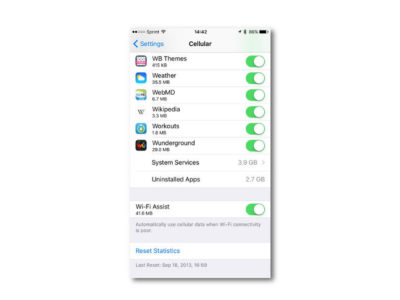
iOS devices have the option to hop to their cell networks when Wi-Fi signal is weak. Disabling this can save you a bit of data, but it’s all dependent on how often you have to deal with weak Wi-Fi.

You’ll find the toggle for Wi-Fi Assist at the bottom of the Cellular page.

Good luck saving that data

Mobile payment

Seven or eight gigs might seem like a lot, but constant travel, mobile gaming, and video streaming can eat that up before you know it. Hopefully some of these options will help save you megs and bucks!

Have questions?

Get answers from Microsofts Cloud Solutions Partner!
Call us at: 856-745-9990 or visit: https://southjerseytechies.net/

South Jersey Techies, LL C is a full Managed Web and Technology Services Company providing IT Services, Website Design ServicesServer SupportNetwork ConsultingInternet PhonesCloud Solutions Provider and much more. Contact for More Information.

To read this article in its entirety click here.
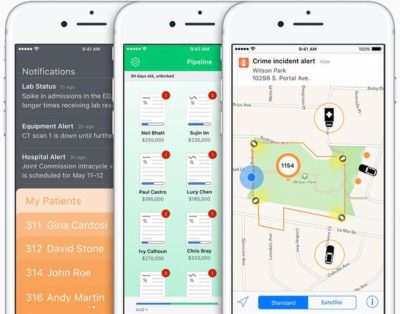
IBM Watson is coming to the iPhone, and that’s big news for business users

Last Tuesday, IBM announced it will be combining its enterprise iOS mobile apps with IBM Watson for better decision-making and productivity.

watson

IBM Watson may be coming soon to an enterprise iOS app near you, the company announced at the IBM World of Watson 2016 event on October 25. In a first-of-its-kind move, IBM MobileFirst for iOS apps can now integrate Watson technology to enhance decision-making, productivity, and the employee experience.

With Watson’s cognitive and conversational capabilities, these enterprise apps will be able to understand, reason, and learn using data analytics, according to a press release.

“Apple and IBM set out more than two years ago to define the enterprise mobility market, ensuring that professionals could finally enjoy at work the same experience they’d come to expect as consumers,” said Mahmoud Naghshineh, general manager, Apple partnership at IBM, in a press release. “We are taking that to a whole new level by combining the power of Watson with the new speech framework of iOS 10. The combinations and possibilities are virtually endless.”

Watson is available for both IBM MobileFirst for iOS apps, as well as custom-built iOS apps from IBM, and will allow business users to integrate APIs based on their needs. Users will also have the ability to control apps with speech. This feature could be especially helpful for positions such as field technicians, who can verbally interact with an app like Find & Fix—inputting schedule changes, notifying dispatch, asking questions and tapping Watson’s knowledge reserves—while repairing equipment, according to the release.

“IBM Natural Language Processing, Watson Conversation and other Watson APIs have been optimized to work with the new iOS 10 speech framework,” the press release stated. “The combination of Watson, iOS and IBM services allows the apps to support conversational interaction, bringing deep insight to the end user so they can make more informed decisions.”

The new capabilities will be delivered through IBM Cloud for easy integration into apps, even those that are already in use in a business, the release stated.

IBM offered the following examples of how enterprises might use apps integrated with Watson:

  • Flight attendants using the Passenger+ app enhanced with Watson can gain a deeper view into a traveler’s personality to deliver more personal and relevant customer care while inflight. For example, if the app reveals a passenger is a strong brand advocate with a strong social footprint, the airline may choose to prioritize his or her requests.
  • Retail sales associates using Sales Assist can access data across different resources—social media, customer databases and product forums—for deeper insights into a customer’s unique preferences as well as the latest purchasing trends and popular products to assist customers in choosing the right item.
  • Financial advisors using Trusted Advice with deep learning technology from Watson gain highly targeted search and trend analysis into market history and happenings to optimize the investment recommendations made to individual clients.

“This is a digital assistant for the business—one that creates the next-generation professional experience tailored for enterprise processes,” Naghshineh said in the press release.

The partnership with Watson furthers Apple’s recent moves to increase business appeal. In recent years, Apple has inked deals with IBM, Cisco, SAP, and Deloitte to integrate iOS devices into the enterprise.

IBM is perhaps Apple’s highest-profile corporate partner, representing the world’s largest enterprise Mac deployment, with over 90,000 Macs currently used by workers. The company recently reported that it is rolling out Macs to employees at a rate of 1,300 per week—putting it on track to cross the 100,000 machine mark by the end of the year, as Jason Hiner reported.

The IBM Watson iOS integration also demonstrates how important cognitive computing and AI will be to the future of mobile, with the rise of specialized AI assistants in a variety of industries, and the release of the Google Pixel phone, enabled with Google Assistant.

The 3 big takeaways for readers

  1. IBM Watson will now power enterprise iOS apps with its cognitive and speech capabilities, the company announced at the IBM World of Watson event on Tuesday.
  2. Tapping Watson’s information reserves and language capabilities could help professionals in a variety of fields increase productivity and decision-making, the company stated.
  3. Integrating Watson into enterprise iOS apps is another move by Apple to increase its business use, following previous app partnerships with IBM, Cisco, SAP, and Deloitte.

Have questions?

Get answers from Microsofts Cloud Solutions Partner!
Call us at: 856-745-9990 or visit: https://southjerseytechies.net/

South Jersey Techies, LL C is a full Managed Web and Technology Services Company providing IT ServicesWebsite Design ServicesServer SupportNetwork ConsultingInternet PhonesCloud Solutions Provider and much more. Contact for More Information.

To read this article in its entirety click here.
9 things you’ll love about iOS 9

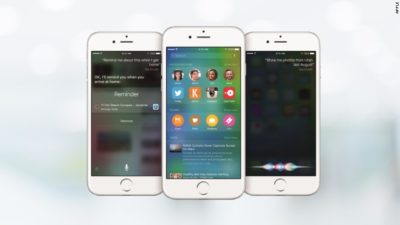
Proactive Siri

Proactive Siri

Of all the upcoming iOS 9 features for the iPhone and iPad, the biggest updates are coming to Siri

Siri is going to become “proactive,” predicting what you want to know before you even ask it. It’s a feature similar to Google Now or Microsoft’s Cortana.

The new, proactive Siri will display relevant information based on your location, search history, emails, calendar and habits.

For example, the new Siri will look at your calendar and tell you when it’s time to leave for your next appointment based on traffic data. It can search through your email to identify phone numbers that you don’t recognize. And it can suggest apps to use and places to visit based on the time of day.

Transit

Transit Media

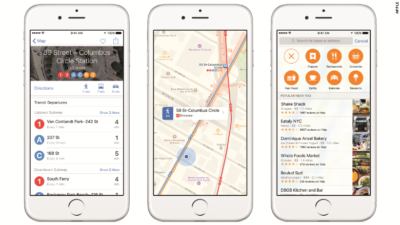
Finally, transit directions are coming to the Apple Maps app. It’s only in 12 cities to start, but Apple said it will expand its transit maps in the future.

Transit has been a long time coming. The lack of public transit information is one of the many reasons Apple CEO Tim Cook apologized for its subpar Maps app in 2012.

News

News Stand

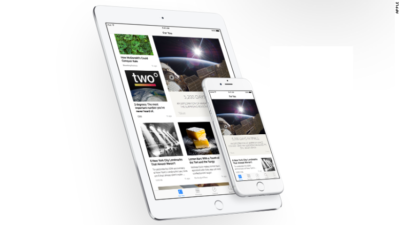
Apple’s new News app is a Flipboard-like personalized news reader that will replace the oft-ignored Newsstand store.

News will be powered by 20 publishers and 50 titles, including ESPN, CNN, Conde Nast, and The New York Times.

Apple said its app will combine “the visually rich layout of a magazine with the immediacy and customization of digital media.”

Wallet

Wallet

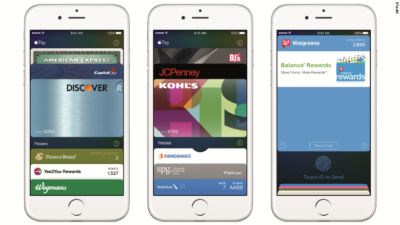
Apple’s Passbook app is getting a new name (Wallet) and some welcome new features.

In iOS 9, Wallet will store Discover credit cards, store credit cards and loyalty cards. That’s in addition to the Visa, MasterCard and American Express cards Apple Pay and Passbook customers can currently use. IPhone users will be able to double-click the home button when their iPhones are locked to access the Wallet app.

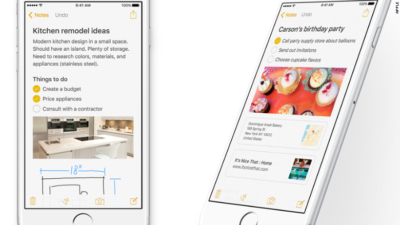
Notes

Notes

The Notes app is getting a big makeover in iOS 9, letting you draw sketches, drop in photos, maps and links and add items from other apps.

The new Notes will also let you create instant checklists and take photos from within the app.

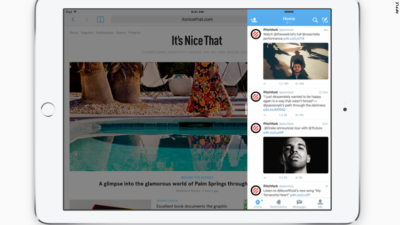
Multitasking

Multitasking

Soon, iPad owners will be able to run two apps at the same time on the same screen.

With a split-screen function, picture-in-picture video, a new app switcher and keyboard shortcuts, the iPad is getting closer to becoming a serious word-processing device.

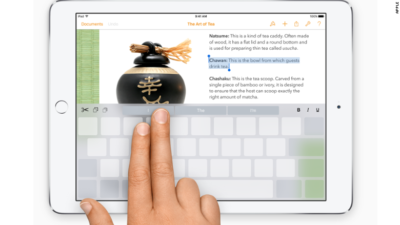
Quicktype

Quicktype

In addition to multi-tasking, Apple is introducing gestures for the iPad in iOS 9, turning the keyboard into a trackpad.

Using two fingers, iPad owners can select text and move the cursor like a mouse.

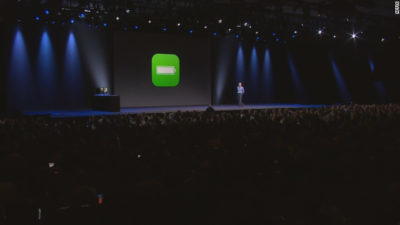
Better battery life

Better Battery Life

Apple says iOS 9 will give iPhones and iPads up to an hour more battery life every day. It’s also adding a low-power mode to squeeze out three extra hours of juice.

Public beta

Public beta

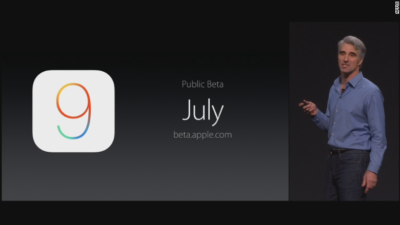
Excited about iOS 9? It doesn’t debut until the fall, but you’ll be able to get your hands on it early. For the first time ever, Apple will let anyone test out its new iPhone software — before it gets released to the general public.

In July, iOS 9 will go into “public beta,” meaning anyone with an iPhone or iPad will be able to noodle around with iOS 9.

Have questions?

Get answers from our IT Experts
Call us at: 856-745-9990 or visit: https://southjerseytechies.net/

South Jersey Techies, LLC is a full Managed Web and Technology Services Company providing IT Services, Website Design ServicesServer SupportNetwork ConsultingInternet PhonesCloud Solutions Provider and much more. Contact for More Information.

To read this article in its entirety click here.
Android Dominates Apple & Microsoft

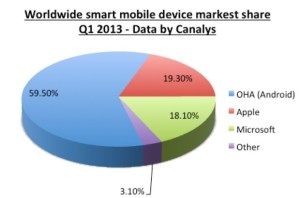
aam1 Takeaway:  Canalys’ Market Shares for Quarter 1 of 2013 showing that Android is dominating the Worldwide Smart Mobile Market.
After being released in 2007, this Linux-based operating system is the most used platform for smartphones. According to BBC News, Android has 900 million activations.

Android has 59.50% Market Share for the first quarter of 2013, according to Canalys.  Apple has 19.30% Market Share and Microsoft has 18.10%, together does not equal to the Android market.  The  Worldwide Smart Mobile Market includes Netbooks, Smarphones and Tablets

Chart

CALL US NOW!