Back to Top

Tech, Web, Cloud & Cabling Services

Category: Social Networking

Social Networking Category

Move Over Skype, Calling From Gmail

Kon’nichiwa, hola, and bonjour says Google, as it expands Gmail calling to support a total of 38 languages and four currencies including Euros, British pounds and Canadian / US dolla dolla bills y’all. The calling feature allows Gmail users to call landlines and mobile phones from within their Gmail browser for next to nothing, making the email center a one-stop shop for IMs, emails, video and voice calls. The year-old service is lowering its call rates to $0.10 per minute to mobile phones in the UK, France, and Germany, $0.15 per minute to Mexico, and $0.02 per minute to any number in China and India. Calling landlines is even cheaper — which would be fantastic if you actually knew someone that still used one. The expanded language support and cheaper calls adds another piece of ammo to Google’s arsenal as it goes head-to-head with Skype (which charges $0.18 – $0.25 per minute for calls to UK mobile numbers), after the company conveniently partnered with Google+’s arch nemesis for calls from within the social network. But hey, at least those late-night arguments won’t cost the former nearly as much as it once did.


To view the original article in it’s entirety, Click Here.


Google and AT&T: Fighting Fiber with Fiber

Google fiber is coming to your town. But not without a fight. After Louisville, Kentucky approved legislation that would allow Google Fiber to piggyback on pre-existing telecommunication infrastructure, AT&T sued the city.


“The ordinance in question, known as “One Touch Make Ready,” essentially allows Google (or any other ISP) to install its equipment on existing utility poles, including those owned and maintained by AT&T. Despite strong opposition from AT&T and Time Warner Cable, the ordinance passed with a 23-0 vote.”

AT&T claimed a need to defend past infrastructure investment, and that the ordinance violates current telecommunication rules. The city of Louisville countered claiming, “gigabit fiber is too important to our city’s future.” Google pledged to support the city.

Have questions?

Get answers from Microsofts Cloud Solutions Partner!
Call us at: 856-745-9990 or visit: https://southjerseytechies.net/

South Jersey Techies, LL C is a full Managed Web and Technology Services Company providing IT Services, Website Design ServicesServer SupportNetwork ConsultingInternet PhonesCloud Solutions Provider and much more. Contact for More Information.

To read this article in its entirety click here.


The BlackBerry platform’s slow fade to black

blackberry-logo-SJTechiesBlackBerry’s operating system was recently dealt blow by Facebook. Find out how this could be the final nail in the BB10 coffin.

The only reason this headline should surprise anyone is the fact that BlackBerry OS is actually still alive. End of story, right? Truth be told, most assumed BlackBerry’s operating system dead when the company decided to release a device running the Android platform. It seemed to be the only logical step forward for BlackBerry Limited. And yet, BB continues on.

Only now, they continue on without Whatsapp and Facebook support.

When pressed for the reason why they are pulling support, Facebook made their case quite simple, stating that 99.5 % of all smartphone sales are of the Android, iOS, and Windows Mobile platforms.

Makes sense.

What doesn’t make sense is the fact that the BlackBerry OS is still alive and kicking. Yes, I understand BlackBerry was the platform for business users for a very long time, but that time has come and gone and the only relevant platforms are obvious. In fact, even Windows Mobile is barely hanging on to any semblance of relevancy.

What can you expect

If you happen to be a BlackBerry user, you already knew that Whatsapp pulled the plug. Now you can count on the Facebook app functioning (sans updates) until the end of the year. Once 2016 passes, the app will cease to be available in any form.

My guess is, once the Facebook app no longer functions on the platform, the Grim Reaper will swoop into the offices of the BB10 developers and have a field day. Facebook holds a powerful sway over the ebb and flow of the consumer. No Facebook, no platform.

And you may be saying to yourself, “BB10 is a business-centric platform, there’s no need for a Facebook app”. That assumption is false for at least two reasons. First, businesses actually use Facebook as a form of marketing. Second, you’re assuming that business users do not spend any amount of time on Facebook. According to comScore, the average American citizen spends 40 minutes a day on the social network platform. Relatively speaking, that’s a significant amount of time (considering users tend to work on Facebook in a sort of “hit and run” style). And if you factor in the peak Facebook hours of 1 p.m. – 3 p.m., it’s clear that business users do spend time on Facebook.

BlackBerry’s reaction

Of this separation, BlackBerry said:

“We are extremely disappointed in their decision as we know so many users love these apps. We fought back to work with WhatsApp and Facebook to change their minds, but at this time, their decision stands,”

BlackBerry even started a Twitter campaign to change Facebook’s mind, with the hashtag #ILoveBB10Apps. I did a quick Twitter search for that hashtag and found the hashtag (somewhat) backfired on BlackBerry. Tweets ranging from angry users (one user asking how his BlackBerry device could be showing 0% battery, yet still be functioning), to the usual flood of memes and spam. Some users did proclaim they’d be sticking with BlackBerry by way of the PRIV (which, if we’re being honest, at that point you are as much in support of Android as you are BlackBerry). Of course, there were the BlackBerry faithful, extolling the values of BlackBerry 10 multitasking, security, and such to convince Facebook to not pull the plug.

The truth is in the numbers

You really shouldn’t need anything more than that telling number 99.5. That is beyond significant. We’ve watched new (and promising) platforms come and go, thanks to the might that is Android and iOS. Because BlackBerry has been around for a while, doesn’t give them a special hall pass to avoid the apple flavored robotic death hammer.

If BlackBerry wants to continue on, their only hope clearly lies in Android. The BlackBerry faithful will gladly continue on, with their physical keyboards and Android platform. Either that, or they can say goodbye to BlackBerry altogether, because Facebook pulling support could well be the killing blow to the little platform.

Have questions?

Get answers from Microsofts Cloud Solutions Partner!
Call us at: 856-745-9990 or visit: https://southjerseytechies.net/

South Jersey Techies, LL C is a full Managed Web and Technology Services Company providing IT Services, Website Design ServicesServer SupportNetwork ConsultingInternet PhonesCloud Solutions Provider and much more. Contact for More Information.

To read this article in its entirety click here.

How I deleted Google from my life

I realized handing over my entire life to one platform had its downsides.

I deleted Google from my life, and I can show you how to do it, too.

After being a devoted Googler for many years, I realized putting all my data on one platform had its downsides. A couple of factors in particular drove me to make a clean break.

Deleting Google for privacy and security

The appeal of escaping Google comes down to privacy. Google collects an alarming amount of data about you. It’s safe to say that if you’re not a paying customer then you’re the product being sold, and that’s Google’s business model.

Security goes hand-in-hand with that. I’m sure Google’s servers are closely guarded, but I still didn’t want all my data to be concentrated in one place.

To Google’s credit, the company gives you tools to opt out of the give-us-your-private-data-for-our-services game altogether. We cover the basics in these two articles:

  • How to download your Google data so you can see what’s being recorded.
  • How to delete your Google data to protect yourself.

Deleting Google for social impact

Another reason to get rid of Google is make your choice as a consumer for a healthier, more responsible media. As a working journalist, I’m acutely aware that Google and Facebook jointly dominate the media distribution and discovery landscape. With no strong competitors to Google Search in particular, Google’s algorithms hold unprecedented sway over the discourse in our society.

The importance of search discovery means that publishers and journalists must write stories to match the queries typed in by readers. That means coverage is guided by readers’ preconceived notions about a news event, not by objective reporting. That’s a deeply disturbing state of affairs for any democratic society.

Google outwardly seems as dedicated to responsible stewardship as one could hope, but it’s still concerning enough to merit supporting alternatives and competitors.

How my Google-free experiment started

When I decided to drop Google, I had just left a full-time job at a company that used Google mail and other apps. I stopped using all Google products while I freelanced. Note: If you’re an Android user, this is basically a no-go. Fortunately, I use a combination of Windows PCs, Macs, and iOS devices, so I wasn’t trapped.

Everyone uses Google differently, but I focused on forgoing the services that are core to the experience: Gmail, Docs, Drive, Calendar, Maps, and Search.

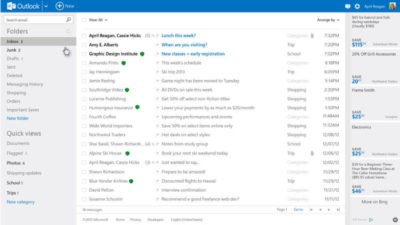
Dropping Gmail was easier than expected. I tried Yahoo! Mail, but there were too many ads for my taste. The web interface for Apple Mail at icloud.com was just adequate. I found Microsoft’s overhauled Outlook web interface (and truly excellent mobile app) was the best alternative.

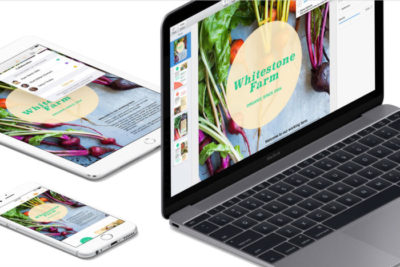
Apple’s iWork for iCloud lets you use its productivity applications and share content across devices.

Instead of Docs, I tried Office 365 and iWork for iCloud. I liked them both better than Docs because I prefer native apps to web apps, and because I think both have more elegant designs—especially iCloud. Apple’s iWork for iCloud is similar to Docs in that it’s online-only, and designed for collaboration. It also has a mobile app. Office 365 will be pretty familiar to anyone who’s worked with Office’s desktop versions.

It was also pretty easy to kick Drive to the curb. Cloud storage competitors abound. I always preferred Dropbox to Drive anyway because I find that its OS X and Windows apps are better-integrated into the OS’s normal file browsing experience. Google Drive feels like it’s meant to be a place to store documents and back up files, not seamlessly augment your local storage—even though it does that in some ways.

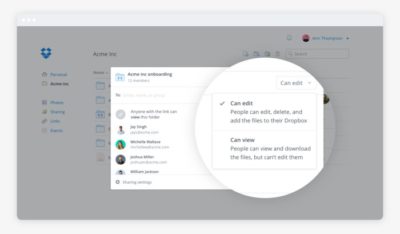
Dropbox’s file-sharing features are competitive and in some ways better than those in Google Docs.

Google Calendar has plenty of competition. This is a more personal choice, and people can get very attached—consider the furor when Microsoft shuttered Sunrise Calendar. On the other hand, it inspired us to find third-party alternative calendars, which could also replace Google Calendar.

What didn’t go well

I tried Apple Maps. I tried Waze. Google Maps is still the best.

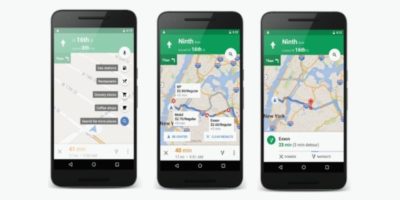
I couldn’t quit everything Google offered so easily. Google Maps alternatives were a challenge. Your best bets are Waze or Apple Maps, but let’s be honest—they have nothing on Google Maps. Unlike Apple Maps, Waze has a web app, and powerful community-sourced data is its biggest selling point. But guess what? Google uses Waze’s data in Maps! So rather than gaining that feature, you’re just losing all the stuff Maps has that Waze doesn’t.

Google Search rules for a reason. The only two decent alternatives I found were Bing and DuckDuckGo.

Bing is as good or better than Google in many respects, but Google’s algorithms and semantic search win hands-down.

Bing is a strong competitor. Some features, like video search, are even better than what Google offers. But Bing’s algorithm and the semantic search show more cracks than Google’s do.

DuckDuckGo isn’t as full-featured, but it records no user data—that’s the primary selling point of the platform. Both search options were passable, but Google has nailed semantic search with a precision that no one else can touch.

Back in Google’s grasp

I lived Google-free for five months, compromises and all. Then I was hired at a new job that required me to use Google. I considered the experiment a success, to the point that I was dismayed to abandon it at the new gig.

Google has us in its grasp for good reason. Looking back at my life without it, I can honestly say some alternatives couldn’t compare. Your mileage may vary based on which services you value most. If you decide to delete Google from your life, too, let us know how it goes on our Facebook page.

Have questions?

Get answers from Microsofts Cloud Solutions Partner!
Call us at: 856-745-9990 or visit: https://southjerseytechies.net/

South Jersey Techies, LL C is a full Managed Web and Technology Services Company providing IT Services, Website Design ServicesServer SupportNetwork ConsultingInternet PhonesCloud Solutions Provider and much more. Contact for More Information.

To read this article in its entirety click here.

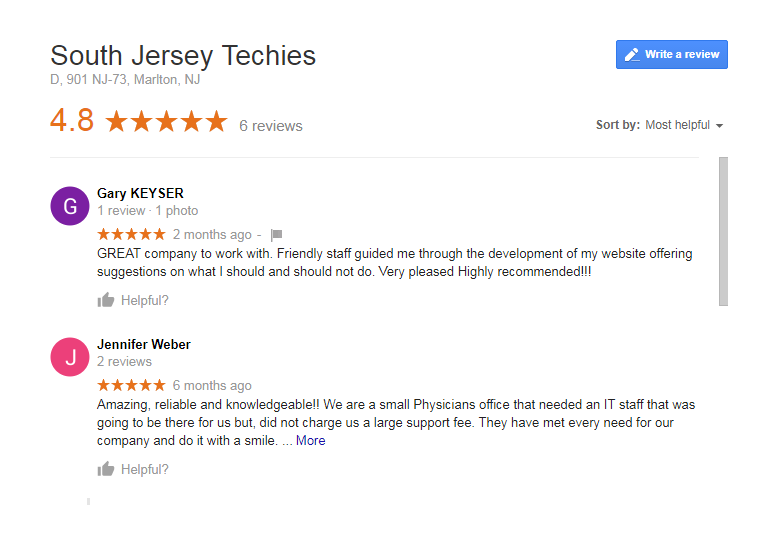
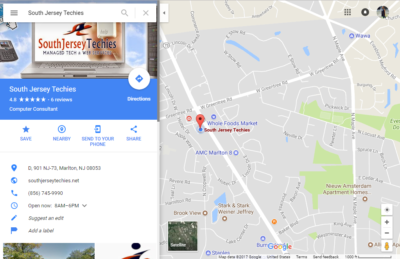
How to leave a Google review for South Jersey Techies, LLC

Google lets you write a review or describe a place

On Google Maps, you can write reviews for South Jersey Techies. Your reviews are public, so anyone can see what you write. You can’t add an anonymous review.

To leave us a review click here

Note: Google has a zero tolerance policy for fake reviews. Google reserves the right to take down any review that they deem to be fake or which doesn’t comply with their user content and conduct policies.

Why we want you to leave a review on Google?


At South Jersey Techies, we recognize the challenges businesses face and can help you improve your technology with affordable professional Managed IT Services and Website Maintenance Plans.We’ll help your company save time and money while giving you excellent service and tech support. In return we would like to know if we are doing our optimum best to help you and your business thrive

Here are some other things that others will be able to see:

> Your name that appears on your About me page
> Other reviews you’ve written on Google Maps
> Photos you’ve added to Google Maps

Tip: If you like adding place information or writing reviews, join the Local Guides community. By contributing to Google Maps, you can earn points and get a special badge next to your reviews. For more info and answers to your other questions, check out the Local Guides forum.

Computer

Find other people’s ratings or reviews

  1. On your computer, open Google Maps.
  2. Search for a place.
  3. Below the search box, you’ll see a rating.
  4. To read all the reviews for the place, to the right of the rating, click on the total number of reviews.

TipIf you want to see a translated review in another language, go to your languages and then on the right, click Edit Edit and then choose a language.

Add a rating or review

  1. On your computer, open Google Maps and make sure you’re signed in.
  2. Search for a place.
  3. Click Write a review.
  4. In the window that appears, click the stars to score the place. If you want, you can also write a review.


Android

Find or share other people’s ratings or reviews

  1. On your Android phone or tablet, open the Google Maps app Google Maps.
  2. Search for a place or tap it on the map
  3. At the bottom, tap the place’s name or address.
  4. At the top, tap Reviews.
  5. To share a review, go to the bottom of the review and tap Share Share.

Tips:

> To find high-quality reviews, look for Local Guides . A star means a Local Guide wrote the review.

> If you want to see a translated review in another language, go to your languages and then on the right, click Edit Edit and then choose a language.

Add a rating or review

  1. On your Android phone or tablet, open the Google Maps app Google Maps.
  2. Search for a place or tap it on the map.
  3. At the bottom, tap the place’s name or address.
  4. At the top, tap Reviews and then scroll down until you see 5 empty stars.
  5. Tap the stars to score a place or write a review.

iPhone & iPad

Find or share other people’s ratings or reviews

  1. On your iPhone or iPad, open the Google Maps app Google Maps.
  2. Search for a place or tap it on the map.
  3. At the bottom, tap the place’s name or address.
  4. Scroll down until you see reviews.
  5. To share a review, go to the bottom of the review and tap Share .

Tips:

> To find high-quality reviews, look for Local Guide  . A star means the review was written by a Local Guide.

> If you want to see a translated review in another language, go to your languages and then on the right, click Edit Edit and then choose a language.

Add a rating or review

  1. On your iPhone or iPad, open the Google Maps app Google Maps.
  2. Search for a place or tap it on the map.
  3. At the bottom, tap the place’s name or address.
  4. Scroll down until you see 5 empty stars.
  5. Tap the stars to score a place or write a review.

See Review

If you have Location History turned on, you can see a list of places you’ve visited or places that you might want to review.

  1. On your iPhone or iPad, open the Google Maps app Google Maps.
  2. In the top left, tap the Menu Menu and then Your contributions.
    • To see places that you’ve already reviewed, choose Reviews.
    • To see places you might want review, choose Contribute.

Share/Edit/Delete Review

  1. On your iPhone or iPad, open the Google Maps app Google Maps.
  2. In the top left, tap the Menu Menu and then Your contributions and then Reviews.
  3. Find the review you want to share, edit, or delete.
    • Share your review: Tap on your review and then scroll down until you see your review and then at the bottom of your review, tap Share .
    • Edit your review: Tap More More and then Edit review.
    • Delete your review: Tap More More and then Delete review.

Report a Review

  1. On your iPhone or iPad, open the Google Maps app Google Maps.
  2. Find the review that violates Google’s review policies.
  3. Next to the review, tap More More and then Report review.

Have questions?

Get answers from Microsofts Cloud Solutions Partner!
Call us at: 856-745-9990 or visit: https://southjerseytechies.net/

South Jersey Techies, LL C is a full Managed Web and Technology Services Company providing IT Services, Website Design ServicesServer SupportNetwork ConsultingInternet PhonesCloud Solutions Provider and much more. Contact for More Information.

Would You Trust Facebook With Your Money?

These days, brick and mortar businesses displaying some kind of signage saying “Like us on Facebook,” are nearly as common as those displaying Visa and MasterCard logos. That’s worth considering, when you think about using Faceabook as a way to pay for goods and services in the physical world.

Of course, Facebook users have developed some trust issues with the site over the years. It would be quite interesting to see if a PayPal-like service from Facebook would be widely adopted. It’s one thing to trust a third party with your status updates and photos. It’s another to trust them with your money.

Would you trust Facebook to handle your money?

Last week, Facebook announced that it is getting rid of Facebook Credits, in favor of real money. Facebook users will start paying for virtual goods using their native currencies: Dollars, Pounds, Yen, etc. This represents the beginning of users being able to treat their Facebook account like a bank account, or at least like a PayPal account and paying online. I’m not sure if Facebook is FDIC insured.

While Facebook did not say anything about using currency to pay for things in the physical world, one can simply connect the dots. For one, Facebook has over 900 million users. Many of them carry it around in their pocket all day long. Now, consider that Facebook recently acquired Tagtile, described as “your universal loyalty card,” for which you can “visit local stores, tag the Tagtile Cube with your phone, and get rewarded for being an awesome customer.”

If Facebook is going to offer a digital loyalty card to use at stores, and Facebook is going to have user account balances based on actual money, it seems only logical that users will simply be able to pay with their Facebook accounts, as long as businesses adopt the technology.

Of course it would give Facebook yet another way to compete directly with Google.

Plink co-founder Peter Vogel wrote at TechCrunch, “Last year, 15 million people bought Facebook Credits, according to their S-1 filing, so it’s assumed Facebook has close to 15 million credit cards on file. By the end of this year, once paid apps are added to Facebook’s App Center, it wouldn’t be surprising if 50 million people, or about five percent of Facebook’s users are purchasing apps and other digital good, like movies, music and TV episodes, which means Facebook would have a pool of 50 million people who have entrusted it with their credit card information.”

“At that point it’s a very short distance to a ‘Pay with Facebook’ blue box showing up every time you make an online purchase (on web sites everywhere, not just on Facebook),” he adds. “Why re-enter your credit card number when you already trust Facebook to handle the transaction and bill your card? For Facebook users this could be seen as more convenient and safer than entering their credit card number on multiple sites. Facebook is PayPal on steroids, with the strength of a billion members.”

That’s an incredibly good point. Think about how the Facebook sign-in option already works for many sites in the web (and especially from mobile devices). It is so much more convenient to simply tap the button to sign in with Facebook than having to enter a whole other account name or email address and password. Paying this way could save a lot of time and hassle.

This already exists, you know:



If Facebook can get people paying online regularly, people may start putting more of their money into Facebook accounts, which will make them a lot more likely to pay for things offline.

The Trust Factor

That trust factor could be a major obstacle for Facebook, however. Privacy issues have been rampant with the the social network’s dealings for years. Last year, as the result of a settlement with the Federal Trade Commission, regarding privacy, Facebook had to agree to regular third-party audits to make sure it remains in compliance. This all came after Facebook was found to have not kept its promises, by not warning users of privacy changes or getting their approval in advance. Essentially, changes were made an an opt out basis, rather than users opting in.

Just this week, the company switched default email addresses of users to Facebook email addresses without warning. This isn’t exactly a privacy issue, but it’s another change being made to users’ personal accounts for them. Things like this tend to irk users, and don’t do much to make users more comfortable with how the company is handling their accounts. A Lifehacker article even goes into all the reasons why the switch to a Facebook user email address is less than beneficial.

Another big Facebook story this week is about a feature that Facebook rolled out called “Find Friends Nearby,” which was quickly pulled after the CEO of Friendthem claimed Facebook has stole their idea, and threatened to sue. If you’ve seen The Social Network or read book it was based on, you’ll know that Facebook has a long history of being accused of such things. That’s not to say whether or not these things have merit, but public perception is a valuable thing. Some people already have a hard enough time trusting banks with their money.

Side note: It’s unclear, by the way, if the Friendthem situation was directly related to Facebook pulling the feature. The company claims it was only a test, and not a formal roll-out anyway. It does appear to be based on the company’s acquisition of social discovery app Glancee.

Another question worth considering is whether or not people want one company to have so much control over their lives. Do you want to keep so much personal information, photos, videos, and money all under one Internet-based account. There are major hacking stories in the news frequently these days, and many may be hesitant based on that very fact.

This month, another prominent social network, LinkedIn, fell victim to a password leak. LulzSec hackers managed to gain access to 10,000 Twitter accounts via a vulnerability in a third-party app. Consider how many third-party apps are connected to Facebook. According to the company, as of March, over 9 million apps and websites were integrated with Facebook users. How much bigger of a target would Facebook be with more people keeping their money tied up in their accounts.

Of course, people are already keeping some amount of money tied up in Facebook, on a much smaller scale than what the future may very well hold.

“People can store their payment information on Facebook in a trusted environment and then make purchases across a range of apps – without having to re-enter their payment information in each app,” Facebook says about its current Payments offering. “Payment options include credit and debit cards, PayPal, mobile payments, gift cards and numerous local payment options around the world.”

If Facebook makes a significant transition to the offline, non-app world (like its peers are also trying to do), will you make the transition along with them? Will you use your Facebook account to buy burgers, gas or other every day items?


User Friendly Email Marketing Services

Email Marketing

Connect with all your customers in just a few clicks!

Gain new customers and keep current ones coming back! Express Email Marketing Services lets you easily create beautiful, full-color emails with no technical or design skills. Plus, build and maintain your social media presence by managing all your profiles in just one place.

These days everyone’s trying to do more with less, including marketing their businesses.
  • Email Markeing Services is the simple and inexpensive way to generate added income from current customers.
  • Inform your customers about upcoming promotions, special offers, and your new products and services.
  • Email Marketing Services is convenient – customers can read your email when they want, where they want.
  • Email Marketing Services lets you track results. You can see how many people received, opened and acted on your email.

Email Marketing Services is one of the most effective and inexpensive tools in your marketing arsenal, with an average cost of less than a penny per email. It’s also an obvious (if often overlooked) strategy for generating more revenue from the customers you already have. Best of all, you can place an unsubscribe link at the bottom of every email, so they’re completely permission-based.

Everything you need to market your business like a pro:

Email Campaigns

  • Over 160 ready-made designs
  • Huge 20,000+ image library
  • Option to upload your own images
  • HTML & text emails
  • Auto Save feature
  • Easy Email Editor, with drag-and-drop functionality
  • Now-or-later scheduling
  • Ability to tailor emails to various interest groups

Social Media Visibility

  • Broadcast to multiple social networks with one click
  • Review and respond to your social contacts with a real–time Social Feed
  • Get the most out of your updates by easily adding images
  • See the activity on all your social networks from one screen

Survey Builder

  • Write, send and tabulate customer satisfaction survey
  • 9 unique question types
  • Custom design features
  • Link generator (text & button)

Real-time reports

  • Undeliverable emails
  • Unsubscribe requests
  • Number opened
  • Click-through rates to your website

Sign-up forms

  • Standard & custom questions
  • Question sorting
  • Custom design features
  • Return links
  • Form preview
  • Link generator (text & button)
  • HTML code for link

Other features

  • Bounce handling
  • Unsubscribe handling
  • Opt-in confirmation
  • Anti-spam protection
  • Spam reporting links
  • Custom e-mail messages

All Plans Include

  • Over 160 ready-made designs
  • Huge 20,000+ image library
  • Automatic photo resizing
  • Ability to create both HTML & text emails
  • Easy Email Editor
  • Social media management tools
  • Sign-up form for your home page
  • Easy list import
  • Bounce & unsubscribe handling
  • Detailed reports
  • Survey builder
  • List Manager
  • Now-or-later scheduling

Call (888) 505-1532 to get started now or click here

Windows Phone 8

WP8_2

Takeaway:  Information for and against Windows Phone 8.

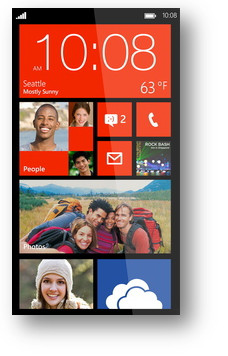
The second generation Windows Phone was release in October 2012.  Windows Phone 8 bundles essential functionality including navigation, storage, sharing and apps.

Windows Phone 8 runs Modern UI (Metro) which is typography-style layout also known as Swiss Style.  Microsoft added several new colors as additional options for users such as Cobalt, Olive, Amber, Steel and many others.

The apps collection does not include popular apps such as YouTube, Flash, HBOGO and several others.  Lastly, Windows Phone 8 does not have vocal turn-by-turn navigation.

Unlike iOS and Android, the core of social media, such as Facebook and Twitter, are built-in to the operating system.  Windows Phone 8 does not have a notification bar (Android) or disrupting notifications (iOS).  Checking social media updates, e-mail and weather will be a simple task after setting up your home screen by arranging live tiles.


CALL US NOW!