Back to Top

Tech, Web, Cloud & Cabling Services

Save Your Place In Word With Macros

Save your place in word a document using macros!

Takeaway: Use these two simple Word macros to temporarily bookmark a spot you want to return to later.

Large documents offer a few navigating challenges, especially when you need to jump back and forth between two areas. You could split the document, but that splits the screen and that might not be the right solution for you. Or, you could use any of the normal navigation tools and shortcuts, but it’s easy to get lost that way. Using VBA, you can insert a bookmark that acts as a placeholder. Then, when you’re ready to return, a single quick click is all that’s required.

This technique requires two quick macros, which follow:

Public Sub InsertBookmark ()

‘Insert bookmark for srz.

Call Bookmarks.Add(“srz”, Selection.Range)

End Sub

Public Sub ReturnToBookmark ()

‘Return to previously inserted bookmark.

ActiveDocument. Bookmarks(“srz”).Range.Select

End Sub

To add the macros, press [Alt]+[F11] to launch the Visual Basic Editor (VBE). In the Project Explorer, find ThisDocument for the current document. Then, enter the two sub procedures shown above.

Next, return to the document and add the macros to the Quick Access Toolbar (QAT), as follows:

  1. From the QAT dropdown, choose More Commands.
  2. From the Choose Commands From dropdown, choose Macros.
  3. In the list on the left, find InsertBookmark.
  4. Click Add to add the macro to the list of commands on the right.
  5. With the macro still selected, click Modify.
  6. In the resulting dialog, enter Mark in the Display Name control, and click OK. You could also change the macro’s display icon.
  7. Repeat steps 3 through 6 to add ReturnToBookmark to the list on the right and add the display name, Return.
  8. Click OK.
In Word 2003, drag the macros to the toolbar as follows:


  1. Launch the Customize dialog box by double-clicking a toolbar or menu or by choosing Customize from the Tools menu.
  2. Click the Commands tab.
  3. Choose Macros from the Categories list.
  4. Find InsertBookmark in the Commands list and drag it to the toolbar.
  5. Find Return ToBookmark and drag it to the toolbar.
  6. Click Close.
Using the macros is simple. 

“Hurricane Sandy: Coming Together”

This Friday night, the networks of NBCUniversal will host “Hurricane Sandy: Coming Together,” a one-hour live telethon to benefit the American Red Cross, from 8:00 – 9:00 p.m. ET.

Hosted by Matt Lauer (NBC’s “Today Show”), the November 2 program will feature scheduled performances by Sting, Bruce Springsteen, Christina Aguilera (NBC’s “The Voice”), Bon Jovi and Jimmy Fallon (NBC’s “Late Night with Jimmy Fallon”). NBC Nightly News Anchor Brian Williams will also appear.

The networks of NBCUniversal include NBC, USA, E!, G4, Syfy, Bravo, Oxygen, Discovery and A&E, which represent a huge swath of the most popular channels on cable TV. The telethon will be broadcast from the New York studios of NBC at 30 Rockefeller Plaza. It will air live across the East Coast and tape-delayed on the West. It will also will be live-streamed on NBC.com.  All donations will go to the American Red Cross to help with relief aide of Hurricane Sandy.

Tune in Friday night from 8:00 – 9:00 p.m. ET, as the American Red Cross and NBCUniversal Networks host a live telethon benefit.

South Jersey Techies – Managed Services for Businesses

If you’re  tired of the break and fix relationship you have with technology, and would  like a proactive approach for keeping your business running smoothly…

Managed Services

South Jersey Techies, LLC offers complete Flat Rate IT management solutions that take the hassle out  of managing and maintaining your critical IT systems. We’ll customize a managed services support  plan that is tailored to your environment and meets and exceeds the specific  needs for your technology management and support.

What is Managed IT Services?

Managed IT Services is a new solution to an old problem. Instead of the traditional pay to fix a problem as it happens, you pay one  consistent monthly price and your computers, servers and network are  continuously and proactively kept running efficiently.

Automate IT Actions

Automate | Cut Costs | Boost Profits

Being more productive and proactive brings more success in your business. Automation is the key to increase productivity. Maximize  your IT budget and staff by offloading routine IT functions to South Jersey Techies, LLC.

South Jersey Techies, LLC is  always working to provide you with the tools you need to control cost, maintain  continuity, and manage change in your evolving business environment.

Cut Operational Cost

Our  Managed Services enable you to focus more on your business while South Jersey Techies, LLC  proactively manages and monitors your data, security and voice networks.

South Jersey Techies automates your repeated activities such as updating antivirus definitions, upgrading Internet Explorer, installing software, executing scripts, etc. and helps you to concentrate on things that offer more value to your business.

Automation drives to cut down operational costs and achieve higher profits. Our Operations Center will proactively monitor the desktops, servers and applications for availability and performance and reduce down times of business critical applications.


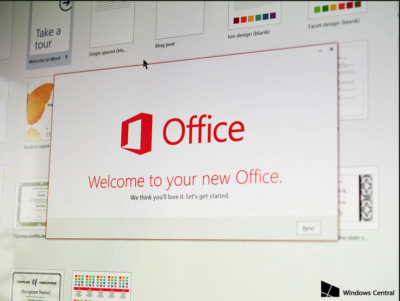
Office 2016 Preview

Office 2016 Preview for existing Office 365 subscribers

For enterprise

Office 365 administrators with an Office 365 ProPlus subscription can now enable the Office 2016 Preview for their organization by turning on First Release. Learn how to turn on First Release.

Once First Release is turned on, users can install the Office 2016 Preview.

Enabled Office 365 ProPlus users

1. Sign in to the My Software page.

2. Go to Try the next version of Office.

3. Click Install.office2016

This will install the Office 2016 Preview on your device.

Note Enabled Office 365 ProPlus users can follow the same process above to install the Project 2016 Preview and the Visio 2016 Preview. On your Software page, select Project or Visio from the Software list. If Project and Visio are not listed, they are not included with your subscription.
Not ready to join First Release? You can still get the Office 2016 Preview,find out how.

For home

  • Go to the Office M Account page.
  • Click Language and install options.
  • Click Additional install options.
  • Open the Version drop-down menu and select the 32-bit or 64-bit Office 2016 Preview.
This will install the Office 2016 Preview on your device. You will stay on the Office 2016 Preview track until you uninstall the Office 2016 Preview or until Office 2016 is released.

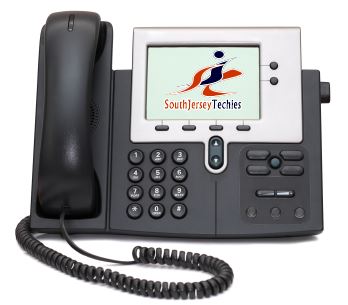
South Jersey Techies A High Quality VOIP Provider

VOIP

South Jersey Techies


South Jersey Techies is a high quality VOIP provider.

Our VOIP Solutions let you combine voice and data into a single, easy to manage service and helps you focus on your business, not your network and phone systems.

You can control how your calls are routed from a simple, web based portal accessible from any browser in the world. Use the Find-me/Follow-me feature to make sure you never miss another important call, no matter where you are. With this premium level feature, you get to decide which business calls get through to you at your desk, your cell phone or even at home if you like. You also get to decide which callers go directly to voice mail without even ringing your line.

South Jersey Techies offers a wide range of VOIP Phone Services.  We also offer cheaper, simpler plans that include both local and nationwide long distance calling.

With our hosted VoIP solution there is no expensive PBX equipment in your office to go down, fail or get damaged during a storm. Only your IP phone handsets reside in your office, and those can be easily taken out and moved at any time.

Go VOIP – Go Green – it has a good ring to it don’t you think

South Jersey Techies VoIP systems are more energy efficient and help reduce the need for work related travel and car usage.  Our VOIP Solutions also help reduce paper usage. A great example of this is the fax to e-mail system enabling your company to save on paper usage as the fax no longer has to be printed out, and this applies to both incoming and outgoing faxes.

South Jersey Techies VOIP Advantages:

  • Lower Costs: Save money by combining your phone and data networks
  • Greater Functionality
  • Less maintenance
  • Excellent Voice Clarity and Call quality
  • Free calling features with optional advanced features
  • Mobility: The ability to use your smartphone as an extension of the office phone system, including the ability to have business calls automatically directed to your cell phone and make outbound calls from your smartphone as your office number.
  • Portability: The ability to use any computer or office phone as your personal extension.
  • Flexibility: The ability to redesign your phone system on the fly by simply logging into your VoIP provider’s dashboard.

For more information please visit out websites below, we look forward to serving you:

http://southjerseytechies.net/voip.php

http://www.sjtechies.com/voip-phone-services/

CCleaner – Free System Optimization Download!

CCleaner
Optimization and Cleaning

Features
CCleaner is a free SJT recommended system optimization, privacy and cleaning tool. It removes unused files from your system – allowing Windows to run faster and freeing up valuable hard disk space. It also cleans traces of your online activities such as your Internet history. Additionally it contains a fully featured registry cleaner. But the best part is that it’s fast (normally taking less than a second to run) and contains NO Spyware or Adware!

Cleans the following:

Internet Explorer
Temporary files, history, cookies, Autocomplete form history, index.dat.

Firefox
Temporary files, history, cookies, download history, form history.

Google Chrome
Temporary files, history, cookies, download history, form history.

Opera
Temporary files, history, cookies.

Safari
Temporary files, history, cookies, form history.

Windows
Recycle Bin, Recent Documents, Temporary files and Log files.

Registry Cleaner
Advanced features to remove unused and old entries, including File Extensions, ActiveX Controls, ClassIDs, ProgIDs, Uninstallers, Shared DLLs, Fonts, Help Files, Application Paths, Icons, Invalid Shortcuts and more… also comes with a comprehensive backup feature.

Third-party applications
Removes temp files and recent file lists (MRUs) from many apps including Media Player, eMule, Google Toolbar, Netscape, Microsoft Office, Nero, Adobe Acrobat, WinRAR, WinAce, WinZip and many more…

100% Spyware FREE
This software does NOT contain any Spyware, Adware or Viruses.

To download your free copy of this software Click Here

CALL US NOW!