Need something fun to do with the kids this holiday season? Stop by our new office located at 229 North Locust Ave in Marlton, New Jersey and check out our first ever Lights to Music Display!


Tech, Web, Cloud & Cabling Services



One of the major news in March 2016 was that Microsoft was considering bidding $8 billion to purchase Slack. However, Bill Gates and the team decided that instead of buying Slack, they would develop their own chat app tool. Teams is mostly a Slack alternative, but it’s also meant to replace Skype for Business, which up until recently was Microsoft’s corporate video conferencing service. The app’s main functionality is the group chat that comes with plenty of features. Some of these features include editing, deleting, pinning messages, as well as starting a new thread and sharing files. You can even send .gif images, as well as emojis. Possibly due to Skype’s legacy, Teams includes a bunch of video features that Zoom doesn’t. There are real-time captions, built-in meeting notes, and a bizarre feature where you can pretend you’re in the same room as your coworkers!
To be clear: Zoom is a perfectly capable and liked solution. That doesn’t mean other apps are not offering anything interesting, and Microsoft in particular is trying a bunch of new things in the space. Here are a few highlights.
Zoom is a video conferencing app—and that’s about it. What happens if you’re in the middle of an important meeting, but need a way to take some notes? You think you’d have to use Microsoft Word or another program, but did you know that Teams has its own meeting notes feature, too? Microsoft Teams is built around the idea that it will be the all in one tool you use for all collaboration: team chat, video calls, and even internal documentation.
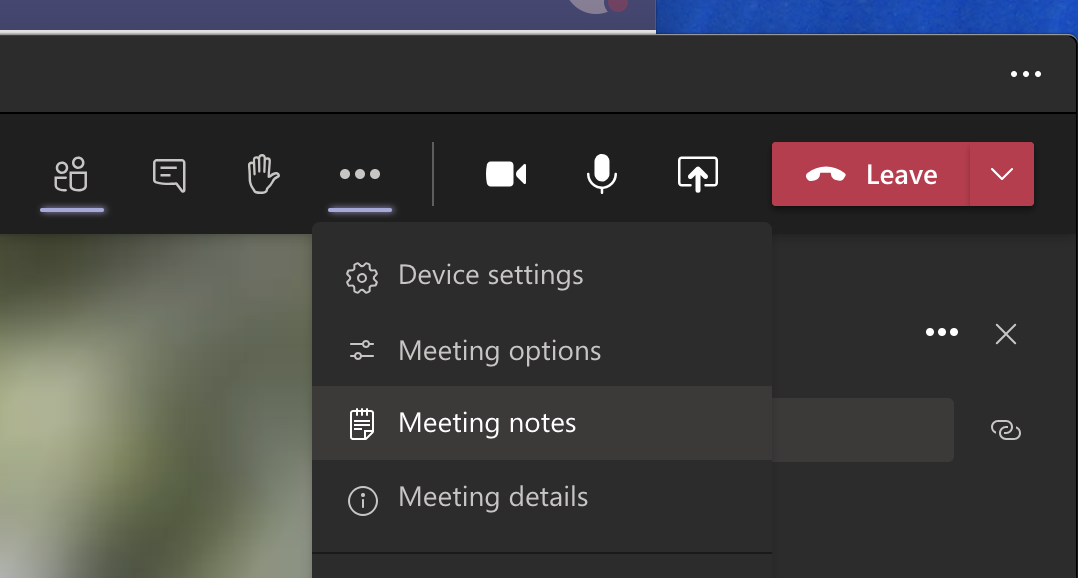
Click Meeting notes, and a new tab for meeting minutes will be created in the current channel.
Notes get saved as part of the meeting itself, and can go anywhere with you, and will be saved for later or for sharing with your coworkers.
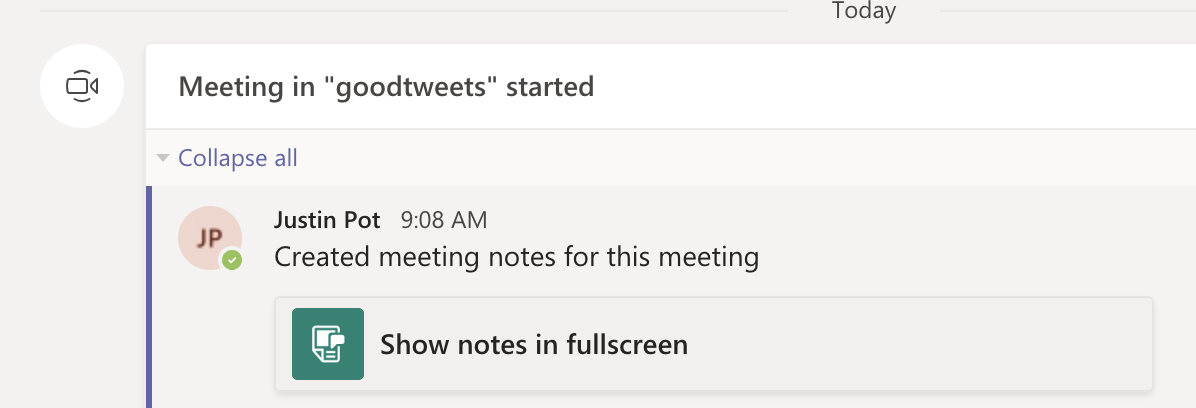
This is a quick way to ensure there’s a written record of the meeting in a place where everyone can access it, which is very slick.
Zoom chat is very simple. Microsoft Teams’ chat for meetings, on the other hand, has more formatting features than AIM.
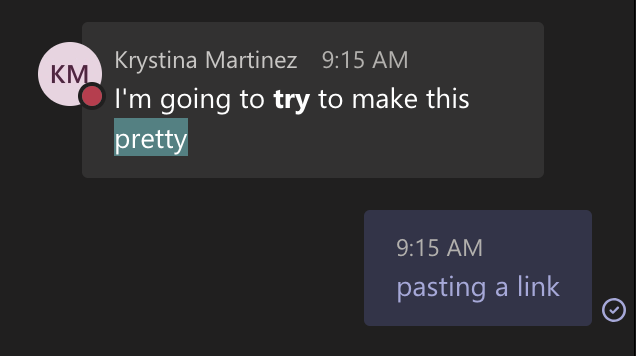
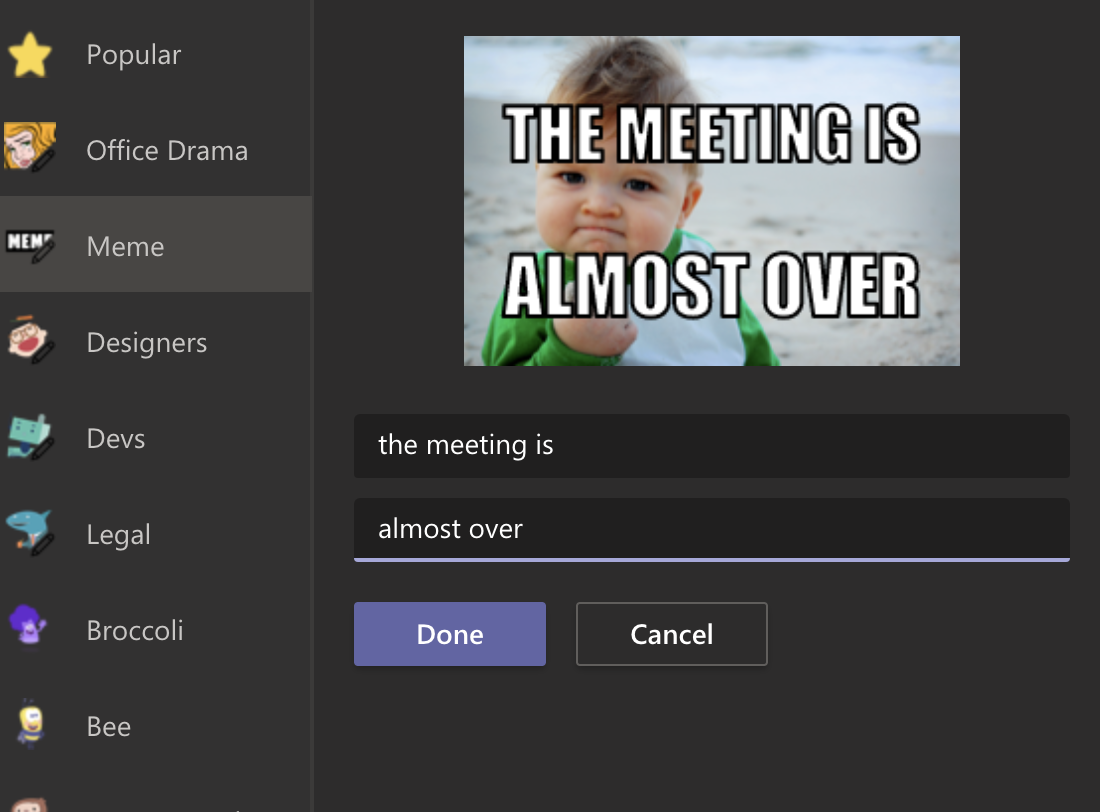
We’re not sure if you have the multitasking skills to format text during a meeting, but it’s there if you want it. And this is just the beginning—there’s a large sticker collection and, for some reason, a meme creator. Imagine how much fun this can make your meetings!
Microsoft Teams also keeps a record of the chat from every meeting and posts all comments in the channel.
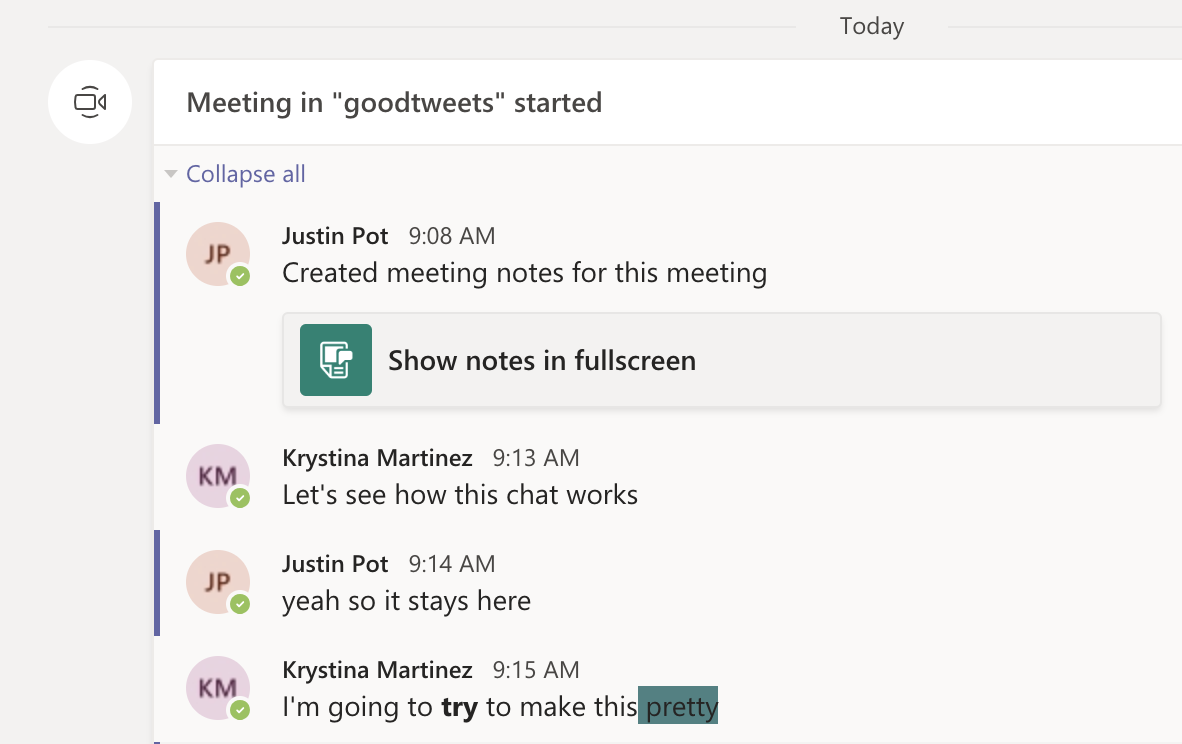
Have you ever lost track of helpful links and information during a Zoom meeting? With Teams, you can review the comments after the meeting, and any points made there can be found using search alongside the rest of your chats. It’s easy to see why this is useful.
Zoom backgrounds are, at this point, an important part of our collective human culture—the ultimate form of self-expression. With this best practice, you can have your meeting almost anywhere, and disguise whatever happens in the background around you. Naturally, Microsoft Teams offers custom backgrounds for meetings.
Zoom has two views that you can switch between. Speaker View and Gallery View: essentially, you can see the person talking right now or see everyone at once. Microsoft Teams adds another: Together Mode. Everyone on the call is shown as though they’re sitting next to each other in some kind of classroom, or sporting event like we’ve seen on TV with the NBA,MLB, NHS and NFL.
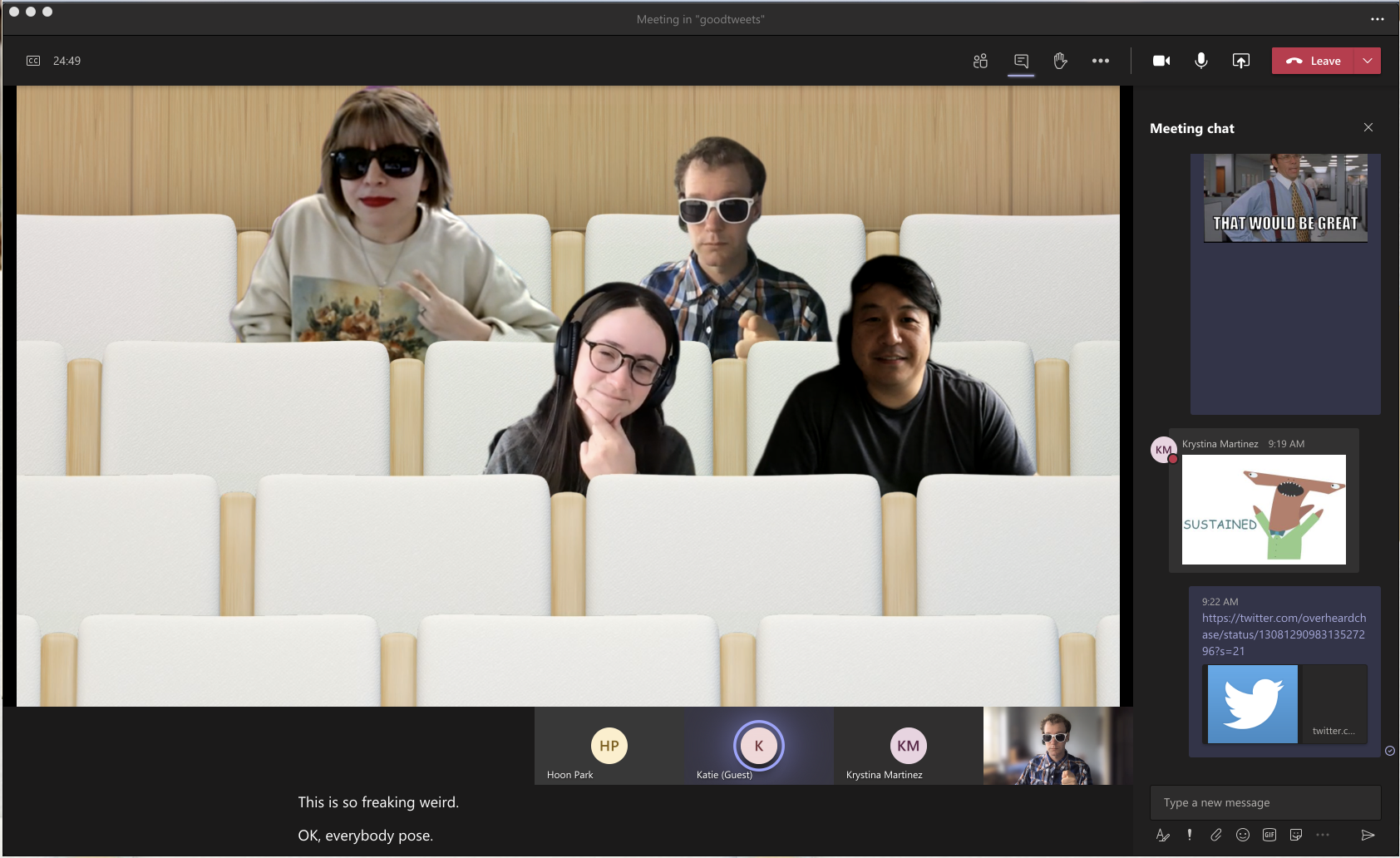
This is optional, and turning it on only changes things on your screen.
Is this useful? No. Will it make you feel slightly less alone during a year in which in-person interaction is rare? No. Is it somewhat amusing? Yes.
Teams can detect what’s said in a meeting and present real-time captions. And, if you’ve turned on the new meeting experience, your captions will include speaker attribution—so you’ll see not only what’s being said, but who’s saying it.
Zoom offers a closed captioning feature, but someone has to manually type them out. Microsoft’s system recognizes speech automatically. Live captions can make your meeting more inclusive to participants who are deaf or hard-of-hearing, people with different levels of language proficiency, and participants in loud places by giving them another way to follow along.
Zoom is free, but the free version limits meetings to 40 minutes. Microsoft Teams’ free version has no such restrictions for video meetings.
There’s also a good chance you’re already paying for the full version. Microsoft Teams is included with every version of Microsoft 365 for business. This means that, if your company pays for a Microsoft Office subscription, you already have access to Teams. You should probably give it a chance and consider not paying for Zoom and/or Slack on top of it.
Features
Best for
If you have any questions, please email us at support@sjtechies.com or call us at (856) 745-9990.

SSL Certificate Industry Change
There’s a pretty big change coming for SSL Certificates. And, we think it’s really important to keep you in the loop on these changes.
The biggest change you need to be aware of: if you have an active SSL certificate with an intranet name (e.g.’server1?, ‘mail’, ‘www’, ‘server2.local’, etc.), or a reserved IP address, it’s going to be revoked by October 1, 2016.
Also, on July 1, 2012, customers will no longer be able to purchase, renew, rekey, or manage their SSLs with intranet names or IP addresses that expire past November 1, 2015.
This is an industry-wide decision, not one specific to our company.
For more information on the Certification Authorities Browser Forum guidelines, go here.
For more information on which IPv4 Addresses are reserved, go here. We do not support any certificates using IPv6.
Our highly trained, courteous support staff is waiting to take your call. Whatever time it takes to assist you, that’s the time you’ll receive. We’ll resolve any issue to your complete satisfaction.
Check out our new website for J-MARKS Custom Painting Services www.j-markspainting.com

The Web Design team of South Jersey Techies has been constantly working on developing the best websites including easy mobile approach and the latest website developed by the team is J-Marks Painting. J-Marks Painting has been serving and satisfying more than 3000 clients in the South Jersey area since 1995. They have the expertise, knowledge and talent to make your dream project come true.

Want to know how the websites developed by our team appears on your smartphone? Here is a glimpse.
Our Web Design team is here to help
Call us at: 856-745-9990 or visit: https://www.sjtechies.com
South Jersey Techies, LLC is a full Managed Web and Technology Services Company providing IT Services, Website Design Services, Server Support, Network Consulting, Internet Phones, Cloud Solutions Provider and much more. Contact for More Information.
The Website Design team of South Jersey Techies has been constantly working on developing great looking websites using the latest web technologies. The most recent website developed by our team is for Line Side Electric, LLC located in Blackwood, New Jersey.
Line Side Electric maintains a staff of experienced project managers, estimators, and a crew of quality electricians capable of performing system repairs, renovations, as well as the installation of new electrical systems. They strive to beat budgets and timelines while maintaining the highest level of quality. Their goal is to be considered both reliable and responsive to all of our customers at all times. Check out their new site for the services they have to offer and contact them today for more information!

Have questions?
Our Web Design team is here to help. Call us at: 856-745-9990 or visit: https://southjerseytechies.net.
South Jersey Techies, LLC is a full Managed Web and IT Services Company located in Marlton, NJ providing IT Services, Managed IT Services, Website Design Services, Server Support, IT Consulting, VoIP Phones, Cloud Solutions Provider and much more. Contact Us Today.
 Takeaway: How to use PC Remote App & Server software to control your PC with a Windows 8 Phone.
PC Remote App is an easy and secure way to remote into your PC from a Windows 8 Phone. Two versions are available, PC Remote (free) and PC Remote Pro ($2.99).
1. Download the PC Remote Server from http://www.pcremoteserver.com/PCRemoteSetup.msi
2. Run PCRemoteSetup.msi file
3. After install, you can setup a password. Select “Password” Tab.
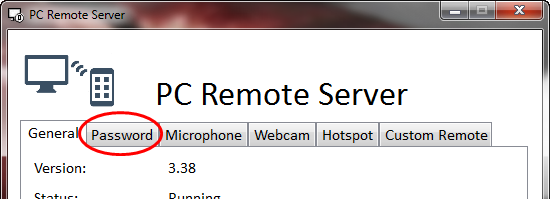
5. Check “Enable”
6. Enter the password
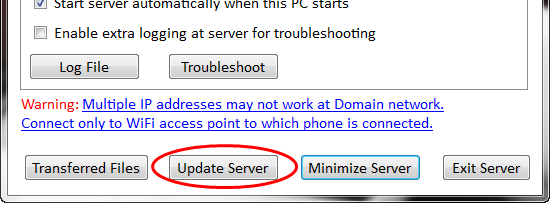
7. Select the “General” Tab and then Click “Update Server”.
1. Open Windows Phone Store App.
2. Search for “PCRemote” (Select Free version) and tap “Install”.
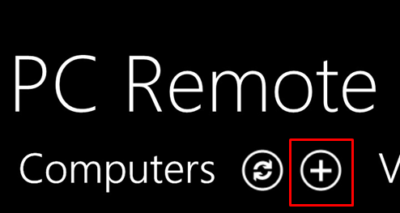
3. Select “+” to add the IP address of the server machine.
4. Insert the IP address of the server machine and password you selected in Step 1.
5. Return to the main screen and select your machine.
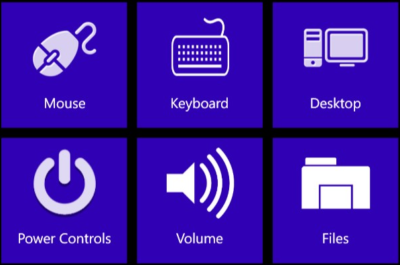
6. From the control menu you can choose multiple control options.
If your mobile connection keeps cutting out, this update should fix it.

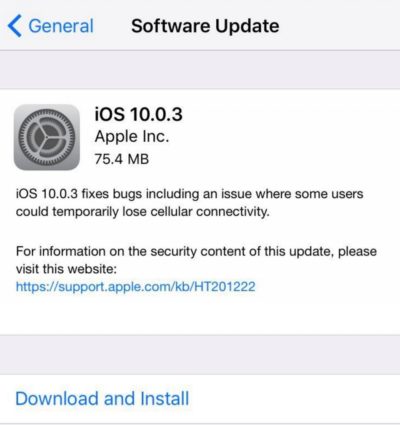
Apple on Monday released iOS 10.0.3, an update for the iPhone 7 and iPhone 7 Plus. To install the update, open the Settings app and tap General > Software Update. The update can also be installed by connecting your iPhone 7 to your Mac and using the iTunes app.
iOS 10.0.3 addresses an issue that could cause the iPhone 7 to “temporarily lose cellular connectivity.” The workaround to the issue before the update was to turn off Voice over LTE.
Since the 10.0.3 update addresses an issue specifically for the iPhone 7, the update is not seen by other iPhone models. For now, the iPhones in Apple’s current lineup are on different iOS versions. When Apple releases the iOS 10.1 update, which includes the Portrait mode camera feature, the iPhones will probably be back in iOS version alignment.
Tip: Before updating your iPhone 7, be sure to back up your data.
Get answers from Microsofts Cloud Solutions Partner!
Call us at: 856-745-9990 or visit: https://southjerseytechies.net/
South Jersey Techies, LL C is a full Managed Web and Technology Services Company providing IT Services, Website Design Services, Server Support, Network Consulting, Internet Phones, Cloud Solutions Provider and much more. Contact for More Information.
To read this article in its entirety click here.
At the end of the day on April 16, Microsoft officials said Office 2010 and SharePoint 2010 were released today to manufacturing.
According to the company, more than 7.5 million people have downloaded the beta of the “2010 set of products” for the PC, mobile phone and browser. That’s more than three times the number of individuals who tested Office 2007, company officials said in a post to the Office 2010 Engineering blog.
MSDN and TechNet subscribers will be able to download the final bits starting April 22, company officials said.
Volume licensees with Software Assurance for these products will be able to download them in English from the Volume Licensing Service Center on April 27. Customers without SA will be able to get these products through the VLSC starting May 1.
The launch of Office 2010 is on May 12 in New York City. Virtual launch events also kick off that day. Office 2010 will be available in retail stores in June in the U.S.
Article located here to read more.
 CALL US NOW!