The colder months are here, and many families in our community are struggling to stay warm. 

Tech, Web, Cloud & Cabling Services

Events Category
The colder months are here, and many families in our community are struggling to stay warm.

Microsoft announced a slew of new goodies at its Windows event in New York. Catch up on everything from the Surface Studio all-in-one to the Windows 10 Creators Update here.
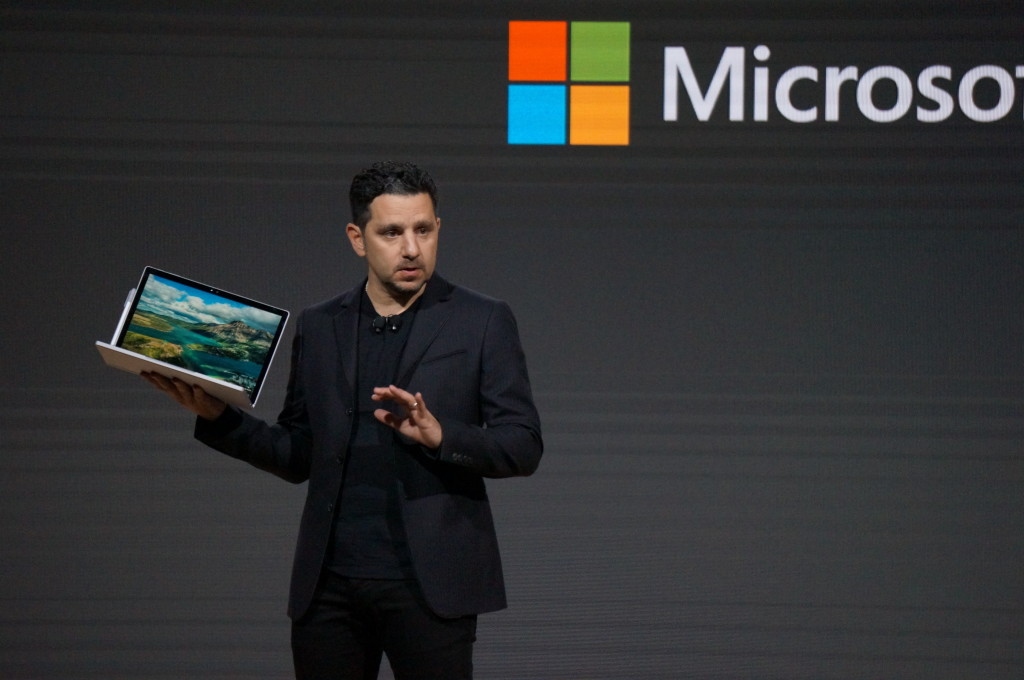
Microsoft’s big event in New York on Tuesday included plenty of new Surface hardware, but nevertheless, it’s easy to see why the company called this a Windows event rather than a Surface shindig.
Windows and devices chief Terry Myerson kicked things off with a tantalizing glimpse of the features that will debut with the new Windows 10 Creators Update, scheduled to release in the spring. The rest of event was dedicated to new Surface gear designed specifically to marry powerful, thoughtful hardware with the best of those new software features. But don’t take my word for it! Here’s everything Microsoft announced at its October 26 Windows event.
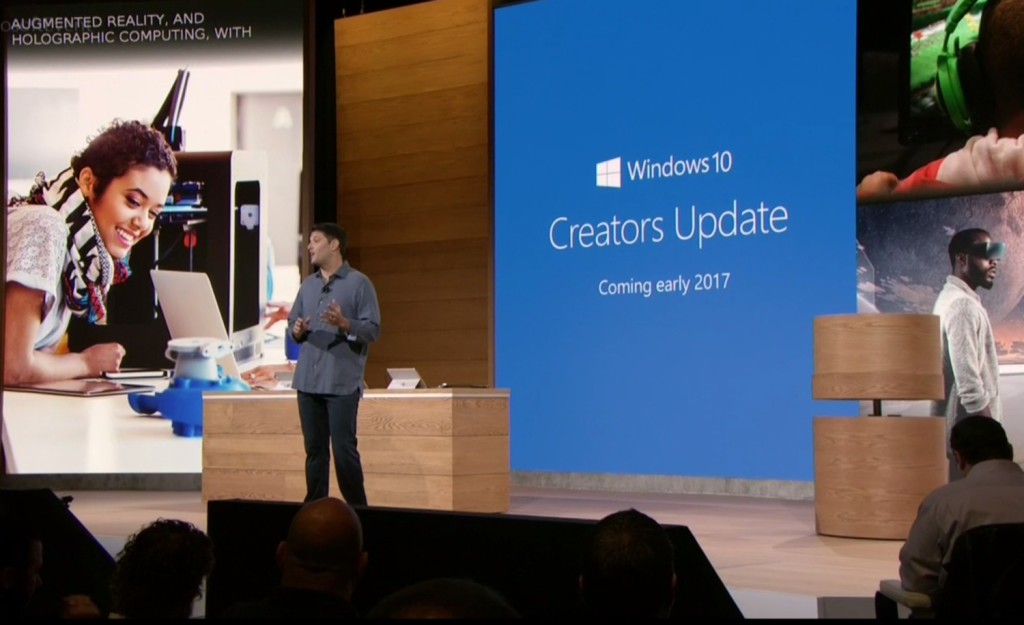
As I said, the freshly revealed Windows 10 Creators Update, scheduled to arrive in early 2017, kicked off the show. The update’s built around three key pillars: the creation and manipulation of 3D content, sharing your Xbox Live gaming experiences, and easily communicating with others—hence the name.
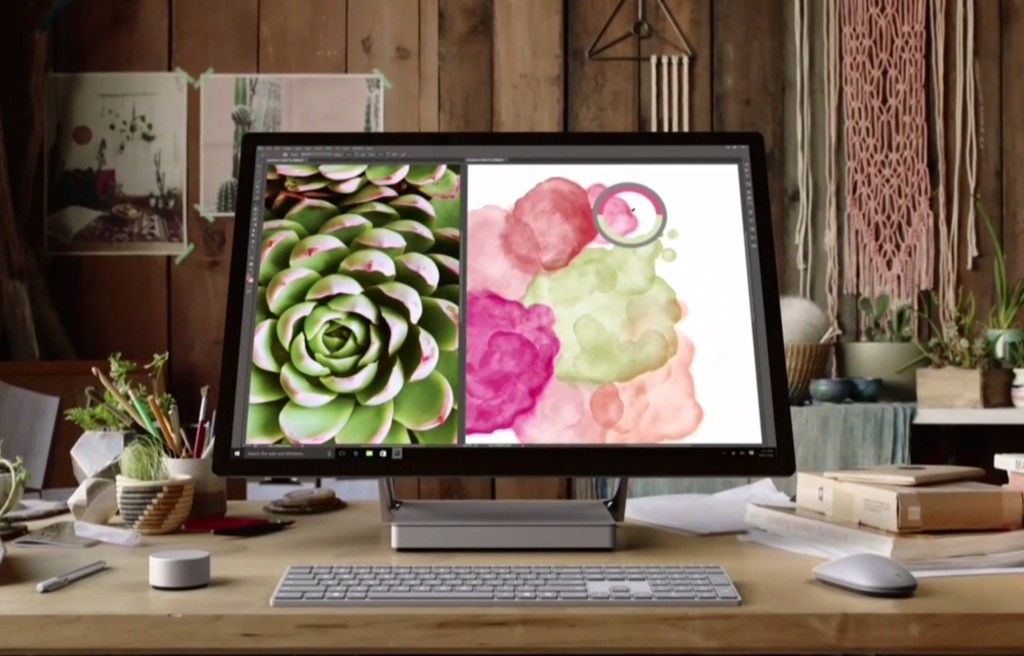
Microsoft’s first-ever desktop PC is the paragon for all those Windows ideals. The Surface Studio all-in-one mixes stunning physical design and impressive internal hardware, focused on creating the best experience possible for professionals and content creators. From an ultra-slim 4,500×3,000-resolution screen with “True Scale” 1:1 image recreation, to the ability to lay at a 20-degree angle for natural positioning while sketching, to the 6th-gen (Skylake) Core i7 CPU and Nvidia GPU powering it all, the Surface Studio is laser-focused on helping you get things done. (And showing off Windows in the best possible light, naturally.)
These tidbits are just the tip of the iceberg. If you like what you see, the Surface Studio starts at $3,000 and is available for preorder now.
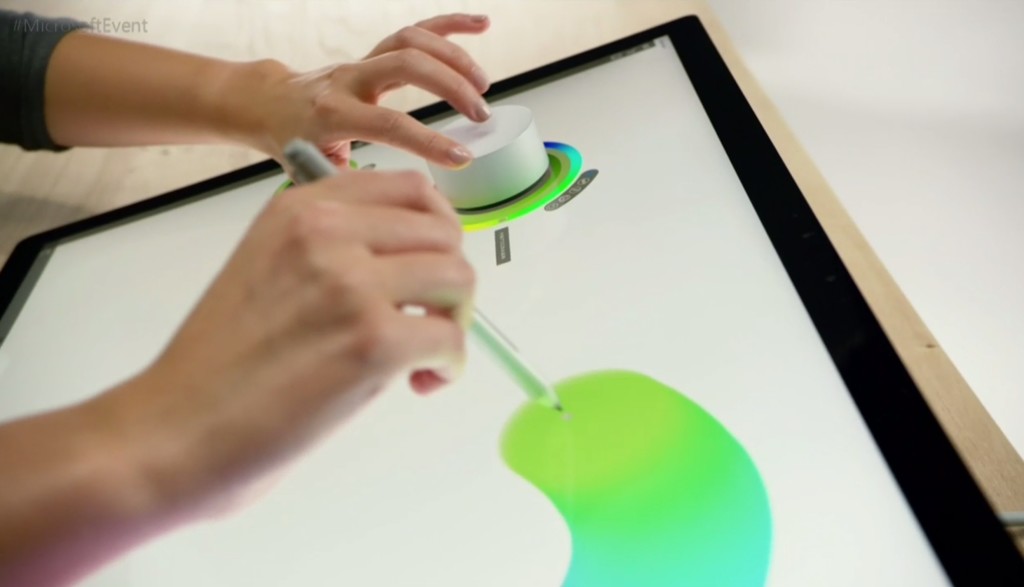
The Surface Studio’s content-friendly design and Windows 10’s new content creation tools are amplified by the Surface Dial, a radical puck that can control Microsoft’s new PC. It’s primarily designed to work in conjunction with Microsoft’s Surface Pen. Priced at $100, you can preorder it now.
The Surface Dial doesn’t have any buttons of its own. Instead, using it reveals an interface wheel customized for specific applications, with selections occurring as you twist the device back and forth. You may cycle through tool-tip brushes in an image editing app, for instance, or rewind and fast-forward through written notes in Office. A virtual version of the Dial appears even if you don’t place the puck directly onscreen, letting you zoom, scroll, and adjust various options like screen brightness and volume. Mark Hachman’s Surface Dial hands-on explains it all.
Support for the Surface Dial will be baked right into Windows 10, and the accessory will be compatible with the existing Surface Pro 3, Surface Pro 4, and Surface Book.
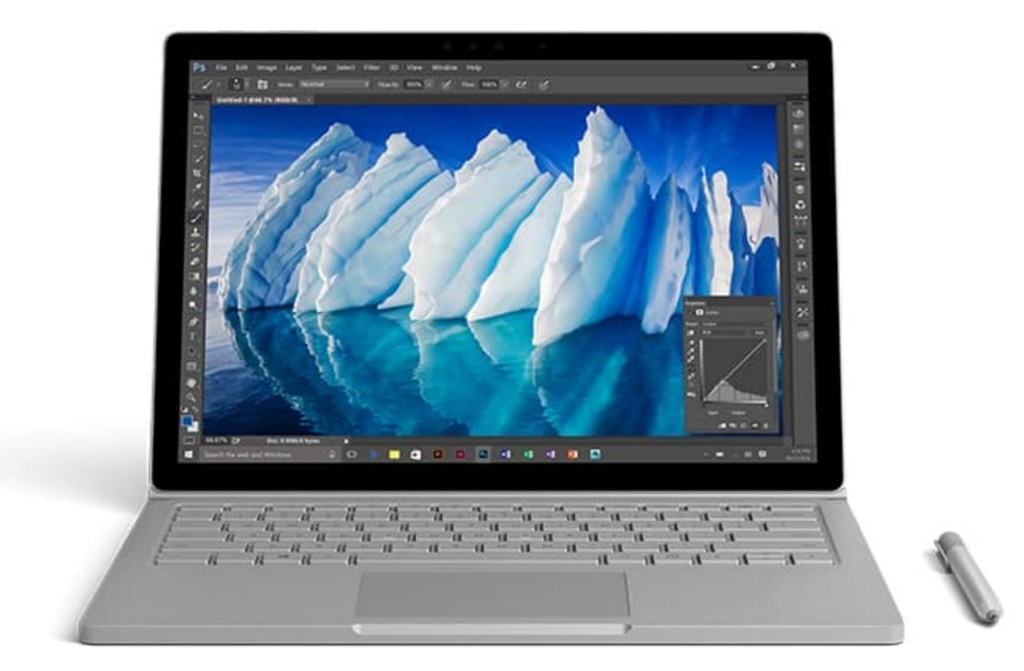
Handily enough, Microsoft also revealed a newer, more powerful version of the Surface Book, the aptly named Surface Book i7. The Surface Book i7 swaps in a sixth-gen Skylake Intel Core i7 processor and an Nvidia GTX 965M GPU to deliver twice the power of the most potent original Surface Book, and (Microsoft claims) three times the power of the beefiest 13-inch MacBook Pro—though Apple’s expected to roll out new Macs tomorrow.
Microsoft also managed to up the Surface Book i7’s battery life to a claimed 15 hours, despite the additional firepower, thanks to a redesigned cooling system and, well, more batteries. The Surface Book i7 starts at $2,400 and is available to preorder now.
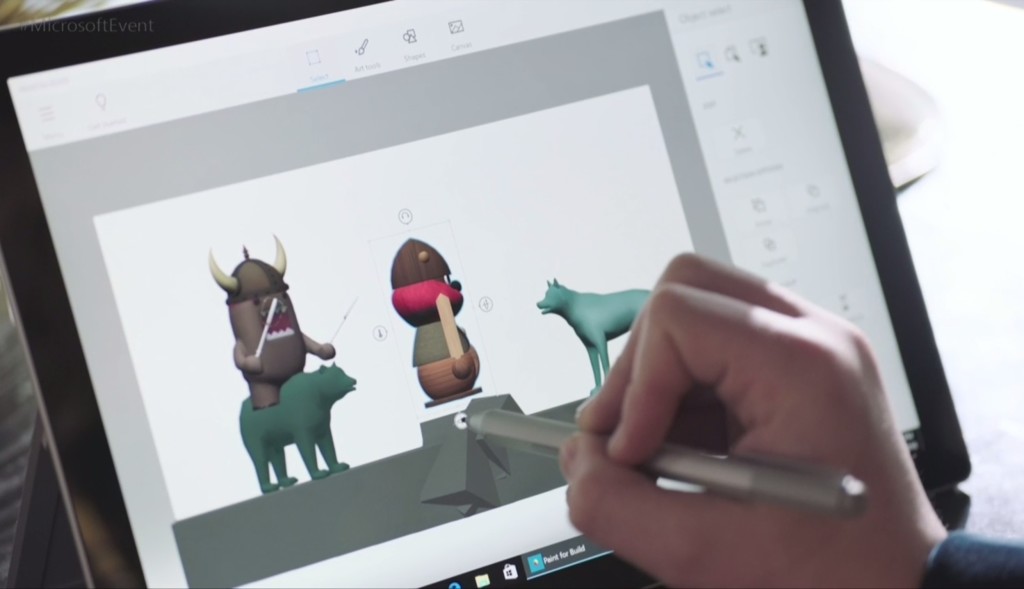
Windows’ venerable Paint app is being dragged into the 21st century. The Windows 10 Creators Update adds Paint 3D, a Windows Store app designed from the ground up to create 3D images even out of 2D pictures.
Paint 3D includes numerous tools for editing three-dimensional images. It also integrates with a new Windows 10 3D-scanning app dubbed Windows Capture 3D, which allows you to digitize real-world objects. Microsoft plans to introduce a “community” hub on Remix3D.com for shared 3D images, plus it’ll let you drag your creations out of Minecraft. Microsoft Office applications will also support 3D images after the Windows 10 Creators Update rolls out.
You have to wonder how many non-professionals are interested in 3D image creation, but there’s no doubting that Paint 3D looks mighty nifty—and like a perfect match for the Surface Studio and Surface Dial’s capabilities.
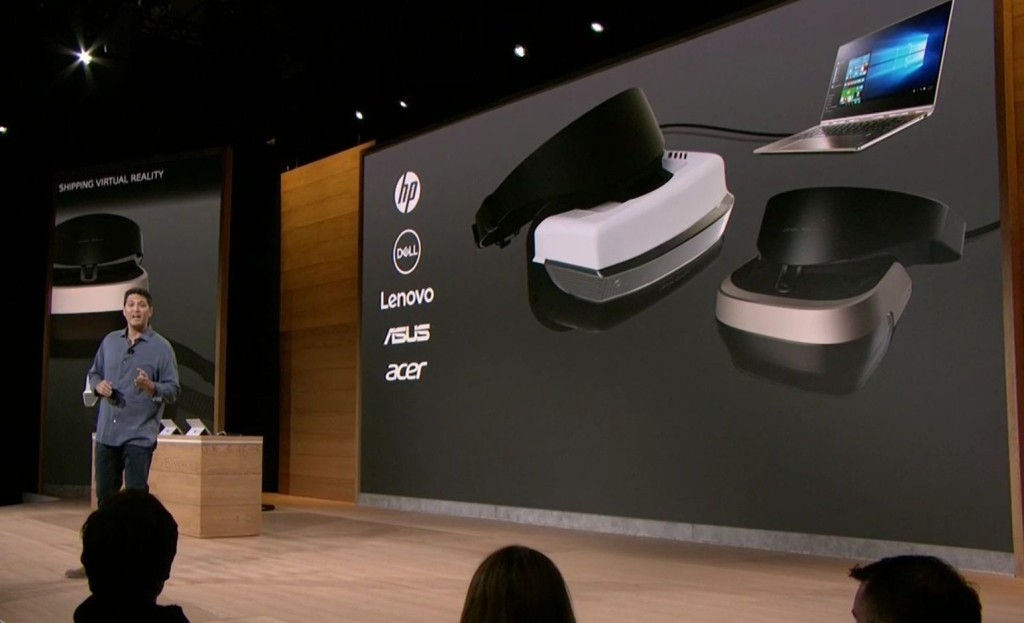
You’ll be able to view those 3D creations through Microsoft’s own HoloLens, or via an onslaught of Windows Holographic-compatible VR headsets apparently coming from Dell, HP, Lenovo, Asus, and Acer.
“These headsets will be the first and only to ship with inside-out, six-degree-of-freedom sensors,” said Microsoft’s Terry Myerson. “Unlike every other VR headset on the market today, this means there will be zero need for a separate room. Zero need for a complicated setup.”
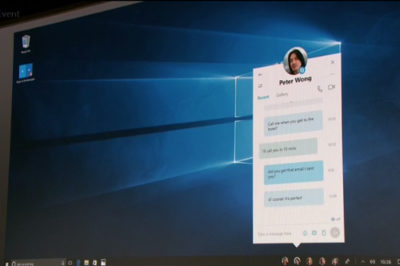
Microsoft wants to make your friends the center of your Windows experience with My People, a feature that borrows from Android and iOS. In the Creators Update, five important contacts will appear as profile images in your taskbar. You’ll be able to drop files onto these contacts to immediately share items, or click the contact to interact in a specific app like Mail, Skype, SMS, or Xbox Live. Handy!

Microsoft’s muscling in on Twitch. The Windows 10 Creators Update adds the ability to easily start broadcasting your Xbox Live games via the operating system’s Game DVR toolbar, sending notifications out to your pals and fellow club members to let them know when you’re online. Once they hop into your stream they’ll be able to chat with you, as with every other streaming service out there.
The service is powered by Microsoft’s recent Beam acquisition and looks dead-simple to use. It’s easy to envision Windows 10 Game DVR livestreaming becoming popular on consoles, but Microsoft faces an uphill battle on PCs, where Twitch and tools like Nvidia Shadowplay and OBS already enjoy massive, entrenched user bases.
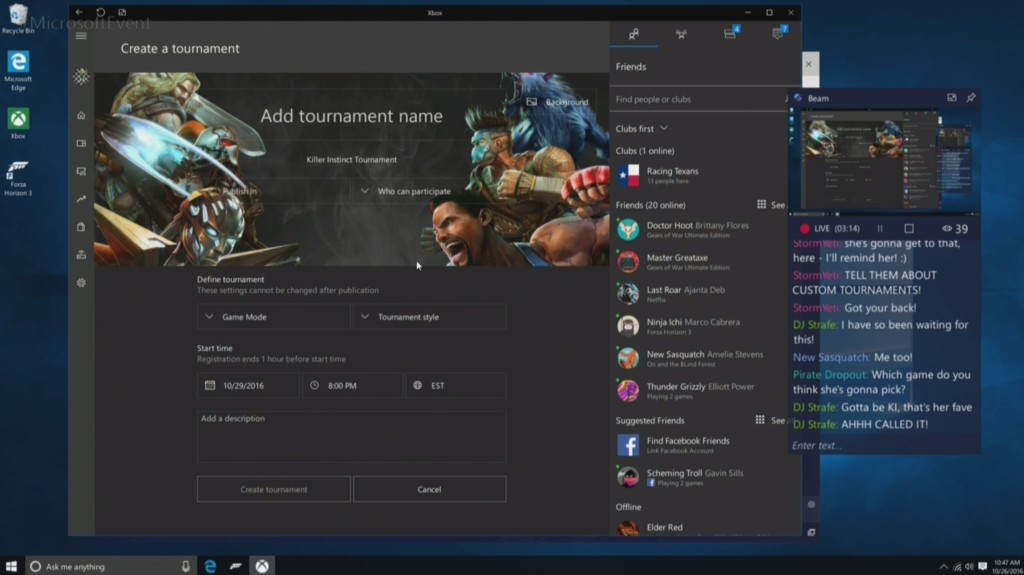
Microsoft’s tying console and PC users closer together with custom tournaments powered by Xbox Live’s Arena platform. Next year, you’ll be able to create your own custom gaming tournaments, controlling everything from the games, to the rules, to the players, to the start times. Previously, Area tournaments were only created by Microsoft and its official partners.
The Xbox One S, which is itself powered by Windows 10, is adding support for bitstreaming Blu-ray audio pass-through and Dolby Atmos. Soon, those 4K videos and games will sound just as glorious as they look.
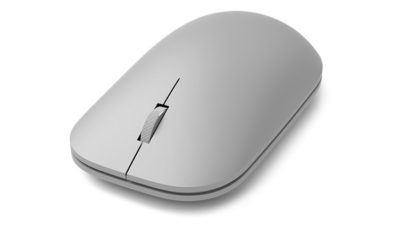
The niche Surface Dial isn’t the only Studio peripheral Microsoft announced today, though none of the others made it onto the stage during the big event. Microsoft quietly launched a Surface Mouse and a pair of desktop Surface keyboards—one standard, the other ergonomic—to complement its premium all-in-one PC. All three match the gray aesthetic of Microsoft first-ever desktop PC. The Surface Studio includes a Surface Mouse and basic Surface Keyboard, however.
You can preorder all three on Microsoft’s Surface accessories page, with shipments scheduled for early November.
If you’ve been watching the coverage of Hurricane Sandy and wondering how to help, you’ll have a chance to pitch in on Friday.
“Hurricane Sandy: Coming Together,” a benefit concert to aid victims of the storm that devastated the Northeast, will air at 8 p.m. ET on the networks of NBC Universal.
Bruce Springsteen and the E Street Band, Jon Bon Jovi, Sting, Christina Aguilera and Billy Joel will perform in the show, which will be hosted by TODAY’s Matt Lauer. Brian Williams and Jimmy Fallon will make appearances, too.
Money collected will be donated to the American Red Cross relief efforts. The special will air Friday at 8 p.m. ET on NBC, USA Network, SyFy, MSNBC, CNBC, Bravo, E!, Style Network, G4 and more. It will also be live streamed on NBC.com.
The American Red Cross is providing shelter, food, emotional support and other assistance to those affected by disasters like Hurricane Sandy. To donate, visit RedCross.org, call 1-800-RED-CROSS or text the word REDCROSS to 90999 to make a $10 donation.

Microsoft continues to build out Windows 10 – with a bumper crop of new features announced at its Build conference last week.
These enhancements will be pushed to to Windows 10 users over the coming months, with many arriving in summer when the OS will get a major upgrade dubbed the Windows 10 Anniversary Edition.
Here are the key upgrades heading to Windows 10.
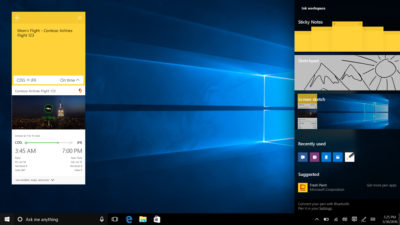
Using a digital pen to write and scribble on the screen of Windows 10 PCs and tablets will get easier.
In a boost to devices that support such pens, such as the Microsoft’s Surface tablet, the OS’ new Windows Ink feature will allow users to jot down notes on the screen without unlocking the device.
Windows Ink will also allow users to write messages on sticky notes and, if appropriate, have them automatically translated into calendar appointments and reminders.
Support for Windows Ink in Microsoft Office, Maps, the Edge browser and other apps will allow users to draw, write and annotate using their pen. Windows Ink will make using the pen in Office more satisfying than it currently is, for example tidying up highlighted marks on documents so they neatly align with text.
Windows 10 will also gain the Ink Workspace, a hub for launching apps that support writing and sketching using the Surface Pen.
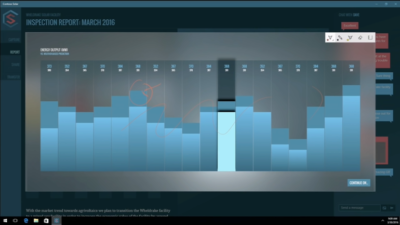
Support for drawing, writing and annotating using digital pens will likely come to many apps.
Microsoft says that support for Microsoft Ink will be easily added to Universal Windows Platform apps, requiring just two lines of XAML code.
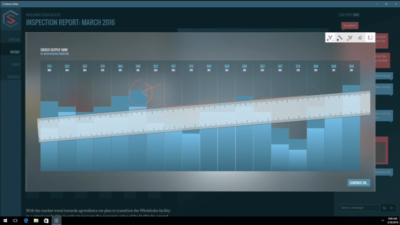
It sounds simple, but the new on-screen ruler should prove to be a useful addition for those who want to draw straight lines using a digital pen.
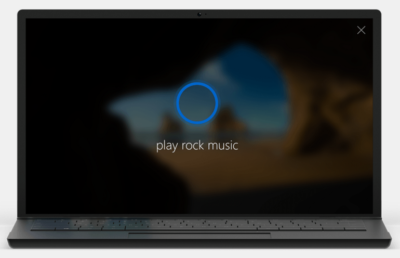
The attraction of a virtual assistant is the simplicity with which they allow you to carry out tasks.
To ease the process of using Windows 10’s Cortana, the voice-controlled assistant will no longer require you to log into Windows, with users able to make a note, play music or set a reminder from the lock screen.
Cortana will also become more proactive and make suggestions based on a user’s past behaviour – offering to order lunch or to arrange transportation.
More apps will also be able to use Cortana to automatically complete tasks for users or to carry out actions based on context, such as the user’s current location or time of day.
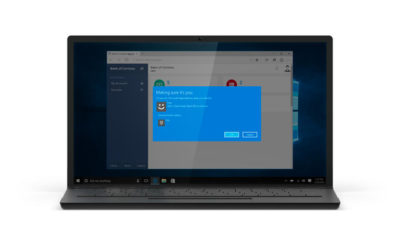
Windows 10 already lets you log into the OS using your face.
The anniversary edition will extend this biometric log-in to Windows apps and websites via Microsoft Edge. As with the OS, users will be able to authenticate their identity using a facial, iris or fingerprint scan.
Another new feature will allow users to unlock a PC running Windows 10 Enterprise Edition by tapping a Windows Hello-enabled phone, although Microsoft has said the feature will only be available on “select premium phones”.
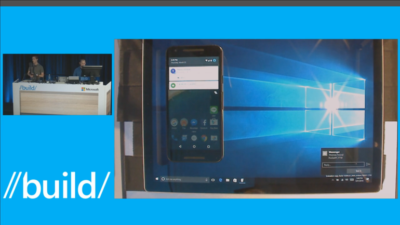
In future, notifications on Android devices will be able to show on Windows 10 PCs.
Any notification popping up on the Android notification panel can, via the Cortana Android app, also appear as a notification on a linked Windows 10 desktop.
Microsoft demoed the ability at its recent Build conference for developers.
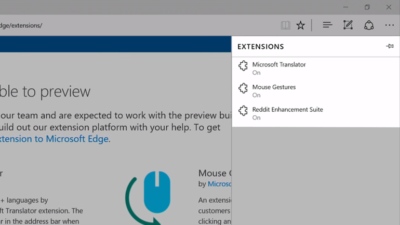
Microsoft’s Edge browser will soon gain support for extensions.
Extensions are small programs that can be downloaded to add new functionality to a browser, and are already found in Chrome, Firefox and other browsers today.
Support for extensions has already been added to Edge for those testing pre-release builds of Windows 10 under the Insider program.
The first extensions to be supported by Edge are Microsoft Translator, an extension that automatically translates pages in over 50 different languages, an extension to augment mouse gestures support, and a preview version of the Reddit Enhancement Suite.
Microsoft promises more extensions will be added later this year, including AdBlock, LastPass and Evernote.
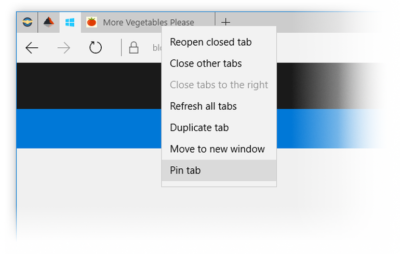
Microsoft is also adding to Edge the ability to pin your favorite sites and web apps so they always have a tab open in the browser.

The Maps app has several new features, as well as UI and performance improvements.
Additions include one-tap access to search and directions, the ability to view multiple searches and directions at the same time, labels for search results on the map and turn-by-turn directions read by Cortana.
The improved app is available now to those testing Windows 10 under the Insider program.
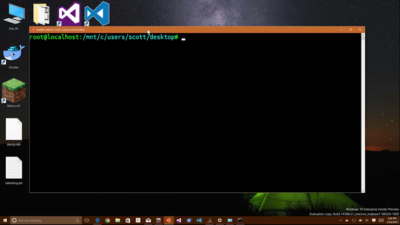
More one for developers, Microsoft is also bringing the ability to run the Bash shell to Windows.
The Bash shell is a command line interpreter that is available on many different Linux distributions, as well as Mac OS X.
The shell includes a host of tools that allow power users to carry out and orchestrate complex chains of commands.
Bash will be available via a Universal Windows Platform app, which will provide an image of the Linux distribution Ubuntu and run on the Windows 10 desktop.
Users will be able to use the Bash shell to download and install programs from the command line, as they do from inside Ubuntu. Microsoft says Ubuntu software will run as fast in the Windows app as it does natively, thanks to a software subsystem for handling Linux system calls.
Microsoft has described the app as offering a developer toolset. While it has access to the files on the Windows PC, the app only provides access to a command line — not a graphical desktop — and reportedly has limits on what it can be used for, such as not being able to run a server.
Get answers from Microsofts Cloud Solutions Partner!
Call us at: 856-745-9990 or visit: https://southjerseytechies.net/
South Jersey Techies, LL C is a full Managed Web and Technology Services Company providing IT Services, Website Design Services, Server Support, Network Consulting, Internet Phones, Cloud Solutions Provider and much more. Contact for More Information.
To read this article in its entirety click here.

Today, Mattel released Hello Barbie, a WiFi-enabled doll that detects language and ‘talks back.’ But how will this high-tech toy impact real-life relationships?
She wears black flats, a motorcycle jacket, and skinny jeans. Her curly, bleach-blonde hair falls just past her shoulders. She has a permanent smile and large blue eyes. And, when you talk to her, she listens.
But this young woman isn’t an ordinary friend. “Hello Barbie” is less than a foot tall, weighs just under two pounds, and is made of plastic. And she is on sale for $74.99.
Mattel’s latest Barbie, marketed for children six and up, has just hit the shelves. She is unlike any doll before her—not only does she listen, but she can talk back.
To get started, kids simply download the Hello Barbie companion app. And to turn her on, you push a button on her silver belt buckle. Hello Barbie’s necklace is both a recorder and a microphone. Using WiFi, the jewelry will pick up a child’s questions and conversations—and transmit them back to a control center for processing. Speech-recognition software, operated through ToyTalk, will detect the input. Then, Hello Barbie will reply, using one of 8,000 pre-programmed lines. Examples include:
Hello Barbie’s dialogue, while perky and fashion-focused, reflects an attempt by Mattel to create a more well-rounded character than in the past. In 1992, Mattel pulled its string-operated Teen Talk Barbie from shelves after being criticized by The American Association of University Women for the inclusion of an unfortunate line: “math class is tough.” It is no mistake that Hello Barbie’s lines includes: “Oh nice! Fun with numbers! Teaching math sounds like a lot of fun. What kinds of things would you teach—Counting? Addition? Subtraction?”
Still, the implication that Barbie is being sold as a ‘friend’ is unsettling. “Hello Barbie can interact uniquely with each child by holding conversations, playing games, sharing stories, and even telling jokes!” boasts Mattel’s website. Hello Barbie, claims Mattel, is “Just like a real friend. [She] listens and remembers the user’s likes and dislikes, giving everyone their own unique experience.”
But is she really listening?
While Barbie may appear to listen and respond, “pretend empathy is not empathy,” said Sherry Turkle, professor at MIT and author of Reclaiming Conversation. Turkle worries about how children will understand their new ‘friend.’
“They are drawn into thinking that pretend empathy is the real thing,” said Turkle. “But objects that have not known the arc of a human life have no empathy to give. We put our children in a compromised position.”
Beyond the social implications of the doll, the capabilities of the recording technology raise privacy issues.
Using Hello Barbie involves recording voice data (see the privacy policy here) and requires parental consent. However, Mattel states that “parents and guardians are in control of their child’s data and can manage this data through the ToyTalk account.” The company also states that the recordings are protected under the “Children’s Online Privacy Protection Act,” and recordings containing personal information will be deleted once they “become aware of it.”
Still, the potential for misuse of this private data is a legitimate concern. “Obviously it is a security and privacy nightmare,” said Roman Yampolskiy, director of the Cybersecurity Lab at the University of Louisville. “[The] company [is] collecting data from kids—hackers [could be] getting access to private info.”
However, like Turkle, Yampolskiy is “more concerned about social development of the children interacting with it.”
“We are basically running an experiment on our kids and have no idea if it will make them socially awkward, incapable of understanding body language, tone of voice and properly empathize with others,” he said.
It all raises the question of what is meant, exactly by ‘real’ conversation? Turkle said, “Why would we take such risks with something so delicate, so crucial: Our children’s ability to relate to each other as human beings?”
Despite concerns, Hello Barbie is here, being shipped to homes across the globe beginning today. She is being turned on, spoken to, and listened to. And when children are finished with her, she is shut down, stood on a charger (Hello Barbie cannot stand on her own) and charged back up.
When she is turned on again, Barbie might ask: “Did you miss me at all?”
“Not even an itsy bitsy, eensy weensy bit?”
How children will respond remains to be seen.
Mattel did not respond to repeated requests for comment for this story.
Get help from IT Experts/Microsofts Cloud Solutions Partner
Call us at: 856-745-9990 or visit: https://southjerseytechies.net/
South Jersey Techies, LLC is a full Managed Web and Technology Services Company providing IT Services, Website Design Services, Server Support, Network Consulting, Internet Phones, Cloud Solutions Provider and much more. Contact for More Information.
To read this article in its entirety click here.
This year will mark the first full year of release for Microsoft’s new OS. A look at what’s in store for Windows 10 this year.
Windows 10 was described as the “last version of Windows” – an OS that would evolve over time rather than be superceded.
In the few months since Windows 10’s launch Microsoft says it has been installed on more than 110 million devices. But just what lies in store for the OS in 2016, how will it get better and what new devices will it find its way onto?
Windows 10 is available as a free upgrade to Windows 7 and 8.1 users and Microsoft is getting increasingly aggressive about moving these users to the new OS.
From this year Windows 10 will automatically begin installing on most Windows 7 and 8.1 machines.
Users will still need to confirm the installation manually for it to continue. However, if they choose not to proceed it’s unclear if they can cancel it altogether, with Jeremy Korst, general manager of the Windows and Devices team at Microsoft, saying only that “the customer will have the ability to delay it for some period”.
If users do upgrade but don’t like Windows 10 they will have 31 days to roll back to their previous OS.
The automatic installation, the result of Microsoft changing the status of the Windows 10 upgrade to a Recommended update, will be preceded by increasingly insistent nag messages to upgrade. These notices are already being shown to some Windows users and have been criticised for not offering an easy opt-out.
Windows 10 launched with Microsoft Edge, a new browser that cast off a lot of the legacy code holding Internet Explorer back.
However, while speedy and capable on paper, the browser suffers from its share of bugs and is missing support for extensions, a key feature found in competitors such as Chrome and Firefox.
Microsoft will rectify this omission “early next year” when Korst said it will add extensions to Edge in test builds of Windows 10, ahead of being made generally available.
Extensions are small software programs, typically written using HTML, CSS and JavaScript, that augment the functionality of a browser.
Earlier this month, Microsoft accidentally published a website announcing the introduction of extensions to test builds of Windows 10. The site, which was taken down, referenced extensions for Pinterest and Reddit.
Microsoft originally planned to add support for extensions to Edge this year.
Microsoft’s Windows 10-powered augmented reality headset HoloLens will ship to developers in the first quarter of 2016.
The augmented reality headset places 3D virtual images in the wearer’s vision so that they appear part of the real world – for instance, a Minecraft landscape sits on a coffee table or a Skype video sits on the wall.
After trying a demo of the headset this week, TechRepublic senior writer Dan Patterson said that though the headset had a limited “field of vision”, “the 3D animations are smooth, easy to interactive with, and result in only marginal eyestrain”.
The HoloLens doesn’t come cheap, with the developer kit priced at $3,000 – although Microsoft says this early release is meant for developers and commercial customers.
Although HoloLens has obvious consumer and gaming uses, Microsoft is stressing its use for business and is working with NASA, AutoDesk, Volvo, Dassault Aviation, Case Western Reserve University, and other large organisations to develop applications for it.
The coming year will also see some notable new features added to the enterprise version of Windows 10.
Key among these additions is Enterprise Data Protection, which will allow companies to separate work and personal data on devices using containerisation file techniques. It will also encrypt data as it moves around the organisation – helping to ensure that information isn’t accessed by the wrong people.
The feature will be rolled out to people testing Windows under the Insider Program “early this year”.
Those testing early releases of Windows 10 under the Windows Insider Program will be able to get earlier access to new features from January this year.
Those who choose to be in the “fast” ring of the Insider Program will receive builds of Windows 10 more frequently in 2016, according to Microsoft VP Gabe Aul.
The price of testers getting their hands on early builds more regularly will be that this software will likely include more bugs, he said. Those testers who prefer stability to early access should opt for the “slow” ring, he said.
Microsoft is planning a major upgrade to Windows 10, codenamed Redstone, next year – with reports the upgrade will put Microsoft’s virtual assistant Cortana at the core of the OS.
An unnamed source told The Verge the new Cortana will help users with a much wider range of tasks inside Windows 10, appearing contextually in documents to provide “information and assistance” and giving Cortana control over a wider range of notifications.
The other major upgrade to Cortana will reportedly be an ability to start a task on one device and pick it up on another, for instance if you get a missed call on an Android phone running the Cortana app you could reply from your Windows 10 PC via text.
A much touted feature of Windows 10 is its ability to run a desktop OS from a phone.
Microsoft’s new Lumia 950 and 950XL handsets can – wirelessly or via a dock – be hooked up to a monitor, mouse and keyboard and used to run a Windows desktop.
The Windows 10 OS can change the look and feel of certain apps, as well as its own appearance, to suit the phone or the desktop, as well as coping with everyday desktop tasks, such as multitasking and copying files from a USB stick.
The expectation is that Microsoft will further commit to this idea of using your phone as a desktop in 2016, with rumours that Panos Panay and the team behind the high-end Surface Book laptop are working on a Surface Phone that will release next year.
Windows 10 is available as a free upgrade to everyone running Windows 7 or 8.1 but only for a limited time.
The offer of a free upgrade will expire on 29 July 2016 – after which point it seems that users will have to buy a Windows 10 licence.
However, due to the in-your-face tactics that Microsoft is adopting to persuade people to upgrade, it seems unlikely that Windows 7 and 8.1 users will inadvertently miss out on the offer.
If you’re not a fan of Windows 10 then you should buy a new PC before October.
From the end of October 2016, PC makers will have to sell new machines with Windows 10, rather than Windows 7 or 8.1.
After that point businesses that want to run older Windows versions on new machines will have to rely on downgrade rights or software assurance rights under volume license agreements.
From January 2016 Windows 10 will power another new piece of hardware,Microsoft’s touchscreen computer the Surface Hub.
The successor to its large-screen Perceptive Pixel displays, the Surface Hub will run a custom version of Windows 10 and various apps needed for workplace communication and collaboration, including OneNote, Skype for Business and Office.
The 55-inch, Intel Core i5-based Surface Hub model will sell for $6,999 (estimated retail price), and the Intel Core i7-based 84-inch version for $19,999 ERP.
Get help from IT Experts/Microsofts Cloud Solutions Partner
Call us at: 856-745-9990 or visit: https://southjerseytechies.net/
South Jersey Techies, LLC is a full Managed Web and Technology Services Company providing IT Services, Website Design Services, Server Support, Network Consulting, Internet Phones, Cloud Solutions Provider and much more. Contact for More Information.
To read this article in its entirety click here.


Have questions?
Our team is here to help. Call us at: 856-745-9990 or visit: https://southjerseytechies.net.
South Jersey Techies, LLC is a full Managed Web and IT Services Company located in Marlton, NJ providing IT Services, Managed IT Services, Website Design Services, Server Support, IT Consulting, VoIP Phones, Cloud Solutions Provider and much more. Contact Us Today.

The American Red Cross issued the following statement following the tornado in Oklahoma:
WASHINGTON, Monday, May 20, 2013 – Our thoughts and concerns go to everyone in Oklahoma following this horrific tornado.
The American Red Cross has one shelter open in Moore and is working on locating others; we continue to operate three shelters that were opened Sunday in the Oklahoma City area following the storms on Sunday.
Red Cross volunteers are out tonight with food and supplies supporting first responders.
More than 25 emergency response vehicles are positioned to move at first light Tuesday, and we expect that the number will increase. The Red Cross is also sending in kitchen support trailers to support the upcoming operation to provide meals to those forced out of their homes.
People in Oklahoma near the tornado area are encouraged to connect with one another and let loved ones know that they are safe. This can be done through the I’m Safe feature of the free Red Cross tornado app. In addition, if you have access to a computer, go to redcross.org/safeandwell to list yourself as safe. If not, you can text loved ones or call a family member and ask them to register you on the site.
This has been a major disaster, and the Red Cross will be there for the people in this state and this community. People who wish to make a donation to support the Red Cross response can visit redcross.org, dial 1-800-REDCROSS or text REDCROSS to 90999 to make a $10 donation.
Contact: Public Affairs Desk, Telephone: (202) 303-5551, FOR MEDIA ONLY


About the American Red Cross:
The American Red Cross shelters, feeds and provides emotional support to victims of disasters; supplies about 40 percent of the nation’s blood; teaches skills that save lives; provides international humanitarian aid; and supports military members and their families. The Red Cross is a not-for-profit organization that depends on volunteers and the generosity of the American public to perform its mission. For more information, please visit redcross.org or join our blog at http://blog.redcross.org.
 CALL US NOW!