Back to Top

Tech, Web, Cloud & Cabling Services

Category: BigBeagle.com

BigBeagle.com Category

Scams that Target Small Businesses and How to Spot Them

Consumers are not the only ones vulnerable to scams.  If you own a small business or are part of a nonprofit organization, you could be open to several different types of cons without even realizing it.

The Federal Trade Commission (FTC) has put together a list of some of the more common scams and posted them on the website along with plenty of resources to help you spot con artists and keep them from taking advantage of you and your business.

“Your best protection? Learn the signs of scams that target businesses,” the FTC says. “Then tell your employees and colleagues what to look for so they can avoid scams.”

From the FTC website:

Fake Invoices

Scammers create phony invoices that look like they’re for products or services your business uses — maybe office or cleaning supplies or domain name registrations. Scammers hope the person who pays your bills will assume the invoices are for things the company actually ordered. Scammers know that when the invoice is for something critical, like keeping your website up and running, you may pay first and ask questions later. Except it’s all fake and if you pay, your money may be gone.

Unordered Office Supplies and Other Products

Someone calls to confirm an existing order of office supplies or other merchandise, verify an address, or offer a free catalog or sample. If you say yes, then comes the surprise — unordered merchandise arrives at your doorstep, followed by high-pressure demands to pay for it. If you don’t pay, the scammer may even play back a tape of the earlier call as “proof” that the order was placed. Keep in mind that if you receive merchandise you didn’t order, you have a legal right to keep it for free.

Directory Listing and Advertising Scams

Con artists try to fool you into paying for nonexistent advertising or a listing in a nonexistent directory. They often pretend to be from the Yellow Pages. They may ask you to provide contact information for a “free” listing or say the call is simply to confirm your information for an existing order. Later, you’ll get a big bill, and the scammers may use details or even a recording of the earlier call to pressure you to pay.

Utility Company Imposter Scams

Scammers pretend to call from a gas, electric, or water company saying your service is about to be interrupted. They want to scare you into believing a late bill must be paid immediately, often with a wire transfer or a reloadable card or gift card. Their timing is often carefully planned to create the greatest urgency — like just before the dinner rush in a restaurant.

Government Agency Imposter Scams

Scammers impersonate government agents, threatening to suspend business licenses, impose fines, or even take legal action if you don’t pay taxes, renew government licenses or registrations, or other fees. Some businesses have been scared into buying workplace compliance posters that are available for free from the U.S. Department of Labor. Others have been tricked into paying to receive nonexistent business grants from fake government programs. Businesses have received letters, often claiming to be from the U.S. Patent and Trademark Office, warning that they’ll lose their trademarks if they don’t pay a fee immediately, or saying that they owe money for additional registration services.

Tech Support Scams

Tech support scams start with a call or an alarming pop-up message pretending to be from a well-known company, telling you there is a problem with your computer security. Their goal is to get your money, access to your computer, or both. They may ask you to pay them to fix a problem you don’t really have, or enroll your business in a nonexistent or useless computer maintenance program. They may even access sensitive data like passwords, customer records, or credit card information.

Social Engineering, Phishing and Ransomware

Cyber scammers can trick employees into giving up confidential or sensitive information, such as passwords or bank information. It often starts with a phishing email, social media contact, or a call that seems to come from a trusted source, such as a supervisor or other senior employee, but creates urgency or fear. Scammers tell employees to wire money or provide access to sensitive company information. Other emails may look like routine password update requests or other automated messages but are actually attempts to steal your information. Scammers also can use malware to lock organizations’ files and hold them for ransom.

Business Promotion and Coaching Scams

Some scammers sell bogus business coaching and internet promotion services. Using fake testimonials, videos, seminar presentations, and telemarketing calls, the scammers falsely promise amazing results and exclusive market research for people who pay their fees. They also may lure you in with low initial costs, only to ask for thousands of dollars later. In reality, the scammers leave budding entrepreneurs without the help they sought and with thousands of dollars of debt.

Changing Online Reviews

Some scammers claim they can replace negative reviews of your product or service, or boost your scores on ratings sites. However, posting fake reviews is illegal. FTC guidelines say endorsements — including reviews — must reflect the honest opinions and experiences of the endorser.

Credit Card Processing and Equipment Leasing Scams

Scammers know that small businesses are looking for ways to reduce costs. Some deceptively promise lower rates for processing credit card transactions, or better deals on equipment leasing. These scammers resort to fine print, half-truths, and flat-out lies to get a business owner’s signature on a contract. Some unscrupulous sales agents ask business owners to sign documents that still have key terms left blank. Don’t do it. Others have been known to change terms after the fact. If a sales person refuses to give you copies of all documents right then and there — or tries to put you off with a promise to send them later — that could be a sign that you’re dealing with a scammer.

Fake Check Scams

Fake check scams happen when a scammer overpays with a check and asks you to wire the extra money to a third party. Scammers always have a good story to explain the overpayment — they’re stuck out of the country, they need you to cover taxes or fees, you’ll need to buy supplies, or something else. By the time the bank discovers you’ve deposited a bad check, the scammer already has the money you sent them, and you’re stuck repaying the bank. This can happen even after the funds are made available in your account and the bank has told you the check has “cleared.”

Faxing Through Email Made Easy

Fax Thru Email

Replace your bulky old fax machine with a fast, paper-free solution. It’s eco-friendly!

Forget the waste and expense of a fax machine – with Fax Through Email, you send and receive faxes over the Web, using your own unique fax number. Incoming faxes go directly to your email inbox; you send outgoing faxes right from your email or by logging on to FaxThruEmail.com.

Why Choose Fax Thru Email?

  • Save money. There’s no need to install or maintain a landline or fax machine – we give you your own, personal fax number.
  • Save trees. Cut down on paper use and increase privacy – no paper copies left lying around for someone else to read.
  • Two easy ways to fax. Fax from your email account – just put the receiver’s fax number in the Subject line. You can also send your fax from FaxThruEmail.com
  • Add attachments with one click. Attach a file from your computer or your Online Storage® account.
  • No activation or per-fax fees. Choose your plan based on how many pages you think you’ll need. Change it at any time.
  • Want to increase your page limit? It’s easy. Just buy additional Page Packs once you purchase a Fax Through Email plan.

Technology makes it fast, our features make it easy.

Fax Through Email uses the Internet, rather than a phone line, to send and receive faxes. There’s no equipment to buy or phone line to install –you send faxes directly from any device you use for email or browsing the Internet*. View and manage your fax history, including sent/received logs, account information, help and billing details from our easy Web-based manager.

All Plans Include:

  • Dedicated fax number
  • Ability to send files from any device with a Web connection
  • Fax to multiple numbers at one time
  • 3-step Cover Sheet Wizard
  • Ability to block numbers, even international
  • FREE support

Call (888) 505-1532 to get started now

Stay Organized With Easy Access to Online Calendars

Calendar

Stay organized and in control with 24/7 access  with Personal or Group Online Calendar.

Never forget an appointment, birthday or anniversary again. Now it’s easy to keep track of family activities, events and important dates. Need help at the office? Personal and Group Online Calendar makes it a snap to share your calendar, projects and files so all your employees are informed and up to date. Find times when everyone is available to meet, manage company resources, and much more!

Overview

  • Easy, 24/7 Access – Access your online calendar anytime, anywhere you have an Internet connection.
  • Password Protect – Keep personal information and details of your calendar private and secure.
  • Upload Files – Share files with group members or individuals invited to an event.
  • Event Reminder – Schedule automatic reminder messages via email or pop-up notification.
  • Task Management – Create and manage your own personal “To Do” list – or keep track of business projects. Set start and end dates and track tasks to completion.
  • Task Sharing – For projects that require work from multiple people, Task Sharing keeps everyone “up to speed” on project status.
  • Email Integration – Send and receive meeting requests and easily add them to your Microsoft Outlook calendar.
  • NEW! Integrate with popular 3rd party calendars – Easily add your events to Google Calendar, iCal or even your iPhone calendar.
  • Email Invitation – Invite individuals to attend meetings or events.
  • Print Options – Choose from multiple print formats for your schedule: daily, weekly, monthly and more!
  • Schedule Resources – No more wasting time tracking down available meeting rooms or other equipment like laptops and projectors.
  • Check User Availability – Easily see when others in your group have free time.
  • Administrator Control – Delegate control by choosing which members have full administrative access to all Group Calendars.
  • Time Zones – Supports 547 Time Zones.
  • Holidays – Automatically add major holidays to your personal calendar. Choose from 14 holiday collections suited to various countries and nationalities – or create and customize your own favorite days!

3 Online Calendar Plans To Choose From

Online Calendar Plan

Call (888) 505-1532 to get started now

Pros and Cons of Web Hosting for Data Storage

Web hosting for data storage can offer several advantages.

Web hosting for online storage was once a high-priced option. Now, with the cost of web hosting dropping, many companies are offering what’s come to be called cloud storage: Web-based third-party data storage. Your data is stored on on a network of servers that are owned and maintained by other companies and housed on their sites rather than at your home or place of business.

Backups

Lost laptops and damaged hard drives are less of a disaster if you make regular backups, and having a Web storage system in place can make this easier. You can even automate your backups so that copies of your data are made regularly without you needing to do anything.

Data Loss

While the backup services they offer can be very useful, cloud hosting firms can lose data just like any other company. Firms can suffer fires, thefts, server malfunctions and other incidents that could result in data loss. They can also go out of business, potentially taking your valuable data with them if you don’t have any other copies.

Ease Of Access

Ease of access is one of the main selling points of cloud storage. You can access your data from any computer with an Internet connection, making it easier to work off-site or from multiple different locations. People working on the same project from different physical sites can easily access and share information.

Security Risks

The downside of easier access for you or your staff is that unauthorized access is potentially easier, too. Your information may be less secure than it would be if you restricted it to physical media. Unless you encrypt your data so that it can only be read by authorized personnel, your data is only as secure as your hosting company’s systems. This is a particular concern if you want to store sensitive information such as your clients’ personal details.

Space And Resources

Storage space is generally less of an issue for private individuals, but if your organization handles a lot of data, storage and servers can take up a lot of space. If you have a great deal of storage equipment it can require dedicated climate-controlled rooms. Factors such as insulation and cooling systems mean these may be costly to construct. Increased power consumption can also mean increased costs. There’s also the headache of maintenance and technical support; you may have to take on extra staff, or you might find that your current IT staff have less time available for other duties. If your needs vary, with heavier demand at some times than at others, the lack of flexibility can mean waste. Using online storage and third-party servers allows you to save valuable space and leave the maintenance to a dedicated firm’s (hopefully) expert staff. Cloud storage can also help keep costs down because most companies only charge you for what you use in terms of space and bandwidth.

Cloud Storage Costs

Inevitably your Web-based storage space comes with a price tag—one that gets larger as your needs increase. The more data you store and the more bandwidth you use to upload and download your data from the hosting company’s servers, the more you’ll have to pay. If your storage needs are fairly predictable, it may be more cost-effective to set up your own on-site storage systems.

Call (888) 505-1532 to get started now

GoDaddy Hacked, Millions of Sites Down

GoDaddy.com, the largest domain name registrar on the Web, has been taken offline, and a self-proclaimed member of the Anonymous hacktivism collective is taking responsibility.

The administrators of GoDaddy confirmed on Monday that they were suffering from technical issues, which the website TechCrunch reports to be impacting a multitude of websites and their affiliated email accounts that are hosted through the service. Although the company has not discussed the specifics yet, a self-described member of Anonymous says that he or she is responsible, a claim that has not been verified yet.

On Twitter, user @AnonymousOwn3r writes, “the attack is not coming from Anonymous coletive [sic] , the attack it’s coming only from me” and that the the action is being carried out “to test how the cyber security is safe and for more reasons that i can not talk now.”

GoDaddy has tweeted, “We’re aware of the trouble people are having with our site. We’re working on it.”

On Friday, it was reported that the White House is preparing to roll out an cyber security Executive Order that will serve as a surrogate until Congress can come to agreement on a bipartisan legislation to protect America’s computer infrastructure.

Earlier this year, GoDaddy announced that they would be supporting the Stop Online Piracy Act, or SOPA, a controversial legislation that if approved would have greatly changed the US government’s ability to monitor the Internet. The company eventually reversed their stance, but not before a massive protest resulted in many of their clients switching to other domain registrars. The boycott reportedly ended with thousands of GoDaddy’s millions of customers, including Wikipedia, cancelling their accounts.

Founded in 1997, Arizona-based GoDaddy.com is used by millions of customers worldwide, including a large number of small businesses. At 4 p.m. EST, GoDaddy tweeted, “Update: Still working on it, but we’re making progress. Some service has already been restored. Stick with us.”

Other social media accounts affiliated with Anonymous have not confirmed the validity of the alleged culprit’s claim and have largely distanced themselves from the hack. GoDaddy’s 24-hour tech support telephone line has also been inaccessible during the duration of the outage.

Set Up Microsoft Exchange E-Mail on iPhone

Set Up Microsoft Exchange E-Mail on an Apple iPhone, iPad, or iPod Touch3

You can set up Exchange e-mail on an Apple iPhone, iPad, or iPod Touch. When you set up an Exchange account on your device, you’ll be able to access and synchronize your e-mail, calendar, and contacts. If you have a different device, or if you want to connect using POP or IMAP.

How do I set up Microsoft Exchange e-mail on an Apple iPhone, iPad, or iPod Touch?


  1. Tap Settings > Mail, Contacts, Calendars > Add Account.
  2. Tap Microsoft Exchange.
  3. You don’t need to enter anything in the Domain box. Enter the information requested in the Email,Username, and Password boxes. You need to enter your full e-mail address in the Email and Usernameboxes (for example, tony@contoso.com).
  4. Tap Next on the upper-right corner of the screen. Your iPhone will try to find the settings it needs to set up your account. Go to step 7 if your iPhone finds your settings.
  5. If your iPhone can’t find your settings, you’ll need to manually look up your Exchange ActiveSync server name. For instructions for how to determine your Exchange ActiveSync server name, see the Finding My Server Name section below.
  6. In the Server box, enter your server name, and then tap Next.
  7. Choose the type of information you want to synchronize between your account and your device, and then touch Save. By default, Mail, Contacts, and Calendar information are synchronized.
    Caution:
    If you’re prompted to create a passcode, tap Continue and enter a numeric passcode. If you don’t set up a passcode, you can’t view your e-mail account on your iPhone. You can set up a passcode later in iPhone Settings.

Finding My Server Name


If your email program isn’t able to automatically find your Exchange ActiveSync server name, you may need to look it up.

  1. Sign in to your e-mail account using Outlook Web App. For help signing in, see How to Sign In to Outlook Web App.
  2. If you’re connecting to an Exchange mailbox, your Exchange ActiveSync server name is contained in the address bar in your browser when you are signed in to Outlook Web App, but without the leadinghttps:// and without the trailing /owa. For example, if the address you use to access Outlook Web App is https://mail.contoso.com/owa, your Exchange ActiveSync server name is mail.contoso.com.
  3. If you’re unable to connect to your mailbox using the information earlier in this section, you can try using the server name value that you can view in Outlook Web App options. Do the following:
    1. In Outlook Web App, click Options > See All Options > Account > My Account > Settings for POP, IMAP, and SMTP access.
      Note:
      Although you’re not setting up a POP3 account, you will use this value to determine your Exchange ActiveSync server name.
    2. Under POP setting, view the value for Server name.
    3. Try setting up your email using the server name listed on your options page. For example if the value for Server name under POP setting is mail.contoso.com, try using mail.contoso.com as your Exchange server name.

What else do I need to know?

  • If you’re prompted to create a passcode and don’t create one, you won’t be able to send and receive e-mail.

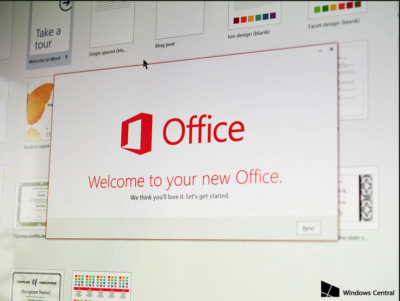
Office 2016 Preview

Office 2016 Preview for existing Office 365 subscribers

For enterprise

Office 365 administrators with an Office 365 ProPlus subscription can now enable the Office 2016 Preview for their organization by turning on First Release. Learn how to turn on First Release.

Once First Release is turned on, users can install the Office 2016 Preview.

Enabled Office 365 ProPlus users

1. Sign in to the My Software page.

2. Go to Try the next version of Office.

3. Click Install.office2016

This will install the Office 2016 Preview on your device.

Note Enabled Office 365 ProPlus users can follow the same process above to install the Project 2016 Preview and the Visio 2016 Preview. On your Software page, select Project or Visio from the Software list. If Project and Visio are not listed, they are not included with your subscription.
Not ready to join First Release? You can still get the Office 2016 Preview,find out how.

For home

  • Go to the Office M Account page.
  • Click Language and install options.
  • Click Additional install options.
  • Open the Version drop-down menu and select the 32-bit or 64-bit Office 2016 Preview.
This will install the Office 2016 Preview on your device. You will stay on the Office 2016 Preview track until you uninstall the Office 2016 Preview or until Office 2016 is released.

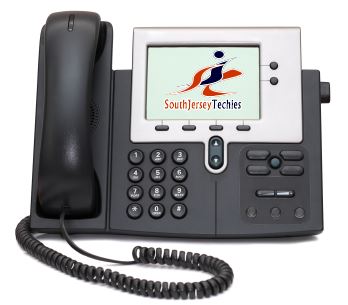
South Jersey Techies A High Quality VOIP Provider

VOIP

South Jersey Techies


South Jersey Techies is a high quality VOIP provider.

Our VOIP Solutions let you combine voice and data into a single, easy to manage service and helps you focus on your business, not your network and phone systems.

You can control how your calls are routed from a simple, web based portal accessible from any browser in the world. Use the Find-me/Follow-me feature to make sure you never miss another important call, no matter where you are. With this premium level feature, you get to decide which business calls get through to you at your desk, your cell phone or even at home if you like. You also get to decide which callers go directly to voice mail without even ringing your line.

South Jersey Techies offers a wide range of VOIP Phone Services.  We also offer cheaper, simpler plans that include both local and nationwide long distance calling.

With our hosted VoIP solution there is no expensive PBX equipment in your office to go down, fail or get damaged during a storm. Only your IP phone handsets reside in your office, and those can be easily taken out and moved at any time.

Go VOIP – Go Green – it has a good ring to it don’t you think

South Jersey Techies VoIP systems are more energy efficient and help reduce the need for work related travel and car usage.  Our VOIP Solutions also help reduce paper usage. A great example of this is the fax to e-mail system enabling your company to save on paper usage as the fax no longer has to be printed out, and this applies to both incoming and outgoing faxes.

South Jersey Techies VOIP Advantages:

  • Lower Costs: Save money by combining your phone and data networks
  • Greater Functionality
  • Less maintenance
  • Excellent Voice Clarity and Call quality
  • Free calling features with optional advanced features
  • Mobility: The ability to use your smartphone as an extension of the office phone system, including the ability to have business calls automatically directed to your cell phone and make outbound calls from your smartphone as your office number.
  • Portability: The ability to use any computer or office phone as your personal extension.
  • Flexibility: The ability to redesign your phone system on the fly by simply logging into your VoIP provider’s dashboard.

For more information please visit out websites below, we look forward to serving you:

http://southjerseytechies.net/voip.php

http://www.sjtechies.com/voip-phone-services/

User Friendly Email Marketing Services

Email Marketing

Connect with all your customers in just a few clicks!

Gain new customers and keep current ones coming back! Express Email Marketing Services lets you easily create beautiful, full-color emails with no technical or design skills. Plus, build and maintain your social media presence by managing all your profiles in just one place.

These days everyone’s trying to do more with less, including marketing their businesses.
  • Email Markeing Services is the simple and inexpensive way to generate added income from current customers.
  • Inform your customers about upcoming promotions, special offers, and your new products and services.
  • Email Marketing Services is convenient – customers can read your email when they want, where they want.
  • Email Marketing Services lets you track results. You can see how many people received, opened and acted on your email.

Email Marketing Services is one of the most effective and inexpensive tools in your marketing arsenal, with an average cost of less than a penny per email. It’s also an obvious (if often overlooked) strategy for generating more revenue from the customers you already have. Best of all, you can place an unsubscribe link at the bottom of every email, so they’re completely permission-based.

Everything you need to market your business like a pro:

Email Campaigns

  • Over 160 ready-made designs
  • Huge 20,000+ image library
  • Option to upload your own images
  • HTML & text emails
  • Auto Save feature
  • Easy Email Editor, with drag-and-drop functionality
  • Now-or-later scheduling
  • Ability to tailor emails to various interest groups

Social Media Visibility

  • Broadcast to multiple social networks with one click
  • Review and respond to your social contacts with a real–time Social Feed
  • Get the most out of your updates by easily adding images
  • See the activity on all your social networks from one screen

Survey Builder

  • Write, send and tabulate customer satisfaction survey
  • 9 unique question types
  • Custom design features
  • Link generator (text & button)

Real-time reports

  • Undeliverable emails
  • Unsubscribe requests
  • Number opened
  • Click-through rates to your website

Sign-up forms

  • Standard & custom questions
  • Question sorting
  • Custom design features
  • Return links
  • Form preview
  • Link generator (text & button)
  • HTML code for link

Other features

  • Bounce handling
  • Unsubscribe handling
  • Opt-in confirmation
  • Anti-spam protection
  • Spam reporting links
  • Custom e-mail messages

All Plans Include

  • Over 160 ready-made designs
  • Huge 20,000+ image library
  • Automatic photo resizing
  • Ability to create both HTML & text emails
  • Easy Email Editor
  • Social media management tools
  • Sign-up form for your home page
  • Easy list import
  • Bounce & unsubscribe handling
  • Detailed reports
  • Survey builder
  • List Manager
  • Now-or-later scheduling

Call (888) 505-1532 to get started now or click here

Create Your Own Website Tonight

Finally, A website builder that is easy to use.

With WebSite Tonight, everything works just like you’d expect. Need to move a section? Just drag and drop it. Want to add some text? Just click and type. Need help getting started? Choose from over 2,000 design and color combinations in our template library, including 120 pre-built websites customized to fit your business or style – just replace the text and images and you’re ready to go!

All Plans Include:

  •   2,000+ design options
  •   120 pre-built websites
  •   Built-in photo album
  •   FREE 8,700+ images (28,000+ with the Premium plan)
  •   Pre-built Flash intros>   Easy click-&-type editing
  •   No set-up fees and no software to download
  •   FREE Google Webmaster Tools
  •   Phone, Email and Web support
  •   FREE hosting & email

Creating your own unique site is easier than you think.

With hundreds of colorful, ready-made site designs and thousands of high-quality images, WebSite Tonight takes the complexity out of developing a website so you can let your creativity flow.

Choose a design

  • Get started in our template library, featuring over 2,000 design and color combinations and over 120 pre-built, 5-page websites, complete with layout, titles and navigation. Just replace the text and images and you’re ready to go!
  • Choose from 14 page layouts that put your site in the best light. Each page can have a different layout.

Make it yours

  • Insert your own photos or use any of the 8,700+ pro-quality imagesincluded free. Choose the Premium plan and get more than 28,000 images!
  • Format your content with bullets, numbering, hyperlinks – even input and edit your own HTML.
  • Add videos, music and much more – including pre-designed Flash animations, RSS feeds and widgets.

Publish it

  • Preview your site with one click to view and navigate before you publish to the Web.
  • Publish your website with one click – you’re live on the Web.
  • Optimize your site for Google and other search engines with Google Webmaster Tools.

You’re always in control with WebSite Tonight’s powerful features.

WebSite Tonight is not only fast and easy to use, it’s packed with powerful features. Expand and enhance your site with a huge variety of tools and options that will keep your site fresh and interesting and your visitors coming back for more.

Build your website

  • Choose from our template library, including 2,000+ professional design and color combinations and 120 pre-built websites
  • Add your choice of over 8,700 images (28,000+ with the Premium plan)
  • Pick your theme, color scheme and font
  • Add Flash intros with music, videos and more
  • Publish a “Coming Soon” page in 3 easy steps
  • Share content, add specialty content
  • Make your site .mobi-compatible

Customize your website

  • Integrate Quick Shopping Cart®
  • Add and edit HTML
  • Add widgets for weather, maps, news, clocks, Twitter® and Flickr® 
  • Add RSS Feeds
  • Add Forums
  • Password-protect individual pages 
  • Edit easily with click-&-type or wysiwyg
  • Image editing (editor/wysiwyg)
  • Use unique page-level header images 
  • Customize your Web site colors and themes
  • Advanced Style Editor

Add elements to your website

  • Accept online payments with PayPal®
  • Insert a personal guestbook
  • Display your photo and video content in a variety of ways
  • Build custom forms with no technical skills
  • Event Calendar 
  • Music plug-in
  • Hit counter
  • Date and time stamp
  • Supports JavaScript®
  • Customize navigation
  • Add 2nd level navigation 

Publish your website

  • FREE hosting with guaranteed 99.9% network uptime
  • Preview your site before publishing to the world
  • Seamless integration with Google® Site Mapping Tool
  • Publishing times
  • Publish from application
  • Add meta tags
  • Search Engine Optimization with meta tags, page keywords and descriptions
  • Perform site analysis
  • View publish log

Protect your website

  • Backup and restore your site
  • Get secure hosting, monitored around the clock
  • Protect your email with spam and virus safeguards
  • Secure privacy with 256-bit encrypted web-based email
  • Get “phishing” fraud protection with technologies like Sender ID

Market your website

  • FREE! Google Webmaster Tools
  • Bing™ / Yahoo!® Search Credit***
  • Facebook® Search Credit****

Our highly trained, courteous support staff is waiting to take your call. Whatever time it takes to assist you, that’s the time you’ll receive. We’ll resolve any issue to your complete satisfaction.

Call (888) 505-1532 to get started now or click here

CALL US NOW!